
Why MCP Is Dead: Skills Plus a CLI Cut Agent Tokens by 70%
Because every MCP server loads its full set of tool descriptions into context whether the task needs them or not, they quietly drain the context window. Replacing them with skills plus a CLI tool cut token use by more than 70% in testing while still reaching hundreds of integrations. Here is what that means for any business running AI automations.

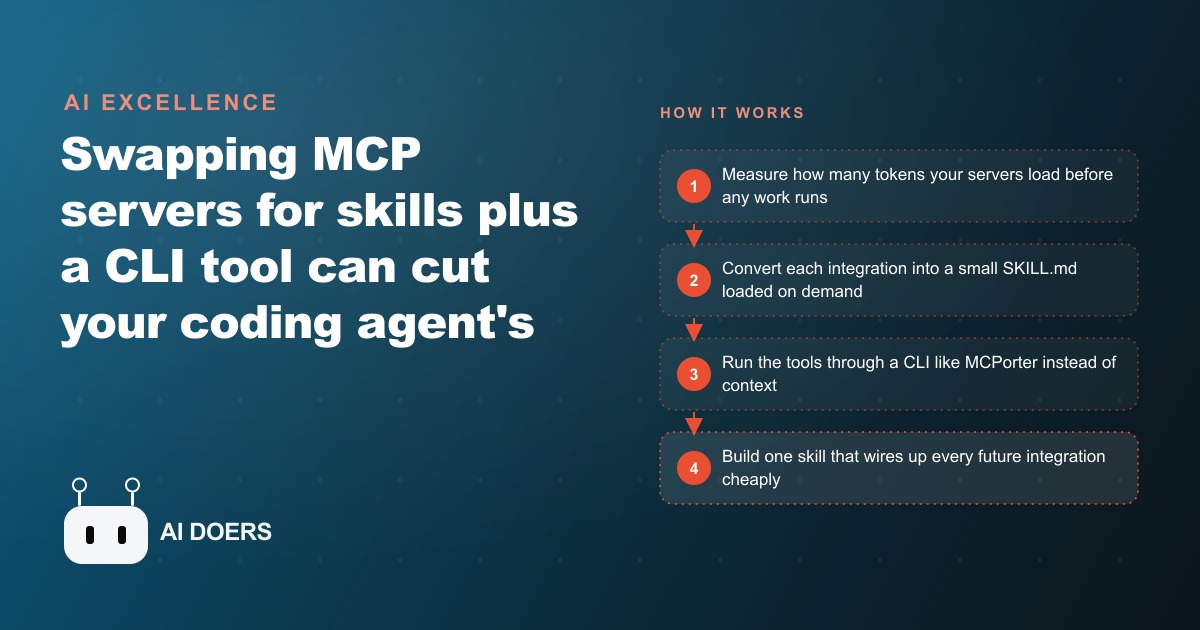
When you connect an MCP server to an AI agent, every tool that server provides loads its full JSON schema into the agent's working memory whether the current task needs it or not. That silent, persistent loading can consume tens of thousands of tokens per session before the agent has done a single useful thing.
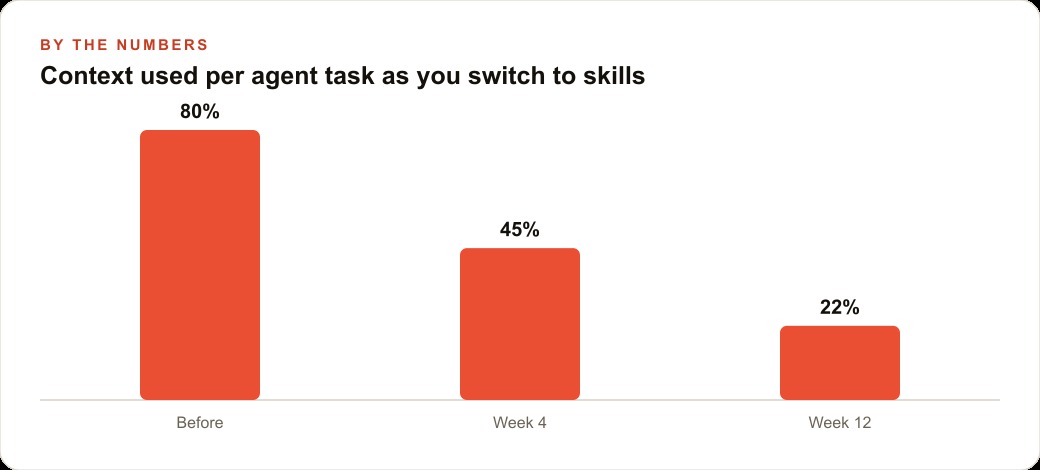
A skills-plus-CLI approach, replacing MCP servers with small instruction files loaded on demand and routing tool calls through a command-line interface, cut token consumption by more than 70 percent in a direct head-to-head test. The benchmark was a browser automation task: the Chrome MCP approach left about 87,000 tokens of context available after a basic run; the CLI-based skill approach left 117,000 tokens available for the same task.
I am Madhuranjan Kumar. That 70 percent cut is not a quality tradeoff. The agent reaches the same integrations, does the same work, and produces the same outputs. It just does it without loading thousands of tokens of tool description that no particular task ever fully uses. For any business paying for AI automations at scale, this is the kind of efficiency gain that changes whether the economics work at all.
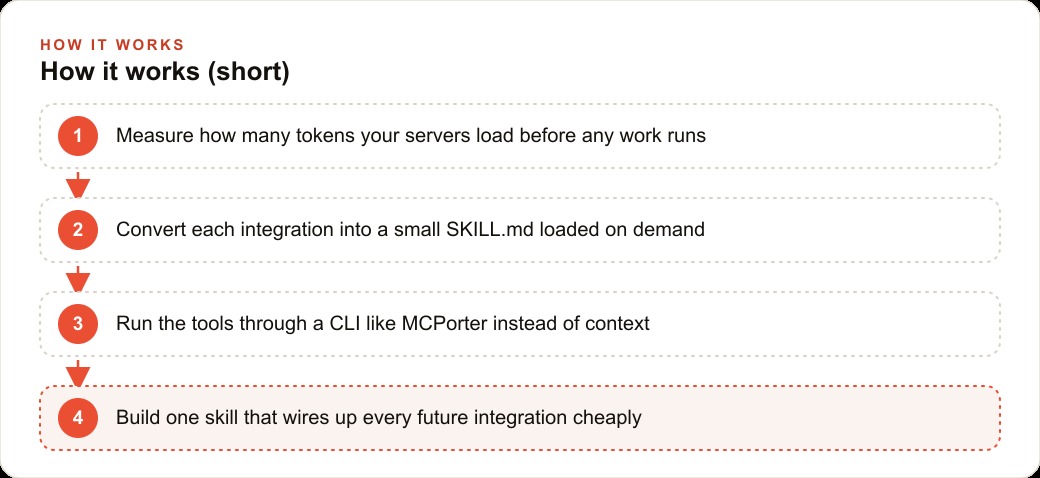
Stage 1: Measure the baseline: how many tokens your servers burn before real work starts
Before you optimize anything, you need to know what you are optimizing. The first step is to measure how many tokens your current agent configuration consumes at startup, before any task begins.
The straightforward method is to run a minimal task, something trivial, and check the token count of the initial context the agent received. In most agent frameworks that log token usage, you can see the breakdown between system context, tool descriptions, and conversation content. The tool description portion is what you are targeting. If your agent has five MCP servers with an average of ten tools each, and each tool schema averages two thousand tokens of description, you are loading approximately one hundred thousand tokens of tool context per session before the first word of the actual task is processed.
Write that number down. It is your baseline. Everything you do in the following stages should be measured against it, because the goal is to shrink that pre-task token consumption while leaving the agent's capabilities unchanged.
The other thing to note in this step is which servers are loaded most frequently and which tools within each server are actually called during typical tasks. You will almost certainly find that a large portion of the loaded tool descriptions correspond to capabilities the agent calls rarely or never. Those are your highest-priority conversion targets.
Stage 2: Convert the highest-load integrations to SKILL.md files first
A SKILL.md file is a small text file that describes what an integration does, when to use it, and which specific functions to call. Instead of loading the full tool schema for an integration at startup, the agent loads only a short description of the skill. When a task requires the integration, the agent pulls the skill, reads the relevant instructions, and proceeds. The loading cost for a single SKILL.md is roughly 10 to 50 tokens. In the space that a pile of MCP tool descriptions was consuming, you could list approximately four thousand skills.
Start with the integrations that have the largest tool schemas and the lowest actual usage rate. These produce the worst ratio of loaded context to useful work and are where conversion produces the biggest immediate gains.
For a business running an AI assistant that handles email drafting, calendar lookups, CRM updates, and document retrieval, converting the CRM integration first is likely the right priority. CRM integrations tend to have large tool schemas because they expose many object types and actions. If the agent is only calling three or four of those actions regularly, the rest of the schema is pure overhead. A SKILL.md for that integration describes those three or four actions specifically, how to call them, and what parameters they expect. The agent loads that description on demand instead of the full schema every session.
For businesses where the AI assistant helps manage a /web-crm system, this conversion is particularly impactful because CRM integrations tend to be the heaviest single source of startup token consumption. Converting that one integration first can recover a substantial portion of the total overhead.
Stage 3: Route the remaining integrations through a CLI like MCPorter
After converting your highest-priority integrations to skills, the next step is to route the remaining integrations through a command-line interface rather than loading them directly. An agent that can call a CLI can reach any integration that the CLI can reach, without that integration's tool schema ever entering the context window.
MCPorter is an open-source tool built specifically for this purpose. It runs MCP servers through the command line and exposes helper functions for the tool schemas. The agent calls MCPorter with the integration name and the action it wants to take, MCPorter runs the integration, and the result comes back. The agent never loads the integration's full schema.
An agent system called Manus already works this way. It keeps a minimal set of fundamentals always loaded, things like read, write, and edit, and routes everything else through a CLI the agent calls on demand. That architecture is what allows Manus to maintain an enormous number of integrations without the context overhead that would make each session prohibitively expensive.
Beyond the token savings, running integrations through a CLI adds flexibility. The agent can pipe one action's output into the next, wait for a result before proceeding, handle an error and retry with different parameters, and chain multiple integration calls in a single pass. Fixed MCP tool calls cannot do this. A CLI can.
For a business running agents that pull data from multiple sources and combine the results, as an agency might do when reporting across a client's /meta-ads spend and /google-ads performance simultaneously, the CLI approach allows those two data pulls to be chained in a single agent step rather than requiring separate tool calls with separate schema loading for each integration.
Stage 4: Build the meta-skill that wires every future integration for a few tokens
Once you have the skills-plus-CLI pattern working for your existing integrations, build one more skill whose only job is to add new integrations correctly. This is the leverage point that makes the whole system compound rather than requiring repeated manual work every time a new tool is needed.
The meta-skill is an instruction set for the agent that describes how to: install a new MCP server, test it to confirm it works, identify which functions are actually going to be used, and write a SKILL.md file that captures those functions with the correct parameters. When you want to add a new integration in the future, you give the agent the MCP server details and instruct it to use the add-new-integration skill. The agent installs the server, runs a test, writes the skill file, and the new integration is available for a few tokens of ongoing loading cost rather than a full schema at startup.
Without this step, every new integration requires you to manually convert it. With this step, the conversion happens automatically and consistently, and new integrations slot into the lightweight architecture from day one rather than reverting to the old heavy-loading pattern.
The meta-skill also enforces quality. Because it follows a consistent process for every integration, the SKILL.md files it produces have a consistent structure that the agent can rely on. Inconsistently structured skill files are harder for the agent to use correctly, and the meta-skill eliminates that inconsistency by producing all files from the same template.
Stage 5: Confirm the savings on a real task before you migrate the whole stack
Before converting every remaining integration, confirm that the savings are real on an actual task from your workflow. Run the same task you ran in Stage 1, measure the token consumption again, and verify that the context the agent receives at startup has shrunk by a meaningful amount. Then verify that the output of the task is equally good, because the whole point is to cut cost without cutting quality.
The confirmation step matters because a misconfigured SKILL.md can cause the agent to reach for an integration incorrectly or miss a capability it needs. Catching that on a single converted integration is easy to fix. Catching it across a full stack migration after converting everything at once is much harder to debug.
Once you have confirmed the pattern works on your highest-priority integrations, convert the remaining ones in batches. Check after each batch. The goal is to reach a state where no MCP tool schemas are loading at startup and every integration is either a SKILL.md loaded on demand or a CLI call routed through MCPorter.
To make the economics concrete with an illustrative example: consider a real estate agency whose AI assistant handles roughly 200 tasks per day. The assistant drafts listing descriptions, responds to new lead messages, looks up property records, and updates a CRM. With a full MCP stack loading at each session, token consumption per task includes substantial overhead from integration schemas. At a 70 percent reduction in token consumption per task, the monthly token bill drops from something that requires constant budget justification to something that looks like a utility cost. If the agency was spending two thousand dollars per month on model tokens, the optimized stack brings that to around six hundred dollars for the same volume of work and the same output quality. These figures are illustrative based on the 70 percent benchmark from the head-to-head test; actual savings will vary by stack composition.
That saving compounds further as task volume grows. An agency that doubles its AI-assisted task volume from 200 to 400 tasks per day would have seen its token bill double under the old architecture. Under the skills-plus-CLI architecture, the doubling of tasks still increases the bill, but from a much lower base. The marginal cost of each additional task is a fraction of what it was, which is what makes scaling the automation economically sustainable rather than self-defeating.
The pattern described in this playbook is not experimental. It is what Manus built by hand and what MCPorter makes accessible to any business without building a custom CLI from scratch. The only reason more agent setups have not adopted it is that MCP servers were the default when people first started connecting agents to tools, and defaults persist. The switch to skills-plus-CLI is a one-time migration effort that pays a persistent efficiency dividend on every task the agent runs from that point forward.
There is a secondary benefit that the token count alone does not capture. An agent with a smaller startup context is a better agent. When the working memory is not crowded with tool descriptions the current task will never use, the model has more capacity to hold the actual task requirements, the relevant background, and the specific constraints of the current request. The outputs are sharper, the error rate is lower, and long multi-step tasks complete more reliably. Optimizing token use is not just about cutting the bill. It is about giving the model room to do the work well.
For any business that is already running agent automations and has not measured the startup token overhead, this week is the right time to run that measurement. The number you find will tell you immediately how much headroom you are leaving on the table. The migration to reclaim it is a one-afternoon project with compounding returns.
The broader principle this optimization represents is relevant beyond tokens. Any system that loads more than it needs for a given task is paying a tax on every run. MCP servers are one example. Oversized system prompts are another. Redundant context injected at every turn is a third. The habit of auditing what your agent actually loads, and cutting what it does not need for the task at hand, makes every agent you build or maintain faster, cheaper, and more reliable. Skills-plus-CLI is not just a token optimization. It is the right mental model for how to think about agent resource use in general.
That is exactly what we do at AI DOERS. Book a private 30-minute call with Madhuranjan Kumar and we will map the fastest path to it for your specific business.
Book your call →
Madhuranjan Kumar
Madhuranjan Kumar brings 20 years of performance-marketing experience and has managed over $200 million in Facebook ad spend for brands across the United States and beyond. His expertise spans the full modern marketing stack: Meta, Google Ads, TikTok, email automation, CRM, and the websites that hold it together. At AI DOERS he turns that track record into lead-generation systems for businesses across every industry.