
Why Claude's Free Tier Just Became the One to Beat
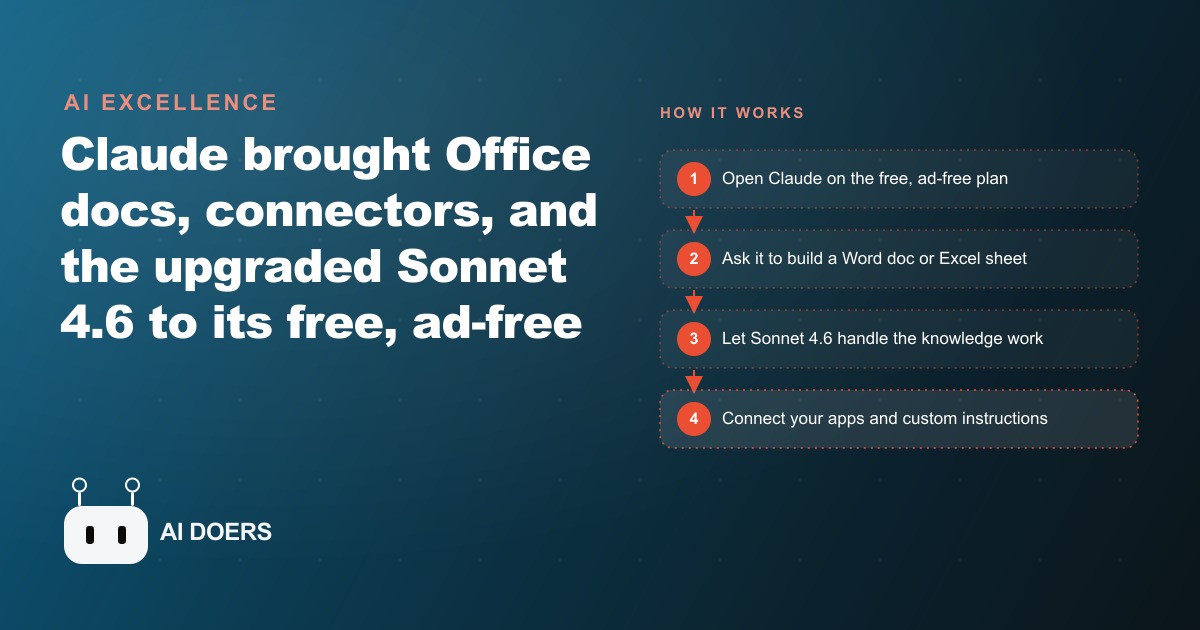
Claude pulled Microsoft Office document creation, app connectors, and the upgraded Sonnet 4.6 down to its free, ad-free plan, right as ChatGPT started rolling out ads. For most businesses, that single shift is reason enough to retest free AI.

I, Madhuranjan Kumar, want to tell you about a small consulting practice that quietly rebuilt its entire document workflow on a free AI tool in the span of three weeks, and the only external trigger was noticing that a rival tool had started showing ads in the middle of a research session.
This is a story about how one capability shift at the platform level, Microsoft Office document creation moving to Claude's free tier, compounded with several other changes to produce an entirely different daily work experience for a practice that had never budgeted for AI tools and was not looking to start.
The Week a Free Tool Stopped Feeling Like a Compromise
The practice in this story is a mid-sized legal consulting firm with four senior consultants and two support staff. They produce a high volume of documents: engagement letters, client briefing notes, regulatory analysis summaries, template contracts, and internal research memos. For most of the past two years, their relationship with AI tools was tentative. They had tried the free tiers of several tools and found them useful for quick lookups and email drafts but not for the more structured document work that made up the bulk of their billable output.
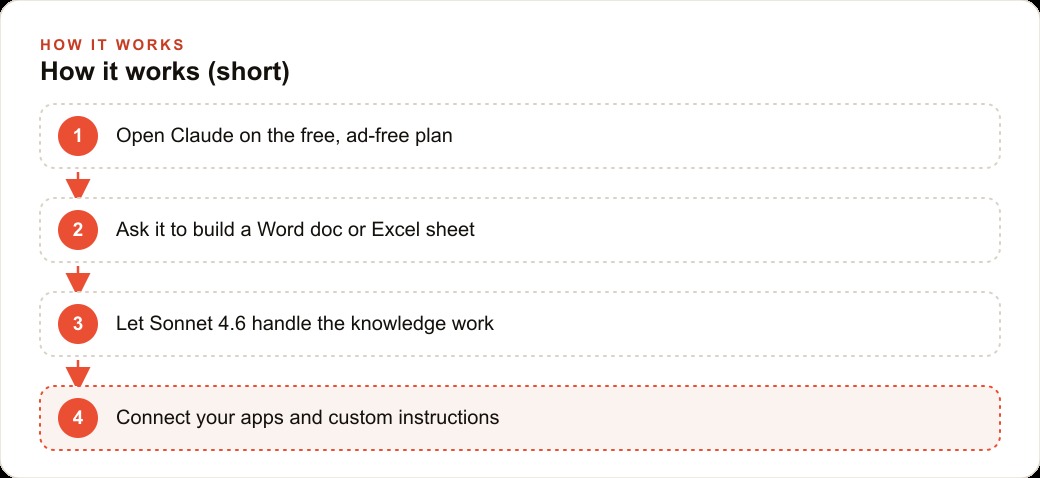
The shift happened the week Claude made Microsoft Office document creation available on the free plan. One of the senior consultants was working late on a regulatory briefing memo that needed to be delivered in a formatted Word document by 9 AM the following morning. She pasted the raw notes into Claude, described the document structure she needed, the section headings, the summary format, the appendix structure, and asked it to produce a complete draft in Word format. The draft came back formatted correctly, with the right structure, in a fraction of the time the previous process would have taken.
That single experience changed the practice's relationship with the tool because it demonstrated something the free tier had never demonstrated before: it could handle real, deliverable-quality document work, not just drafting assistance that still required significant reformatting and restructuring before it was usable. Claude, according to people who test these tools seriously, performs best in class at this specific kind of structured document production. The free-tier move made that capability accessible without a subscription decision.
The timing of this experience was also significant. On the same day the consultant was running her first document workflow test on Claude, she noticed the rival tool she had been using for quick research was showing an ad between her query and the response. The contrast landed immediately. One tool had just added a meaningful capability to its free plan. The other had just added an interruption. For a professional doing focused knowledge work, that is a clear signal about which product is optimized for the user.
Building Document Workflows Without Paying for the Privilege
Once the first document workflow proved reliable, the practice systematically worked through every recurring document type they produced and tested whether Claude could handle the first draft on the free plan.
Engagement letters were first. The practice has three standard engagement types, and each has a template that gets customized for each new client relationship. Previously, a junior staff member spent 20 to 30 minutes per letter pulling the right template, substituting client-specific details, and reviewing the result for completeness. With Claude handling the first draft from a short structured prompt, the time dropped to under ten minutes and the quality of the first draft was consistently cleaner than the previous template-substitution process because the AI understood context rather than just filling in blanks.
Regulatory analysis summaries were more complex, because they required the consultant to bring in source material, have Claude synthesize across multiple documents, and produce a coherent narrative rather than a simple structure. Those workflows benefited most from the Sonnet 4.6 upgrade that accompanied the free-tier expansion. Sonnet 4.6 is Claude's most cost-efficient model, upgraded to perform close to the previous paid tier, and the free plan now uses it as the default. The difference between earlier free-model quality and Sonnet 4.6 quality on a complex synthesis task is significant enough to change what the tool is useful for. Earlier free models were good enough for drafting. Sonnet 4.6 is good enough for substantive analytical work that the consultants are comfortable putting their name on after a review.
For businesses with ongoing SEO content production needs or regular research reporting requirements, the same dynamic applies. The free tier on Sonnet 4.6 is now capable enough that the previous argument, you get what you pay for with free AI, has to be updated. What you get for free is now genuinely good for most professional knowledge work tasks, and the paid tier buys you volume, speed, and advanced features rather than a fundamentally better base model experience.
One Setup Session That Changed Every Conversation After It
The most underused feature on the Claude free plan is custom instructions, and the practice discovered this about ten days into their adoption. Until that point, every new conversation with Claude started with the same two or three paragraphs of context: who the practice was, what kind of work they did, what formatting conventions they followed, and what level of formality was appropriate for their documents. Repeating that preamble in every session was a small but persistent friction that made the tool feel like a public utility rather than a configured professional assistant.
Setting up custom instructions took one senior consultant about 25 minutes. She wrote a clear description of the firm, the types of documents they produce regularly, the formatting standards they hold their work to, the preferred level of technicality in explanations, and a note about the audience for most of their deliverables. She also included a few specific things Claude should always and never do in the context of their work, such as always structuring regulatory summaries with a key findings section before the analysis body, and never using speculative language in documents that would be shared with clients without explicit flagging.
After that 25-minute setup, every subsequent conversation started with that context already in place. The quality of first drafts improved because the model understood the practice without being told in every prompt. The output formatting was more consistently aligned with their standards because the instructions were persistent rather than having to be re-stated. The time saving from eliminating the context preamble each session accumulated quickly across a week of regular use.
This is where the compounding dynamic of the free plan becomes visible. Each improvement, the document capability, the better model, the custom instructions, multiplied the value of the others. A strong model with good instructions producing the right document format is meaningfully different from any one of those things in isolation. The practice was not getting a tool that could do some useful tasks. They were getting a configured professional assistant that consistently understood their context.
Connecting the Practice Without Manual Copy-Paste
The third significant change came from the app connectors that also moved to the free plan alongside the document capabilities. The practice had been doing something that any professional service business probably recognizes: manually moving context from one system to another. A client email would arrive, contain relevant background information, and someone would copy the key details into a document or a briefing note before the next session. A research document would be produced, and the summary would be manually copied into a client-facing report.
App connectors create direct pathways between Claude and the tools the practice was already using, so that context flows without the manual copy step. The specific connectors available continue to expand, and the practical effect is that the assistant can pull relevant information from connected systems rather than being told everything manually in each prompt. For a practice that works extensively with email correspondence, shared documents, and reference databases, even a partial reduction in the manual context-loading step saves meaningful time across a week.
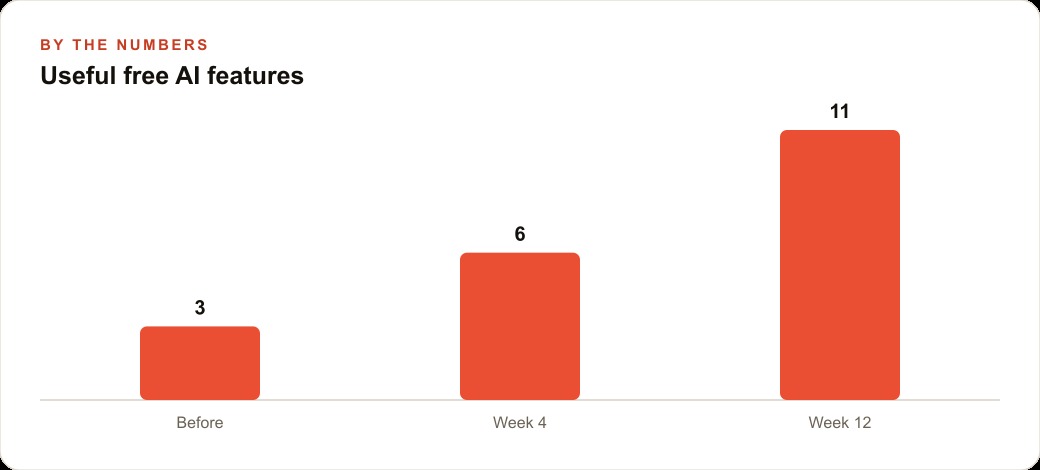
The combination of connectors with custom instructions is particularly valuable. A configured assistant that knows the practice's standards and can pull context from connected tools is performing a qualitatively different task from a tool being asked to process pasted text. The former is an integrated workflow. The latter is a productivity shortcut. The difference is visible in how the team refers to the tool in conversation: in the first two weeks, it was a tool they went to for help. By week four, it was the first step in their standard workflow for most document tasks.
For businesses that manage client reporting processes connected to Google Ads performance data or other platform analytics, this kind of integration matters for a specific reason. Reports that previously required pulling data from one platform, summarizing it elsewhere, and then drafting the client-facing narrative in a third place can be compressed into a more connected sequence where the AI assistance layer handles the synthesis and drafting steps without requiring the data to be manually shuttled between systems.
The Contrast That Made the Decision Obvious
About three weeks into the practice's adoption of Claude's free tier, two things happened in the same week that crystallized the decision to make it the standard tool across the practice.
The first was the moment a consultant tried to use the rival tool they had previously relied on for quick research and encountered the ad placement a second time. It was not that the ad was particularly intrusive. It was that the expectation of an interruption now existed every time the tool was opened. For focused knowledge work, the possibility of an interruption changes the cognitive relationship with the tool in a way that is hard to describe but easy to feel. The tool that might show you an ad is a different kind of tool from the one that will not.
The second was a conversation about the broader AI landscape that week. ChatGPT was showing ads. OpenAI had removed legacy models including GPT-4.0 and GPT-4.1 from the web interface, which disrupted some users who had built workflows around specific model behaviors. China had shipped several new frontier-quality models including ByteDance Seed 2.0, which reportedly approaches the quality of recent flagship models at roughly a tenth of the cost. OpenClaw, the viral agent tool that had been making headlines, now had friendlier alternatives in Manus AI and Kimi Claw, and Claude Co-work had reached Windows as a more stable entry point into agent-style workflows.
The pattern visible in that week's news was a landscape in significant flux, with new capabilities arriving fast and significant churn in which tools were positioned where. Against that backdrop, the practice's decision calculus was straightforward: which free tool is adding capability without adding interruptions? The answer was clear enough that no formal comparison process was needed.
Illustratively, consider what the shift in document workflow produced across the practice's output that month. Engagement letters that previously took 20 to 30 minutes of junior staff time came down to under ten minutes each. Regulatory briefing memos that were previously drafted by consultants from scratch were now reviewed and refined from a strong first draft rather than composed from a blank page. Illustratively, if each consultant saves an average of one hour per day in document drafting time across a month, that is roughly 20 hours per consultant of billable capacity recovered or delivered work completed with less strain. Across a four-consultant practice, the cumulative effect is significant and measurable, and the tool generating it is operating on a free plan. The specific numbers will vary by practice type, document volume, and how thoroughly custom instructions are configured, but the directional case is consistent.
The practice also discovered Google Docs' new audio summary feature during this period, which arrived in the same week as the Claude updates. Under the Tools menu, then Audio, Google Docs can now convert a long document into a podcast-style audio summary in the style of NotebookLM. For consultants who need to review lengthy source documents, being able to listen to a synthesized summary while handling other tasks added another efficiency layer that required no new tool, no new subscription, and no new workflow complexity. The two capabilities together, faster drafting with Claude and faster review with Google Docs audio, covered both ends of the document workflow that previously consumed the most time.
The practical conclusion for any professional service business evaluating AI tools right now is to run a real test rather than a theoretical comparison. Take the next engagement letter, regulatory memo, client report, or internal briefing you need to produce. Give Claude the context and ask for the first draft. Configure the custom instructions once and measure how much the pre-prompt context work disappears. Connect the tools you are already using and observe how the manual copy-paste steps change. The result of that one-week test is more informative than any benchmark comparison, because it shows you what the tool does with your specific work in your specific context, which is the only comparison that matters for a production decision.
That is exactly what we do at AI DOERS. Book a private 30-minute call with Madhuranjan Kumar and we will map the fastest path to it for your specific business.
Book your call →
Madhuranjan Kumar
Madhuranjan Kumar brings 20 years of performance-marketing experience and has managed over $200 million in Facebook ad spend for brands across the United States and beyond. His expertise spans the full modern marketing stack: Meta, Google Ads, TikTok, email automation, CRM, and the websites that hold it together. At AI DOERS he turns that track record into lead-generation systems for businesses across every industry.