
What Gemini Spark Actually Does for a Business, and Why It Matters
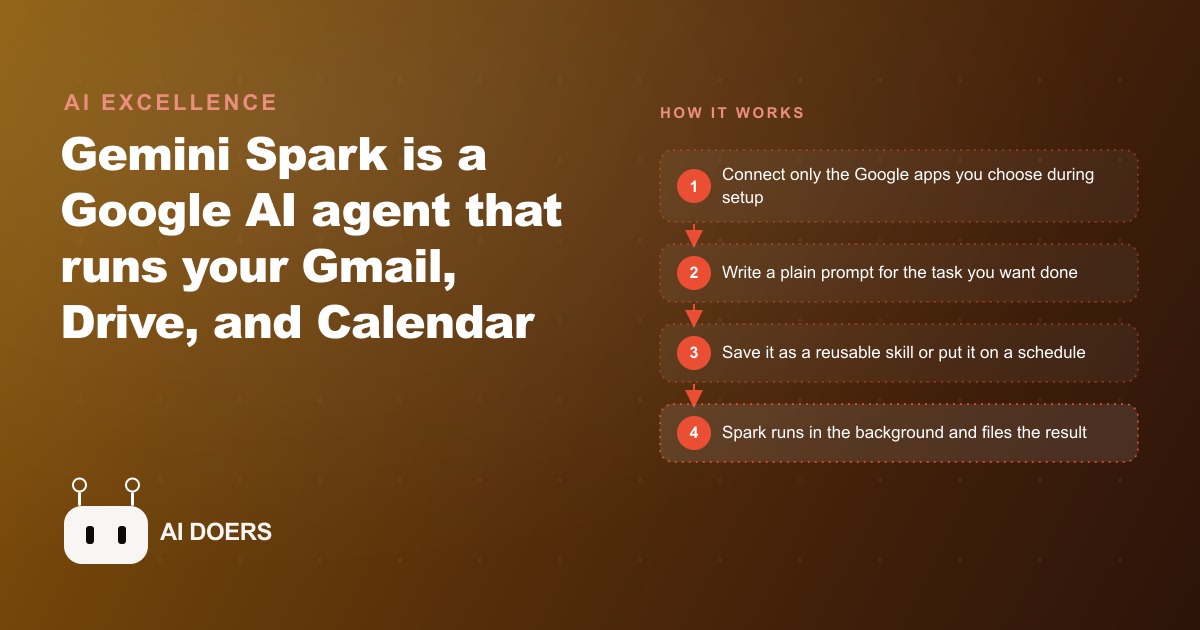
Gemini Spark is a Google AI agent inside the Gemini app that runs around the clock, reads your real Gmail, writes to Sheets and Drive, and prepares Calendar briefings, so the busywork in your inbox gets handled even when your devices are off.

The architectural line between a chatbot and an agent that keeps working without you
Something like 80 percent of business owners who try AI tools for the first time reach for a chatbot. That is the right starting point because chatbots are low-friction and the results are immediate. You type a question, you get an answer. You ask for a draft, you get a draft. The problem shows up three months later, when the owner realizes the tool is still doing exactly what it did on day one. It sits idle until someone opens a browser tab and types into it. Nothing happens on its own.
I am Madhuranjan Kumar, and the distinction I want to draw at the start of this piece is not about one product being smarter than another. It is about two different architectures. A chatbot is reactive: it waits for your input, processes it, and returns output. An agent is proactive: it has instructions, it has access to services like email, calendar, and files, and it executes those instructions on a schedule or in response to a trigger, without you being present at all.
Gemini Spark sits firmly in the second category. It is an always-on AI agent that lives inside the Gemini app and at gemini.google.com. It connects to Gmail, Drive, Calendar, and Sheets, and it keeps working in your Google account whether your phone is on your desk, in a bag, or off entirely. You set a task, a skill, or a schedule, and Spark executes it. The distinction from a chatbot is not subtle. A chatbot did not write a summary while you were sleeping. Spark did.
The reason this architecture matters more for businesses than for individuals is that business operations are not organized around single questions. They are organized around recurring processes. The same kind of email arrives every week. The same meeting prep happens every Monday. The same tracker needs updating every time a new client comes in. A tool that waits for you to initiate every one of those steps is useful but limited. A tool that runs those steps at the right time because you defined them once is genuinely valuable, because it compounds across every week you use it.
The current rollout puts Spark inside Google Ultra accounts first, with a broader release following. The businesses that learn the skill system and scheduling now, before the feature reaches the general tier, will have refined, reliable automations running when their competitors are still watching the announcement. Early fluency with a tool like this compounds. A team that has run a meeting briefing skill for six months has a more accurate, battle-tested version of it than a team that sets one up the day the feature becomes mainstream.
How skills compress months of email history into a reusable instruction
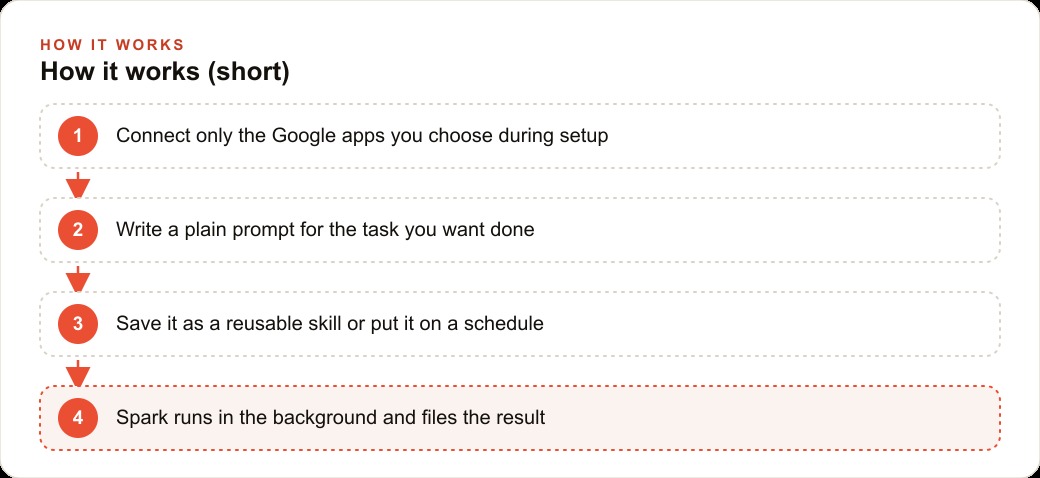
The skill system is the mechanism that makes Spark more than a scheduled search. A skill is a set of instructions the agent saves and calls whenever it is relevant, built from your actual email history and inbox patterns rather than a generic template you copied from the internet.
Here is the concrete version. Suppose someone has been using Gmail as their primary business communication tool for two years. Their inbox has a distinctive pattern: they respond to client inquiries in a particular tone, they follow up on proposals within 48 hours, and they write short replies to vendor questions in a specific style. All of that is implicit in the email history, but it is not written down anywhere in a form that a new assistant could read and apply.
Spark reads that history. Given a prompt like "read my last 30 sent emails and build a ghostwriter skill that captures my writing style," it analyzes the patterns in those messages, identifies the tone, sentence length, formality level, and common phrases, and saves those as a skill. From that point forward, when you ask Spark to draft a reply or compose a follow-up, it applies the skill automatically without you having to describe your style again. You teach it once and it applies forever.
The creation path is flexible. You can build a skill through a back-and-forth conversation with Gemini, describing what you want until the skill reflects it accurately. Or you can write a skill file directly as a structured set of instructions, which is the faster path once you have done it a few times. Either way, the saved skill sits in the agent's library and is available to every future task without retraining.
The business value of this pattern is about reducing the gap between what a senior person does and what the assistant delivers. The senior person has years of learned patterns embedded in their communication style, their client management approach, and their workflow habits. Without a skill system, an AI assistant produces generic output that someone with that experience has to edit heavily. With a skill that captured those patterns from the real email history, the output needs far less editing, which means the time savings grow instead of plateau.
Skills also stack. A business might have a ghostwriter skill for client communication, a categorization skill that routes new inquiries to the right tracker, and a briefing skill that knows which Drive folders hold the right documents for each meeting type. Each skill is built once and runs independently, but together they handle a substantial share of the recurring cognitive work that used to require a dedicated administrator.
What a server-side schedule actually means for a business owner
Server-side scheduling is the property of Spark that most people underestimate until they contrast it with what they experienced before. Most automation tools that run on a personal device are constrained by the device. If the laptop closes, the automation pauses. If the phone loses signal, the scheduled job fails. If you restart the browser, the automation vanishes until you set it up again. These constraints mean that automations effectively run only during business hours when a device is awake and connected.
Spark's schedule runs in Google's infrastructure, not on your device. The task executes at the scheduled time in your account whether or not any of your devices are powered on. A Friday afternoon newsletter summary runs at 3 pm whether you are in a meeting, on a plane, or asleep in a different time zone. A Monday morning lead count runs at 8 am even if the device with the calendar never left its charging cable over the weekend.
For a business owner that difference is significant. It means the schedule is not a plan that depends on everything going right. It is a commitment backed by the same infrastructure that keeps Gmail running 24 hours a day. The reliability expectation is closer to an email filter than a personal automation script, and that is a meaningful upgrade in dependability.
The practical consequence is that you can start replacing habits with schedules. Habits are powerful but fragile, because they depend on the right mental state at the right time. A Friday afternoon habit of reviewing the week's leads gets skipped during a busy client week. A Friday afternoon Spark schedule runs regardless of how busy the week was. Over time the gap between what you intended to do each week and what actually happened narrows, because the agent handles consistent execution while you focus on the variable parts that genuinely require judgment.
Scheduled tasks also create a reliable audit trail. When every Friday summary has run at exactly 3 pm for eight consecutive weeks and produced a filed document each time, you have a structured archive of weekly activity that required zero effort to maintain. That archive is not just convenient; it is the kind of systematic record that supports decisions about where the business's time has been going and where patterns in client communication reveal something worth acting on.
The email trigger that logs a lead while you are on a call
Email triggers are where Spark moves from useful to operationally significant. A scheduled task runs at a fixed time. An email trigger fires when a specific kind of message arrives, which means the response latency is determined by the incoming email, not by a clock.
The canonical example for a service business is the new client inquiry trigger. When an email matching the pattern of a new inquiry arrives, the trigger fires. The agent reads the message, verifies that it is a genuine inquiry and not a newsletter or spam, extracts the sender's name and the nature of the request, adds a row to the client tracker sheet with that information, and creates a Drive folder named after the sender to hold all future documents for that inquiry. It does all of this automatically, without anyone on the team touching the email or the spreadsheet.
The trigger does not wait for business hours. If an inquiry arrives at 11 pm on a Sunday, the entry appears in the tracker and the folder exists in Drive by 11:05 pm. The first person to open the tracker on Monday morning finds a complete, organized record of every weekend inquiry alongside the mid-week ones. Nothing slipped through because no one was watching.
The trigger is also consistent in a way that a person doing the same job at different times of day is not. The folder always gets created. The row always gets added. The fields always get filled in the same format. That consistency matters more for downstream work than the speed does, because the person following up can read the tracker entry with confidence that it reflects the inquiry accurately, not that someone made a shorthand note that made sense at the time.
Testing a trigger before relying on it is the step most people skip. The right approach is to send a test email that matches the pattern you defined and watch exactly what the agent does. Does it create the folder in the right parent directory? Does it add the row to the right sheet? Does it fill the correct fields? Running that test once, reviewing the output, and making any corrections to the trigger instructions takes about 10 minutes and prevents a week's worth of misfiled entries.
Building meeting briefings without opening a single file manually
Meeting preparation is a task that everyone knows is valuable and almost no one does as thoroughly as they intend to. The intention is to read the relevant emails, pull the related documents, review the last conversation with the person, and walk in with informed questions. The reality is that most people scan the calendar event on the way to the meeting and rely on memory.
Spark makes the thorough version automatic. Given access to Calendar and Drive, it reads tomorrow's calendar events, identifies each meeting and the people on it, searches for related emails, and finds Drive documents that are relevant to each meeting based on content and context. It writes a one-page brief for each appointment, organized with background on the meeting purpose, a summary of the most recent email thread, the relevant documents, and three or four specific questions worth raising based on what it found.
The brief is not a generic template with placeholders. It is a document assembled from your actual data for your actual meetings. The questions it generates are grounded in the specific content of the emails and files it found, not in a generic "what are the next steps" prompt. A follow-up prompt can save each brief directly into a specific Drive folder organized by date or meeting, so the briefing documents accumulate in a structured archive rather than sitting in a chat window.
For a professional with four or five meaningful client or partner meetings in a given week, the time normally spent on preparation across those meetings might be an hour or more. Spark compresses that to the time it takes to read the briefing, because the research and synthesis happened in the background. The quality of the briefing is often higher than what the manual version produced, because the agent reads every email thread without skipping the ones that seem familiar, and pulls documents that a manual search might have overlooked.
The less obvious benefit is in the questions. Someone who reads a two-month email thread on a vendor relationship and notices a pattern of delayed responses might ask a question about timeline reliability in the meeting. Someone who skims the same thread might not notice the pattern at all. The briefing surfaces what the data contains, not what fits in a quick mental scan.
Why access should expand slowly, not all at once
The counterintuitive advice about an agent as capable as Spark is to start with less access than you think you need. During setup, Spark asks which Google services to connect. The instinct is to enable everything immediately, because more access means more capability. The practical advice is to resist that instinct for the first two or three weeks.
The reason is that an agent acting on Gmail, Drive, Calendar, and Sheets simultaneously has a wide blast radius if it misunderstands an instruction. An agent that creates folders in the wrong parent directory in Drive affects file organization. An agent that adds rows to the wrong sheet affects the tracker your team relies on. An agent that acts on an email pattern that matches more broadly than intended might create folders for newsletter subscriptions instead of only for client inquiries. Each of those mistakes is recoverable, but they are easier to catch when you are watching one service at a time.
The trust gradient works like this: start with Gmail alone, or Gmail and Calendar together, and watch what the agent does for a week. Review each output. Verify that the folders got created correctly, that the sheet entries match the emails, that the briefings cover the right meetings. When the outputs look right consistently, expand to the next service. This is not about distrusting the tool. It is about learning which skill instructions need to be more specific before you run them at full scale.
The skills also benefit from correction early. A ghostwriter skill that captures 85 percent of a writing style is useful, but a few corrective prompts based on reviewing real outputs over two weeks push it to 95 percent. Those corrections are much easier to apply when you are in a review mode, because the feedback loop from noticing an error to fixing the skill instruction is short.
A real estate agency putting this to work
For a real estate agency, the combination of email triggers, skills, and meeting briefings addresses three of the most time-consuming recurring tasks at once.
The agency receives 20 to 30 new lead inquiries in an average week. Currently, the listing agent or an assistant logs each one manually: opening the email, reading the request, creating a contact record in the CRM, and making a note in the shared tracker. That process takes five minutes per lead, which adds up to 100 to 150 minutes per week of work that does not directly serve clients.
Setting up an email trigger for new inquiries automates that entire process. The trigger fires when a new inquiry arrives, verifies it is a genuine lead, extracts the sender's contact details and the property they mentioned, adds a row to the lead tracker with those details, and creates a Drive folder named after the lead to hold all correspondence and documents. The folder structure the agent creates is consistent across every lead, which means whoever follows up next week can open the lead's folder and find everything organized the same way every time.
A ghostwriter skill built from the last 40 outgoing emails the agent sent handles follow-up drafts in the same voice the clients already recognize. The skill is especially valuable for the five or six follow-up emails per week that happen after an initial inquiry, because those messages take 10 to 15 minutes to write from scratch. With the skill, the agent drafts the email, the listing agent reads it in 30 seconds, makes any adjustment, and sends. That alone recovers an hour a week for active agents handling a significant pipeline.
The meeting briefing capability is the third piece. For a week with seven or eight property showings or listing consultations, the agent reads the calendar the night before, finds the relevant lead files and email threads for each appointment, and writes a brief that includes what the client said they were looking for, the price range they mentioned, and any outstanding questions from the thread. The agent reads these on the drive to the showing instead of from memory.
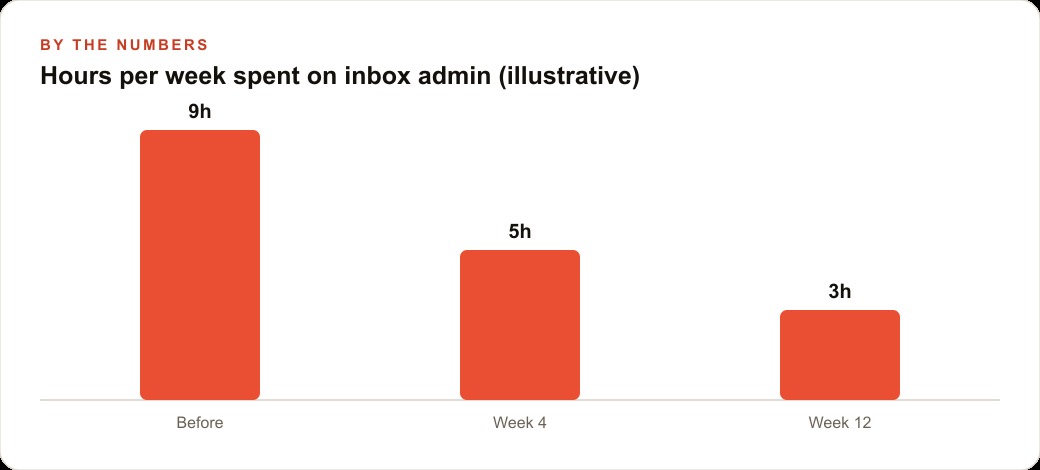
Over a month at that level of use, the rough numbers look like this: 100 to 150 minutes per week on lead logging returned to client time; 60 to 90 minutes per week on draft follow-ups collapsed to 10 to 15 minutes of review; 45 to 60 minutes of meeting prep per week replaced by reading a briefing. Total recovered time in an active week: three to five hours. For a solo agent working a full pipeline, three to five hours a week is the difference between keeping up and falling behind.
The setup that makes all of this possible takes an afternoon: connect Gmail and Calendar, build the inquiry trigger, run the ghostwriter skill on the last 40 sent emails, and schedule the briefing task for each evening before a showing day. The agent handles execution from that point forward. The agent's job becomes closing, not logging.
That is exactly what we do at AI DOERS. Book a private 30-minute call with Madhuranjan Kumar and we will map the fastest path to it for your specific business.
Book your call →
Madhuranjan Kumar
Madhuranjan Kumar brings 20 years of performance-marketing experience and has managed over $200 million in Facebook ad spend for brands across the United States and beyond. His expertise spans the full modern marketing stack: Meta, Google Ads, TikTok, email automation, CRM, and the websites that hold it together. At AI DOERS he turns that track record into lead-generation systems for businesses across every industry.