
What Are Local AI Agents And How Do You Build One?
A local AI agent is an AI that runs on your own machine and takes actions on its own. You build one by assembling a home, a chat channel, a model brain, memory files, tools, a scheduling heartbeat, and computer-use eyes.

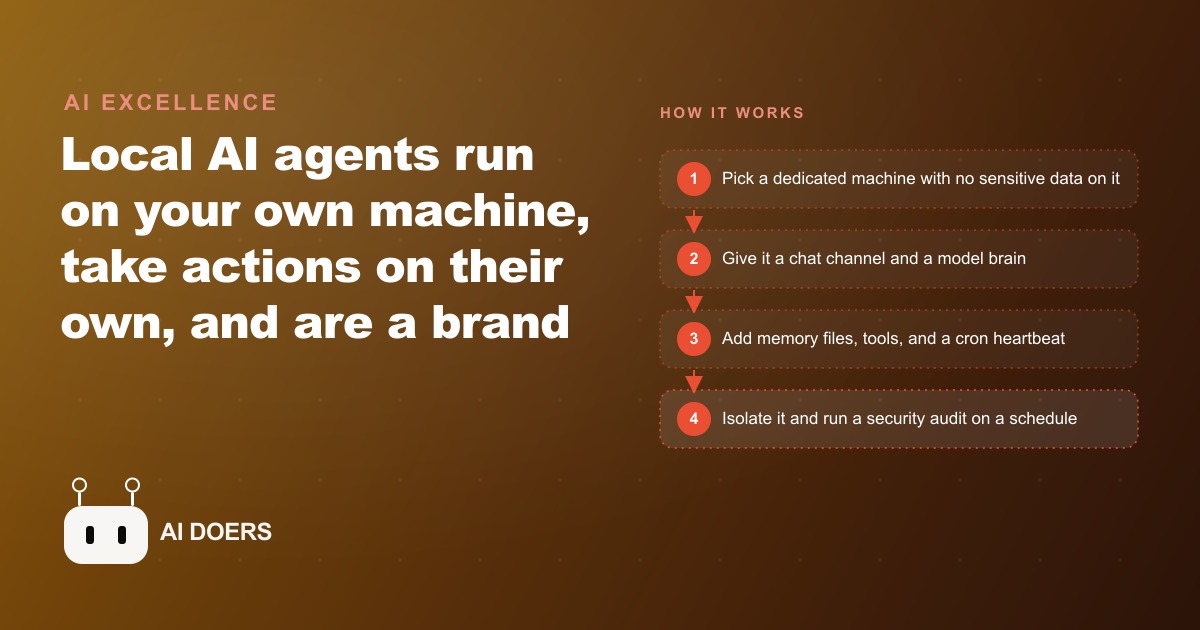
Most people who try to build a local AI agent get stuck at the same point: they have a model running on their machine and no clear picture of what needs to surround it to make it useful. A language model alone is not an agent. It is a capability sitting idle until it has a place to live, a way to communicate, things to remember, tools to act with, a schedule that makes it proactive, eyes for software with no API, guardrails that keep it safe, and a clear job description. Madhuranjan Kumar has assembled these same components for multiple small business owners, and the pattern is consistent. Here are the nine that determine whether a local agent earns its keep or sits on a hard drive unused.
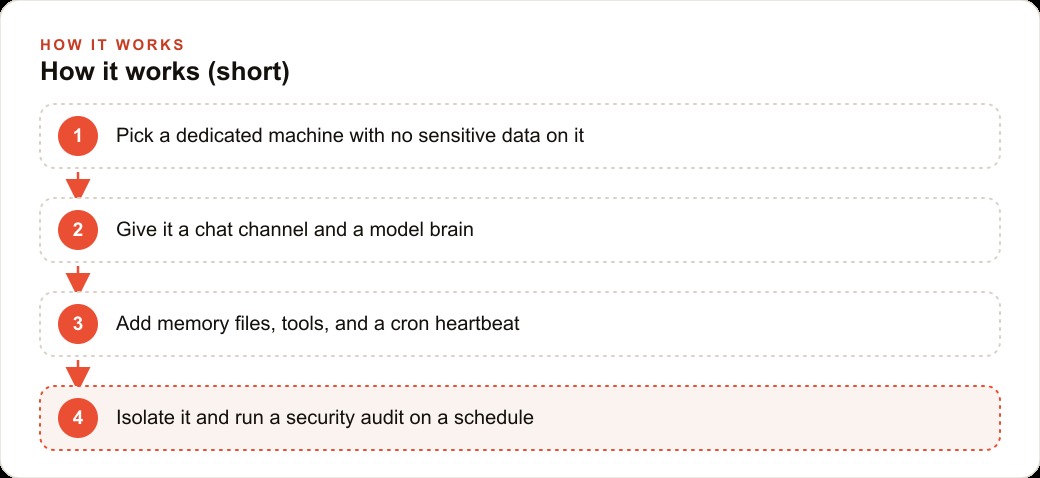
1. A Dedicated Machine With No Sensitive Data on It
The first component is not a piece of software. It is a physical commitment: a machine the agent owns entirely, with nothing on it that the business cannot afford to expose.
A local agent runs autonomously. That autonomy is the whole point. But it also means that if the agent is ever given a bad instruction, manipulated through an injection attack, or configured incorrectly, it acts on its own authority. The damage it can do is proportional to what it has access to. A wiped old laptop dedicated to the agent and nothing else limits that blast radius to the machine itself. Customer payment data, legal documents, and financial records never live there, so they can never be touched.
For a hair salon, this means the front-desk booking computer stays exactly as it is, with no agent on it. A spare laptop gets wiped, has no salon data transferred to it, and becomes the agent's dedicated home. The agent can query the booking system through an API call, but the underlying database lives elsewhere. If the agent behaves unexpectedly, the worst outcome is a disrupted API session, not an exposed client list.
2. A Communication Channel the Owner Actually Opens Every Day
An agent with no channel to reach you is a process that runs silently and cannot ask for help or report a result. The channel is how you assign tasks, receive updates, and course-correct when something needs adjusting.
Telegram is the most common starting point because it works across every device, has a clean bot API, and sends push notifications reliably. Discord scales better when multiple team members need to interact with the agent or when the task volume is high enough to warrant separate organized boards for different task types.
The criterion for choosing is simple: which app do you actually open many times a day? The agent's channel needs to be in that app. A communication channel that requires switching to a separate interface will be checked infrequently, which makes the agent slow and reduces its usefulness.
For the hair salon, Telegram works well because the owner is already there. The agent can send the morning appointment summary before 7am, surface any rebooking opportunities during a quiet moment, and receive a voice memo task from the owner while she is handling a client without requiring her to stop and type.
3. A Model Brain Matched to the Budget and the Sensitivity of the Work
The model is what reasons, drafts, and decides. Choosing the wrong model for a local agent has two failure modes: spending more than necessary on a frontier model for tasks that a small, fast, free one handles just as well, or running an underpowered local model on tasks that require nuance and getting inconsistent output.
Cloud-accessed frontier models handle complex reasoning, nuanced customer communication, and multi-step planning well. They cost per token, which adds up with high volume. Free open-source models like Qwen and Kimi run directly on the local machine, eliminating the API cost entirely, but they require enough RAM to load and perform less well on tasks that involve subtle judgment. The right choice depends on three factors: how much the task matters, how much volume the agent will run, and how privacy-sensitive the content is.
For the hair salon, a mixed approach works best. A fast, free local model handles classification and simple replies. A cloud model handles anything customer-facing that needs to sound polished. Content about individual clients, their names, appointment history, and preferences, is processed locally so it never leaves the salon's own machine.
4. Memory Files That Describe How the Business Actually Works
Memory in a local agent is text files. Markdown documents that describe the business, the workflows, the preferences, and the recurring patterns the agent should know about. Nothing more technically sophisticated than that.
The importance of these files is easy to underestimate. Without them, every session starts from scratch. The agent does not know that the salon uses a specific booking tool, that the owner prefers reminder messages to go out two days before an appointment rather than one, that the response to a cancellation request always offers a rebooking date before closing the conversation. These facts need to be written down in a memory file that the agent reads at the start of every session.
Memory files should be maintained deliberately. When a preference changes, the file gets updated. When a new service is added, a note goes in. Files written once and never touched degrade over time as the business changes. Ones that get a brief review every two weeks stay accurate and keep the agent from developing contradictions between its instructions and the current state of the business.
For the hair salon, the memory files include the service menu and current pricing, the rebooking language that converts cancelations into new appointments, the names and notable preferences of the most regular clients, and the seasonal promotion calendar so the agent always knows what offer is currently active.
5. Tools Scoped Only to the Tasks the Agent Is Actually Doing
Tools are what give the agent the ability to act beyond generating text. Web search, email access, calendar reads, folder monitoring, image generation, API calls to business software: each tool is a permission the agent holds.
The scoping principle is that the agent should hold only the tools it actually uses for its assigned tasks, and each tool should be granted at the minimum permission level required. An agent that drafts appointment reminders needs email send access, but it does not need read access to the entire inbox. An agent that monitors the accounting folder for new files needs read access to that specific folder and nothing else. Granting broad permissions because it is convenient is the fastest way to make the agent dangerous.
Scoped tools also make the system easier to audit. When something goes wrong, the question of what the agent could have done is answered by looking at its tool list rather than scanning an unconstrained set of possibilities. If a tool is not on the list, the agent could not have used it.
For the hair salon agent, the tools are: read access to the booking system calendar API, send access to the owner's email for drafts staged for approval, read access to the accounting export folder, and write access to the memory files. Not the payment processor. Not the full email inbox. Not the client management database directly.
6. A Cron or Event Heartbeat That Makes the Agent Act Without Being Asked
An agent that only responds when you message it is not meaningfully different from a chatbot. What makes a local agent genuinely useful is its ability to act on a schedule or in response to events, without waiting for human input.
A cron heartbeat fires on a time trigger: every day at 6am, every Monday at 8am, every Sunday evening. An event trigger fires when something happens: a file lands in a watched folder, a message arrives in a specific channel, a calendar event starts in 30 minutes. These triggers are what make the agent proactive rather than reactive.
The morning brief is the canonical first heartbeat for almost any small business. The agent runs before anyone arrives and delivers a structured summary: today's schedule, gaps worth filling, clients due for a follow-up, any pending task from the previous day that did not resolve. That brief takes work off the plate before the day starts.
For the hair salon, the 7am cron runs the morning appointment summary. An event trigger fires when a new sales export lands in the accounting folder. A Monday cron runs the rebooking outreach list, pulling clients who are 8 or more weeks past their last visit and drafting reminder messages for the owner to review and approve before they go out.
7. Computer-Use Eyes for Software That Has No API
Many useful business tools have no API. There is no endpoint to call, no structured data to query. They are graphical applications with menus, buttons, and screens. Without computer use, an agent is locked out of any tool the business has not structured for programmatic access.
Computer use means the agent can take a screenshot, interpret what it sees, click, type, scroll, and navigate a graphical interface the same way a person would. It is slower than an API call and less reliable, but it makes the agent capable of interacting with legacy software, web applications with no public API, and desktop tools that were built before programmatic access was expected.
The practical boundary for computer use is accuracy and speed. It is appropriate for low-volume tasks where a human would otherwise be doing the same pointing and clicking. It is not appropriate for high-volume automated processing, where the speed and reliability of an API is required.
For the hair salon, computer use becomes relevant if the booking software changes its API or if the owner wants the agent to interact with a system that only has a web interface. The agent can navigate to the client record, pull the last appointment date, and return it to the main workflow. It is slower than an API call, but it works when no API exists.
8. Safety Isolation and a Scheduled Self-Audit
Safety is not the last component to think about. It is the one that has to be decided before anything else is deployed. A local agent without safety isolation is a background process with access to your business systems and no guardrails on what it can do.
Safety isolation means the agent's dedicated machine has no sensitive data on it, the agent's tools are scoped to the minimum required, every third-party skill or tool is audited before installation, and the agent's own instructions and behavior get reviewed on a schedule, not just once at setup.
The scheduled self-audit is the component that keeps an agent stable over months of use. Agents accumulate behavioral drift as memory files change, new tools are added, and instructions layer up. A weekly automated review of the agent's current instruction set and recent actions flags changes that have introduced inconsistencies or unexpected behaviors before they affect real work.
For the hair salon, the weekly self-audit checks that the agent's tool permissions match its assigned tasks, that no new memory notes have introduced contradictions with existing ones, and that the cron schedule is still running as expected. A report goes to the owner's Telegram channel by Sunday evening. If anything looks off, the owner has time to review it before the Monday workflow begins.
9. A Team Structure Where Each Agent Has One Clear Job
A single agent trying to handle everything is a single point of failure with an expanding job description. A team of agents, each with one specific function and one clear scope, produces more aggregate output, fails more gracefully, and is far easier to maintain and improve.
The team model means one agent owns scheduling and dispatch, another owns customer communications, another owns research and information gathering, another owns the accounting folder and financial summaries. Each runs in its own thread with its own memory files and tools. The agents pass results to each other through structured handoffs: the scheduling agent flags a gap in the calendar, the customer communications agent drafts the outreach for that slot and stages it for the owner's approval.
The team also means one agent's failure does not stop the others. If the research agent has an issue, scheduling and communications continue without interruption. When improving a specific capability, only the relevant agent needs to be updated. The rest keep running unchanged.
For the hair salon, the final structure is three agents: a schedule agent that owns the morning brief and the calendar, a client agent that handles all outreach and communications, and an accounting agent that processes the daily sales export. The owner interacts with all three through a single Telegram channel organized into three topics, one per agent. Each is scoped, isolated, and audited on its own schedule.
What These Nine Components Add Up To
None of the nine components are technically complex. A dedicated machine, a communication channel, a model, text files for memory, scoped tools, a cron schedule, computer-use access for locked software, a safety audit, and a team structure for scale. The complexity is not in any single component. It is in making decisions about each one deliberately, before the agent touches real work, rather than improvising as problems appear.
An agent that has all nine is a durable operational system that earns its keep over months. The most commonly skipped component is the scheduled self-audit. Owners build the agent carefully, deploy it, and never schedule the review. The agent drifts. By the time the drift causes a visible problem, it is hard to trace back to its source. Running the audit on a schedule from the first week prevents that category of failure entirely. A hair salon that starts with all nine in place has an agent that compounds value every week rather than one that needs rebuilding after three months.
That is exactly what we do at AI DOERS. Book a private 30-minute call with Madhuranjan Kumar and we will map the fastest path to it for your specific business.
Book your call →
Madhuranjan Kumar
Madhuranjan Kumar brings 20 years of performance-marketing experience and has managed over $200 million in Facebook ad spend for brands across the United States and beyond. His expertise spans the full modern marketing stack: Meta, Google Ads, TikTok, email automation, CRM, and the websites that hold it together. At AI DOERS he turns that track record into lead-generation systems for businesses across every industry.