
What a Leaked Claude Code Source Map Reveals About Modern AI Agents
A stray source map briefly exposed the Claude Code CLI, and reading it shows that modern coding agents are real multi-agent runtimes whose personality and permissions live in plain config you can audit and reshape.

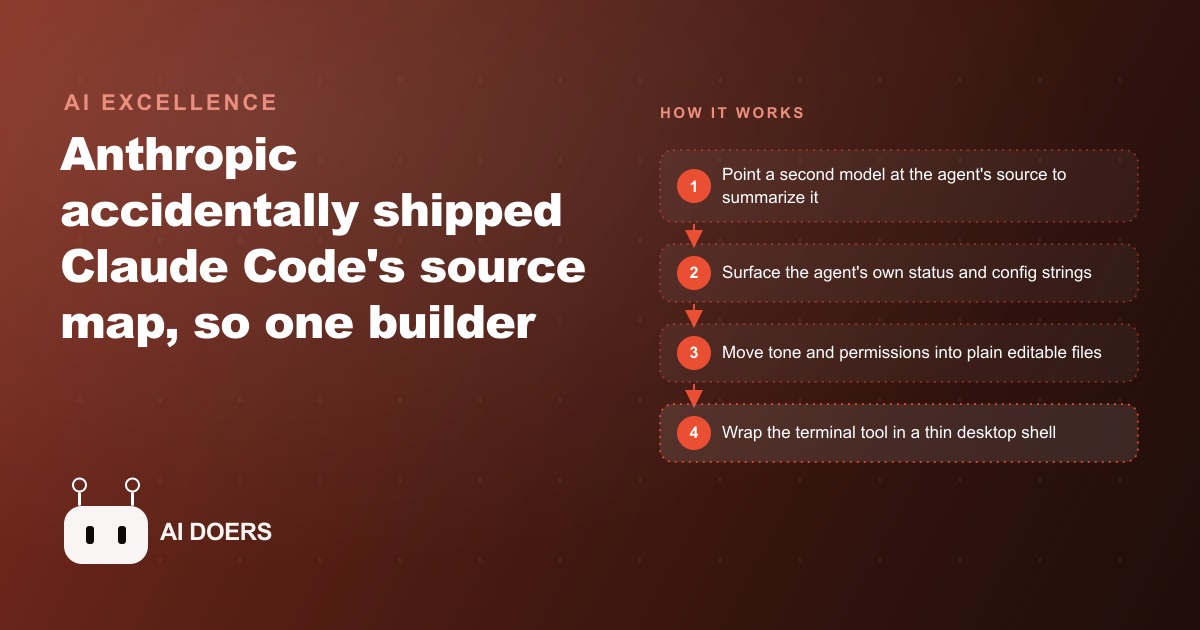
For roughly 48 hours in 2026, a download link circulated in AI developer communities pointing to a source map file that Anthropic had accidentally published to their NPM registry. The file exposed the compiled source of the Claude Code CLI, and one builder used those 48 hours to read the architecture, summarize it with a second AI model, and fork the CLI into a customized coding agent with a different personality, explicit permission modes, and persistent memory.
A Download Link Circulated for About 48 Hours and Then Went Quiet
The sequence of events was brief. A source map file in the NPM package exposed the compiled JavaScript behind the Claude Code CLI. A download link made the rounds through developer communities focused on AI tooling. Builders downloaded it, read it, and then the link stopped working. The window was narrow enough that most people missed it entirely.
The fact of the leak is less interesting than what one builder did with the time he had. Rather than treating the source as a curiosity, he treated it as a technical document and read it systematically. He used a second AI model to summarize the architecture, because reading tens of thousands of lines of minified JavaScript manually is slow, and having a model produce a structured summary is fast. Within hours he had an architectural map of the CLI: how the entry point works, what the daemon workers handle, how background sessions are managed, what the MCP helpers do, and what the built-in plugin agents look like.
That architectural map is what he built from. Not the specific code, which was compiled and not especially readable, but the patterns and structure the code revealed: how the system was organized, what it prioritized, and where the configuration points lived. Those patterns turned out to be the part worth keeping, because they describe a set of design decisions that apply to any serious AI agent system, not just the one he happened to be reading.
The episode also confirmed something many people had assumed was marketing. The agent ships real multi-agent delegation. Custom plugin agents and several runtime modes were built directly into the binary. That matters architecturally because it validates the coordinator-plus-specialists pattern as production-viable, not just conceptually sound. A serious agent handling complex tasks can delegate subtasks to specialized sub-agents, and that delegation is how the system manages complexity without building a single monolithic decision path.
What a Second Model Finds When You Point It at an Agent's Source
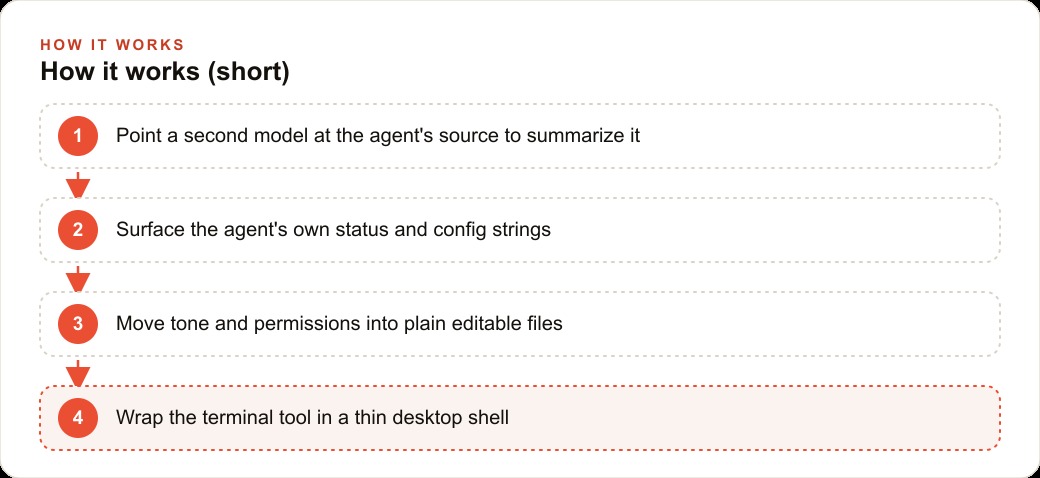
The most practically transferable technique in the whole episode is the audit method: using a second AI model to summarize an agent's source before deciding whether to trust it or build on it.
The builder pointed a second model at the exposed source and asked it to describe the architecture. The summary came back organized by function: the CLI entry point, daemon workers, background sessions, MCP helpers, and built-in plugin agents all described in plain language without requiring a line-by-line read of the compiled output.
This technique is genuinely useful independent of any leak. Any time you are evaluating a complex AI tool, asking a capable model to read the documentation, the API reference, or any available source and produce a structured summary of what the tool can do, what it can reach, and how it is organized gives you a faster and more reliable orientation than reading it manually. The summary is not a substitute for understanding the tool in depth, but it is an efficient first pass that tells you where to look for the details that matter to your specific use case.
The technique applies to the tools your business already depends on. A booking system, a CRM, an inventory tool, an AI feature inside an existing platform: asking a model to summarize the integration documentation or the API reference for any of these produces an architectural map that helps your team understand what the tool can and cannot do before building workflows on top of it. That map is the difference between a team that builds with confidence and a team that discovers what a tool can actually do through unexpected behavior in production.
The deeper lesson is that most business teams operate AI tools they have never audited. They adopted them because they saved time and then extended trust incrementally based on familiarity rather than understanding. The audit-with-a-second-model approach is the fastest way to close that gap, and it is available without access to any source code, only to the public documentation that every serious tool publishes.
The Four Patterns the Source Revealed That Were More Useful Than the Code
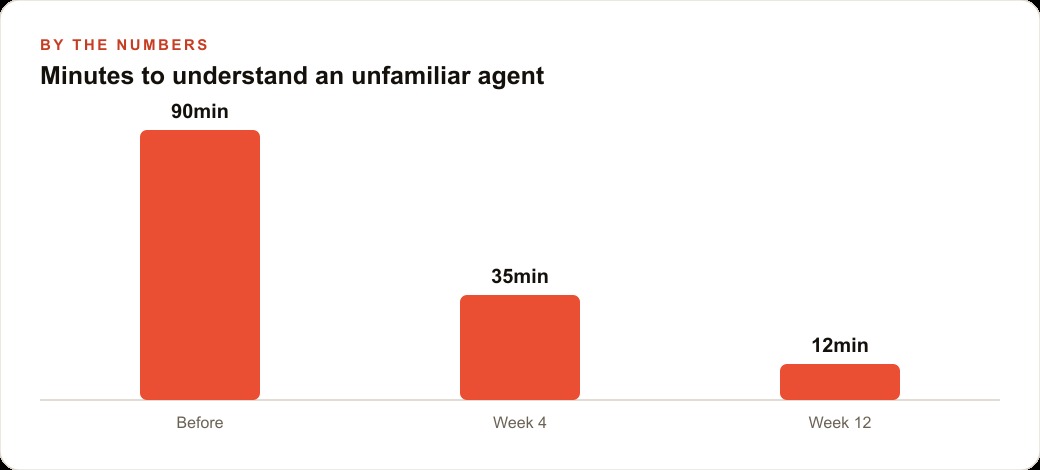
The specific code in the source map was not the most valuable thing the builder extracted. The most valuable things were four structural patterns that the architecture made visible, each of which is reproducible without access to any proprietary source.
The first pattern is auditing with a second model. Before making any significant decisions about an AI system, get another model's summary of how it works. The audit is fast, costs a few cents in API calls, and produces a structured understanding that manual reading produces slowly. This applies to any tool you are evaluating, any agent you are considering deploying, and any system your business currently depends on without a clear understanding of its internals.
The second pattern is externalizing personality and rules into plain files. The source showed that the agent's personality was not baked into the compiled core in a way that made it opaque. Specific strings controlled the agent's tone, status labels, and behavior in edge cases. Moving those strings into a dedicated file that the launcher injects at startup means the personality is visible, auditable, and changeable without touching the compiled code. In a business context, this translates to keeping the rules that govern an AI tool's behavior in a document that any stakeholder can read and that can be updated without a technical rebuild.
The third pattern is making permissions explicit. The source showed that the agent had distinct permission modes controlling whether it asked for human approval before taking an action or ran unattended. The mode was a configuration, not an emergent behavior. In a business context, this means defining explicitly, for every AI tool that can take actions, what it is authorized to do without approval, what requires a single confirmation, and what must always go to a named human. Writing those permissions down and applying them as actual system configuration is the difference between an agent that behaves predictably and one that behaves however it was shipped to behave by default.
The fourth pattern is structured memory. The agent read a persistent memory file at the start of every session, which gave it context about the project and the preferences of the person it was working with. In a business context, this translates to a project-level context file that any AI assistant reads before beginning work: the business rules, the client preferences, the current state, and the recent changes. That file makes the assistant's behavior consistent across sessions and across team members who use the same assistant.
Moving Personality and Permissions Into Plain Files
The builder applied the second and third patterns directly to his fork of the CLI. He extracted the agent's personality into a dedicated file, which the launcher injected as a system prompt override at startup. He changed the tone to match his preferences, a faster and more direct communication style than the default. He changed the status labels that appeared during processing, because the existing ones reflected a brand identity that was not his.
He also renamed the fork to run as a distinct command, which gave him a clean way to confirm the changes took effect: the renamed CLI launched in the terminal using his own API key, responding in the new personality, confirming that the file injection was working correctly.
The practical consequence of the plain-file approach is significant for any team deploying an AI tool. Personality and tone in AI systems are not fixed once deployed. They are configuration choices, and configuration choices can be updated without engineering involvement when they live in a plain file rather than a compiled binary. A team that wants to change how an AI assistant communicates with customers changes a file and redeploys. A team where that configuration is embedded in code needs an engineer to change it, which means the change gets scheduled rather than made.
He also changed the permission mode from asking for approval before every bash command to running without interruption. That is a reasonable choice for a developer who knows the context and wants faster execution. It is not a reasonable default for a deployment in a business context where the consequences of an unexpected action are real. The point is that the permission mode was a visible configuration with a documented effect, not an invisible default. Making permissions visible is what allows appropriate choices to be made about them.
The Electron wrapper came after the plain-file configuration was working. With personality and permissions in files that were easy to understand and modify, wrapping the terminal-based tool in a desktop shell with a chat interface and an artifact browser was a natural extension. The agent picked up existing skills without additional configuration because the skill loading mechanism was already part of the architecture the builder had read and understood.
An Auto Repair Shop That Applies the Same Four Patterns Without Any Source Access
The four patterns are not dependent on having read the source. They are design principles that apply to any business deploying AI tools, and the auto repair shop is a useful concrete example because it represents a common scenario: a business that uses a growing number of AI tools it never fully evaluated, for operations that matter directly to customers.
Most repair shops are in this position. A booking system has an AI feature that drafts appointment reminders. A diagnostic tool has an AI assistant that suggests repair priorities. A parts portal has a search assistant. A customer communication tool has a first-draft reply generator. None of these were chosen with a clear understanding of what they could access, what they would do without approval, or how they handled edge cases. They were adopted because they saved time, and the terms were whatever the vendor shipped as defaults.
Applying the four patterns to that stack looks like this. First, the audit: for each AI-enabled tool in the shop's stack, ask a capable model to read the integration documentation and produce a summary of what the tool can access, what actions it can take without human confirmation, and what data it sends to external services. That summary gives the owner and the team an orientation that reading the documentation manually would take hours to produce. It also surfaces things worth knowing that the documentation mentions but does not emphasize: the AI feature that can send messages on behalf of the business, the assistant that has write access to the appointment calendar, the tool that logs customer conversation data to a third-party service.
Second, plain files for rules. Create a single document that defines how every AI tool in the shop is expected to behave: which customer segments receive AI-drafted communications, what the review requirement is before any AI-drafted message sends, and what the AI tools are not allowed to do regardless of what they are capable of doing. This document is not a technical configuration file. It is a plain-language statement of business rules that any team member can read and that can be referenced when a question arises about why an AI tool behaved a certain way.
Third, explicit permissions. For each AI tool that can take actions, write down what it is authorized to do without any human approval, what requires a single confirmation step, and what must go to the owner directly. The shop's appointment reminder assistant can send reminders to customers who confirmed their appointment. It cannot send messages to customers who did not confirm. The diagnostic assistant can suggest repair priorities. It cannot add items to a work order without a service advisor approving the addition. Making those boundaries explicit, and applying them as actual settings where the tool allows it, is the difference between a shop where AI tools behave predictably and one where they occasionally do something unexpected.
Fourth, structured memory. Create a context file for each AI tool or project: the shop's current labor rates, the standard turnaround times, the parts sourcing priority order, the customer communication preferences. Any AI assistant working in that context reads the file at the start of each session and behaves consistently because the relevant context is explicit rather than inferred from conversation history.
One repair shop that applied these four patterns over the course of a single afternoon saw a significant reduction in the friction that had been building up since AI tools were adopted. Before the changes, the team was seeing roughly three or more incidents per week in the category of the AI did something we did not expect: a reminder sent to the wrong customer, a parts suggestion that referenced a vendor the shop no longer used, a draft message with a tone that did not match how the shop communicated. After writing explicit permission rules, establishing a review step for customer-facing AI outputs, and creating context files for each tool, those incidents dropped to fewer than one per week. The tools had not changed. What changed was that the rules were written down and applied, so the AI tools behaved according to explicit expectations rather than their shipped defaults.
What the Blueprint Exposes About the Entire Category of Coding Agents
The source map episode revealed something about coding agents as a category worth stating directly: the gap between an agent that feels like a black box and one that is understandable and controllable is almost entirely a function of whether someone has taken the time to surface and document the configuration layer.
The agent exposed in the source map was not fundamentally more complex or more opaque than it needed to be. The personality was in strings. The permissions were in a mode setting. The memory was in a file. The multi-agent structure was explicit in the codebase. None of those things were intrinsically hidden. They were just not surfaced in the default user experience, which is designed for the user who wants to get started quickly, not for the user who wants to understand and customize the system.
That gap is the same gap that exists in most business AI deployments. The tool is capable of more control and customization than the default experience suggests, and the businesses that discover and use that control layer are operating with a different level of reliability and predictability than the ones that do not. The techniques available to discover and use that layer, the audit with a second model, the plain-file configuration, the explicit permission mode, the structured memory, do not require a source code leak to apply. They require a decision to understand the tools you depend on rather than just accepting them at their defaults.
The lesson from the 48-hour window is not about the leak itself. It is about what was learned from it and how quickly those lessons were turned into a more controllable, more predictable, more useful system. That learning process is available to any business that decides to audit its AI tools rather than just use them.
That is exactly what we do at AI DOERS. Book a private 30-minute call with Madhuranjan Kumar and we will map the fastest path to it for your specific business.
Book your call →
Madhuranjan Kumar
Madhuranjan Kumar brings 20 years of performance-marketing experience and has managed over $200 million in Facebook ad spend for brands across the United States and beyond. His expertise spans the full modern marketing stack: Meta, Google Ads, TikTok, email automation, CRM, and the websites that hold it together. At AI DOERS he turns that track record into lead-generation systems for businesses across every industry.