
A Week of AI Releases, Translated Into Tools Your Business Can Use
One week brought new image models, an audio splitter, self writing briefings, and a wave of cheaper assistants. Here is how to cut through the noise and turn it into one workflow that saves real hours, with a worked example for an accounting firm.

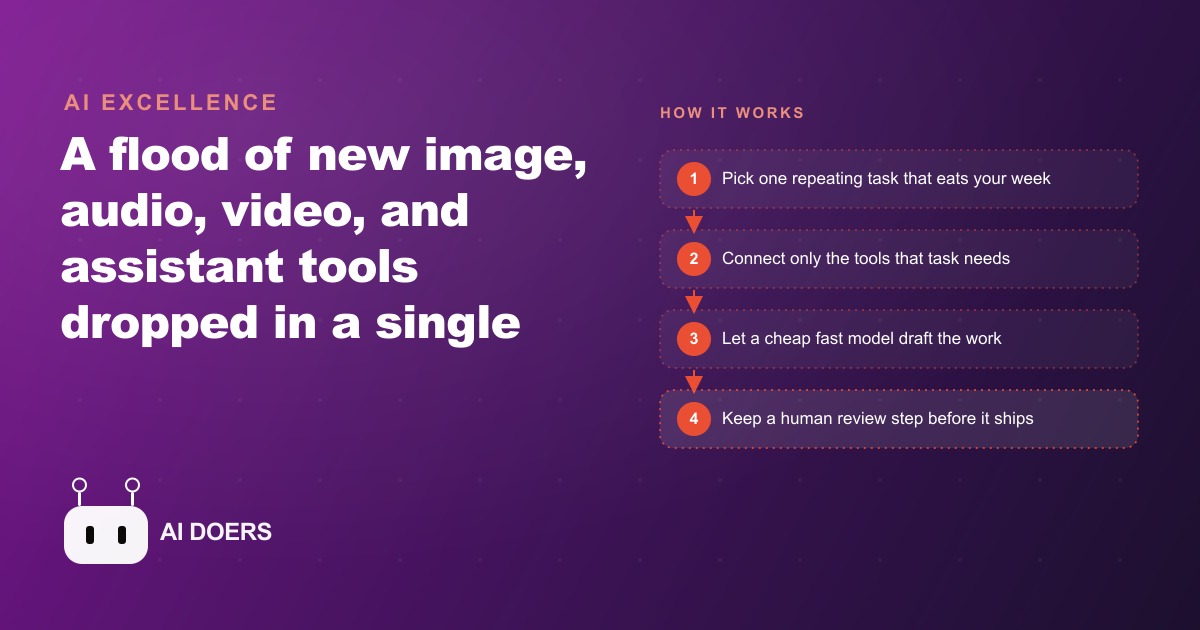
Every week the same thing happens: a new set of AI tools ships, a wave of summaries appears, and most business owners install one or two of them, feel briefly productive, and then return to the same workflows as before.
Reading the release calendar is itself a business decision with a cost
There is a framing problem at the center of how most businesses engage with AI news. Weekly release summaries are presented as valuable information: here is what is new, here is what you might use. The implicit suggestion buried in every roundup is that staying current is the right behavior for a business owner. It is not. Reading the release calendar is a business decision with a real cost, and for most businesses the cost exceeds the benefit.
The cost is not the ten minutes spent reading. The cost is what follows. When a business owner reads about a new image model, an audio splitter, a morning briefing agent, and a batch of cheaper language models in one sitting, they face a decision: try some of them or skip them. The responsible-feeling choice is to try at least one. They install it, spend thirty to ninety minutes exploring it, form a rough opinion about whether it is useful, and then face a second decision: do I integrate this into my workflow or move on. Most of the time they move on, because integrating a new tool properly takes days or weeks of adjustment, not an afternoon of exploration. They return to the same workflows as before, but now they are behind on real work and slightly more convinced that AI tools are interesting in theory and not transformative in practice.
Madhuranjan Kumar has watched this pattern play out enough times to name it precisely. The owners and team leads who read every AI newsletter and maintain a mental inventory of every tool released in the last three months are, in many cases, operationally behind the ones who stopped reading newsletters months ago and spent that time building one reliable workflow. The release calendar creates an illusion of progress. The illusion is credible because the tools are genuinely impressive. But credible-feeling activity is not the same as operational improvement, and treating one as the other is a subtle and expensive mistake.
The businesses pulling ahead skipped the release calendar entirely
The businesses using AI most efficiently right now share a characteristic that sounds counterintuitive at first: they are not current on AI news. They made a choice somewhere in the last year to stop following the release cycle and instead build one specific workflow as reliably as possible. That workflow is now running. It saves them hours each week. They have tuned it, improved it, and learned enough from it to start a second one. They are two or three reliable automations deep while the weekly-newsletter reader is still experimenting with the fourth or fifth new tool from last month.
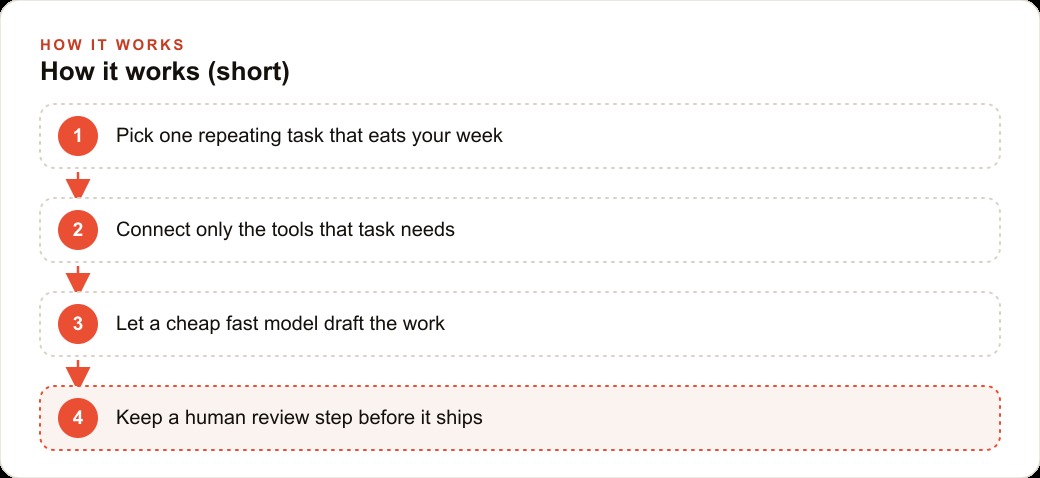
The pattern among businesses with real gains is consistent. They identified one task that was genuinely painful and genuinely repetitive, something with high weekly volume and clear, measurable output quality. They chose a tool based on that one task rather than based on what was newest. They built the workflow, lived with it for four to six weeks to understand its failure modes, and then fixed those failure modes before moving to anything else. The result is an automation that reliably saves a meaningful number of hours per week rather than saving ten minutes occasionally when conditions happen to be right.
None of that process required reading weekly release summaries. In fact, reading them during the build period actively distracted from the focus required to build something that holds up. The teams pulling ahead did not succeed despite ignoring the news. They succeeded partly because of it.
Faster and cheaper models carry a hidden cost the benchmarks do not show
Among the most-hyped categories in any week of AI releases is the new batch of smaller, faster, cheaper language models that reportedly match the quality of last year's flagships at a fraction of the price. The hype is not entirely wrong. These models are genuinely faster and genuinely cheaper, and for a business running high-volume drafting, they save money. But the benchmarks supporting the hype measure performance on evaluation datasets, not error rates on real business workflows, which is a different and more important test.
Faster and cheaper models make more mistakes. Not dramatically more, not obviously more on any individual task, but consistently more at the margin. An error rate two percentage points higher than a flagship model sounds trivial until you multiply it by the thousand tasks per month the model runs in a live workflow. Two percent of a thousand is twenty additional errors per month that need to be caught and corrected. In an automated pipeline, uncaught errors compound. A wrong summary that goes unreviewed produces a wrong reply that goes unreviewed and damages a client relationship before anyone realizes the error chain started three steps earlier.
The implication is not that cheaper models should be avoided. It is that the review step in any AI workflow never disappears, regardless of how capable or inexpensive the model becomes. A faster model does not justify removing the human review point from a customer-facing pipeline. A cheaper model does not make it safe to send AI-drafted messages without a glance before they go out. The businesses that understand this design the review step into the workflow before it goes live. The businesses that do not discover the hidden cost when an error reaches a customer. That discovery is expensive, and the model that produced the error is not the one that pays for it.
Handwriting recognition is the most underreported story of the week
In any week with a dramatic image model release and a high-profile infrastructure deal, the handwriting recognition tool earns a few lines at the bottom of the summary and then disappears. That is a mistake in emphasis. The businesses most likely to see a real return from this week's AI news are not the ones experimenting with the newest image model. They are the ones that have a paper problem.
A paper problem is exactly what it sounds like. The business runs on paper, or partly on paper, because some part of its intake process has never been fully digitized. Clinic intake forms. Field service job notes. Client-signed documents. Scribbled estimates from a job site. Inspection sheets filled out by hand and then manually rekeyed into a database by someone who could be doing more valuable work. These workflows exist across trades, healthcare, real estate, legal services, and field services in enormous numbers, and they persist because the cost of solving them has historically exceeded the potential gain.
What the newer handwriting recognition models deliver is the ability to convert those scanned pages to searchable, editable text without a specialist and without the high error rates that made older recognition tools impractical for messy real-world handwriting. For a business processing forty hand-filled intake forms per week, accurate automatic conversion does not just save time on rekeying. It makes the historical data searchable. A clinic can retrieve every patient who came in for a specific complaint during a specific period. A field service firm can search all job notes from a specific technician or equipment type. The data locked inside paper becomes information that can be used. That is a more significant operational shift than adding another image generation option to a workflow that is already running.
Madhuranjan Kumar emphasizes this point not to dismiss the image model releases but to correct the emphasis. Businesses should prioritize tools that solve their most painful real problem, not tools that received the most column inches. For many businesses, the paper problem is more painful than any creative challenge, and the handwriting tool is the one that directly addresses it.
How one accounting workflow saves eleven hours a week without touching any other new tool
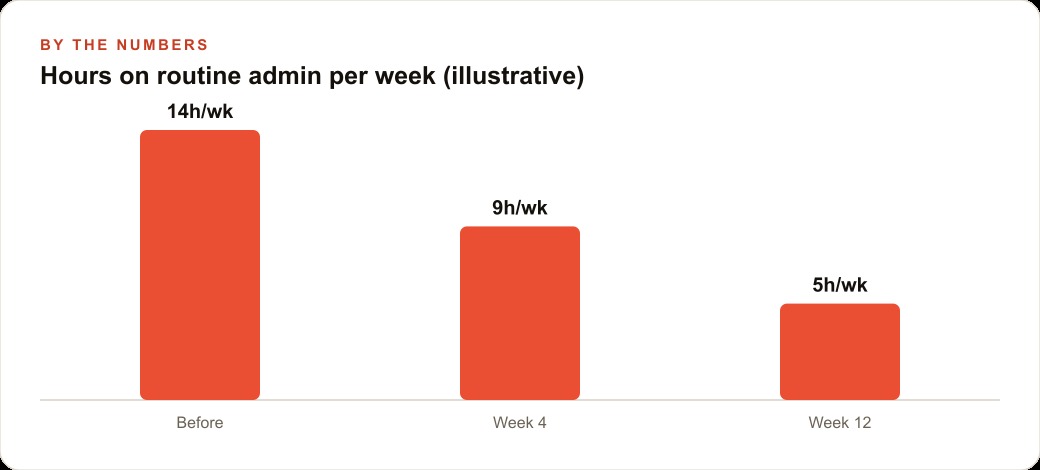
To make the one-workflow argument concrete: consider a twelve-person accounting firm that processes client-submitted receipts and handwritten expense notes each week before preparing summaries and reports. Before the workflow change, a staff member spent roughly eleven hours per week across receipt handling, rekeying expense entries from scanned handwritten notes, and drafting status emails to clients about outstanding documents.
The firm built one workflow. Scanned pages, including hand-filled expense summaries and receipt bundles, passed through the document recognition model and returned typed, organized text files. The staff member reviewed the conversions for obvious errors, corrected the ones flagged as uncertain by the tool, and used those text files to populate the standard expense summary templates. The rekeying step was gone. The review step remained, taking roughly fifteen minutes for a batch that had previously required two hours of manual entry. The same workflow drafted the weekly client status emails from a template that pulled the current state of each client's outstanding document list from the internal tracking sheet, generating one draft per client that the accountant reviewed and sent with minor modifications.
At week four, the staff member's time on those tasks had dropped from eleven hours to approximately four hours per week. At week twelve it settled at around three and a half hours, as the team tuned the review step to catch the most common error types from the document model and the email template improved to cover more common status situations without requiring a manual rewrite. The firm did not install any other new tool during those twelve weeks. It did not read the release calendar. It built one workflow, proved it, and then started planning a second one for client onboarding.
That sequence is the model. One painful workflow. One tool that addresses it. Prove it at four weeks. Optimize it at twelve. Then and only then, ask what the next workflow should be.
Why adding tools one at a time is structurally superior to adopting everything at once
There is a structural argument for the one-at-a-time approach that goes beyond personal discipline. It is about failure isolation and institutional knowledge.
When a business adopts five new tools in the same month and something goes wrong, the diagnostic question is: which tool caused it. If client data looks wrong, is it the document model, the template system, the drafting tool, the tracking integration, or the email client. With five new inputs in the system simultaneously, the answer is genuinely hard to find. The tools interact with each other and with existing systems in ways that only reveal themselves after weeks of real use. Diagnosing the interaction requires undoing changes to isolate variables, which means the staff who ran the original workflow may not be available to help because they moved on to the next initiative.
When a business adds one tool at a time and lives with it for four to six weeks before adding anything else, every failure is easy to attribute. The workflow changed in one way. If it performs differently, that difference is caused by the one change. The correction is targeted. The institutional knowledge built around that one tool is deep enough to be durable before the next tool adds another layer of complexity. Staff understand not just how to use the tool but where it fails and how to catch those failures before they propagate.
Madhuranjan Kumar also points to the learning-curve effect. Every tool has a set of failure modes specific to how it is used in that business's particular context. Those failure modes are not documented anywhere. They are discovered through sustained use. Discovering them well requires attention and iteration, and attention is a finite resource. A business that spreads its attention across five new tools simultaneously discovers none of their failure modes deeply enough to fix them properly. A business that focuses on one tool discovers its failure modes thoroughly, fixes them, and carries that pattern of disciplined learning to the next tool. The result over twelve months is a set of well-understood, reliable automations rather than a graveyard of half-built experiments that nobody is confident in using for anything that matters.
The weekly release calendar is not the enemy of progress. It is simply the wrong thing to optimize around. The businesses that will look back on this period as the one when AI changed everything for them are not the ones who stayed most current. They are the ones who stayed most focused.
That is exactly what we do at AI DOERS. Book a private 30-minute call with Madhuranjan Kumar and we will map the fastest path to it for your specific business.
Book your call →
Madhuranjan Kumar
Madhuranjan Kumar brings 20 years of performance-marketing experience and has managed over $200 million in Facebook ad spend for brands across the United States and beyond. His expertise spans the full modern marketing stack: Meta, Google Ads, TikTok, email automation, CRM, and the websites that hold it together. At AI DOERS he turns that track record into lead-generation systems for businesses across every industry.