
Vibe Coding Fundamentals: The Five Skills That Separate Shipping From Stuck
Vibe coding works when you treat it as a discipline, not magic: master thinking, frameworks, checkpoints, debugging, and context, write a clear PRD before you prompt, and use git from your first commit so you can build real apps with Replit, Cursor, or Windsurf.

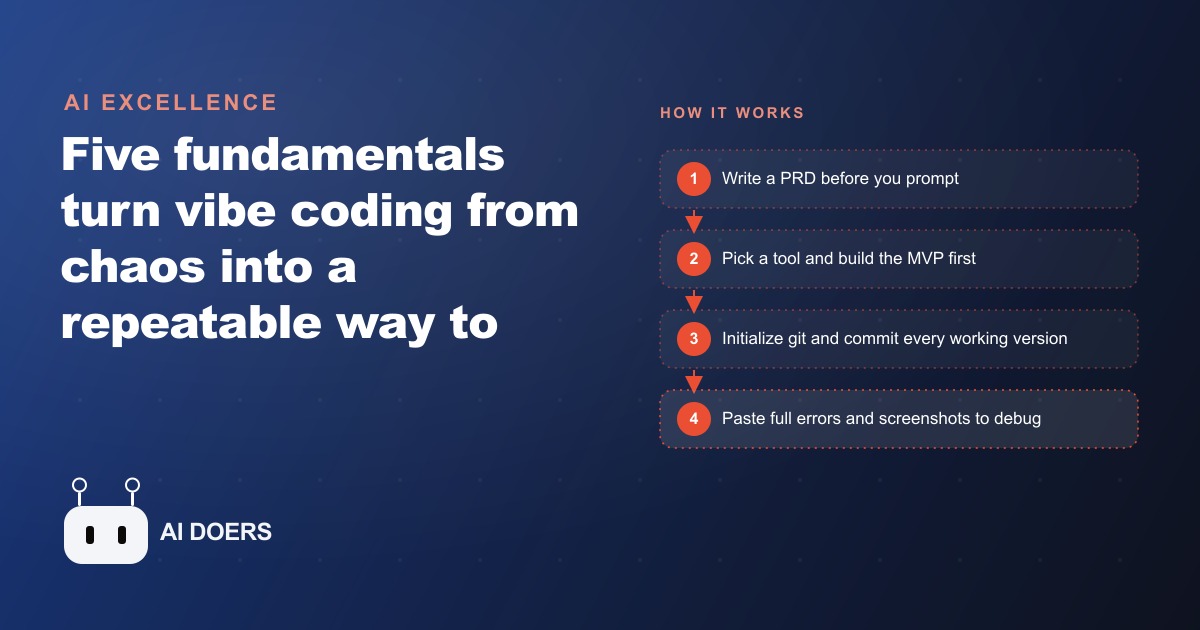
Most people who fail at vibe coding write the same post-mortem: "The AI just kept going in circles." What they rarely say, because they usually do not realize it, is that their own prompt had three different half-formed ideas in it and no clear definition of done.
I am Madhuranjan Kumar, and the position I want to argue here is specific: the reason most people fail at vibe coding is not the tool and not the model. It is that they skip the one step that makes everything else work, which is writing down clearly what they are building before they open the builder. That single omission causes more failed vibe coding sessions than every model limitation combined, and the fix is not a better AI tool. It is a discipline that has nothing to do with AI at all.
Andrej Karpathy, who coined the term, described vibe coding as fully giving into the vibes and letting the model build. That description is accurate for the execution phase. What it leaves out is that the vibes need to come from somewhere, and in practice the best vibe coders have spent real time before the session defining what they are building, how it should work, and what done looks like. The energy they give into is not random. It is focused, and the focus came from work they did before they opened Cursor or Replit.
The vibe coding failure pattern is almost always a missing brief, not a bad model
The most common failure pattern I see is this: someone opens a builder, types a vague description of a tool they want, gets a first version back, decides it is close but not right, prompts again with a slightly different vague description, gets a second version that is different but still not right, and repeats this for two or three hours until they give up or produce something they are not happy with.
The model is blamed. The tool is blamed. Sometimes the whole approach is dismissed as not ready for serious work.
In almost every case, the real cause is that the person never wrote down what the tool was supposed to do. They had a fuzzy idea in their head, they described the fuzz to the AI, and the AI produced a coherent interpretation of fuzz, which is not the same as what they wanted. The AI is not confused. The human is confused, and the AI is faithfully building their confusion.
This is the argument against the framing that vibe coding is magic you either have or do not. It is a discipline with identifiable steps, and the step most people skip is the first one.
Four levels of thinking that happen before the first prompt, not after
Replit's Vibe Coding 101 course breaks the pre-prompting thinking into four levels, and understanding them separately changes how you approach a build.
The first level is logical thinking, which is defining what the thing is. Not how it works, just what it does. A maintenance reminder tool. A quote calculator. A customer intake form. A simple answer to a simple question.
The second level is analytical thinking, which is defining how it works. What data does it take in. What does it produce. What happens when the user interacts with it. This is still on paper, not in a builder.
The third level is computational thinking, which is defining how you structure the logic. Which part runs first. What triggers what. What the data flow looks like between the inputs and the outputs.
The fourth level is procedural thinking, which is defining how you make it actually good. What edge cases matter. What the error states should do. What a polished version of this looks like versus a working version.
Most people who fail at vibe coding skip levels two through four entirely and go straight from level one to the builder. They know what the thing is but they have not thought through how it works, how the logic is structured, or what good looks like. When the AI hands something back that is logically coherent but wrong for their use case, they cannot diagnose why, because they never defined what right was.
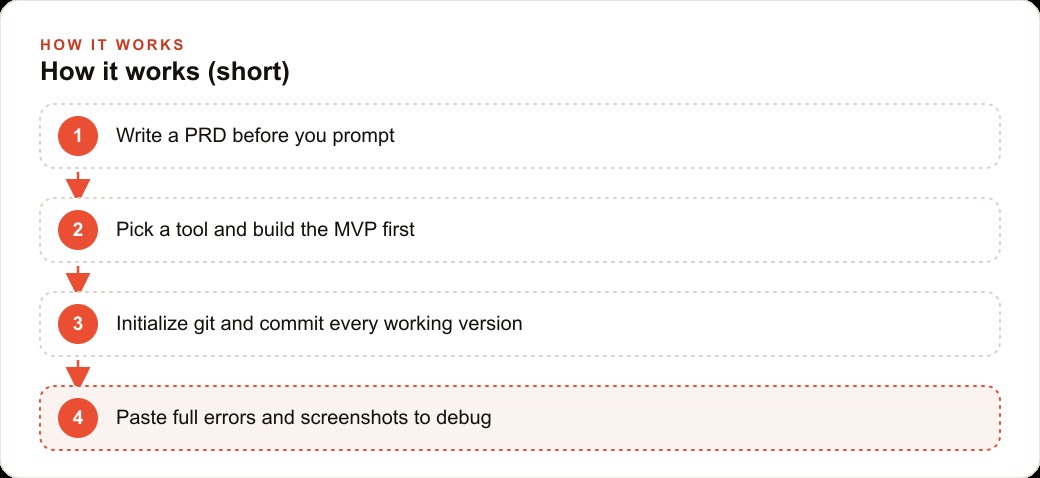
The practical tool for capturing this thinking is a product requirements document. A one-page PRD forces you to write down the goal, the key features, and the stack before you build. The PRD does not have to be long. It has to be clear. And the clarity it creates is what makes the first prompt specific enough for the AI to give you something useful rather than something plausible.
Version control is not a technical overhead, it is the refund policy for a bad prompt
The second discipline that separates people who ship from people who stay stuck is version control, and the argument I want to make about it is specific: version control is not a technical overhead you tolerate to be a responsible developer. It is the refund policy that makes it safe to experiment.
Without version control, every prompt is a permanent change. If the AI generates something that breaks a working feature, you have to fix it forward, which means understanding exactly what changed and why, in code you did not write. With version control, a bad prompt is a minor inconvenience. You roll back to the last working commit and try differently.
One builder in Replit's course lost two weeks of work because he never set up git. He was prompting actively, adding features, iterating, and one day the project state became unrecoverable. Two weeks of sessions, gone. The story is not unusual. It happens regularly to people who treat version control as optional rather than foundational.
The core workflow is small. Git init to start tracking a project. Git add and git commit to save a working version after each feature. Git log to see what changed. Git reset to go back to a prior state. Git push to back the whole thing up on GitHub so a crashed laptop never wipes progress. None of those commands are complicated, and in most vibe coding environments you can describe them in plain language and the AI handles the actual command. The concept to carry is that every time something works, you commit it, and every commit is a checkpoint you can return to.
The owner who understands the workflow ships faster than the developer who is briefed on it
One of the most practically important things that has changed with vibe coding is who is best positioned to build a domain-specific tool. The answer used to be the developer. They understood the code, so they were the ones who could produce it. The person who knew the domain had to brief the developer, wait for the build, request changes, wait again, and iterate through a process that took weeks and often produced something that was technically functional but wrong for the actual workflow.
With vibe coding, the person who understands the domain describes the tool directly to the AI, in the same natural language they would use to describe it to a colleague. That description is the input. The person who knows the workflow most precisely produces the most accurate description, which produces the most accurate first build. The developer advantage in the old model was access to the compiler. That advantage is now irrelevant when anyone can prompt.
This is particularly significant for businesses running structured marketing workflows. An owner who manages their own Google Ads campaigns knows exactly which reports they need, which metrics they want combined, and what format would save them the most time. A developer briefed on that does not know it the same way. The owner who vibe codes that reporting tool with a clear PRD produces something closer to what they actually need, in less time, than the same tool built by a developer from a written brief.
For a team managing content and SEO work across multiple channels, the owner who understands the briefing workflow can build a custom intake form and output template that matches how their team actually works, not how a generic project management tool thinks content teams should work. The specificity is the value, and the specificity comes from domain knowledge, not coding skill.
The rules file that protects the codebase once the MVP exists
The fifth discipline, and the one most often skipped, is the rules file. Once the minimum viable product exists and works, adding a rules file changes the safety profile of the entire project.
A rules file is a persistent set of instructions for the AI that applies to every prompt session. It acts like a system prompt for the codebase. The most useful rules for a vibe coding project are the ones that prevent the AI from being too helpful in ways that cause problems.
Common rules include: do not change more than one file per prompt unless explicitly asked. Rate limit all API calls. Never expose API keys in client-side code. Do not refactor working code unless the prompt specifically asks for refactoring. Only add console logs when asked.
Without a rules file, the AI will sometimes interpret a prompt about adding one feature as an invitation to reorganize the code, rename variables, or clean up patterns it finds inefficient. That behavior produces changes that are hard to review and easy to break something with. A rules file tells the AI to stay in its lane, which keeps each prompt's changes small enough that you can read and understand exactly what happened.
The build order matters: MVP first, then rules file. Trying to write rules before you have a working product means writing rules for a system you do not yet understand. Build the minimum viable version, get it working, then add the rules file so every feature you add afterward is protected by the constraints you now understand from having built the thing.
The maintenance reminder that took two afternoons, not a developer contract
Here is how the five disciplines play out in a real-world example with illustrative numbers.
An HVAC company owner has 300 active maintenance contract customers. Every spring and fall, those customers are due for a seasonal tune-up, and the process of identifying who is due, when their last service was, and which technician is in their area involves pulling data from a spreadsheet, cross-referencing a calendar, and manually writing reminder messages. The owner has wanted to build a simple maintenance-due dashboard for two years. Every time it comes up with a developer, the quote comes back at $1,500 to $3,000 and a three-to-four week timeline, and the project gets deprioritized.
With vibe coding, the owner sat down and wrote a half-page PRD: the goal was a web page that pulled from a Google Sheet with customer data, displayed customers sorted by next-due date, and had a one-click button to copy a pre-written reminder message for each one. The features were: a sortable list, a color indicator for overdue customers, and the reminder copy button. The stack the AI suggested was a simple React app with a Google Sheets API connection.
Before the first build session, the owner initialized git and made the first commit with just the PRD in a notes file. That sounds like a small thing, but it means there was a committed checkpoint to return to before any code existed.
The build took two focused afternoons spread across a week, roughly six hours of total active prompting. Each time a feature worked, the owner committed it. When a prompt broke the filter logic, rolling back took 30 seconds. When the reminder copy button needed to be reformatted, pointing the AI at the exact component file where the button lived produced a clean fix without touching anything else.
The result was a tool that the owner now uses every Monday morning in under five minutes to identify the week's follow-up list. The illustrative cost: zero developer fees, approximately $15 in AI tool usage during the build, and the price of a Replit subscription. Against a $1,500 to $3,000 developer quote, the saving is direct and the time to delivery went from four weeks to ten days.
The owner also connected the tool to Meta ads retargeting lists by exporting overdue customers as a CSV and uploading them as a custom audience for a seasonal service promotion. That connection, which a developer would have charged extra to build, was added in a single 20-minute session because the owner understood their own workflow and could describe exactly what they needed.
That is the real argument for vibe coding as a discipline rather than a magic shortcut. The owner who treats it as a set of steps, starting with a clear brief and ending with a rules file, ships tools that would otherwise sit on a developer waitlist indefinitely. The owner who treats it as describing a feeling to an AI and hoping for the best loops for hours and blames the model. The difference is the brief.
For anyone managing web and CRM workflows in their own business, the same pattern applies. The first tool you build should be the one you understand most precisely, described with a PRD you write before you open the builder, with version control running from the first working commit. The AI handles the code. You handle the clarity. That division of responsibility is what makes vibe coding work as a business tool rather than a developer experiment.
That is exactly what we do at AI DOERS. Book a private 30-minute call with Madhuranjan Kumar and we will map the fastest path to it for your specific business.
Book your call →
Madhuranjan Kumar
Madhuranjan Kumar brings 20 years of performance-marketing experience and has managed over $200 million in Facebook ad spend for brands across the United States and beyond. His expertise spans the full modern marketing stack: Meta, Google Ads, TikTok, email automation, CRM, and the websites that hold it together. At AI DOERS he turns that track record into lead-generation systems for businesses across every industry.