
Vibe Coding for Beginners: Build a Real App in Plain Language
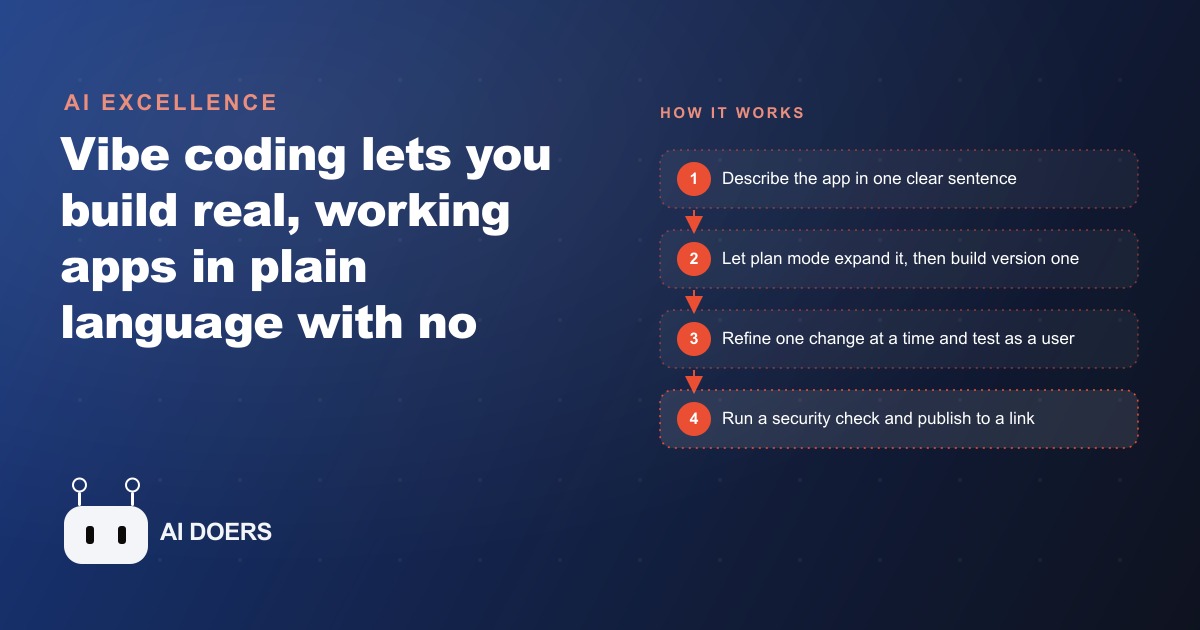
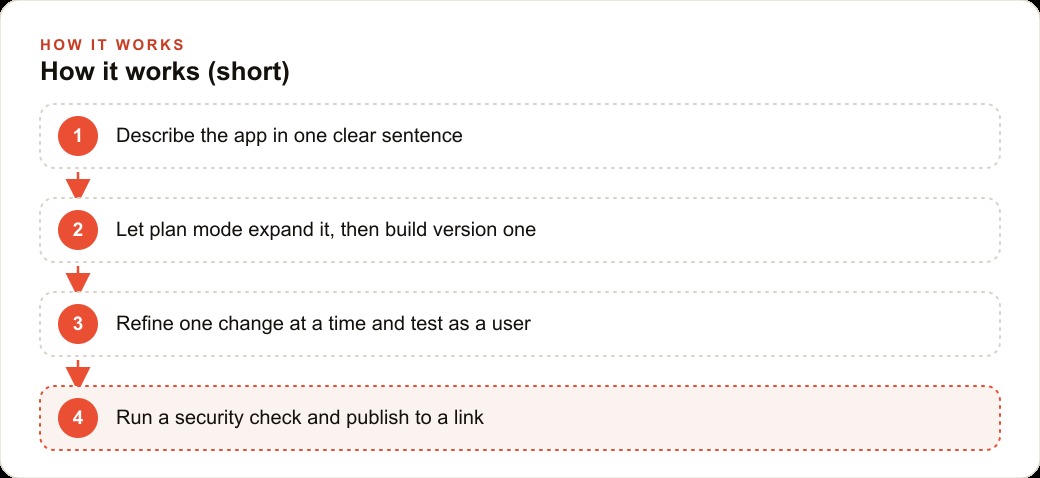
Vibe coding is using plain language to create real, working apps without traditional code. Describe the app, let plan mode expand it, add authentication, refine one change at a time, run a security check, then publish to a shareable link.

Six months ago, a business owner who needed a custom internal tool had two realistic options: commission a developer and wait weeks, or accept that an off-the-shelf solution almost fit the workflow and adapt the workflow to it. I, Madhuranjan Kumar, have watched that calculation shift over the past few months, and the shift is now large enough that it changes the practical decision for many small operators. The gap between needing a custom tool and having a working custom tool has nearly closed.
The platform that makes this concrete is Base44 and similar vibe coding environments that have matured through the same period. What was a promising demo twelve months ago is now a production-capable workflow with authentication, security checking, visual editing, and backend connections built into the same interface where you type your first description. The demos have stopped being impressive and started being useful, which is a more meaningful milestone.
No-code app building crossed from demo territory into production this month
The distinction between a demo and a production tool is specific. A demo shows you what is technically possible. A production tool does something reliably for real users handling real data, without breaking, leaking, or requiring the builder to be present every time someone uses it. Most no-code platforms hit the demo milestone comfortably. Production is harder.
What changed in platforms like Base44 is the set of features that solve production problems. Backend logic that handles data persistence means the app actually saves records rather than resetting on page refresh. Authentication means each user gets their own account and their own data view rather than everyone seeing the same shared screen. Security checking before publishing catches misconfigurations that would expose private information. These are not features that make demos look better. They are features that turn demos into tools people can actually use at work, with real colleagues and real data.
The result is that an owner who describes a simple order tracking system, a staff scheduling board, or an intake form with conditional logic can now get a working, multi-user, securely deployed version of that tool from the same platform where they typed the description. The development lifecycle for a small focused tool has compressed from weeks to hours.
This is a production milestone, not a marketing claim. The tools do break in edge cases, and complex multi-system integrations still need a technical lead. But for a specific, well-scoped internal tool with a clear description and a small team of users, the barrier is now description quality and iteration patience, not technical skill or budget. That shift is the one worth paying attention to, and it happened recently enough that many owners who looked at these platforms a year ago and found them underwhelming have not revisited them since.
Plan mode is what finally makes a one-sentence prompt reliable
One-sentence prompts are convenient to type and frequently produce disappointing results. A sentence like "build me an order tracker for my bakery" contains an enormous amount of ambiguity. What fields does an order contain? How are orders grouped? Who can see which orders? What actions can a user take? The model has to guess at every one of these, and its guesses may or may not align with how the business actually runs.
Plan mode solves this by inserting an expansion step between the prompt and the build. When plan mode is active, the model interprets the one-sentence request, generates a detailed specification covering all the implied decisions, and shows you that specification before writing any code. You read the plan, correct any assumptions that do not match what you had in mind, and approve it. The build proceeds from a specification you reviewed, not from the model's inference about your intent.
This single feature changes vibe coding from an occasionally reliable tool into a systematically reliable one. The first version of the app reflects decisions you consciously made rather than guesses the model made on your behalf. Revisions are refinements rather than redirections from a starting point that was wrong. That difference is what makes plan mode the feature that most experienced builders use first, regardless of how confident they are in their prompt.
For a business owner with no technical vocabulary, plan mode is also a translation layer. You describe what you need in business terms, the model expands it into technical terms that you can evaluate in plain English, and the back-and-forth alignment happens before any code exists and before any confusion is baked into the structure of the build. First-time builders often find that reviewing the plan teaches them what they actually need versus what they thought they needed, and the resulting first version requires fewer revisions because the foundational decisions were explicit.
Authentication is the feature that turns a prototype into a real business tool
A prototype with no authentication is a tool that one person can use at one time. Anything that the front counter needs to update while the manager needs to read simultaneously, anything that requires a history per person, anything where one team member's actions should not be visible to another without their permission: none of these are possible without authentication.
Authentication in Base44 and similar platforms is now built into the core build flow. You toggle it on, define what a user account looks like, and the platform generates the login, signup, and session management without requiring any configuration of an external authentication service. Each team member gets their own account. Each account maintains its own history and permissions.
For the business applications where vibe coding is most valuable, this feature is essential. A front desk and a decorator sharing one order tracking app without authentication will overwrite each other's updates. With authentication, each person logs in, sees the orders relevant to their role, and updates status fields independently. The app becomes a shared coordination tool rather than a shared document that breaks under simultaneous use.
The addition of authentication is also what makes it reasonable to capture real customer data in these apps. An intake form that stores customer names, contact details, or appointment records should not sit in an unauthenticated tool where anyone with the link can see the full list. Authentication plus the security check before publishing creates a baseline of data safety appropriate for small business use.
The move every small business owner should make this week
The most common response to platforms like this among small business owners is to watch someone else's demo and decide it looks interesting. The second most common response is to try a simple example and stop when the first error appears. Both responses leave the actual value on the table.
The move that produces real value is to describe one specific problem the business has right now: one process that lives in a spreadsheet that nobody updates consistently, one piece of information that gets lost between staff members, one tracking task that takes 20 minutes a day and should take two. Write that description as clearly as possible, turn on plan mode, and review the plan before approving the build. Add authentication if more than one person will use it. Refine one thing at a time, not two changes in one prompt. Run the security check before sharing with anyone. Then publish it and use it for a week.
Consider how this applies to a bakery taking more than 40 custom cake orders per week. The order information lives across a paper order book, a shared document that three people update inconsistently, and a mental model the head decorator carries. When an order changes, the change does not always reach the decorator before the cake goes into production. When a customer calls to check pickup time, the front desk has to check three places and sometimes still gives the wrong answer.
A custom order tracking app built with a vibe coding platform resolves this in a specific and measurable way. The owner describes the app in one sentence, reviews the plan generated by plan mode, confirms that it covers the pickup date, customer name, order details, production status, and special notes fields, and approves the build. Authentication ensures the front counter, the decorator, and the owner each log in and see the current state of every order in real time. Status moves from ordered to in production to ready in one place that everyone is looking at.
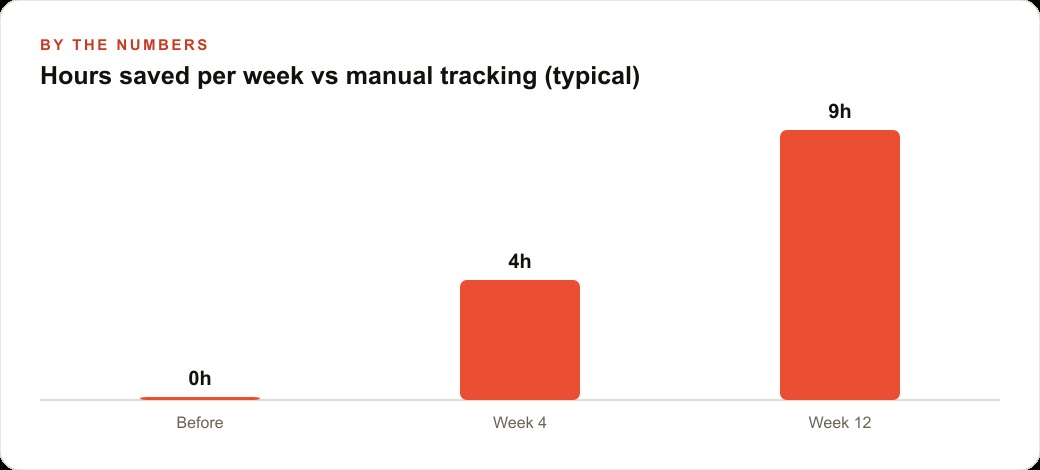
In concrete terms: the bakery was generating roughly 35 minutes per day of status calls, spreadsheet reconciliation, and missed updates across three staff members handling those 40-plus weekly orders. With a single shared tracking app, that drops to a five-minute morning review of the day's pickups and production priorities. Over a busy eight-week season, the recovered time adds up to more than 25 hours that goes back into decoration quality, customer calls, and not fixing errors that reached the customer.
The tool cost an afternoon to build and a modest monthly subscription to run. Changes to the workflow are handled in minutes with a new prompt rather than by filing a feature request with a software vendor. The owner who sees that outcome in concrete terms, rather than a theoretical one, makes a different decision about whether to spend the afternoon building it. The capability has been there in some form for a while. The production milestone described here is what makes this the right moment to act on it.
What to do after the first version breaks
The first version of almost any vibe-coded tool breaks in at least one way when real users start using it. An order status that will not update. A form field that accepts the wrong data type. A view that looks fine on a desktop and breaks on a phone. These are not signs that the approach failed. They are the expected outputs of a first iteration, and they are also the inputs to a second iteration.
The correct response to a broken element is a single focused prompt: "The order status field is not saving when users tap the button on mobile. Fix this." One problem, one prompt, one test. That loop runs until the tool is stable for the actual workflow, which typically takes between five and ten passes after the initial build. Each pass takes minutes rather than hours.
The mistake that stops most first-time builders is treating a broken element as evidence that the whole project was a bad idea. It is not. It is evidence that the tool is being used by real people on real devices, which is the exact situation the iteration process is designed to handle. The owners who benefit from vibe coding most are the ones who run five more prompts after the first break rather than closing the browser.
Over time, the iteration habit compounds. A tool that started as a simple order tracker can grow to include a calendar view for the week's pickups, a highlight for orders due tomorrow that are still in progress, and a simple export for the week's completed orders. Each addition is a single prompt and a single test. The tool evolves as fast as the business's understanding of what it actually needs evolves, which is always faster than a software vendor's release cycle.
The cost comparison at the end of the first quarter is worth making explicitly. A business that paid a developer to build a comparable custom tool would typically spend between 2,000 and 6,000 dollars depending on the scope and the developer's rate. The same business using a vibe coding platform spends roughly 16 to 50 dollars per month in subscription cost, plus an afternoon of focused iteration. At the end of three months the vibe-coded tool has gone through perhaps 15 iterations, each taking minutes, and reflects exactly how the business actually uses it today rather than how the owner described it to a developer three months ago. The developer-built version is fixed at the scope of the original brief. The vibe-coded version has already adapted. For a business whose internal processes change faster than a software development cycle, that adaptability is the more important advantage.
That is exactly what we do at AI DOERS. Book a private 30-minute call with Madhuranjan Kumar and we will map the fastest path to it for your specific business.
Book your call →
Madhuranjan Kumar
Madhuranjan Kumar brings 20 years of performance-marketing experience and has managed over $200 million in Facebook ad spend for brands across the United States and beyond. His expertise spans the full modern marketing stack: Meta, Google Ads, TikTok, email automation, CRM, and the websites that hold it together. At AI DOERS he turns that track record into lead-generation systems for businesses across every industry.