
Ultra Plan: Cloud Planning That Plans and Executes Faster
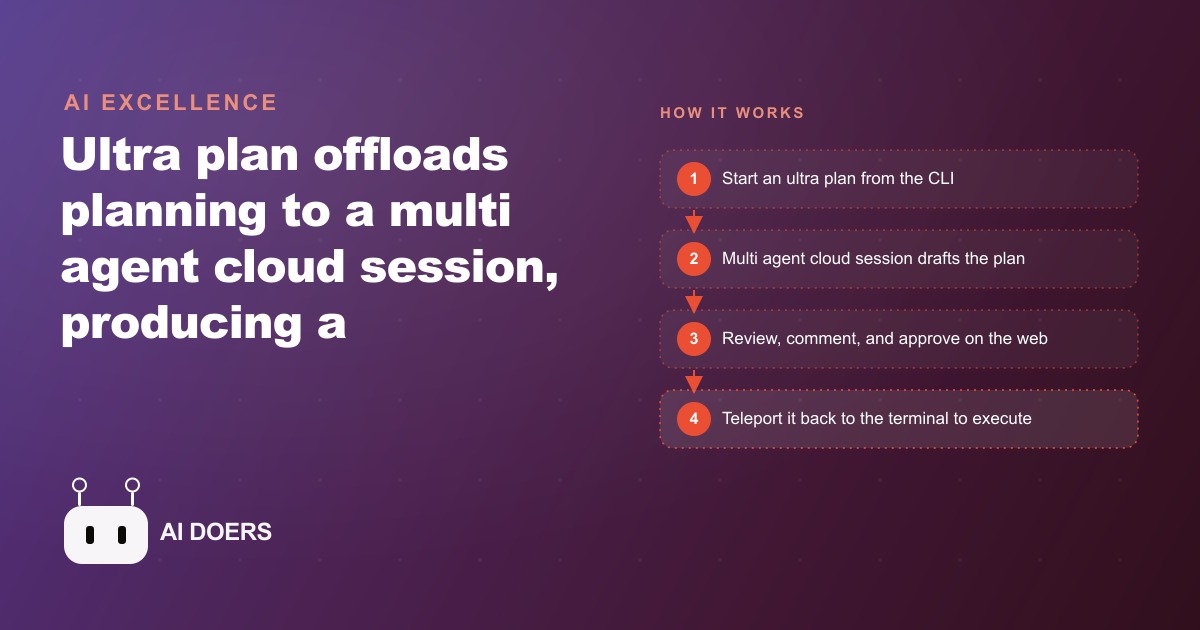
Ultra plan offloads your planning session to a multi agent cloud instance, returns a clean structured plan in about a minute, and lets the local agent execute it far quicker.

There is a moment every builder knows. You have typed a big feature request into the terminal, hit enter, and watched the agent begin asking clarifying questions, exploring files, and slowly assembling a plan while you sit there waiting. Five minutes pass. Seven. The plan finally arrives as a wall of terminal text you have to scroll back through to read, and by then you have already half-forgotten the intent behind the original request. You approve it anyway, the agent starts building, and two hours later you discover it solved the wrong problem because the plan was never quite clear enough to catch the ambiguity at the start.
This is the real cost of weak planning. Not the planning time itself, but everything downstream of it: the wrong turns, the rebuilt files, the sinking realisation mid-execution that the architecture you approved on paper does not actually fit the system. Speed in execution is mostly a function of clarity in the plan. And for a long time, getting a genuinely clear plan out of an AI system meant either spending more time in back-and-forth or accepting a rougher output than you actually needed.
Ultra plan changes that equation directly. It is a cloud planning mode in Claude Code that shifts the planning work to a cloud-hosted multi-agent session, returns a structured, reviewable document in roughly one minute, and lets the local agent execute from that plan noticeably faster than it would have from a locally generated one. The token spend goes up. The total time from idea to working build goes down, and often by enough to matter. That tradeoff, spending more thoughtfully upfront to save significantly downstream, is the argument this piece is making.
The instinct to move fast is exactly backwards for complex builds
The "move fast" reflex is deeply ingrained in anyone who builds things with AI. The tools reward momentum. You type a prompt, you get output, you iterate. Speed feels like the metric because the tools are so responsive. But that responsiveness is a trap when the work is genuinely complex, because a fast-moving agent working from a vague plan accumulates decisions the same way a fast-moving river accumulates sediment: quietly, invisibly, until you hit something solid.
I have seen this pattern consistently across client builds. A contractor working on a roofing company asked me to help build an internal operations dashboard that pulled in active jobs, crew schedules, material costs against estimates, and storm season demand data. Four distinct data sources, a dozen files to create or modify, and a non-trivial UI layer that needed to stay consistent with the existing system. A fast local plan would have covered the basics and left the edge cases for execution. Those edge cases would have surfaced at the worst possible moment, usually three-quarters of the way through the build when changing course is most expensive.
The principle that applies here is old and almost embarrassingly simple: sharpen the axe before you chop the tree. A woodcutter who spends thirty extra seconds sharpening does not lose thirty seconds. He saves twenty minutes of inefficient chopping. Spending more tokens upfront on a deeper, sharper plan pays back on every subsequent step of the build. Ultra plan is essentially a mechanical implementation of that principle, at the level of the planning tool itself.
The version of "move fast" that actually works is: move fast in execution, because you planned well enough that you know where you are going. The instinct is not wrong. It is just aimed at the wrong stage.
What ultra plan does and how it works
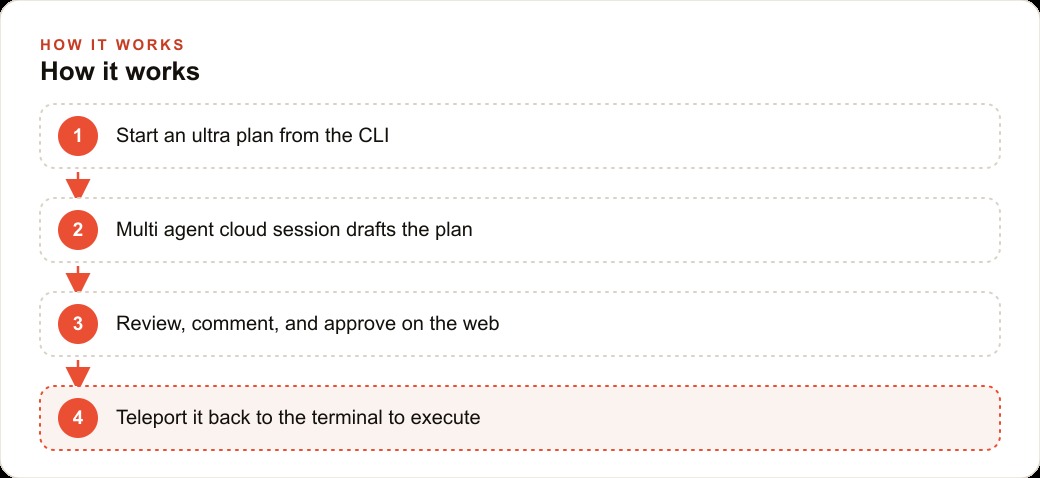
You trigger it from the CLI by typing `ultra plan` in your request, or the shorthand `/ultra plan`. That is the entire interface change. The moment the CLI detects those words, it routes the planning session to a cloud-hosted instance rather than running it locally on your machine.
On the cloud side, several things happen at once that do not happen in a local planning session. Multiple parallel exploration agents fan out across your codebase simultaneously, each reading different areas rather than one agent progressing through the project in sequence. Alongside them runs a critique agent whose job is to challenge the plan the exploration agents are assembling: flagging assumptions, identifying conflicts, asking the questions that a single linear planning pass would skip. The whole session has a thirty-minute cap, though in practice most plans return in about a minute.
Because the cloud session has access to your actual codebase through your git repository, it plans against what is really there. It finds your existing components, your data models, your utility scripts, and it builds the plan on top of them rather than proposing a new architecture from scratch. This is the practical reason you need the project synced to a repo before ultra plan can do its best work: the quality of the plan is directly proportional to how much the planning agents know about what already exists.
When the plan comes back, it does not arrive as terminal text. It arrives as a structured document on the web with distinct sections: the context, what currently exists, the proposed approach, the files to create, the files to modify, and a verification section. There are often architecture diagrams. There are emoji reactions on specific paragraphs. And critically, there is a comment system that lets you leave targeted notes on individual sections before the plan is approved.
That last part is where the real leverage sits. You can read the plan the way you would read a technical brief, find the section where the proposed approach diverges from how you actually want it done, and leave a single comment. The cloud session revises. You approve. You click to teleport the plan back to your terminal, and the local agent begins execution with the full plan already in context. It does not re-explore. It does not re-deliberate. It has a map and it follows it, which is why execution after an ultra plan session is noticeably faster than execution after a local plan.
The numbers from a real build
The roofing company dashboard I mentioned is the clearest example I have. The feature needed to connect four data sources, aggregate job statuses, render scheduling by crew, plot material cost variance, and surface demand spikes from historical weather patterns. Roughly twelve files to create or modify, two new data models, and several new UI components that had to match an existing design system.
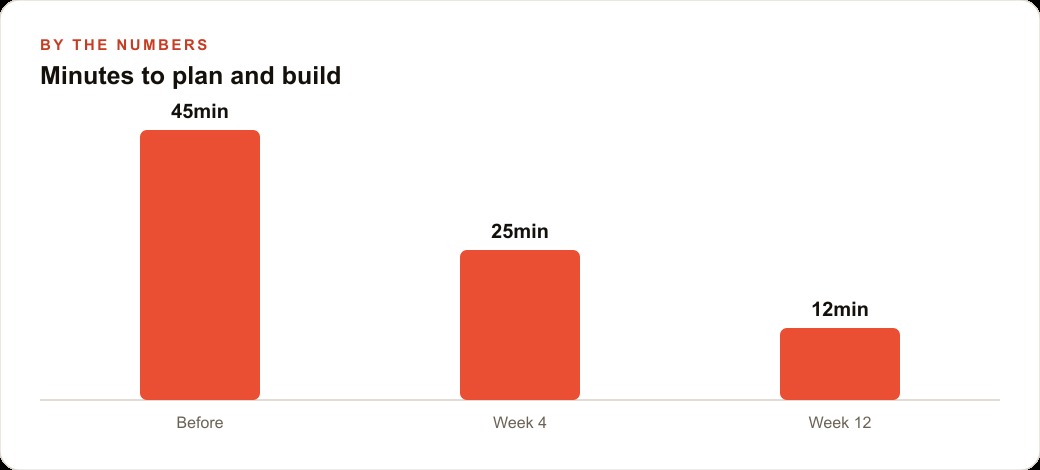
With local planning that kind of feature takes several minutes to plan, produces a plan of moderate quality that misses some edge cases, and then requires the local agent to re-explore certain file areas mid-execution when the original plan turns out to be underspecified in specific areas. Total time from plan start to working feature in that scenario: somewhere around ninety minutes, with a few course corrections along the way.
With ultra plan the planning step took just under a minute. The document that came back was seven sections, included a diagram of how the four data sources connected through the aggregation layer, and had a specific note in the verification section about testing the demand spike logic against a date range with a known storm event. I left one comment asking it to use the existing charting component rather than proposing a new one. The plan revised and came back in under thirty seconds. I approved, teleported, and the local agent built the full feature in about thirty-five minutes with no course corrections.
The difference is not primarily the planning time. The difference is execution quality downstream of the plan. A clear plan with a diagram, a verified architecture, and a commented verification step gives the local agent everything it needs to work without pausing to re-examine assumptions. That clarity is what compresses execution from ninety minutes to thirty-five.
For anyone running a marketing or CRM-heavy operation, this same dynamic applies when building integrations. Whether you are wiring up web CRM tooling to a client's existing lead flow, or building reporting dashboards that pull from Meta Ads or Google Ads data, the complexity of those data-source connections is exactly the kind of problem that collapses under a vague plan. Ultra plan is worth reaching for any time the feature involves more than one data source, more than one new file, or any design decision that will be expensive to reverse mid-build.
Why the token cost is not the real cost
The objection most people raise when they first hear about ultra plan is the token spend. Running a multi-agent cloud session costs more tokens than running local planning. That is true. It is also largely irrelevant once you account for what the extra tokens buy.
Consider a build that costs two thousand tokens in local planning and then runs into a significant course correction mid-execution because the plan was underspecified. That course correction might cost another hour of agent time and another several thousand tokens to undo and redo. Now compare that to a build that costs four thousand tokens in ultra plan and executes cleanly in one pass. The cheaper plan was not cheaper.
The real cost of a planning session is planning cost plus execution cost plus correction cost. Ultra plan shifts tokens from the correction budget to the planning budget. That shift is almost always a net saving on complex features because correction costs are expensive in ways that go beyond tokens: they cost calendar time, they can introduce inconsistencies in the codebase, and they cost the mental overhead of realising you are building the wrong thing and having to reorient.
The thirty-minute cloud cap exists precisely because the token exposure has a ceiling. A planning session that takes thirty minutes of cloud compute is extraordinary. Most finish in under two minutes. The cap is there for safety, not as a routine constraint.
How to get the most from the plan review step
The comment interface is not optional. It is where your judgment enters the process, and skipping it means handing full decision authority to the planning agents on questions where you have real context they do not.
When I review an ultra plan document, I read for two things specifically. First, I look for any place where the plan proposes a new pattern when an existing one should be reused. The cloud session finds existing files but does not always know which patterns are canonical versus experimental. A comment that says use the data adapter pattern from the jobs module instead of creating a new one takes ten seconds and can save thirty minutes of execution. Second, I look at the verification section and ask whether it tests the things that are actually hard. Plans often propose obvious verification steps. The useful ones are the edge cases. If the plan does not include them, I add them as comments.
A comment left at the review stage costs almost nothing and changes the execution significantly. The discipline of reading the plan before approving it is the single easiest way to improve the quality of what the agent builds.
For teams doing SEO content automation or Google Ads campaign tooling where the build logic touches multiple systems at once, this review step also serves as a shared checkpoint. The plan document is readable by a non-technical stakeholder. A marketing manager can open it, read the sections, and leave a comment asking why the campaign budget logic works a certain way before the agent has written a single line of code. That kind of early-stage input prevents the most expensive kind of rework: the kind that happens after the feature is built and someone with authority over the requirements sees it for the first time.
The broader argument about where planning fits
There is a framing shift underneath all of this that is worth naming directly. The conventional way of thinking about AI-assisted development treats planning as a cost and execution as the value. You want to get through planning as fast as possible and into the build. Ultra plan inverts that. It treats planning as the highest-leverage point in the entire build, the moment where a small improvement in quality produces the largest downstream return, and it invests compute accordingly.
This is not a new idea in software development. It is basically what every experienced architect has always believed. The reason planning was treated as a cost to minimise was that good planning was slow and the tools for doing it well were limited. Ultra plan removes that constraint. A richer, more structured plan is now available in roughly the same time as a local plan, and it produces a document you can actually review rather than a stream of terminal text you skim.
The implication for how you work is straightforward. Reach for ultra plan on any feature where the execution is complex enough that a course correction mid-build would be genuinely expensive. That usually means features touching multiple files, multiple data sources, or design decisions with significant knock-on effects. Simple changes do not need cloud planning. But the builds that matter, the ones where a mistake costs hours, are exactly the builds where spending a few more tokens on a better plan is the most defensible investment you can make.
The axe takes thirty seconds to sharpen. The tree comes down in minutes rather than hours. That arithmetic has not changed since people first made axes. It just now applies to software builds too.
That is exactly what we do at AI DOERS. Book a private 30-minute call with Madhuranjan Kumar and we will map the fastest path to it for your specific business.
Book your call →
Madhuranjan Kumar
Madhuranjan Kumar brings 20 years of performance-marketing experience and has managed over $200 million in Facebook ad spend for brands across the United States and beyond. His expertise spans the full modern marketing stack: Meta, Google Ads, TikTok, email automation, CRM, and the websites that hold it together. At AI DOERS he turns that track record into lead-generation systems for businesses across every industry.