
Turn Any Photo Into a 3D Model: Meta's Free SAM 3D Explained
SAM 3D is a free, open model that extracts an object or a person from a single 2D photo and rebuilds it as a 3D model you can print, edit, or animate, which puts a whole production pipeline within reach of a small business.

The gap between having a photo and having a usable 3D model once meant hiring a specialist, renting a scanning rig, or waiting weeks on a freelancer. Meta's SAM 3D closes that gap with a single upload and a click. I am Madhuranjan Kumar, and I have been testing this tool on real product photos, and the chasm between demo and reality is narrower than I expected. What follows is a numbered breakdown of the eight things about SAM 3D that matter most if you are running an actual business rather than a hobbyist project.
1. The Two-Minute Loop From Upload to Inspectable 3D Model
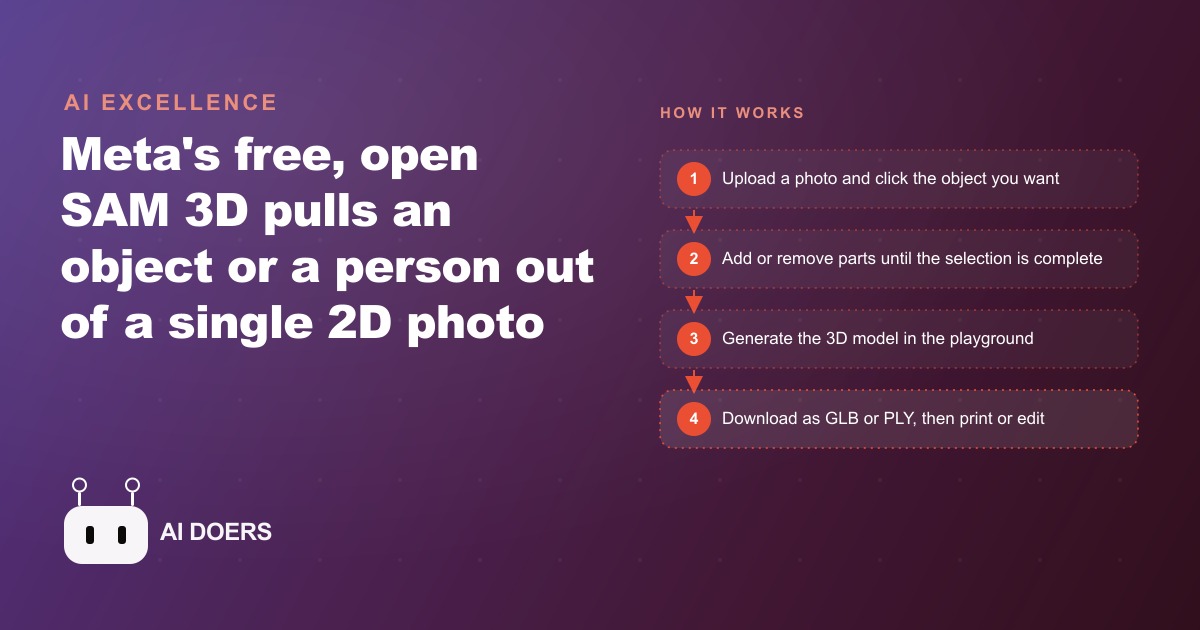
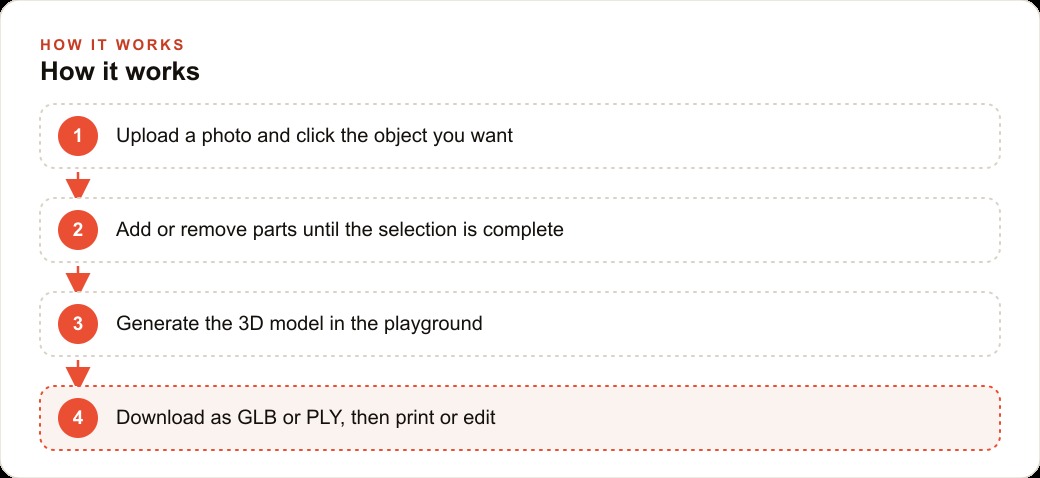
The core experience is fast enough to make it a practical step in a production workflow rather than an experiment you try once and abandon. You upload a photo to Meta's AI playground at no cost, click once on the object you want to capture, and press generate. On a ceramic mug with a textured handle, one click covered the full object including the handle, the base, and the inner rim. Generation finished in under two minutes in a standard browser, with no GPU on my machine and no software to download or install. The resulting model appeared immediately in a rotatable viewport where I could spin it and inspect every angle in real time.
That speed matters more than it might initially appear, because it changes how you evaluate the tool and what you can do with it in a single sitting. Most 3D workflows involve a long feedback cycle where you set up a session, generate an output, and inspect it later, sometimes the next day. A two-minute loop means you can test four different photos of the same product in a single thirty-minute session, compare the outputs side by side, identify which input gives the cleanest result, and commit to that before leaving your desk. A gift shop producing custom 3D-printed figurines from customer photos can run a customer's image, spot whether the selection is clean, refine it, and have a print-ready file the same afternoon. That replaces a workflow that previously involved sending a photo to a freelancer and waiting a week for delivery, with all the scheduling and revision communication that entails.
The quality on a clean input photo is high enough for the majority of downstream uses without any manual correction. The mesh is vectorized rather than a noisy point cloud, and boundaries on objects with clear contrast between subject and background are sharp and accurate. A professional photography setup is not required. A well-lit phone photo on a neutral surface produces usable output for product visualization, custom printing, and game assets.
2. Open Weights Mean You Own the Capability, Not Just the Access
Most AI tools are rented access to a hosted service. The provider sets the price, changes the terms whenever the business model requires it, and if the economics shift your workflow breaks without warning and sometimes without notice. SAM 3D ships with open weights, meaning the trained model parameters are available to download and run on your own infrastructure. For any business producing 3D assets at volume, that distinction changes the economic structure of the capability entirely.
Consider a furniture company that photographs each new product and wants a 3D model for an interactive viewer on their website. Running a hundred models per month through a hosted API at a per-model cost is predictable but exposes the business to any future pricing change the provider decides to make. Running those same hundred models on a dedicated cloud instance using the open weights means the cost is compute time only. At current GPU cloud pricing, that works out to roughly half a cent per model. A batch of a hundred models costs fifty cents in compute rather than whatever the hosted tier charges. At a thousand models per year, the cost difference between renting and running is real money redirected to other parts of the business.
More importantly, self-hosting means the tool runs on your schedule, at your rate, with your images staying on your own servers. For businesses in healthcare, legal services, or financial services where data governance matters, the ability to process images locally rather than uploading them to a third-party server is sometimes the difference between a capability the compliance team allows and one they block entirely. The open playground is the fastest entry point. The open weights are the foundation for any business that wants to build the capability permanently into their pipeline, with full control over operational parameters and no dependency on a provider's pricing decisions.
3. The Add-and-Remove Clicks Give You Precise Control Over the Selection Boundary
A single click is the starting point, not the final word on what the model captures. The selection interface works through iteration: you click to add regions to the selection, click again to remove regions that should not be in the model, and repeat until the boundary matches exactly what you need. Real-world product photos rarely have clean single subjects against white backgrounds. Objects sit on surfaces next to props, with overlapping edges and partially hidden geometry that a simple first-pass click will not handle perfectly.
On a photo of mirrored sunglasses with a lens finish that reflected the surrounding environment, the first click selected the frame correctly but read the reflective lens surface as background because the mirror finish blended into the colors behind it. A second click directly on the lens added it to the selection in full. A third click removed a sliver of the surface the sunglasses were resting on that had been included by the first click. The entire correction sequence took under a minute. The final model captured both frames, both lenses including the curvature of the mirrored surface, and the nose bridge as separate geometry elements.
That control is what makes the tool practical for product photography rather than only for pristine studio conditions. When you are building a 3D asset for a product page, a print file, or a game engine, accuracy at the boundary matters commercially. A model with a fuzzy edge or a missing component looks amateurish when rotated on a website product page and wastes printing material on a flawed shape. The ability to refine the selection precisely, without any expertise in 3D modeling or image segmentation, puts accurate output within reach of anyone on the team who can describe what they are trying to capture.
4. Bodies Mode Reconstructs a Full Articulated Skeleton From a Single Photo
The second operating mode in SAM 3D is the one that shifted my expectations most significantly. Object extraction from a photo makes intuitive sense for a tool trained on image segmentation. Reconstructing an articulated human skeleton with joint positions approximated from a single photograph is a considerably harder problem, because the model has to infer what is behind the visible surface and estimate depth, joint angles, and body proportions from a flat image where some parts are occluded or at difficult angles.
Given a photo of two people engaged in a physical activity, the model identified each person as a separate entity and generated a distinct skeleton for each. Spine curvature, shoulder angles, elbow bend, hip position, knee angle, and finger spread were all approximated from the single image. The posture in the 3D output was recognizably the same as the original photograph, including the asymmetric lean of one person and the different weight distribution of the other. Earlier single-image pose estimation tools I had used produced stiff, symmetric approximations that roughly suggested the pose without capturing its character. The SAM 3D bodies output is meaningfully more accurate on natural, unposed inputs taken from real-world photos.
For a physiotherapy or chiropractic practice, this creates an education tool that requires no scanning hardware and no specialized photography setup. A standard standing photo of a patient produces a rotatable 3D representation of their approximate posture, with spinal curvature, shoulder height difference, and head position visible from every angle simultaneously. This is an approximation, not a diagnostic scan, and should not be used as one. As a communication tool to help a patient understand their own posture, a personalized 3D approximation is far more effective than pointing at a generic anatomical diagram on a wall. A patient who can spin a model of their own stance and see their forward head position from the side view is going to understand the recommended correction with a clarity that a verbal explanation cannot achieve alone. A practice that switches from wall charts to personalized 3D posture explanations is giving patients a fundamentally different level of understanding, using a tool that costs nothing beyond a phone and a browser.
5. PLY and GLB Exports Drop Directly Into the Tools You Already Use
A tool that produces output in a proprietary format creates permanent dependency and forces a translation step that adds time and potential quality loss to every downstream use. SAM 3D exports to PLY and GLB, both of which are format standards understood natively by every major 3D application without conversion. GLB loads directly into Blender, which is free and is the most widely used 3D editing application outside large studio environments. From Blender you can refine the back surface of the model, which is the geometry the single-view input requires the system to estimate rather than observe, apply materials, rig the figure for animation, or export to any other format the downstream pipeline requires.
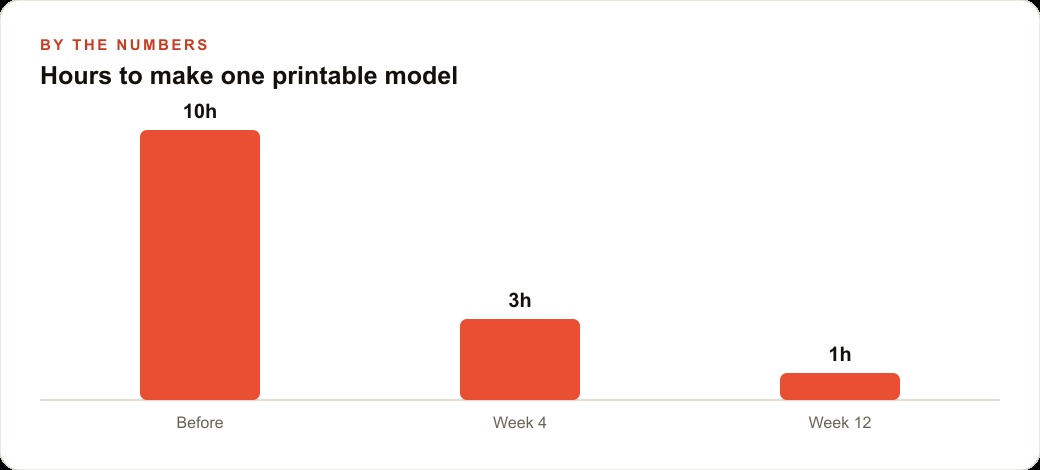
For 3D printing specifically, the conversion from GLB to STL takes under thirty seconds in Blender's export menu, and STL is the format every consumer and professional slicer accepts. A business running a custom-print gift service can go from a customer photo to a print-ready STL in a single session using only the playground and Blender, both free. Earlier single-image 3D reconstruction tools produced noisy point clouds that required significant manual cleanup before they would slice correctly without artifacts. SAM 3D produces a clean mesh that does not require that intermediate cleanup step for most outputs, which removes a thirty to sixty minute step from the per-model workflow.
PLY serves inspection and scientific visualization software. GLB is the standard for real-time 3D assets in Unity, Unreal, and Godot. A small game studio photographing props for a level can import the GLB directly into the engine without a conversion step. At fifty unique props per level, eliminating the conversion step returns hours to the project timeline. At scale across a full game, that compounds into a significant reduction in asset pipeline time. Format compatibility is not a glamorous capability, but for any production team that needs tool output to fit existing workflows without adaptation work, it determines whether a new tool gets built into the pipeline or sits unused.
6. Style Presets in the Playground Let You Finish a Marketing Visual Without Switching Applications
After generating a model, the playground offers a set of post-processing options you can apply before downloading. A reflective shimmer preset adds a light-catching quality to the surface. A gold preset applies a metallic coating that makes the object look cast in metal. A cell-shaded preset converts the lighting model to a flat, graphic-novel aesthetic. A hand-drawn preset softens the entire model into something that reads more like illustration than 3D render. An exploded-component view separates each structural part with visible gaps so individual pieces are independently inspectable. Multiple style and material presets exist beyond these examples.
These are not equivalents to professional 3D rendering software, and they do not approach the quality of a render farm output with physically accurate lighting. What they accomplish is producing a finished, distinctive visual from inside the same tool that generated the model, requiring no additional software and no additional expertise beyond clicking a preset and choosing a rotation angle. For a ceramics studio creating social media content about a new product line, the gold preset applied to a freshly generated model of their signature piece produces a visual that no competitor is likely to have, looks premium without looking generic, and requires three minutes of total effort after the model is generated.
For businesses using the tool primarily for interactive 3D viewers or print files, the presets are secondary to the raw exported mesh. But for any business creating marketing assets at volume, the ability to finish a visual inside the generation tool without switching to a rendering application removes a context-switching cost that, multiplied across a content calendar, saves real time per week. A team publishing product content twice a week that can generate and finish one visual per session rather than generating in one application and finishing in another will accumulate that time saving across every posting cycle.
7. Skeleton Output Removes the Rigging Bottleneck in Character Animation
Manual rigging is one of the most time-consuming steps in character animation because a professional rigger constructs the internal skeleton entirely from scratch on a neutral-pose figure, assigns mesh vertices to each controlling bone, and tests whether the rotations at each joint produce movement that looks natural from every camera angle. For a single character with moderate complexity, that work takes four to twelve hours. For teams building games with dozens of unique characters or producing animated content regularly, rigging accumulates into a major constraint on project velocity.
SAM 3D does not eliminate rigging, but it changes the starting conditions in a way that reduces the time the step requires. Because the bodies mode reconstructs an approximated skeleton from the original photograph, you begin with a figure that already has joint positions estimated in the actual pose of the photo rather than a neutral T-pose or A-pose. Refining an existing approximated skeleton to match the model precisely is a shorter and less cognitively demanding task than building a skeleton from zero on a neutral figure. For background characters in a game scene, where deformation precision during motion is less critical than it is for hero characters, the approximated skeleton may be close enough to use with only minor adjustments.
For a studio producing a game level with fifty background characters, saving three hours per character on the rigging and initial posing steps returns one hundred and fifty hours to the project. At a junior technical artist billing rate of fifty dollars per hour, that is seven thousand five hundred dollars in labor cost returned to the studio from the character work on a single level. That figure scales across every level and every project the studio ships afterward. The approximated skeleton from a photo is not a substitute for expert rigging on a hero character that needs to run, jump, and fight with full fidelity. It is a starting point on secondary characters and props that significantly reduces the most time-consuming portion of the character pipeline.
8. One Free Tool Now Covers Ground That Previously Required Four Separate Pipelines
Before SAM 3D, producing a usable 3D model from a single photograph required one of a small number of paths, each carrying significant cost and timeline. Photogrammetry using many photos captured from multiple controlled angles produced accurate meshes but required dozens to hundreds of photos, hours of processing through specialized software, and manual cleanup of scan artifacts before the result could be used in downstream tools. Professional 3D modeling produced cleaner and more controllable results but cost fifteen hundred to five thousand dollars per asset depending on complexity and delivered in days to weeks. Structured-light scanning rigs produced the highest accuracy but required hardware investment of several thousand dollars and a studio setup that most small businesses cannot maintain.
SAM 3D takes a single photograph and produces a clean mesh in under two minutes at zero cost. The accuracy is not equivalent to a multi-angle photogrammetry scan with professional inputs, and for engineering applications requiring precise dimensional accuracy it would not replace that pipeline. For product visualization on websites, custom 3D printing at moderate detail, game prop creation, patient education materials, and architectural reference, the accuracy is sufficient. Those categories cover the majority of business use cases for 3D assets outside of manufacturing and engineering.
The cost shift at business volume is what makes the tool consequential rather than just interesting. A product company photographing two hundred new SKUs per year and previously spending an average of one thousand dollars each for outsourced 3D models was allocating two hundred thousand dollars annually to asset production. With SAM 3D, the compute cost for two hundred models is under two dollars. The photography session that was already happening stays the same. The two-hundred-thousand-dollar modeling line drops to effectively nothing. That budget moves to inventory, marketing, or growth. The compounding benefit of that reallocation, applied consistently over multiple years, is the business outcome that a free, capable, open-weight 3D tool makes possible. The tool itself is the entry point. The redirected budget is the actual value.
That is exactly what we do at AI DOERS. Book a private 30-minute call with Madhuranjan Kumar and we will map the fastest path to it for your specific business.
Book your call →
Madhuranjan Kumar
Madhuranjan Kumar brings 20 years of performance-marketing experience and has managed over $200 million in Facebook ad spend for brands across the United States and beyond. His expertise spans the full modern marketing stack: Meta, Google Ads, TikTok, email automation, CRM, and the websites that hold it together. At AI DOERS he turns that track record into lead-generation systems for businesses across every industry.