
The Five Levels Of Claude, From Closing The Tab To Running Cloud Routines
Claude mastery climbs through five distinct levels, and most people never leave the first one. Here is the map, and the single upgrade that unlocks each step.

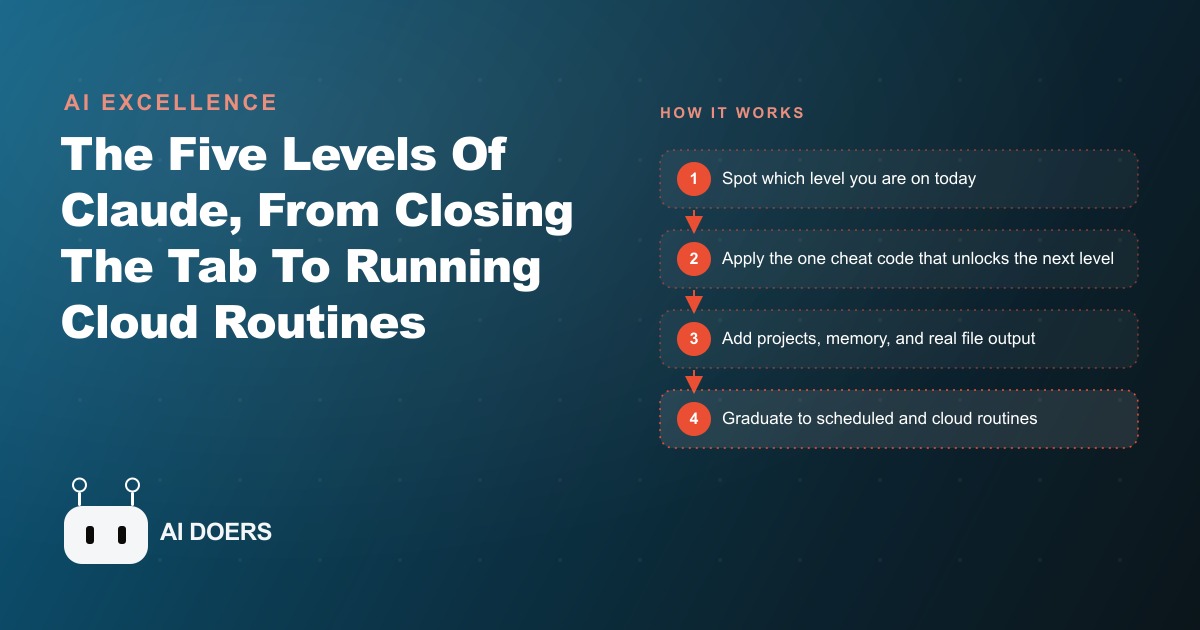
Most people who describe Claude as not very useful are using it at level one. They open a chat, ask a question, get an answer, and close the tab. They are correct that it is modestly useful at that level. They are also leaving four more levels of capability sitting untouched, each one meaningfully more powerful than the last, and each one accessible through a single specific move rather than a comprehensive technical overhaul.
I am Madhuranjan Kumar. I am going to take the five-level hierarchy apart and explain what each level actually changes, why the shift between levels is categorical rather than incremental, and why the path from level one to level five is a sequence for building the right amount of trust at the right pace.
Each level of Claude mastery unlocks with one specific move, not a comprehensive overhaul
This is the counterintuitive thing about the five-level model: you do not need to master everything at your current level before climbing to the next one. You need to identify the one specific move that unlocks the next level and make that move.
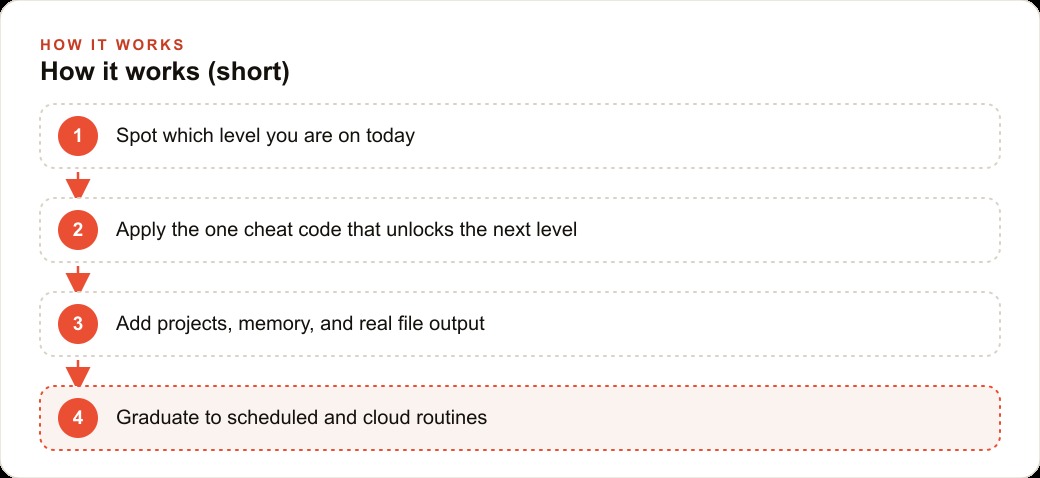
From level one to level two, the move is creating your first Claude project. You open Claude, create a project, write a brief system prompt that describes who you are and what your business does, and drop in two or three reference documents, such as a price list, a FAQ document, or a style guide. That single step means every new conversation inside that project starts with Claude already knowing your business. You stop re-briefing Claude on your context with every session, and the output quality improves immediately because Claude is reasoning from correct context rather than general assumptions.
Level two also unlocks two capabilities that most people do not know exist: memory that persists across conversations, and the ability to produce real downloadable files. Claude can produce Excel spreadsheets with working formulas, formatted Word documents, slide decks with real layouts, and PDFs directly from a conversation. That shifts Claude from a brainstorming assistant into a tool that produces deliverables, which changes the economics of the time you invest in it. The quick upgrade most level-one users miss is pasting screenshots into conversations, since Claude reads images directly rather than requiring you to type descriptions of what is on screen.
From level two to level three, the move is enabling Co-work and setting up your first Skill. Co-work runs in an isolated virtual machine with read and write access only to the specific folders you grant it, so Claude can act on files on your machine without having access to anything you did not explicitly allow. Skills are reusable workflows written as markdown files, with more than 100 published publicly, and the slash schedule command runs a Skill on any cadence you define, such as a daily briefing or a weekly summary.
From level three to level four, the move is setting up Claude Code and writing your first CLAUDE.md file. That file loads at the start of every Claude Code session and contains your codebase architecture, your conventions, and the rules that apply to this specific project. Every mistake Claude Code makes that should not repeat goes into the CLAUDE.md file. Plan mode, enabled with Shift Tab, has Claude reason through a complex problem before touching any file. Work trees create isolated git branches so multiple instances of Claude Code work on different parts of a project simultaneously without overwriting each other.
From level four to level five, the move is building a cloud routine, an autonomous agent that runs on Anthropic's infrastructure with your machine off, triggered by a schedule, an API call, or a GitHub event. That is where the real barrier sits, and I will address it specifically in the final section.
The shift between levels is categorical, not incremental, and that distinction changes how you invest your time
The most common misconception about this hierarchy is that each level is a better version of the previous one. That framing leads people to underinvest in climbing levels because they expect diminishing returns. The actual relationship between levels is categorical, meaning each level does something the level below it fundamentally cannot do.
Level one can answer questions. It cannot remember what you discussed last week. Level two can remember and produce deliverables. It cannot take actions on your machine. Level three can take actions on your machine within granted permissions. It cannot run parallel independent workstreams. Level four can run parallel workstreams in isolated branches. It cannot execute while your machine is off. Level five can execute while your machine is off, triggered by external events, with no human involvement.
That categorical progression means each level unlocks a qualitatively different kind of value, not just more of the same kind. Moving from level one to level two does not give you a slightly better chat. It gives you persistent context and deliverable production, which are capabilities that do not exist at level one at any price. Moving from level two to level three does not give you slightly better research. It gives you the ability to delegate file-system tasks to Claude, which is the difference between telling Claude what you want done and Claude doing it.
The practical implication is that if you are considering whether to invest in climbing from your current level to the next, the question to ask is not whether the next level is incrementally better. It is whether the capability that becomes available at the next level would change something meaningful about how you work. In most cases, the answer is yes and the investment required to make the move is small.
Boris Cherny, who built Claude Code, runs five parallel work tree sessions every single day and comes back to multiple finished pieces of work ready for review. That is not an incremental improvement over level-one chat. It is a categorically different relationship with the tool that produces a categorically different quantity of output in the same working day.
Skipping levels produces frustration because each level builds the trust and pattern recognition that makes the next one safe
The trust-building sequence is the least-discussed aspect of this hierarchy and the most important one for understanding why the levels exist in the order they do.
When you use Claude at level one, you learn what kinds of questions it answers well and what kinds it mishandles. You develop calibration about when to trust the output and when to verify it. That calibration is built through low-stakes interactions where the consequence of a wrong answer is that you did not get useful help, not that something broke.
When you move to level two and Claude starts producing deliverables, you are extending trust to a slightly higher-stakes action: Claude is now producing files that other people might read and rely on. The calibration you built at level one, knowing when Claude reasons well and when it does not, helps you review those deliverables intelligently rather than accepting them uncritically.
When you move to level three and Claude has file-system access on your machine, you are extending trust to a meaningfully higher-stakes action: Claude can now modify files and execute tasks that you cannot easily inspect in real time. The calibration built through levels one and two helps you define the right scope of access, recognize unusual behavior, and set up the right review steps.
Level four with parallel work trees requires trusting that multiple instances of Claude Code are each working correctly on their assigned scope without interfering with each other. That trust is only well-founded if you have worked with Claude Code at single-session depth first and understand how it handles scope, when it makes mistakes, and how to write CLAUDE.md rules that prevent the most common errors.
Level five requires trusting a cloud routine to execute correctly with no human watching, potentially many times per day. That trust can only be calibrated through experience with levels three and four. People who skip to level five without that background deploy automations that run well for three weeks and then produce a wrong output on a case the instructions did not cover, with no human present to catch it.
The levels are not just a taxonomy. They are a calibration sequence. Each one builds the pattern recognition and the appropriate scope of trust that makes the next one safe to operate in.
Running CLI before MCP is a discipline that determines how much you can afford to run
The token efficiency guidance from Anthropic is specific: CLI first, API second, Skills third, MCP only when nothing else fits. A CLI integration cuts 60 to 70 percent of the token overhead of a comparable MCP integration because the CLI handles structured data exchange directly rather than through the model context layer.
This is not a minor optimization. For a business operating Claude Code or cloud routines at any volume, the cumulative effect of tool selection on token consumption is material. A task that runs 100 times per day through an MCP integration may consume three to five times the token budget of the same task run through a CLI integration. At current pricing, that difference is financially meaningful at any scale above casual use.
The practical discipline is to check whether a CLI exists for any tool you are considering integrating before reaching for an MCP connector. Most major platforms, including ad platforms relevant to Facebook and Instagram ad campaigns, analytics platforms, databases, and productivity tools, have CLIs that Claude Code can invoke directly. The MCP ecosystem is expanding quickly and provides access to tools without CLIs, but for any tool that has both, CLI is the right default.
The ordering also matters for reliability. CLI integrations are simpler, have fewer moving parts, and are easier to debug when something goes wrong. MCP adds an abstraction layer that provides flexibility at the cost of additional complexity. For a cloud routine that runs daily and needs to be reliable over months, simpler is better.
For businesses managing their Google Ads performance, the distinction matters specifically because the Google Ads CLI tools provide direct, efficient access to campaign data and management functions that would be expensive to access through a model-context MCP layer running repeatedly throughout the day.
The wall at level 5 is a trust question built through operating at levels 3 and 4, not a technical setup question
The most common thing I hear from people who want to reach level five quickly is that the technical setup looks manageable and they want to know the right configuration for their cloud routine. That framing puts the hard part in the wrong place. The technical setup for a cloud routine is genuinely not complicated. What makes level five hard is knowing which processes are safe to delegate to an autonomous agent running without supervision.
That judgment requires experience. Specifically, it requires having watched Claude make mistakes, having understood what kinds of inputs produce unexpected outputs, and having built the logging and alerting infrastructure that makes problems visible quickly when they occur. None of that can be acquired from reading documentation. It comes from operating at levels three and four for long enough to develop the pattern recognition.
An operator who reaches level five through levels three and four arrives with several things a skipped operator does not have: the habit of checking logs, the instinct for which instructions are too vague to produce reliable behavior at scale, the experience of catching a mishandled edge case early because the logging caught it, and the practice of writing CLAUDE.md rules that encode hard-won lessons about how Claude handles unusual inputs.
Those operators deploy cloud routines that run correctly for months because the design reflects real experience with the system's failure modes. The operators who skip to level five deploy routines that run correctly for a few weeks and then encounter an input the instructions did not cover, with no human present and no logging to surface the problem.
Hooks add safety rails at this level, and the combination of hooks and well-designed instructions is what makes a level-five routine genuinely reliable rather than just functional under normal conditions. Building both requires the experience that only comes from working through the sequence.
An HVAC company climbing from level 1 to level 3, with specific time savings
Let me put this in concrete operational terms using an HVAC company as the example.
At level one today, the service coordinator asks Claude questions in a browser tab: how to phrase a difficult customer response, what to include in a maintenance checklist, how to calculate a job estimate. Each session starts from zero. There is no accumulated context about the business, and the output quality depends on how well the coordinator describes the situation each time. Useful but inefficient.
The level two move takes half a day. I create a Claude project, write a system prompt that describes the company, the service area, the four main service categories with typical pricing ranges, and the communication style the company uses with customers. I upload the price book as a reference document and add a short FAQ document covering the questions customers ask most often. Now every conversation inside that project starts with full business context. The coordinator can paste a customer complaint and get a correctly framed, price-consistent response without re-briefing Claude on what the company charges. The project also produces deliverable documents: job summaries for technicians, customer-facing maintenance reports, and draft follow-up emails, all formatted consistently.
The level three move adds Co-work and scheduling. I point Co-work at the shared folder where job sheets accumulate throughout the week. A Skill pulls each job sheet, extracts the work completed, parts used, and time logged, and produces a formatted service summary and a draft invoice. That runs automatically whenever new sheets appear in the folder, so the office manager's end-of-day invoicing task shrinks from 45 minutes to 10 minutes of review and send.
A second Skill runs every Monday at 7am. It reads the previous week's job summaries, identifies parts with low remaining stock based on how many times they appeared in job sheets last week, and produces a reorder recommendation list and a Monday briefing: open jobs, callbacks due, and parts to reorder. The office manager starts each week with a finished briefing rather than an assembly task.
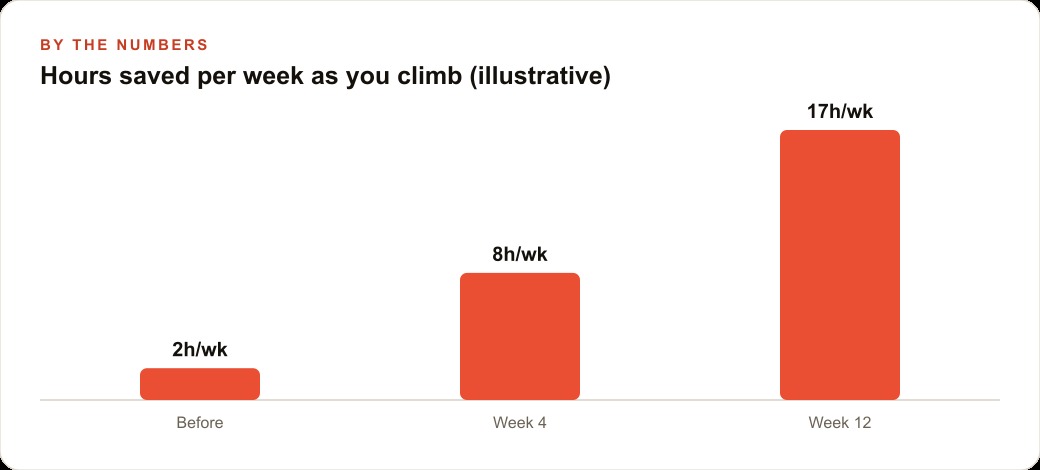
The total setup time for both Skills is about a day of configuration and testing. The time removed from the weekly schedule is roughly two hours per day for the office manager, between the invoicing automation and the briefing automation. At an hourly value of $25, that is $250 per week in recovered time, or roughly $13,000 per year from two automations that took one day to set up.
The CRM and website stack integration comes next for this client, connecting the automation to the customer database so job summaries automatically update the customer record without manual entry. That is the level three capability that makes the automation genuinely hands-off rather than just faster.
Level four and level five come later, as the coordinator develops the calibration from watching the level three automations handle real inputs across a few months. The progression is the right one, not because of technical constraint, but because the trust and pattern recognition built at each level is what makes the next one run correctly.
Why the one-cheat-code framing matters more than it appears
The reason to frame each level transition as one specific move rather than a general upgrade is that it makes the action concrete enough to actually take. Most people who are stuck at level one know, in the abstract, that Claude can do more than they are using it for. The abstract knowledge does not produce the action. The specific knowledge that creating one project with one system prompt and two documents is the exact move that unlocks level two produces the action.
The same applies at each transition. Enabling Co-work and installing one published Skill is the exact move that unlocks level three. Writing CLAUDE.md and running plan mode once is the exact move that unlocks level four. Each move takes between thirty minutes and a few hours. Each one produces a categorical shift in what you can do with the tool.
The pattern recognition that follows from actually climbing the levels is also what makes the tool consistently useful rather than occasionally impressive. Level-one Claude is impressive when it does something unexpected. Level-three and level-four Claude is reliably useful on the kind of work that actually takes up business hours. The gap between impressive and reliably useful is the gap between level one and level three, and it closes with two specific moves.
You can follow this map yourself and make those moves in sequence over the next few weeks. If you would rather have someone configure the project, write the Skills, set up the scheduled tasks, and configure Claude Code for your specific workflow so it works correctly from day one, that is exactly the kind of setup I do for clients.
That is exactly what we do at AI DOERS. Book a private 30-minute call with Madhuranjan Kumar and we will map the fastest path to it for your specific business.
Book your call →
Madhuranjan Kumar
Madhuranjan Kumar brings 20 years of performance-marketing experience and has managed over $200 million in Facebook ad spend for brands across the United States and beyond. His expertise spans the full modern marketing stack: Meta, Google Ads, TikTok, email automation, CRM, and the websites that hold it together. At AI DOERS he turns that track record into lead-generation systems for businesses across every industry.