
Surfagent: How An AI Agent Can Drive A Real Browser Without Any APIs
Surfagent is an open source tool that lets an AI agent operate a live browser while you stay logged in, so it can read messages, fill spreadsheets, post updates, and pull transcripts without a single API key. The business value is that the automation wall most owners hit just disappears.

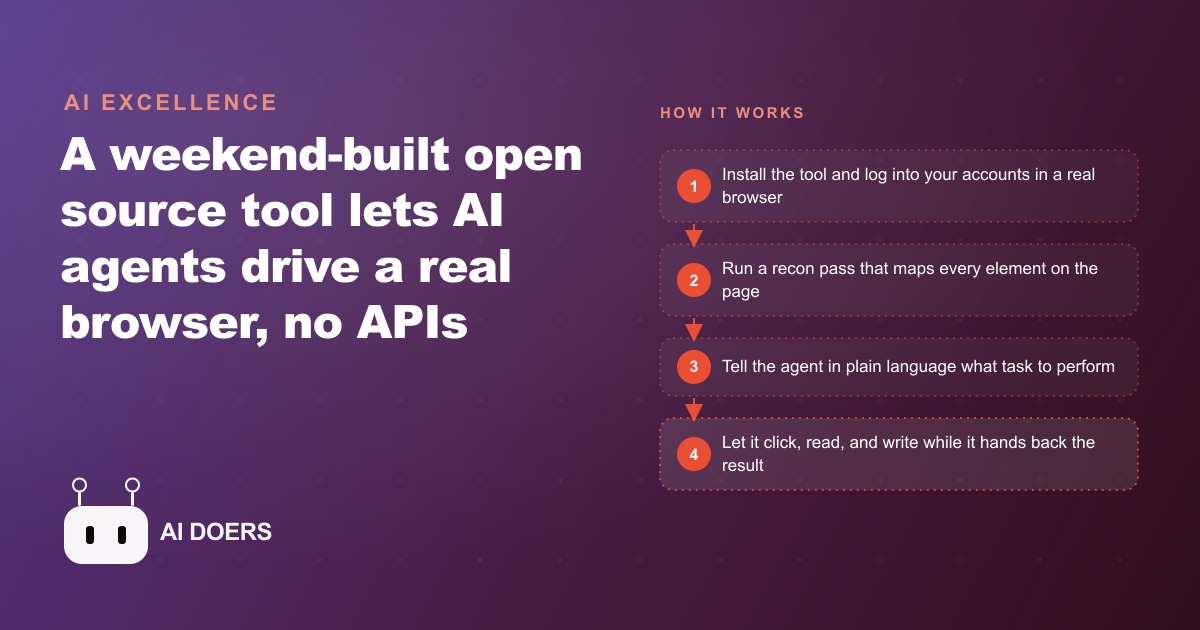
Most automation projects die in the same spot: the tool you need to touch never shipped a usable API. A weekend project called Surfagent walks straight past that wall by letting an AI agent drive a real web browser, logged in as you, with no API keys anywhere in the picture. It installs with a single npm command, it is open source, and it is free. That combination is why it deserves a closer look than the average side project.
The idea is small and a little subversive. Instead of asking a website for programmatic access, you open the site the way any human would, sign in, and hand the live page to the agent. It clicks, reads, types, and scrolls on your behalf. Written by Madhuranjan Kumar, this piece breaks the tool down into the specific things it can actually do for a business, each one pulled from real behavior rather than a slick demo. Here are eight of them.
1. It runs on your own login, so there is no API to buy or beg for
The headline capability is that Surfagent needs zero APIs. You sign into a site as yourself in a real browser, and the agent operates that live session. Because it is already inside your login, it inherits your access to messages, dashboards, spreadsheets, and accounts without anyone provisioning keys, approving a developer application, or paying for an API tier. For a small business this is the whole game. Most of the tools that eat staff hours, the supplier portals and booking screens and review inboxes, either never offered an API or gated it behind an enterprise plan. Surfagent makes the API question irrelevant because it uses the same door a person uses.
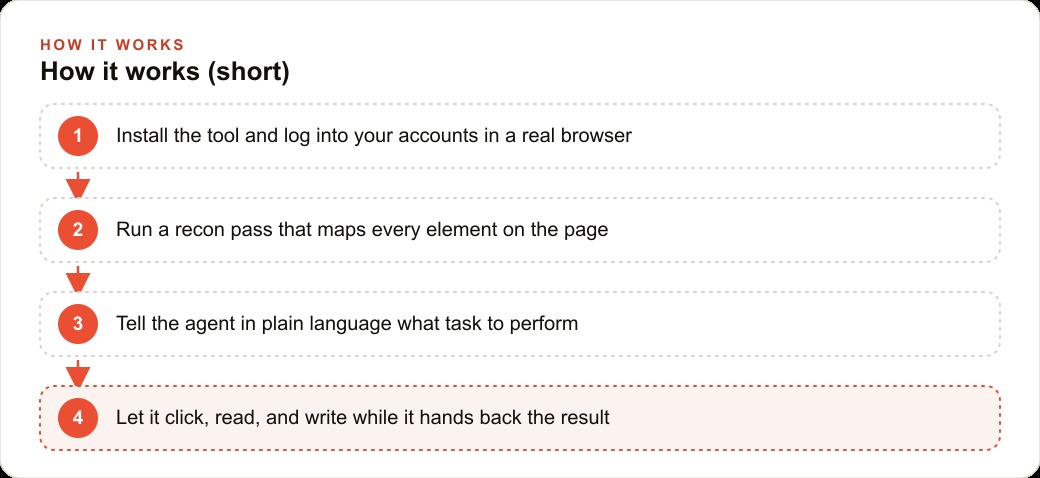
2. A recon pass maps the page before the agent touches anything
Before it clicks a single button, Surfagent runs a recon command that maps every element on the page. This is the quiet detail that makes the whole thing feel fast. Instead of the agent slowly hunting around, guessing where a link or field might be, it already holds a layout of the page and goes straight to the right spot. If you have ever watched a naive automation fumble through a screen, you know how much time that guessing wastes. The recon step front-loads the understanding so the actual work is quick and direct.
3. Reading a busy chat channel becomes a two-minute job
Logged into a chat platform, the agent can navigate to a specific server or channel and read the recent conversation on command. In testing it scanned the last 200 messages in a general channel and pulled them back as usable context. For a business that lives inside team chat, that means an agent can catch up on a thread, extract the decisions and open questions, and summarize where things stand, without anyone scrolling back through a wall of messages. The raw text becomes structured context the agent can act on in the next step.
4. Filling a spreadsheet from live research happens on its own
One of the strongest demos had the agent research live prices for several AI models, open a spreadsheet, and fill in the rows by itself. It even worked out how to insert a chart of the pricing. This is the pattern most owners will recognize immediately, because it is the shape of a huge amount of office busywork: go look something up on the web, then type it into a sheet. When the agent handles both halves, the person is freed from the copy and paste entirely. The spreadsheet fills while they do something that actually needs a human.
5. Pulling a transcript and summarizing it takes one instruction
Pointed at a video, the agent opened the transcript, scrolled through it, and wrote a summary. It handles the scrolling well and pulls the full transcript back as context. For anyone who researches competitors, monitors long talks, or needs the gist of an hour of footage in a paragraph, this collapses a slow manual task into a single request. The transcript becomes searchable text, and the summary becomes something you can drop into a brief or a report.
6. Posting to a social account skips the paid API tier
Logged into a social platform, the agent searched the latest news on a topic and even drafted and posted an update. The important part is why this is possible: because you are signed in, it uses the normal web interface and skips the paid API entirely. Platforms that charge heavily for programmatic posting suddenly cost nothing to automate, because the agent is just using the site. This is where the tool starts to touch marketing directly. The same session that reads and posts organic updates can feed the research that shapes your Facebook and Instagram ad campaigns, so the person running social is not stuck doing manual reconnaissance every morning.
7. It lives inside a general agent like Claude Code
Surfagent is driven from inside a general purpose coding agent such as Claude Code. After the npm install, the agent simply picks up the browser tools and starts navigating in the background. That matters because you are not learning a bespoke interface, you are giving instructions in plain language to an agent you may already use. Under the hood it talks to the browser through Chrome CDP and ships as an npm package with the agent files you can adapt to your own tasks. If you already trust an agent to help with work, teaching it to operate a browser is a natural extension rather than a whole new tool to master.
8. A quiet mini computer turns it into an always-on station
There is one real constraint worth naming: Surfagent is not headless yet, so it needs a machine with a visible browser. Rather than a flaw, treat this as the deployment plan. A small always-on computer, a dedicated mini machine sitting in the back office, becomes the station that runs these routines around the clock. The logins live there, the browser stays open, and the agent works through its jobs whether or not anyone is watching. Small experiments in passive income and background automation run comfortably on exactly this kind of setup.
A worked example: the back-office morning at a repair shop
Consider an auto repair shop where the owner and the service writer lose the first hour of every day to web tools that refuse to talk to each other. The parts supplier portal has prices and stock. The scheduling page has the day's bookings. The review inboxes need replies. A spreadsheet tracks open jobs. None of these offer an API a small shop could use, so the owner does it all by hand.
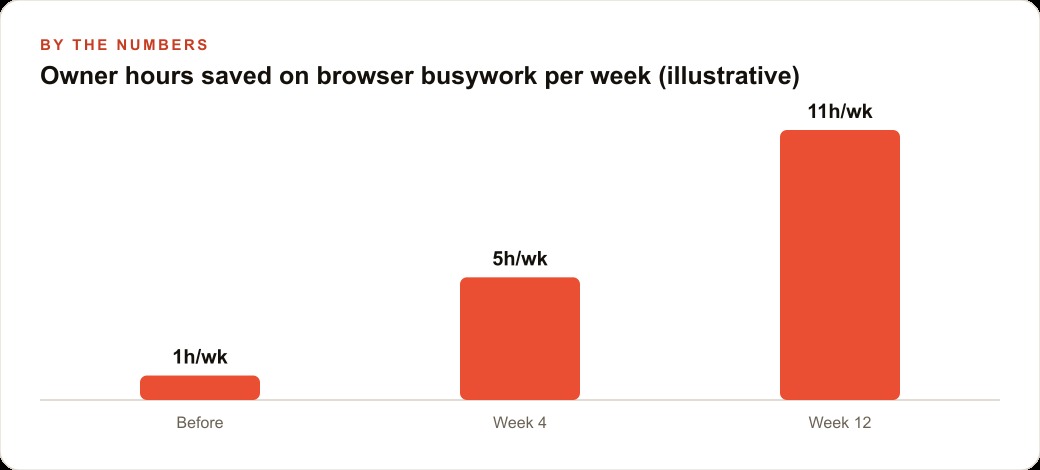
Put Surfagent on a mini computer in the back office, logged into all of those accounts, and give it a morning routine. Say the shop books an average of nine jobs a day. The agent opens the parts portal, checks price and availability for the parts tied to those nine jobs, and drops the numbers into the job sheet. It scans the review inboxes and flags the two or three that need a reply. It reads the appointment page and builds a clean worklist. If that routine reclaims 45 minutes each morning, that is roughly 15 hours a month handed back to the person who should be running the floor, not clicking through portals. Those recovered hours are illustrative, but the mechanism is concrete: the agent walks the exact same pages the staff already use.
Because it operates the live tools, nothing has to be rebuilt or integrated. The service writer can ask in plain words, find the cheapest in-stock brake pads for today's three brake jobs and add them to the sheet, and the answer is waiting. The finished worklist can flow into the shop's CRM and website stack so follow-up reminders and rebooking messages fire without anyone remembering to send them. And the same research habit that keeps the parts sheet current can inform smarter local Google Ads bids when the owner sees which services are actually filling the calendar.
The trust question you should ask first
Handing an agent your logged-in session is powerful, and it deserves a moment of caution rather than blind enthusiasm. Because Surfagent operates inside your real login, it has whatever access you have: it can read the same private messages, see the same financial dashboards, and post as you. That is the source of its usefulness and also the reason you should scope it deliberately. The sensible pattern is to give the station only the accounts a given routine actually needs, not the keys to everything. If the morning routine only touches the parts portal and the job sheet, that is all the machine should be logged into.
Run it on a dedicated device rather than your daily laptop, so the browser sessions it drives are isolated from your personal accounts and your customer records. Keep that machine physically secure and behind a normal login, because anyone with access to it effectively has access to every account it holds open. And start every new routine in a supervised mode, watching the agent work through the task a few times before you let it run unattended. None of this is exotic. It is the same discipline you would apply to any employee you handed a set of passwords, and treating the agent that way keeps the power from turning into a liability.
What it cannot do yet, and why that is fine
It helps to be clear about the edges. Surfagent is not headless, so it genuinely needs a visible browser and a machine to run it on, which rules out the lightweight cloud-function style of deployment some owners might expect. It is a weekend-built open source project, not a polished enterprise product with a support line, so you should expect rough edges and the occasional need to adapt the agent files to your specific task. And because it drives a live site, a major redesign of a page can throw off a routine until the recon pass re-maps the new layout.
None of these are dealbreakers for the use it is built for. They are simply the shape of an early, honest tool. The right expectation is a capable helper for well-scoped, repetitive browser work on a dedicated station, not a magic button that runs your whole business. There is also a reasonable question of scale. One visible browser on one machine can only do so much at once, so if you imagine running dozens of parallel routines, you are really imagining several stations or a future headless version rather than this exact build. For a single business automating a handful of daily jobs, one quiet mini computer is plenty, and that is precisely the sweet spot Surfagent occupies today.
How to try it without betting the business on it
Start with one workflow, not your whole operation. Put the tool on a spare machine with a visible browser, sign into the two or three accounts that eat the most of your time, and run the recon pass so the agent knows the pages. Give it one clearly worded task and watch it run before you trust it with more. Add a second routine only once the first is reliable. None of this requires you to be technical, which is the point of using a general agent to drive a normal browser.
You can build this yourself, and I would encourage any owner to wire up one simple morning routine this week. If you would rather have someone set up the machine, connect it to your real portals safely, and hand you a routine that works on the first morning, that is exactly the kind of build I take on for clients. The wall that used to stop your automations cold is lower than it has ever been.
That is exactly what we do at AI DOERS. Book a private 30-minute call with Madhuranjan Kumar and we will map the fastest path to it for your specific business.
Book your call →
Madhuranjan Kumar
Madhuranjan Kumar brings 20 years of performance-marketing experience and has managed over $200 million in Facebook ad spend for brands across the United States and beyond. His expertise spans the full modern marketing stack: Meta, Google Ads, TikTok, email automation, CRM, and the websites that hold it together. At AI DOERS he turns that track record into lead-generation systems for businesses across every industry.