
How to Run Your AI Coding Assistant for Almost Free
The premium AI tool you use is just a wrapper around a model you are renting. Here is how to swap in free local or open models and slash your bill without losing the workflow.

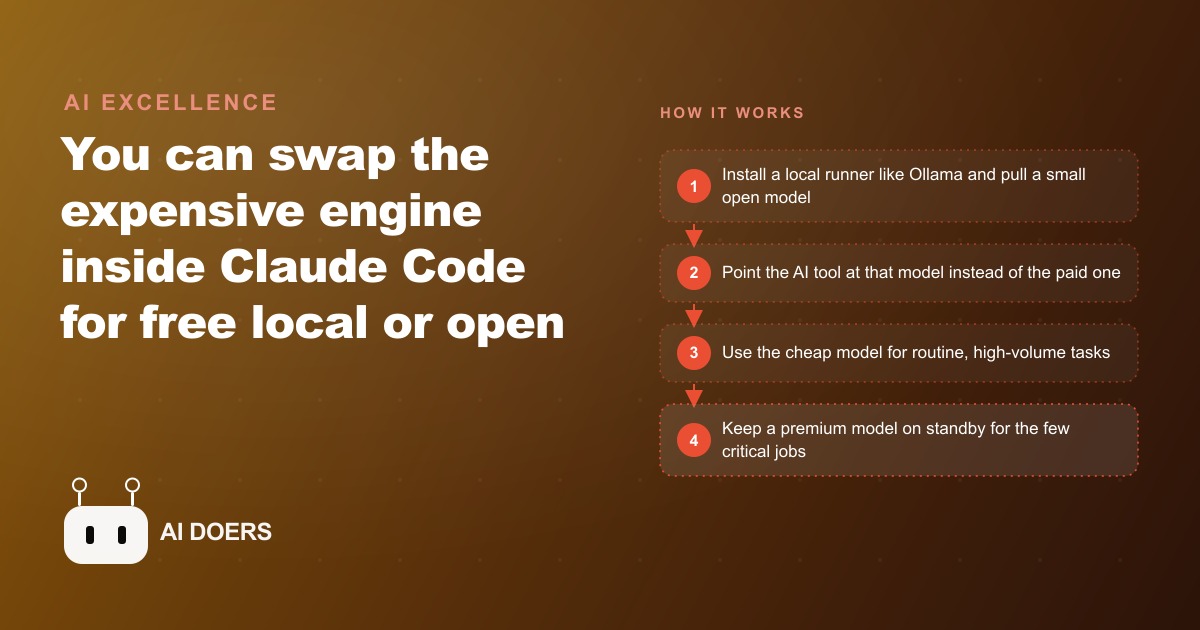
Cutting a monthly AI tool bill by 90 percent or more without changing the workflow interface or the quality of output on routine tasks requires getting eight specific decisions right, and most operators who attempt it make at least three of the mistakes that cancel the savings before the first billing cycle confirms anything actually changed. I am Madhuranjan Kumar, and each item in this list addresses one of those decisions directly, starting with the foundational concept that makes the entire approach possible.
1. The tool and the model are separate components; keeping the tool while swapping the engine is the whole approach
The premium AI tool you pay for every month is two things that most users treat as one: the interface and workflow layer on top, and the model that does the actual reasoning underneath. The interface handles tasks like reading your project files, maintaining context across a session, managing tool calls, and presenting results in a structured format. The model is rented access to a large language model that processes each request and generates each response. The billing you receive each month is almost entirely for the model rental, not for the interface.
The approach this list describes relies entirely on the fact that those two components are separable. You keep the interface you are already familiar with, the one that organizes your files and maintains your project context, and you route its requests to a different, cheaper, or locally hosted model instead of the premium default. Most professional AI tools were designed with this separation in mind and expose configuration settings that allow you to specify which model backend to use. Swapping the model is not a workaround and not a terms violation. It is the intended architecture made available through the tool's own settings.
Understanding this separation is the prerequisite for every other item in this list. If the tool and the model read as one indivisible thing, the savings path does not make sense. Once they read as two distinct components, cutting the model cost becomes a configuration task rather than a product decision.
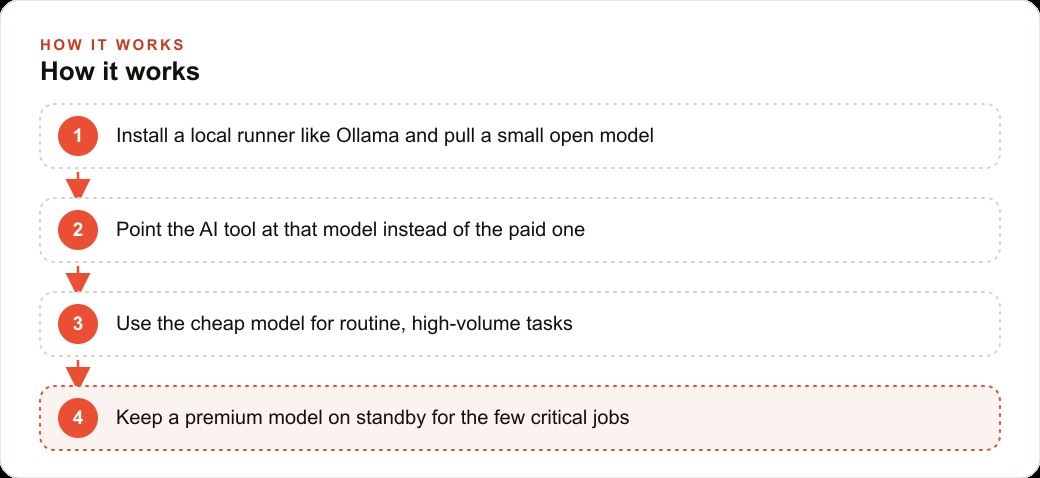
2. Local models eliminate token cost entirely but trade response speed against server-side inference
A local model is an open-weight model that you download to your own machine and run without sending any request to an external server. Every token the model generates is processed on your own hardware, which means there is no per-token billing. The cost of using a local model for any number of requests is zero in API fees, regardless of volume.
The trade is response speed. Your laptop or desktop handles the computation that a purpose-built AI server would otherwise process, and most personal computers produce responses significantly more slowly than cloud APIs. For interactive back-and-forth sessions where you are waiting in real time between each response, the difference is noticeable. For tasks where you set the agent working on a batch and review results later, the speed difference is less relevant because the session runs while you do other things.
There is also a privacy benefit that matters for certain business contexts: nothing leaves your machine. Every request and every response stays local, which is relevant for work involving sensitive client data, health information, financial records, or anything else that should not pass through a third-party server.
The practical tool for running local models on a Mac or Windows machine is Ollama. It installs in minutes, and pulling and running a model is a single command. Several open models are available that fit the memory constraints of a standard laptop while producing output quality that is adequate for the high-volume, low-stakes tasks that make up most of a business's daily AI use.
3. Cloud routing services give you open-model quality at pennies per call with controllable rate limits
If your machine does not have enough memory to run a local model with acceptable response speed, or if you need the latency that only server-side inference provides, cloud routing services offer a middle path. These services host open or semi-open models on real infrastructure and charge at rates that are a fraction of premium closed-model pricing, often by an order of magnitude or more.
The setup is simple: create an account with a cloud routing service, generate an API key, and paste that key into your AI tool's model configuration settings. Requests that previously went to the premium model now route through the cheaper service instead. You pay per call at the lower rate, and the response quality on routine tasks is typically close to what the premium model delivered, because the quality gap between open and closed models has narrowed significantly over the past year.
The controllable rate limit is a practical feature that matters during the first week on a new routing service. Most services offer a free tier with a daily request ceiling, and a small paid subscription that lifts it. Starting on the free tier lets you verify that the routing is working and that the model quality meets your needs before committing to any recurring spend.
4. Every model slot must be configured, not just the primary one, or background calls will still hit the paid service
This is the most common reason the savings do not appear on the billing statement after a switch. Most professional AI tools use multiple model slots internally: a primary slot for the main task the user initiates, a secondary slot for background tasks like summarizing context, searching project files, or running small supporting tool calls, and sometimes additional slots for specific categories of specialized work.
When you update only the primary slot to point at the cheap or local model, the background tasks continue routing to whatever model was previously configured for the secondary slot, which is typically the premium default. Those background calls often outnumber the primary calls, because the tool may make several supporting requests for every main task the user triggers. The result is a bill that barely changes despite what the operator believes was a complete switch, and no visible indicator in the tool's interface that explains why the billing is still high.
Before declaring the switch complete, audit every configurable model slot in the tool's settings. Most tools list these explicitly in their configuration panel. Assign each one to the cheap or local model explicitly, rather than leaving any slot on whatever default it was set to. Then check the first billing cycle to confirm the expected reduction appears. If it does not, re-audit the slot configuration for any that were missed.
5. Match model size to available hardware memory before committing, or response times make it unusable in practice
Open models come in a range of sizes, typically described by the number of parameters in billions. Larger models generally produce higher-quality output on complex tasks but require proportionally more hardware memory to run at a usable speed. Running a model that exceeds your available memory will either cause the system to fail immediately, produce responses slowly enough that each one takes thirty seconds or more, or cause your operating system to use disk storage as a substitute for RAM, which makes response times worse rather than better.
The practical rule is to check the total available memory on your machine before selecting a model, and then find the minimum memory requirement for the model you are considering. Most Ollama model pages display this information. Start with the smallest model that meets your quality needs for the specific task types you are routing through it, not the largest model your hardware can technically handle.
For most routine business tasks, a 7 billion parameter model or smaller runs at acceptable speed on a machine with 16 GB of RAM. For machines with 8 GB, smaller models are needed. Testing response time on a representative real task before committing to the model is the only reliable way to know whether the speed is acceptable in practice. A model that feels fast on a one-sentence test prompt often feels noticeably slower on a longer, more complex task that requires sustained reasoning.
6. Test the chosen model on five representative real tasks before it becomes the production default
The quality of an open or local model varies significantly by task type. A model that produces excellent output on straightforward summarization may struggle with tasks requiring specific domain knowledge, careful instruction-following on multi-step requests, or handling of ambiguous inputs where the right answer depends on context the model needs to infer. The only reliable way to know whether a model is adequate for your specific work is to test it on actual representative samples of that work before routing anything live through it.
Before assigning any live production tasks to a new model, select five tasks that represent the most common things you use the tool for. Run each one on the new model and compare the output quality to what the premium model would have produced. If the quality difference on any of the five tasks would change how you act on the result, that category of task stays on the premium path. If the quality difference is negligible or acceptable on all five, the model is ready to take that work.
For a med spa team using an AI tool for daily work, five representative tasks might be: drafting a response to a treatment inquiry, summarizing the notes from a client consultation into three key points, sorting a mixed inbox of messages into categories, generating first-draft content for a social post, and flagging any message that requires urgent or sensitive attention. Running all five on the candidate model before deploying it tells you exactly which categories it handles well and which ones it should not touch.
7. Routine, high-volume work routes through the cheap path; the premium engine handles only the few tasks where quality shifts the outcome
The savings in this approach come from correctly identifying which tasks belong in each category, and most businesses have far more routine work than they initially estimate. Routine, high-volume tasks are those where the output is a step in a process rather than a final decision: sorting incoming messages by type, summarizing longer documents into key points, drafting first-pass replies that a human reviews before sending, tagging and categorizing records, and generating options for a human to choose among. None of these tasks requires the best available model. They require a reliable, fast, correct-enough model that produces output at the right quality level for the step they represent in the workflow.
Premium tasks are those where the output of the AI directly influences a significant decision without an intermediate human review step: a message to a sensitive client where the exact wording affects the relationship, a response to a complaint where getting the tone wrong creates a larger problem, a document that goes directly to a client without revision, or a creative piece where quality variation between models produces meaningfully different results in conversion or engagement.
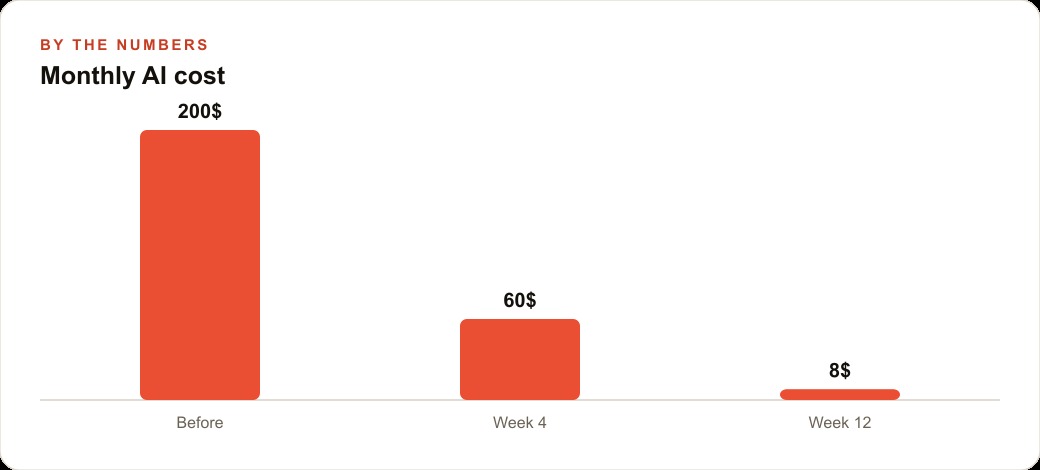
For a med spa, the split is specific: 80 to 90 percent of daily AI work is routine processing of incoming communications, scheduling inquiries, and first-draft content for review. That entire volume routes through the local model. The remaining 10 to 20 percent, which includes sensitive client messages, complaint responses, and carefully crafted promotional copy, goes to the premium model. What might have cost $100 to $200 per month at full cloud model rates for heavy daily use settles to under $20 per month with this routing split in place, because the premium model is handling a small fraction of the volume and the local model handles the rest at zero per-request cost.
8. Track billing for the first week after the switch to confirm the new routing is actually in effect
The expected result of switching to a cheap or local model is a billing change visible within the first weekly billing period. The expected result is not always what occurs. A background slot may still be routing to the premium model. A configuration change may not have saved correctly. A tool update may have reset model settings to their defaults. Any of these can produce a billing cycle that looks exactly like the cycle before the switch, despite the operator having completed what they believed was a full reconfiguration.
Actively tracking billing for the first week is the only reliable confirmation that the change is in effect. Set a specific reminder to check the API usage dashboard after three days and again after seven days. Compare the spend pattern to the same period before the switch. If billing has dropped by the expected proportion, the routing is working correctly. If it has not dropped, there is a misconfiguration to identify and resolve.
The most useful diagnostic tool is the usage log, which most API providers surface in the account dashboard. The log shows every API call by model, which makes it immediately obvious whether calls are still routing to the premium model after the configuration change. If the log shows premium model calls continuing at the previous rate, start by re-auditing every model slot in the tool's configuration. That is where the routing leak is in almost every case where the billing does not change as expected.
For a med spa with a straightforward AI workflow: what costs $100 to $200 per month at full cloud model rates for daily communications processing and content drafting can settle to under $20 per month with a properly configured local model handling the routine volume, a small supplemental cloud routing spend for the sessions where local response speed is too slow, and the premium model reserved for the sensitive minority of the work. The billing check in week one confirms whether the routing is producing that outcome or whether there is still a slot misconfiguration to fix. One week of active billing review at the start is the only way to be certain the savings are real rather than assumed.
That is exactly what we do at AI DOERS. Book a private 30-minute call with Madhuranjan Kumar and we will map the fastest path to it for your specific business.
Book your call →
Madhuranjan Kumar
Madhuranjan Kumar brings 20 years of performance-marketing experience and has managed over $200 million in Facebook ad spend for brands across the United States and beyond. His expertise spans the full modern marketing stack: Meta, Google Ads, TikTok, email automation, CRM, and the websites that hold it together. At AI DOERS he turns that track record into lead-generation systems for businesses across every industry.