
Roark Max: Building Native Apple Apps From One Prompt, No Mac or Xcode
An AI tool builds and publishes native Apple apps from a single plain-English prompt, with no Mac, no Xcode, and no coding. When shipping a native app takes minutes instead of months, the constraint stops being technical skill and becomes the quality of your idea.

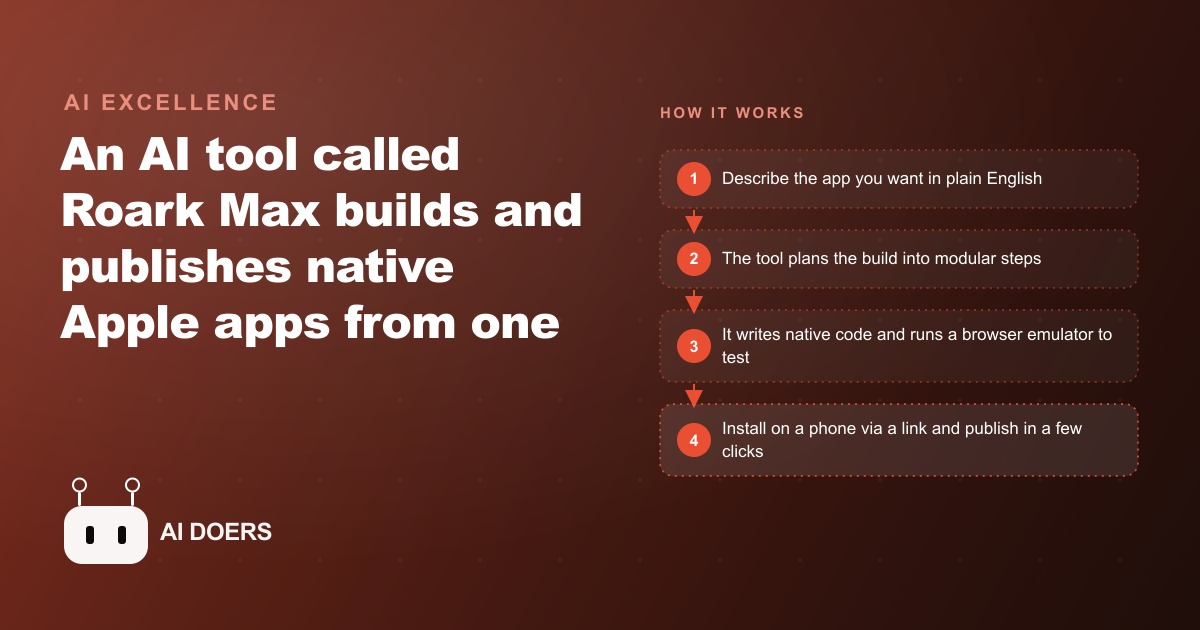
An eighteen-year-old launched two apps, fielded acquisition offers in the low hundreds of thousands for one of them, and openly says he does not know how to code. That sentence would have been impossible to write seriously two years ago. Now it describes what Roark Max, an AI tool built on Claude Code with Opus 4.6, makes possible for anyone willing to write a clear prompt and spend an afternoon on it.
I am Madhuranjan Kumar. The old path to a native Apple app was specific and expensive. You needed a Mac, Xcode, working knowledge of Swift, and usually a developer budget on top of all that. Publishing alone took weeks of provisioning, review cycles, and metadata configuration. Roark Max replaces the entire front end of that process with a website and a plain-English description. The output is real native Swift code covering iPhone, iPad, Apple Watch, Apple TV, and Apple Vision Pro at once, running in a browser-based emulator so you never touch any local developer tooling. Here is the practical path from idea to a live App Store listing.
Write the prompt that gives the tool a real target
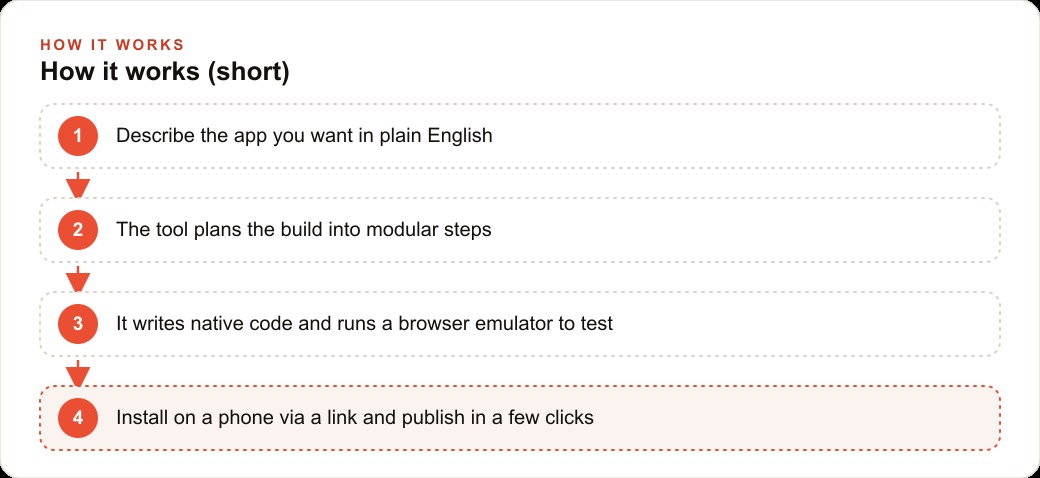
The first step determines everything that follows, and it is easy to underinvest in it. Given a plain-English description, Roark reasons through the project by splitting it into about eight modular steps and then writes all the Swift code hands-off while showing a live preview. That planning pass depends entirely on the specificity of what you give it.
A prompt that says build a weather app produces a generic four-screen app. A prompt that says build a weather app with animated rain, snow, and clouds in the current-conditions view, a seven-day forecast tab, location-based current conditions using real GPS, and a built-in assistant that answers natural language questions about the weather produces something close to a finished product on the first pass. Every sentence you add is a decision the tool no longer has to guess at.
Spend ten minutes on the prompt before you start the build. Think through every screen the app needs, every feature that matters, and any specific behavior you want in edge cases. That ten minutes is not overhead. It is the work that determines whether the first build is eighty percent done or forty percent done, which is the difference between an afternoon project and a multi-day iteration loop.
The tool is transparent about what model it uses, which matters more than it sounds. Many AI coding tools hide the underlying model, making the output hard to evaluate. Roark runs on Opus 4.6 with a large context window, which is why it can plan and build a full multi-screen app rather than just producing a two-screen prototype that breaks when you add anything.
Let the planning pass happen before you touch anything
Once the prompt is in, Roark does not jump straight to code. It reasons through the project first, breaking it into modular steps and planning how each piece connects. Most people want to scroll past this and get to the code because code feels like progress. The planning pass is actually where the quality of the final product is determined.
Watch it during this phase. The steps it outlines tell you whether it understood the prompt correctly. If a step looks wrong or a feature you specified is missing, that is the moment to correct it. Catching a misunderstanding during planning costs nothing. Catching the same misunderstanding after it has written three screens of code based on a wrong assumption costs real time.
A year ago AI agents stopped after thirty to sixty seconds and needed constant guidance. Now they run unattended for five, ten, or fifteen minutes until the job is done, and the most capable version can run for many hours on a complex task. That sustained runtime is what lets a single prompt plan and build a complete multi-screen app through to a working product. The infrastructure for this kind of autonomous work now exists at a level that produces genuinely useful output on the first pass.
Test the browser emulator before anything touches a real device
The engineering breakthrough in this category is not code generation alone. Generating Swift code from a description has been possible in simpler forms for a while. The breakthrough is compiling that Swift and running it inside a browser-based emulator so you test a real, working version of the app without installing any software on your computer or your phone.
Use the emulator thoroughly before you move to a physical device. Tap through every screen. Test every button. Try the edge cases: what happens when a permission is denied, what the app does when the list is empty, what happens when you tap back from the third screen. The emulator runs the real app logic, not a simplified preview, so testing here is genuine testing. Finding a problem in the emulator costs nothing. Finding the same problem after you have installed the app on your phone and shared the link with someone costs credibility.
For features that depend on real data, like a weather assistant that pulls location, confirm that the permission prompt appears correctly and that the fallback for a denied permission is sensible. The emulator shows you all of this without needing a physical device in your hand.
Install on a real device and notice what the screen cannot show
The emulator is thorough but not identical to holding a phone. A font size that looks fine on a desktop screen can feel small at arm's length. A button that is easy to click with a cursor can be hard to tap with a thumb. An animation that looks smooth in a browser can stutter on real hardware. These are not minor polish points. They are the difference between something a user opens once and deletes and something they keep and use.
Roark generates a URL and a scan code. Open it with a phone camera, follow the prompt, and the app runs live on the device with real sensors, real location access, and real network conditions. This takes two minutes and catches the things that make a tester note that something feels slow or hard to reach. It is the test that tells you whether the app is actually enjoyable to use, which is the thing that determines whether anyone continues past the first session.
If the app uses a feature like the AI assistant in the weather example, a real device test is also the check that confirms the assistant answers accurately rather than hallucinating about conditions it cannot access.
Prepare the App Store metadata before you publish
Getting from a working build to a live listing requires groundwork that has nothing to do with code. You need the app name, the description, the screenshots, the age rating, and the category. The screenshots matter more than most new builders expect, because they are what a prospective user sees before deciding whether to download. Use screenshots from the real device test, not from the emulator, because they look more polished and more human.
The description should say exactly what the app does in the first sentence, without burying the function under marketing language. If it is a weather app with an AI assistant, say that. The review team and the prospective user are both reading that first sentence to decide whether this app matches what they are looking for.
Publishing a clean, simple app that does exactly what its metadata says moves through App Store review faster. Complex apps, or apps that push category boundaries, take longer. There is no advantage to overcomplicating the listing for a first version. Ship straightforwardly and iterate from there.
Iterate from real user behavior, not from your initial assumptions
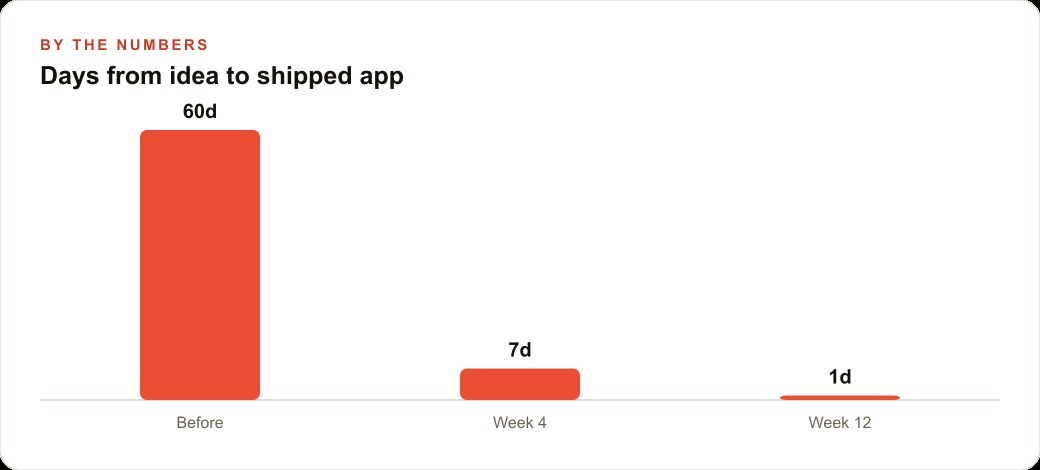
The biggest advantage of this workflow is not the first version of the app. It is how fast the second and third versions come. Because Roark can plan and build an update from a new prompt in the same way it built the original, each feature addition or fix is an afternoon task rather than a development sprint.
The businesses that extract the most value from this treat the first published version as a learning experiment, not a finished product. Version one proves that the core idea works and gets it in front of real people. What those people actually do with it, which screens they visit most, which features they use and which they ignore, shapes version two. Version three is what the app becomes when you are building from evidence instead of assumptions.
This iterative logic applies across every type of growth work. Whether a business is running Google Ads and learning which ad groups actually convert, building SEO content around the topics that real visitors search for, or testing creative variations on Facebook and Instagram ad campaigns to find which ones bring cost-per-lead down, the pattern is the same. The value is in the feedback loop, not the first shot. An app follows the same logic.
The shift Roark Max represents is that iteration is now fast enough and cheap enough that being wrong on the first version is genuinely low-cost. You can learn from real users in days instead of quarters and adjust without commissioning a new development project. For a small business that always assumed a custom native app was financially out of reach, that calculation changed.
A concrete example: a restaurant owner uses this to build a loyalty app with a menu view, a stamp card, and a push notification for daily specials. The first version ships in an afternoon. Two weeks later, after watching which screens users actually open, a new version moves the daily special to the home screen instead of inside a notifications tab, because that is where users were navigating anyway. That change required one prompt and one emulator test. A traditional developer engagement would have required a scope change, a quote, and a wait.
The only remaining constraint, after the technical barrier collapses, is the quality of the idea and the willingness to keep improving it. Those were always the things that determined whether an app succeeded. Now they are the only things. The qualification that you are not a programmer is gone. The qualification that you cannot afford a developer is gone. What is left is whether the app is worth building, and that is a question only you can answer.
That is exactly what we do at AI DOERS. Book a private 30-minute call with Madhuranjan Kumar and we will map the fastest path to it for your specific business.
Book your call →
Madhuranjan Kumar
Madhuranjan Kumar brings 20 years of performance-marketing experience and has managed over $200 million in Facebook ad spend for brands across the United States and beyond. His expertise spans the full modern marketing stack: Meta, Google Ads, TikTok, email automation, CRM, and the websites that hold it together. At AI DOERS he turns that track record into lead-generation systems for businesses across every industry.