
Pythagora: Building a Real Full Stack App From a Single Prompt
Pythagora is a browser based vibe coding tool that turns one prompt into a spec, then builds the front end, back end, auth, and bug fixes in clear stages. Here is how it works and how I would use it for a real store.

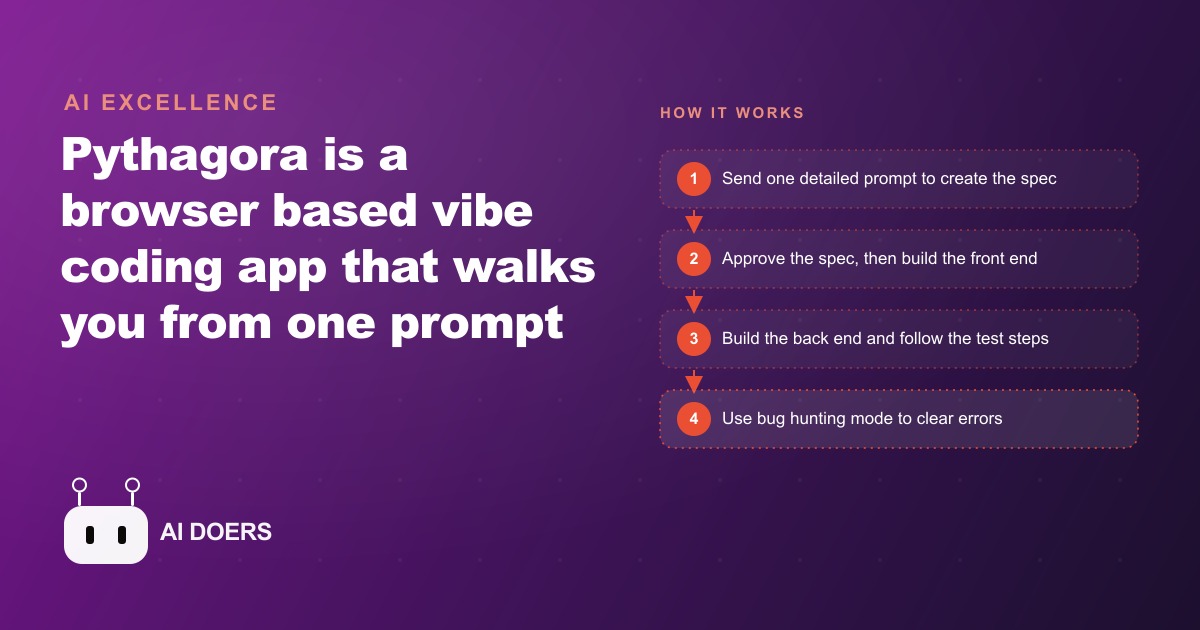
Build a real full-stack tool from one prompt: the Pythagora playbook
Most build-it-with-AI tools are happy to spit out a flashy demo in two seconds and then leave you stranded the moment real bugs and real users show up. Pythagora aims at the opposite target, getting your app all the way into production, working, tested, and maintainable. I am Madhuranjan Kumar, and this is a step-by-step playbook for taking a single idea and turning it into a working, secure, full-stack tool using Pythagora, a browser-based vibe coding app that runs the real editor inside your browser while letting you drive the whole thing in plain English. Follow the stages in order and you get a tool you own, not a demo you abandon.
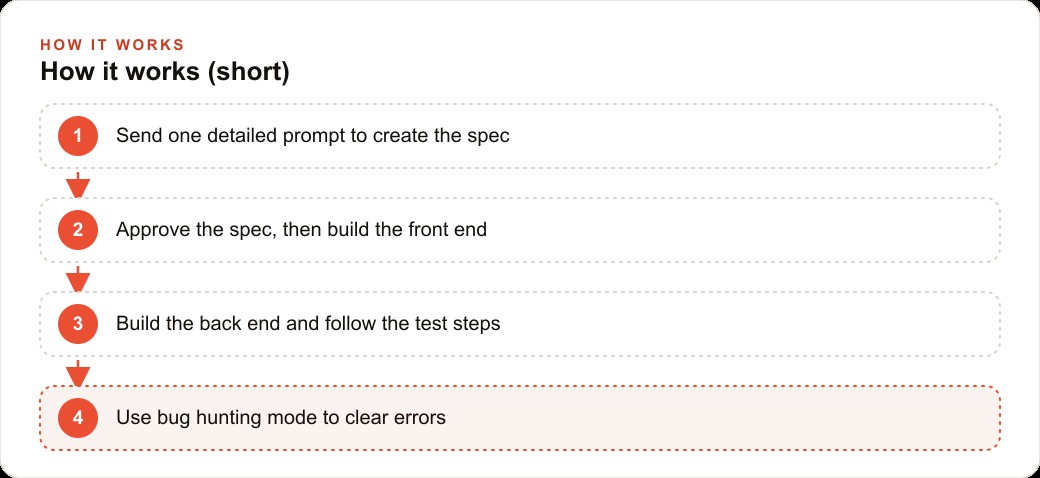
Stage 1: Write one prompt for the smallest useful version
The most common mistake is trying to describe the entire dream in the first prompt. Resist that. Your opening prompt should describe the smallest version of your tool that would actually be useful, in clear detail. Pythagora turns this first prompt into a full specification file, which becomes the main direction for the AI. The better your prompt, the better that spec, so spend real time here. Name the users, the core screens, the one or two actions that matter most, and stop. Everything you leave out now you can add later once the core works.
Stage 2: Read and approve the spec before a line of code is written
This is the stage most tools do not give you, and it is the one that saves you days. Pythagora shows you the spec in plain language, and you can read it, edit it, or delete sections you do not want, then approve it. Treat this like reviewing a contractor's plan before they pour concrete. If the spec has misunderstood your idea, fix it here where it costs nothing, not after the app is half built around a wrong assumption. Cut anything that is not part of the smallest useful version. A tight, approved spec is the single biggest predictor of a build that goes smoothly.
Stage 3: Build the front end first and confirm it before the back end
Once the spec is approved, Pythagora works through what it calls epics and tasks, and it builds in a deliberate order: front end first, then back end. Let it build the interface so you can see the screens and the login before any data layer exists. A task view on the side shows exactly where you are, so you are never lost in the process. Walk the screens as a user would. Does the flow make sense? Are the right fields on the right pages? Confirm the front end genuinely matches what you pictured before you let it move on, because catching a layout problem now is far cheaper than catching it after the back end is wired to it.
Stage 4: Build the back end stage by stage and let it handle the security
Only after you are happy with the front end does Pythagora build the back end. This is where it quietly earns its keep. It manages a secure authentication layer between the front end and back end, so login and accounts work without you hand-wiring the dangerous parts, which is exactly the area where inexperienced builders create real vulnerabilities. Let it add the login, the database, and the endpoints one task at a time, approving each stage as it completes. You are not trying to review the security code line by line. You are trusting the tool to handle the risky plumbing while you steer the shape of the data.
Stage 5: Test like the human you are, using the links it gives you
Here is the design choice that separates Pythagora from the one-prompt builders: after each step, it tells you, the human, how to test the app, with direct links to the right pages. Its philosophy is simple, if humans will use the app then humans should test it. So actually test. Click the links, register an account, add a record, confirm it appears. Do not skim past this stage because the app looked fine. The whole point of building for production instead of for a demo is that you catch the gap between looks right and works right, and the only way to catch it is to use the thing yourself at every step.
Stage 6: Clear errors with bug hunting mode instead of panicking
Errors will appear. That is normal, and Pythagora treats it as normal rather than hiding the problem. When something breaks, its bug hunting mode reproduces the issue, explains it in short, and a fix all button or a quick prompt usually clears it. The skill to build here is how you report a bug. Describe one issue at a time, say what you did right before it happened, and ask it to fix only that. Vague or piled-up bug reports produce vague fixes. Precise ones get resolved fast. Lean on the fix all button first, and reach for a focused prompt when a specific error needs a specific hand.
Stage 7: Add the next feature and let it document as it grows
Once the core works and passes your testing, add the next stage the same way, one focused prompt at a time. Pythagora is built for long-term work rather than a flashy first demo, so it writes a README, counts your files and lines, and shows a task view of where you are. You own every file it writes, you can open the diffs, and you can hand the project to a developer at any point without being locked in. That ownership is what makes this worth doing for a tool you plan to keep. Grow it in small, tested increments, and it stays maintainable instead of turning into a mystery you are afraid to touch.
A worked example: a boutique e-commerce store
Let me run the whole playbook on one business. Picture a boutique store that sells a curated set of products and wants a private admin dashboard to manage suppliers, track which collections are live, and pull new arrivals from supplier feeds automatically. The big platforms never quite get this internal workflow right, which is exactly why a custom tool pays off.
I would start at Stage 1 with one detailed prompt describing precisely that dashboard, then approve the spec at Stage 2 after cutting anything that was not essential to version one. At Stage 3 I would let it build the front end so the owner can see the dashboard layout and the login before any back end exists. At Stage 4 I would let it build the back end in steps, adding the secure admin login, the database for suppliers and products, and the endpoints to add, edit, and remove a collection. At Stage 5, when it asks me to test, I would register an admin account, add a supplier feed, and confirm new products appear, fixing each error through bug hunting mode at Stage 6 as it surfaces. Then at Stage 7 I would add an AI step that writes a short, clean summary for each new product so the team is not retyping descriptions.
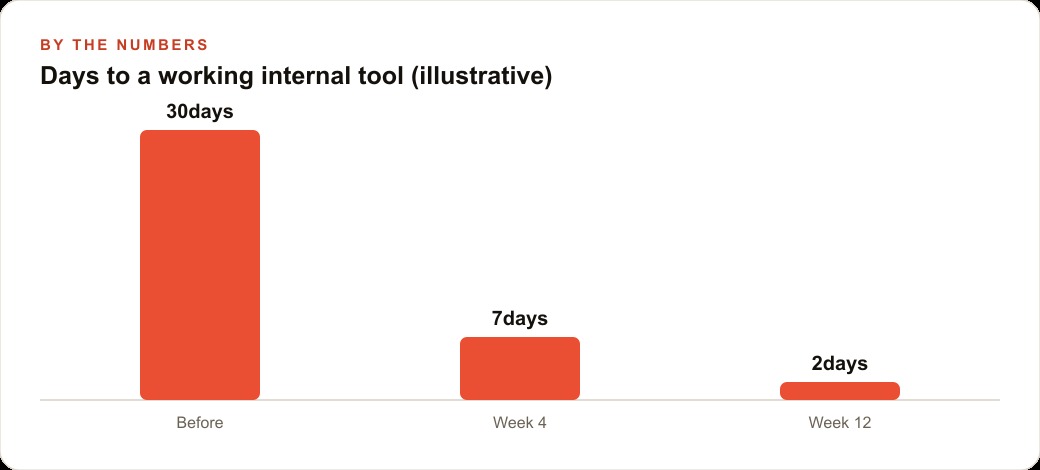
Put a rough number on the value. If the shop previously paid an agency the equivalent of thirty days of work for a comparable internal tool, and this playbook stands up the first working version in two days of focused effort, that is a dramatic collapse in both cost and calendar. And because the store owns the code, the tool can grow with the business rather than aging into a bill for change requests. The product summaries it generates can flow straight into the store's public listings, feeding SEO and organic search with fresh copy, while the clean product data behind it makes the Facebook and Instagram ad campaigns easier to keep current, and a connected CRM and website stack means the customer side and the admin side finally speak the same language.
The reporting and ownership layer you get for free
One reason this playbook is worth following over a flashy one-prompt builder is what happens after the app is working. Pythagora writes a README, counts your files and lines, and keeps a task view of where the project stands, which sounds minor until you are six weeks in and trying to remember what you built and why. That documentation is the difference between a tool you can maintain and a black box you are afraid to touch. Because it is generated as you go, you never face the dreaded task of writing docs after the fact, which almost nobody actually does.
The ownership point is just as important. Every file the tool writes is yours to view, edit, and keep, and you can hand the whole project to a developer at any moment without being locked into anyone's platform. For a small business, that removes the quiet fear behind every no-code decision, the worry that you are building on rented land you will one day be forced off. When you own the code and the documentation, the tool is a genuine asset on your side of the ledger. You can grow it, migrate it, or bring in help, all on your terms, which is exactly the position you want to be in with anything your operation comes to depend on.
When this is the wrong tool
Honesty cuts both ways, so it is worth saying when not to reach for this. If your need is genuinely a throwaway experiment you will look at once and discard, the full staged build is more process than the job deserves, and a lighter one-prompt tool may fit better. If the app must handle serious money movement, regulated data, or heavy scale from day one, you want a real developer involved from the start rather than after, because the stakes leave no room for learning on the job. And if you have not yet settled how the underlying process actually works in your business, no tool can freeze a workflow you are still inventing week to week.
The sweet spot is the wide middle: internal dashboards, customer portals, booking pages, simple inventory tools, small apps that pull data from a feed and present it cleanly, the kind of thing you want to keep and grow but could never justify hiring out. For that middle, the staged approach shines precisely because it produces something maintainable and owned rather than a demo that impresses for an afternoon and rots by the next quarter. Knowing which category your idea falls into is itself part of the judgment, and it saves you from forcing a tool onto a job it was never meant to do.
The honest part of the playbook
A determined owner can stand up a first internal tool in a day or two this way, and that is not marketing, it is genuinely how the stages flow. But I will be straight about where people stall. The harder parts are writing that opening prompt well, knowing how to read an error without panicking, and deciding which features actually earn their place. That judgment is what separates a tool you keep from a demo you forget. The tool works with you the whole way, but you are still the tester and you still steer it with feedback.
So run the playbook: one tight prompt, an approved spec, front end confirmed, back end built in stages with the security handled for you, honest testing at every step, bugs cleared precisely, and features added in small tested increments. You can take that do-it-yourself path, or you can bring in someone who has built these tools many times and have the whole thing handed over working and tuned to your business. Either way, the point is the same. Aim for production, not for the demo high that fades by the afternoon.
That is exactly what we do at AI DOERS. Book a private 30-minute call with Madhuranjan Kumar and we will map the fastest path to it for your specific business.
Book your call →
Madhuranjan Kumar
Madhuranjan Kumar brings 20 years of performance-marketing experience and has managed over $200 million in Facebook ad spend for brands across the United States and beyond. His expertise spans the full modern marketing stack: Meta, Google Ads, TikTok, email automation, CRM, and the websites that hold it together. At AI DOERS he turns that track record into lead-generation systems for businesses across every industry.