
Practical Everyday AI Use Cases and How a Cafe Can Put Them to Work
AI quietly handles product research, tech support, scheduling, comps, and dozens of daily jobs most people still do by hand. Here is a clear tour of the useful ones and how I would apply them inside a real coffee shop.

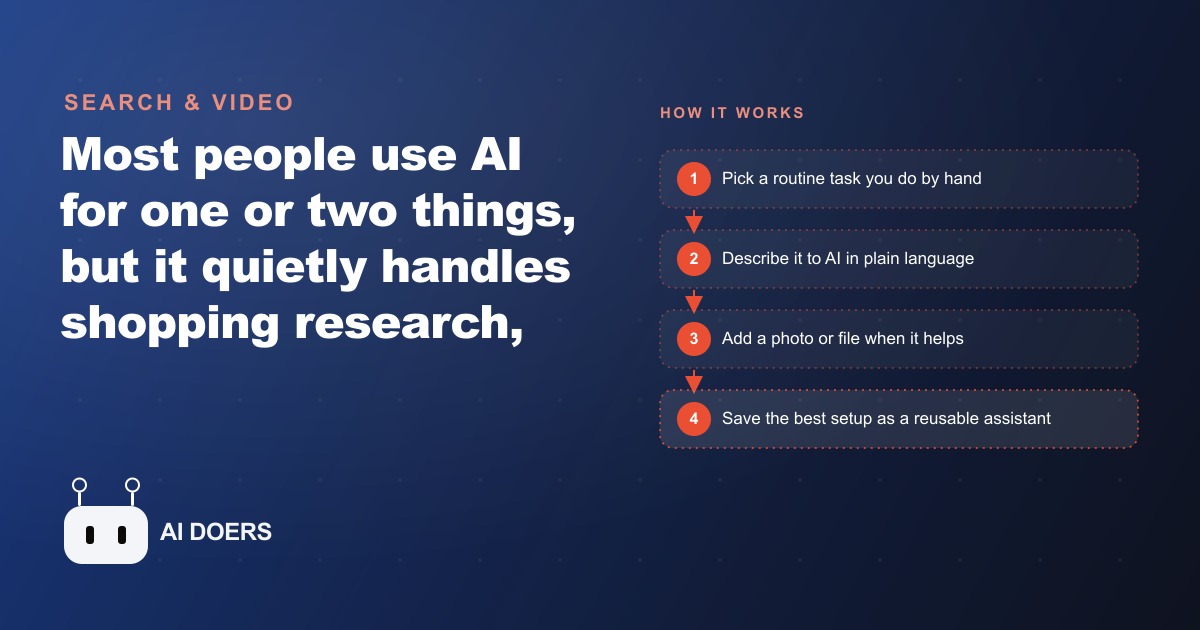
Most people use AI for one thing, usually writing an email, and then quietly conclude that they have seen what it does. That conclusion is the expensive mistake. The real value of these tools is not the one flashy task everyone tries first. It is the long tail of small, tedious chores you are still doing by hand without ever questioning it, the twenty-minute research sessions and the annoying phone calls that add up to whole afternoons. I am Madhuranjan Kumar, and I want to walk through that overlooked middle of everyday AI, and then show what happens when a single small business actually puts it to work.
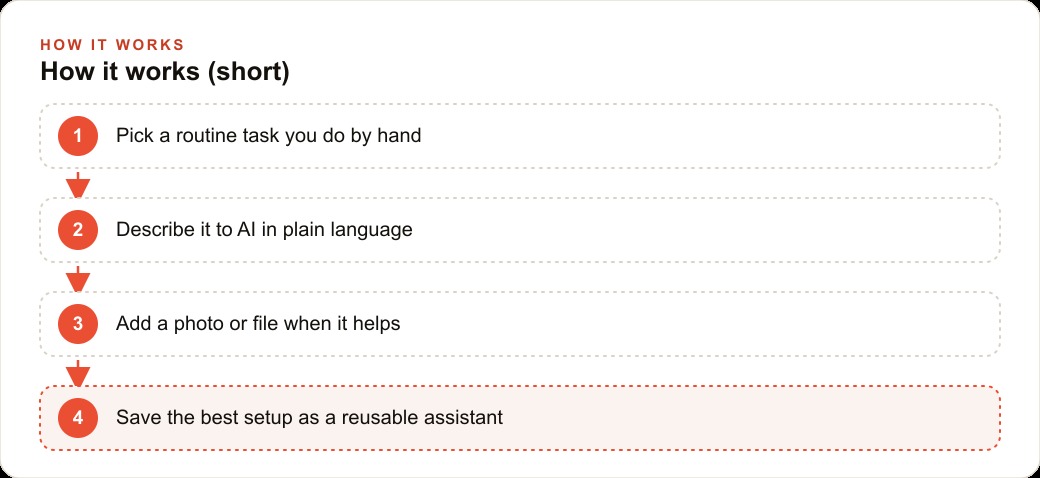
Consider the quiet chores AI already handles well. It can research a product and suggest a comparable alternative, and tell you the best time to buy based on release cycles. It can walk you through fixing a blinking printer or a TV signal that keeps dropping, reading the manual so you never have to. It can suggest an ingredient substitution mid-recipe, identify a bug or a plant from a photo, negotiate with your calendar to carve out focused work blocks, and pull rough real estate comparisons for an area before you commit to anything. The thread running through all of it is the same. Each one replaces a manual chore, a long search, or a call you did not want to make. None of it demands special skill. You describe what you want in plain language, add a photo or a file when it helps, and let the tool do the legwork.
The mechanics are simpler than the outcomes suggest
It is worth understanding why this range is even possible, because it demystifies the whole thing. Modern AI can research, read images, connect to your tools, and hold context, and those four abilities cover most of the chores above. For shopping, you ask for a comparable product and your priorities, and it returns what to look for plus a short list, then asks follow-up questions to narrow the pick. For tech support, you describe the symptom, it finds the manual, and it gives ordered steps that adjust as you report back. Image tasks work the same way. Snap a photo of a bug, a fridge, or a part, and it tells you what you are seeing or what you can swap in.
The deeper power arrives when you stop treating each task as a one-off. Connect a calendar and scheduling becomes a conversation rather than a puzzle. Connect a few services and trip planning or list building happens in one request. And the single biggest time saver is turning a repeating task into a reusable assistant. If you rebuild the same weekly document from scratch every week, you can hand the tool your past versions and a few rules, and it produces a clean template you then run with one short request from that point on. Build the workflow once, reuse it forever. That last sentence is the whole philosophy, and it is the part most people never reach because they quit after the first fun experiment.
Why the overlooked jobs are the ones worth handing off
There is a reason I care about the boring middle rather than the flashy demos. The flashy tasks are occasional. The boring ones are constant, and constant is where time actually leaks. An owner of a shop, a clinic, an agency, or a restaurant spends real hours each week on research, vendor comparisons, scheduling, equipment troubleshooting, and repetitive paperwork, and every one of those maps cleanly onto a use case above. You do not need a technical team to capture that time back. You need to notice which manual jobs eat your day and start handing them over one at a time. The businesses that get the most value are not the ones chasing every new feature. They are the ones who pick a handful of daily chores, prove the tool can handle them, and then wrap the winners in small reusable assistants so the savings compound week after week.
A worked example: a coffee shop reclaims its desk time
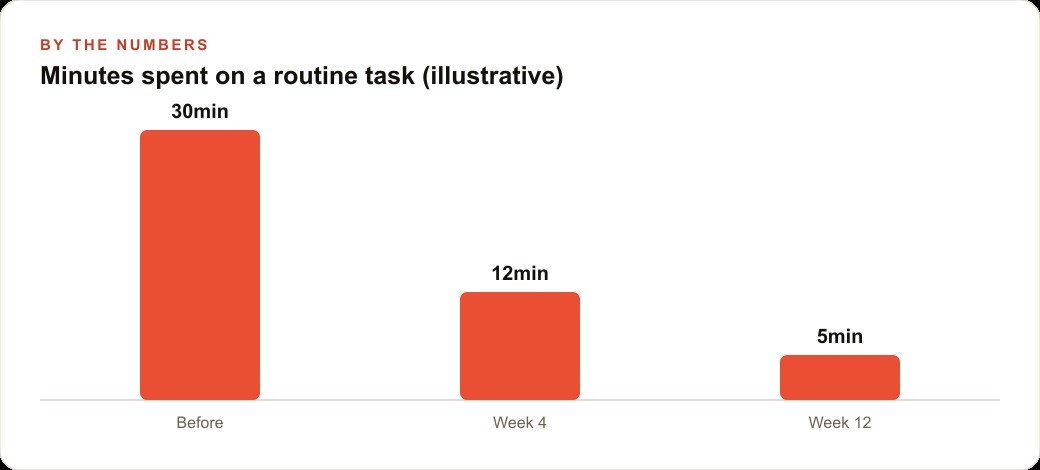
Let me make this real with one business and illustrative numbers, because the abstract list only lands when you see it inside a routine. Picture a small coffee shop where the owner is constantly pulled off the floor by desk work.
Start with vendor research. The owner is comparing a new espresso machine to the one they already know. Instead of an hour of scattered searching, they ask for a comparable model, what to check, and a ranked short list, and get a clear recommendation in minutes. Then equipment support. When the grinder throws an error or the point-of-sale tablet keeps dropping signal, they describe the symptom and get walked through the fix, no support call, no lost afternoon. Even ingredient substitutions earn their keep on a busy morning when a delivery comes up short and the kitchen needs a fast swap for a pastry recipe.
From there I would lean hard on the reusable-assistant idea for the chores every cafe rebuilds from scratch. The weekly staff schedule, the seasonal menu update, and the supplier order list are all rebuilt weekly for no good reason. I feed the tool a few past versions and the rules, and it produces each new one from a short request. I would also let it draft the daily-specials post, which is where this quietly touches marketing, because that same post can be adapted into creative for Facebook and Instagram ad campaigns without starting over, and the menu language the tool learns can feed the site so it strengthens SEO and organic search at the same time. Say the routine desk work drops from thirty minutes a task to five once the assistants are built. Across a week of vendor checks, scheduling, and paperwork, that is the difference between an owner stuck at a laptop and an owner out front with customers, and the customer details captured along the way land in the CRM and website stack where loyalty follow-up can actually run. None of this replaces the baristas or the craft of the coffee. It removes the research and the desk work that keep the owner off the floor.
The compounding curve is the real story, not any single trick
If there is one idea I want to leave standing, it is that the value of everyday AI does not arrive in a burst. It compounds. The first task you hand off saves a little time and feels like a fun experiment. The tenth task, running as a reusable assistant you never rebuild, is part of the furniture of your week, and by then the savings are not a novelty, they are structural. This is why the people who get rich value from these tools look different from the people who play with them once. The players try the flashy demo, feel impressed, and drift away. The compounders pick one boring chore, prove it, wrap it in an assistant, and then add the next, and six months later their week looks fundamentally different from where it started.
The math is not complicated. If you reclaim even a couple of hours a week from a single automated chore, that is roughly a full working week returned over a year, from one task. Stack three or four of those and you have bought yourself a meaningful slice of your own time back, permanently, for free. The reason most people never see this is that they measure the first task and quit before the stacking begins. The curve is slow at the start and steep later, which is exactly the shape that fools people into giving up too early.
The overlooked jobs cluster into a few honest categories
It helps to see that the long tail of use cases is not random. It clusters. There is research and comparison, deciding what to buy and when, sizing up a market, checking a vendor. There is troubleshooting, walking through a fix for a machine or a device instead of losing an afternoon to a support line. There is the visual category, pointing a camera at a bug, a part, a fridge, and getting an instant read. There is scheduling and coordination, treating your calendar as something you negotiate with rather than fight. And there is the reusable-document category, the weekly schedule, the recurring report, the standard reply, all of which can be built once and rerun forever. Almost every practical chore an owner faces falls into one of those five buckets, which means you do not have to learn a hundred tricks. You learn five patterns and apply them to your own list.
Seeing the categories also tells you where to start. The research and reusable-document buckets tend to pay off fastest for a business, because they hit the recurring, predictable work that eats the most cumulative time. The visual and troubleshooting buckets pay off in moments of friction, the delivery that came up short, the machine that threw an error, and while those are less frequent they remove real stress on a bad day. Knowing the shape of the map means you are not wandering. You are choosing which chore to hand off next with a clear sense of what it will return.
Keep a human on anything that reaches a customer
There is one guardrail I never drop, no matter how good the tools get, and it is worth stating plainly. Keep a quick human check on anything that goes out to a customer. AI is excellent at the research, the drafting, the sorting, and the repetitive rebuild, but the final word to a paying customer should pass a human eye until you have deep, earned trust in a specific workflow. This is not fear of the technology. It is the same discipline any good operation runs on, a light review before something represents your brand to the outside world. The internal chores, the vendor comparison, the equipment fix, the draft schedule, can run with almost no oversight because a mistake there is cheap and private. The customer-facing pieces, the reply, the specials post, the confirmation, deserve a five-second look because a mistake there is public and costs trust. Drawing that line clearly is what lets you be aggressive about automating the back office while staying careful about the front of house. Owners who blur the line either automate too timidly and capture none of the value, or automate too recklessly and let an off-tone message reach a customer. The clean rule, free rein internally and a human check outward, gives you the speed without the embarrassment.
Start small, then let it compound
The honest path is unremarkable, which is exactly why it works. List the three manual chores that waste the most of your week, then tackle the easiest one first by simply describing it in plain language. Use photos for anything visual, like an equipment error or a part you need to match, and connect your calendar so scheduling becomes a conversation. Once a task runs cleanly, save it as a reusable assistant with your format and rules baked in, so you never set it up again. Add the next chore only after the first one is solid, and keep a quick human check on anything that goes out to customers. The discipline is not technical. It is refusing to stop after the first experiment.
A focused owner can put two or three of these to work in a single afternoon. The harder part, and the part where most people stall, is choosing the right tasks and writing the reusable assistant so it matches how your business actually runs, from your menu voice to your supplier list. That setup work is real, even when the tools are easy. You can take the do-it-yourself path above, or bring in someone who has built these everyday assistants many times and have the whole thing handed over already working. Either way, the point I want to leave you with is that the value was never in the one task you tried first. It was in the dozen you never thought to hand off.
That is exactly what we do at AI DOERS. Book a private 30-minute call with Madhuranjan Kumar and we will map the fastest path to it for your specific business.
Book your call →
Madhuranjan Kumar
Madhuranjan Kumar brings 20 years of performance-marketing experience and has managed over $200 million in Facebook ad spend for brands across the United States and beyond. His expertise spans the full modern marketing stack: Meta, Google Ads, TikTok, email automation, CRM, and the websites that hold it together. At AI DOERS he turns that track record into lead-generation systems for businesses across every industry.