
Perplexity Computer: A Hosted AI Agent That Does What OpenClaw Does Without the Pain
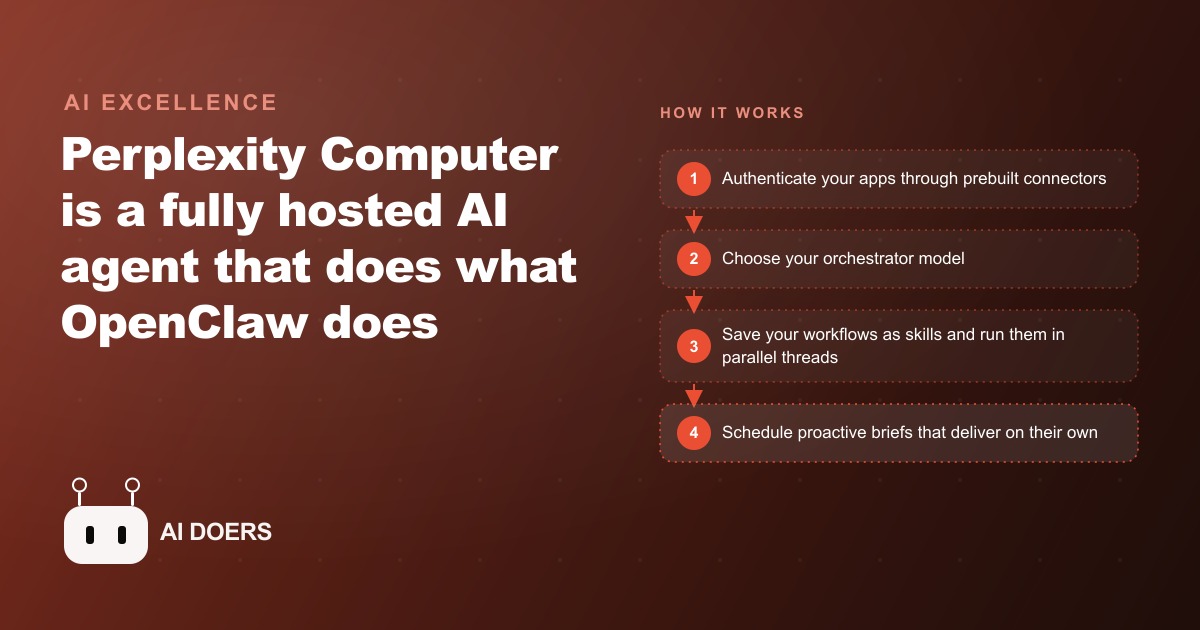
Perplexity Computer is a fully hosted AI agent with a real code-running environment, hundreds of prebuilt connectors, selectable orchestrator models, and proactive scheduled tasks, so most people get serious agent capability without the setup, maintenance, or security burden.

The real question is upkeep, not capability
I am Madhuranjan Kumar, and I want to reframe how people think about AI agents, because the framing everyone uses is wrong. The question people ask is always about power: what can this agent do, how smart is it, how autonomous. Perplexity Computer is worth writing about not because it does something no other agent can do, but because it removes the one thing that quietly kills most agent projects. Maintenance.
Perplexity Computer is a fully hosted AI agent. That single word, hosted, is the whole story. It gives you the power of a self-run agent, the kind of always-on system that can research, build, and act on your behalf, but it runs on someone else's machine. You do not set it up, you do not patch it, you do not pay to keep a server alive at three in the morning. To understand why that matters, you have to understand what running your own agent actually costs, and it is not mostly money.
A technical reviewer who had built exactly that, a capable agent on a dedicated machine wired into a messaging app, admitted the honest truth after living with it. He was spending more time maintaining the agent than getting value from it. The setup was clever, the capability was real, and the upkeep was slowly eating the entire benefit. That is the pattern I have seen over and over with powerful self-hosted tools. The demo is thrilling. The second month is a chore. The third month it quietly stops working because nobody had time to fix it. A hosted agent closes exactly that gap, and that is the facet worth taking apart.
A real environment that runs code, not a chat box
The first thing to understand is that this is not a chatbot with a fancier personality. Underneath it is a full computing environment in the cloud. It can write code, execute that code, search the web, install software packages, and even build a small application that it then runs. In the review, it built a working knowledge-base web app, including a database, an ingestion step, a search interface, and a live deployment, in about five minutes.
The distinction between describing work and doing work is the line that separates an agent from a chatbot, and it is easy to underrate until you see it. A chatbot can tell you how to build a tool. An agent builds the tool and hands you the working thing. That capability is what makes everything else in this piece matter, because a hosted environment that could only talk would not be worth the maintenance it saves. The value is that real work happens inside it while you are elsewhere.
Threads, parallelism, and why context should never bleed
The second facet is how the agent organizes its work, and this is a design detail that turns out to matter a lot in practice. Tasks are threaded by default, one thread per topic. That means a conversation about your marketing calendar never bleeds into a conversation about your bookkeeping. Each job keeps its own clean context.
Anyone who has used a single long chat for ten different purposes knows the problem this solves. Context contamination makes an assistant worse over time, because it starts dragging irrelevant details from one topic into another. Threading by default fixes that structurally instead of asking you to remember to start fresh. On top of that, threads run in parallel, and each one can hand work off to sub-agents. So you can fire a task, click away, and let it finish while you do something else, and you can have several of those running at once. The practical feeling is less like using a tool and more like handing work to a small team that never needs a status meeting.
Connectors are the part that removes the pain
Here is the facet that I think matters most for a non-technical business, because it attacks the exact place where self-run agents fall apart. Connecting an agent to your real tools, your email, your calendar, your documents, normally means wrangling API keys, storing credentials, and hoping you did the security part right. That wiring is fiddly, it breaks, and it is where most people give up.
Perplexity Computer ships with hundreds of prebuilt connectors for tools like Gmail, Drive, Notion, and GitHub. You authenticate with a normal login, the same click-and-approve flow you already use everywhere, instead of copying secret keys into a config file. And critically, the security is managed for you. One of the biggest and most legitimate complaints about running your own agent was that you had to hand it your own credentials and trust your own setup not to leak them. A hosted tool wraps that in its own security layer, so you approve access the way you approve any app, and the provider carries the burden of keeping it safe. That is not a small convenience. For most businesses it is the difference between a project that ships and one that dies in the wiring stage.
You choose the brain, and you save skills
Two more facets round out the picture. First, you pick the orchestrator model that runs the show, choosing among the strongest frontier models rather than being locked to one. That means you can match the model to the job, a heavier one for hard reasoning, a lighter one for routine work, which also helps control cost.
Second, the agent learns through skills, the same idea used in other serious agent tools. A skill tells the agent how to do a particular workflow. There is even a built-in skill whose only job is to create new skills: you describe a workflow in plain language and it turns that description into a reusable capability. This is what lets a workflow you built once become something you trigger forever. Complex setups that took real effort to assemble the first time port over and simply run, which means the effort you put in compounds instead of evaporating the next time you need the same job done.
The proactive part changes the relationship
The facet that surprised me most is that the agent can be proactive rather than only reactive. You can ask it to assemble something and deliver it at a set time, and it will pause itself and wake on schedule to finish the job. In the review, the user set up a brief to be gathered and delivered at a specific time on a specific day, and the agent genuinely paused, then woke itself at the scheduled hour to complete and deliver it.
That flips the relationship. A reactive tool waits for you to ask. A proactive one shows up with the answer before you thought to ask for it. For a business, that is the difference between a tool you have to remember to use and a system that quietly does its job in the background. This is also where a hosted agent earns its keep in ways that touch revenue, because a scheduled brief about which offers are performing can feed decisions about Facebook and Instagram ad campaigns without anyone opening a dashboard.
The honest catch: it is metered
I am not going to pretend this is free, because it is not, and pretending otherwise is how people get a surprise bill. You pay a monthly plan, and on top of that the agent's work is metered in credits. A simple query costs a little. A heavy task that generates image output costs meaningfully more. The costs in the review ranged from a handful of credits for a light question to a few hundred for a complex task with rich output.
That metering is not a flaw, but it does demand a habit. You watch usage as you scale, and you match the model and the task so you are not paying frontier-level cost for trivial work. The right way to think about it is that you are trading server maintenance for usage billing. For most small teams that is a good trade, because the maintenance you avoid was costing you hours, and hours are more expensive than credits. But it is a trade you should make with your eyes open, and the way you keep it honest is by watching the credit meter the same way you watch any other running cost in the business.
Why hosted beats self-run for almost everyone
Let me state the trade-off directly, because it is the decision most people get wrong. Running your own agent gives you maximum control and, on paper, the lowest cost, since you are not paying anyone a margin. That math looks great in month one and falls apart by month three, because it ignores the largest cost, which is your own time. Every self-run system needs patching, monitoring, and repair when a website it depends on changes or a library updates. That work never appears on the invoice, but it is the most expensive line item you have, and it lands on the person least able to spare it, usually the owner.
A hosted agent flips the equation. You give up a little control and pay a predictable usage fee, and in exchange the entire burden of keeping the thing alive moves to someone whose full-time job is keeping it alive. For a large engineering team with spare capacity, self-hosting can make sense. For a small business where every hour is spoken for, the hosted route is almost always the smarter trade, because the scarce resource you are protecting is attention, not dollars. The right question is never which option is more powerful in the abstract. It is which option you can realistically keep running six months from now without it quietly rotting.
A worked example: the med spa that runs itself
Let me make all of this concrete with a med spa, because it is a business where the owner is usually the practitioner, the marketer, and the front desk at the same time, and has no spare hours to maintain anything.
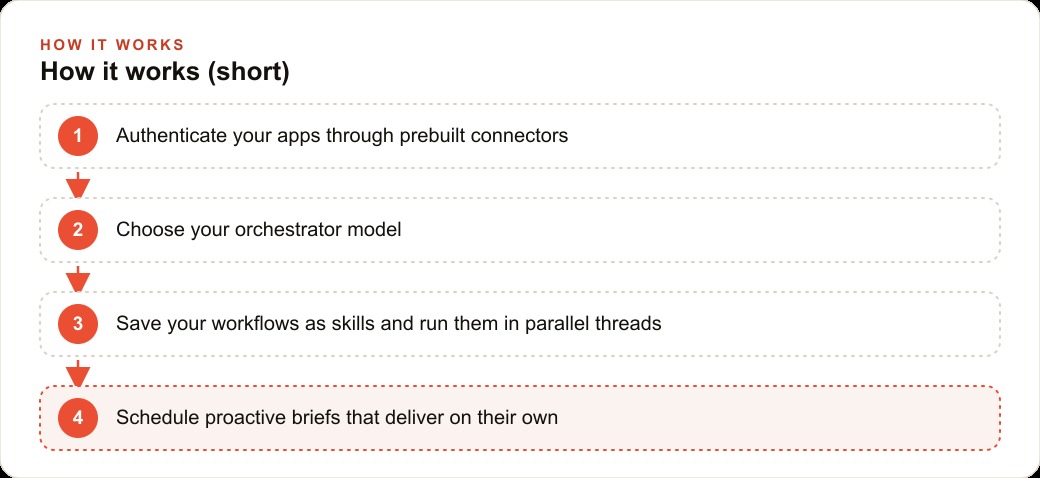
The goal is to hand the scattered admin to a hosted agent that needs zero upkeep. First, I would connect the booking inbox, the calendar, and the review sources through the prebuilt connectors, so there is no API wiring and no credentials to manage. Then I would save a few workflows as skills: a weekly summary of which treatments drove the most rebookings, a draft reactivation message for clients who have not visited in ninety days, and a content outline for the month's promotions.
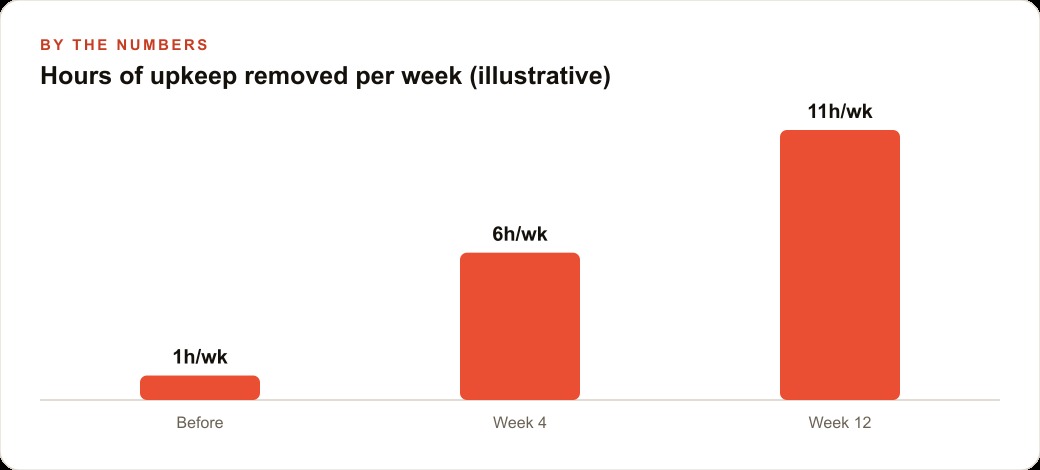
Then the proactive part earns its place. A scheduled brief runs each morning before opening, listing tomorrow's open slots, clients due for a touch-up, and any reviews that need a reply, delivered straight to the owner's phone. Because threads run in parallel, the owner can fire off a campaign draft between two appointments and find it finished after the next client. Put illustrative numbers on it: if this quietly reclaims six hours in the first month and eleven a week once it settles, that is more than a full day given back to actually seeing clients. The leads that come in land in the CRM and website stack where the reactivation drafts wait for a quick human approval, and the monthly content outlines double as raw material for SEO and organic search so the spa's website keeps growing without extra effort. The spa keeps doing exactly what it does. The busywork just runs itself, and nobody has to keep the system alive.
How to start without overcommitting
Start by being honest about upkeep, because that is the real decision. If maintaining your own agent is eating more time than it saves, that is your signal to move to a hosted tool. Connect one or two apps first using the prebuilt connectors. Save a single repeatable workflow as a skill so you can trigger it on demand. Schedule one proactive brief and watch it deliver on its own. Keep an eye on credit usage as you scale so the per-task cost stays predictable. None of this requires you to manage servers or keys, which is the entire point.
You can absolutely set this up yourself, one connector and one workflow at a time, and I would start with the task that wastes the most of your week. If you would rather have someone choose the right tool, wire up your apps, and build the scheduled briefs so they work from day one, that is exactly the kind of build I do for clients, and you can bring me in to handle it.
That is exactly what we do at AI DOERS. Book a private 30-minute call with Madhuranjan Kumar and we will map the fastest path to it for your specific business.
Book your call →
Madhuranjan Kumar
Madhuranjan Kumar brings 20 years of performance-marketing experience and has managed over $200 million in Facebook ad spend for brands across the United States and beyond. His expertise spans the full modern marketing stack: Meta, Google Ads, TikTok, email automation, CRM, and the websites that hold it together. At AI DOERS he turns that track record into lead-generation systems for businesses across every industry.