
OpenClaw vs Claude Code: Why The Harness Beats The Hype
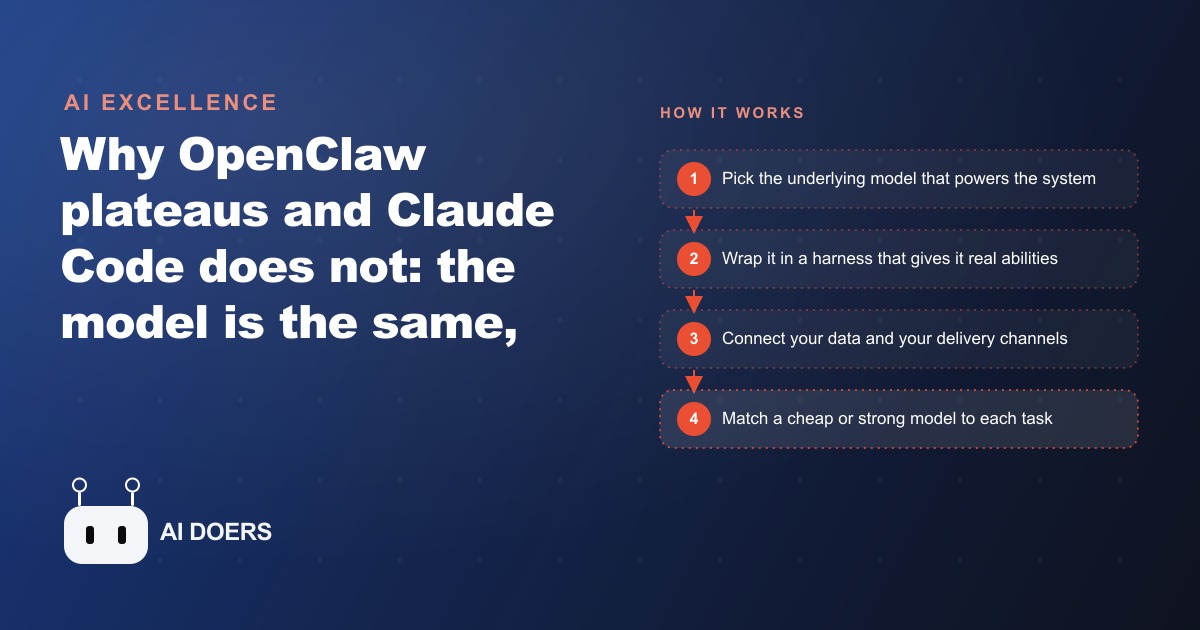
OpenClaw and Claude Code can run the same underlying model, but Claude Code is a far better harness, the trained layer that gives a model real abilities. That is why OpenClaw delivers quick early wins then plateaus, while a Claude Code setup keeps compounding.

Judge the harness before you fall for the model name
A new wave of indie AI tools is promising that you can run your whole business from a chat window, and one of the loudest of them right now is a wrapper called OpenClaw. The pitch is seductive: point it at your work, and an assistant handles the rest. Here is the uncomfortable truth I keep running into when I open the hood on these setups. If you are running your business on a thin wrapper like this and you feel like you are at the cutting edge, you are probably getting five to ten percent of what the technology can actually do for you.
I am Madhuranjan Kumar, and I build always on AI assistants for businesses. The single most useful idea I can hand you is this: stop shopping for the smartest model, and start judging the harness wrapped around it. The model is the engine. The harness is everything that lets that engine drive real work. Two tools can run the exact same model and deliver wildly different results, because the model was never the deciding factor. This playbook walks through the exact path I follow to build an assistant that runs all day, answers from your real numbers, delivers into the apps you already use, and keeps getting more capable instead of stalling out.
Start with the harness, not the model behind it
Every AI system begins with a model, the brain of the thing. A model from Anthropic, like Opus, is brilliant at reading, reasoning, and writing. But on its own it knows nothing about your workflows, and it cannot touch the digital world. It is an engine sitting on a stand with no wheels, no steering, and no arms. Left alone, it can talk to you, and that is all.
The harness is what gives that engine arms. A strong harness lets the model read and edit your files, search the web properly, spin up helper agents to research a question in depth, remember what happened last week, and plan a job across many steps without losing the thread. Claude Code is the clearest example of a harness that was built with serious resources and refined until it behaves in its environment like a sharp, capable assistant rather than a chatbot. It was trained to use its tools, not just handed a list of them.
OpenClaw sits at the other end. It is a thinner wrapper built by a small independent team, and it can run the same powerful model underneath. But it strips away the native abilities that the deeply trained harness has, then tries to duct tape equivalents back on using third party tools. Picture pulling the engine out of a Ferrari and dropping it into a small economy car. You kept the powerful core, but the body around it cannot use what that engine can give. That is the trap. People compare the engines, decide the models are similar, and conclude the tools are similar. They are not, because the tool is the body, not the engine.
Web search is the cleanest illustration. The strong harness was trained to search the web well, including firing off helper agents to dig deeper and cross check before it answers. When you bolt an outside search tool onto a thin wrapper, that tool was never trained into the system. It sits beside the model instead of inside it, so the answers come back shallower and noisier. Same model, worse result, entirely because of the layer around it. So the first move in this playbook is a mindset shift: when you evaluate any assistant, look past the model name on the label and ask what the harness actually lets it do.
Wire the assistant to your real business data
An assistant that answers from general knowledge is a party trick. An assistant that answers from your real numbers is a member of staff. This is the step most people skip, and it is the one that decides whether the whole thing is useful.
The memory in a thin wrapper tends to be a black box. It remembers things in a way you cannot inspect or correct, which means you can never fully trust what it tells you. The fix is to give the assistant a real, structured place to read from: a database or a set of files holding your actual business data, wired so the assistant can query it directly. Now when you ask a question, it pulls the true answer from your records instead of guessing from a fog of training data.
Think about what that unlocks. Your orders, your inventory, your customer history, your refund log, your ad results, all of it becomes something the assistant can read on demand. Ask it which products sold best last week and it counts them. Ask it which customer has an open complaint and it finds the record. This is also where it starts to connect to the rest of your operation, because the same assistant can read the results of your Facebook and Instagram ad campaigns and your Google Ads and tell you, in one message, which channel actually produced sales yesterday rather than clicks. The data layer is the difference between an assistant that sounds smart and one that is right.
Tier your models so it stays cheap to run all day
An always on assistant runs constantly, so if every single action used the most expensive model, the bill would be brutal and you would quietly turn it off. The way to keep it affordable is to match the model to the job.
Anthropic offers a range of tiers for exactly this reason. Haiku is small, fast, and cheap. Sonnet sits in the middle. Opus is the powerful one you reach for when the work is genuinely hard. The skill is deciding which tier each task deserves. A lot of what an assistant does all day is simple: routing a message, formatting a summary, checking whether a number crossed a threshold. That is Haiku work, and running it on Haiku costs almost nothing even at high volume. The heavy jobs, like writing a full set of polished product descriptions or reasoning through a messy customer situation, are where you spend the money on Opus.
In my own setups the orchestrator, the piece that is always awake and deciding what to do next, runs on the cheap fast model. It only calls in the powerful model for the moments that actually need deep thinking. That single design choice is what turns an always on assistant from an expensive novelty into something you can genuinely afford to leave running around the clock. A thin wrapper that does not give you this control forces you into one setting for everything, and you end up either overpaying or underpowered.
Route the output to where you already work
The best assistant in the world is useless if you have to remember to log into a dashboard to hear from it. So the next step is delivery: push the assistant's output into the apps you already open every day.
Every selling point people defend a thin wrapper with actually works better here. Deploying an assistant into Telegram or WhatsApp is a headline OpenClaw feature, but the same thing works cleanly on a strong harness too. My own phone setup runs an orchestrator agent that pushes daily briefings straight into a messaging channel, so the assistant comes to me. You reach for your phone, and the update is already there. No dashboard, no separate app to check, no friction.
This matters because adoption dies on friction. An owner who has to go find the information will stop going. An owner who gets a clean summary in the same chat app they use for everything else will keep reading it. So decide up front where the output should land, and build toward that. The delivery channel is not a nice to have bolted on at the end. It is part of the design, and getting it right is what makes the assistant something you actually use instead of something you meant to use.
Build in scheduled jobs you can actually see
Recurring jobs are what make an assistant proactive instead of something you have to poke. A morning sales brief, a nightly low stock check, a weekly refund summary: these are scheduled tasks that run on their own timer and reach out to you.
This is another area where the thin wrapper claims an edge and does not really have one. Recurring jobs are a core OpenClaw feature, but in practice the setup is confusing and you cannot see clearly what is scheduled to run or why. On a strong harness you build these jobs yourself, fully custom, with real visibility into exactly what fires and when. That control matters more than it sounds. When a scheduled job misbehaves, you want to open it, read it, and fix it, not fight an opaque system that hides its own wiring. Build your recurring jobs somewhere you can inspect and debug them, and they become a dependable part of your operation instead of a mystery you are afraid to touch.
A worked example: an always on assistant for an online store
Let me put every step together on one concrete case. Picture an e-commerce store with a single owner and a few hundred orders a month. The owner is drowning in small tasks and wants one assistant to carry the daily load.
First, the data layer. I connect the assistant to the store's real records: the order table and the inventory list. Now when a customer asks where order 1043 is, the assistant reads the true status instead of inventing one, and when stock on a bestseller drops below, say, twelve units, it already knows.
Next, the model tiering. The morning sales brief, the routine reply drafts, and the low stock checks all run on the cheap fast model. Say the assistant handles roughly 900 small actions a day. On the cheap tier that might cost only a few dollars a month, small enough to ignore. When a new collection lands and the owner needs twenty polished product descriptions written well, the assistant switches to the powerful model for that one burst of real work. The store gets premium output exactly where it counts and pays pennies everywhere else.
Then, delivery. Every morning at 7am the assistant pushes a brief into the owner's Telegram: yesterday's revenue, the three bestselling products, and any items that fell below the reorder line. An urgent alert, like a payment that looks like fraud on a large order, lands the moment it is detected rather than waiting for the morning. The owner never opens a dashboard. The store comes to the phone.
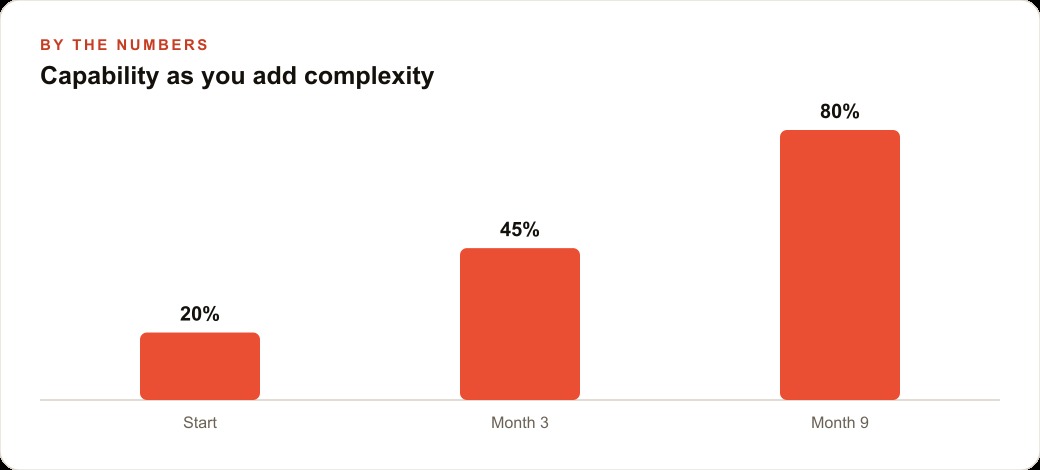
Over the next few months the same assistant quietly absorbs more jobs, because the harness underneath it is strong enough to carry them. It starts drafting replies to common support tickets, summarizing the week's refunds so the owner spots a problem product early, and flagging orders that look risky before they ship. Illustratively, the owner claws back maybe ten hours a week that used to vanish into inbox triage and manual stock checks. A thin wrapper might have felt impressive for the first week, then stalled as the data and the workflows piled up. This setup does the opposite. It compounds, because nothing important was duct taped on in the first place. That is the whole thesis in one store: the assistant did not get better because the model got smarter. It got better because it sat on a harness with no ceiling in sight.
All of this, incidentally, gets stronger the more of your operation it can see, which is why I usually connect it to your CRM and website stack so the assistant works from one honest picture of the business rather than a scattered set of half connected tools.
Cross the setup hurdle and keep the ceiling high
Here is the honest tradeoff, because there is one. A strong harness is not a one click install the way a thin consumer wrapper is. There is a small technical hurdle at the start, and pretending otherwise would be dishonest. That gap is the entire reason the easier tools attract people in the first place.
The hurdle is smaller than it looks, though. With a solid folder template and a set of commands that let the assistant help you spec and build the system alongside you, you climb it in an afternoon rather than a weekend. And once you are over it, you are standing on a foundation that keeps rewarding you, instead of a quick win that plateaus the moment your business grows past the demo.
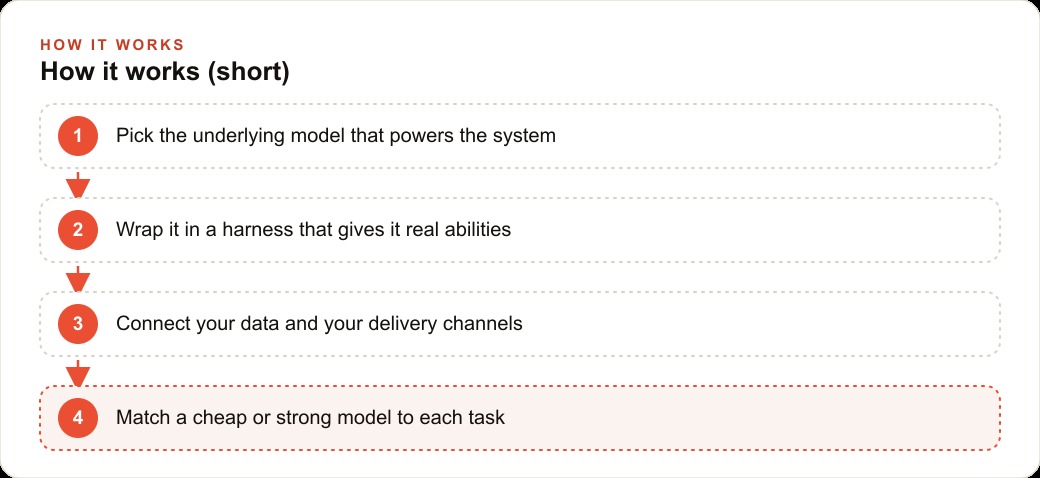
So here is the playbook in one breath. Judge the harness, not the model name. Wire the assistant to your real data so it answers from facts. Tier your models so the everyday work is cheap and the hard work is powerful. Route the output into the apps you already use. Build scheduled jobs you can see and debug. Do those five things and you have an assistant that runs your operation instead of impressing you for a week. If you would rather have the whole thing scoped, wired to your data, and built around your real workflows from day one, that is exactly the kind of system I set up for businesses, and it is a good place to start.
That is exactly what we do at AI DOERS. Book a private 30-minute call with Madhuranjan Kumar and we will map the fastest path to it for your specific business.
Book your call →
Madhuranjan Kumar
Madhuranjan Kumar brings 20 years of performance-marketing experience and has managed over $200 million in Facebook ad spend for brands across the United States and beyond. His expertise spans the full modern marketing stack: Meta, Google Ads, TikTok, email automation, CRM, and the websites that hold it together. At AI DOERS he turns that track record into lead-generation systems for businesses across every industry.