
Open Code Explained: How an Open Source Coding Agent Builds Real Apps From a Single Prompt
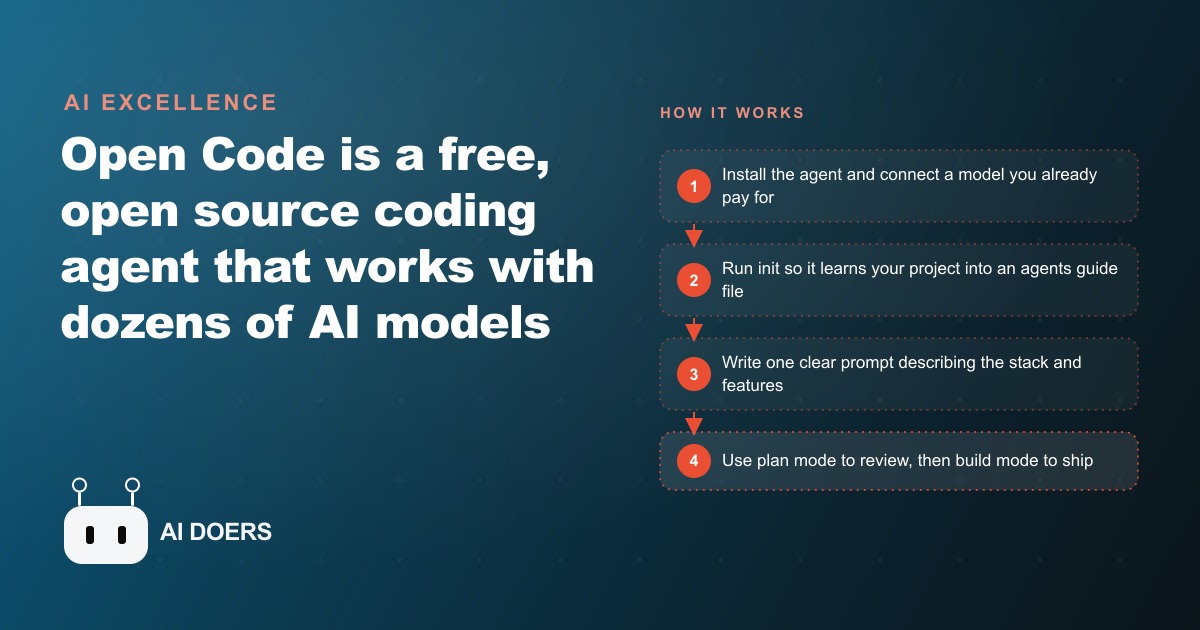
Open Code is a free, open source coding agent that works with dozens of AI models and can build a working app from one clear prompt. Here is how it works and how I would use it for a real business.

A regional property management firm had been paying for the same almost-right software for six years, and the recall list still had to be rebuilt by hand every Monday. That is where this story starts, because it is the most honest way to explain what a free, open source coding agent like Open Code actually does for a business. Open Code is a coding agent that runs in your terminal, works with over seventy AI models from many providers, and can turn a single clear prompt into a working app. I am Madhuranjan Kumar, and rather than list features in the abstract, I want to walk through how one small operation went from renting software that half-fit to owning tools built around exactly how they work.
The Monday problem that store-bought software never solved
The firm managed a few hundred units across a handful of buildings. Their leasing and accounting tools were fine at the big obvious jobs and useless at the small specific ones. Every Monday, the office lead exported three separate reports, pasted them into a spreadsheet, and manually stitched together a view of which leases were expiring, which tenants were behind, and which maintenance tickets had gone stale. It took most of a morning, roughly three hours, and it was the kind of task nobody was trained to code away. They had priced a custom build once and walked away when the quote came back in the tens of thousands. So they kept doing it by hand, which is the quiet tax most small businesses pay without ever putting it on a spreadsheet.
The reason I brought Open Code into the conversation is that it removes the two things that had always killed the idea of a custom tool: cost and lock-in. It is completely free and fully open source, so you can read every file and trust how it behaves, and it works with a model you already pay for. The firm's owner already had an AI subscription for other work. That subscription was enough. There was no new vendor, no per-seat license, no contract.
Connecting a model they already paid for
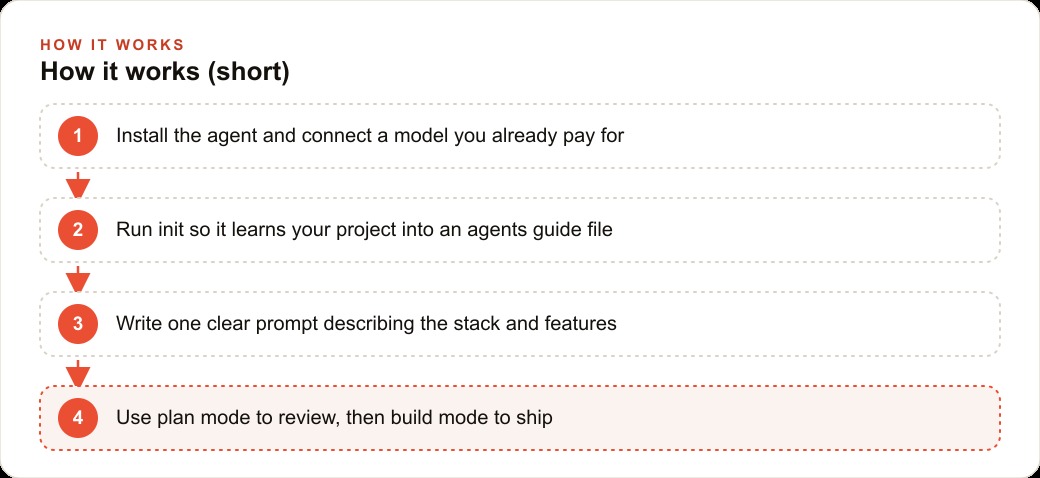
Setup took an afternoon, not a project. We installed the agent, and because the owner would rather not live in a terminal, we used the clean desktop app it ships alongside the command line. Then we connected the model. This is the part that surprises people: because Open Code supports so many providers, we simply plugged in the subscription the firm was already holding and paid nothing extra to run the agent on top of it. If a cheaper or stronger model appeared next month, we could switch to it without rewriting anything, which is the whole point of not being locked into one vendor.
Before writing a single prompt for a new tool, we ran the init command on a small existing project folder. That command creates a guide file describing the codebase, and every future agent session reads it first. It is a five minute step that pays for itself immediately, because from then on the agent starts with real context about the project instead of guessing. Skipping init is the most common reason people find these agents inconsistent. Running it was the difference between an assistant who has read your files and one who is meeting them cold every time.
The first prompt became a working tool in minutes
The first build was the Monday report. We wrote one clear, medium length prompt, a single paragraph naming the stack and listing the features: read the three exports, match tenants across them, flag expiring leases, overdue balances, and stale tickets, and present it all on one page with simple filters. The agent did not lunge at the code. It first built a to-do list, then worked through each item, checking them off as it went, and confirmed the project actually ran.
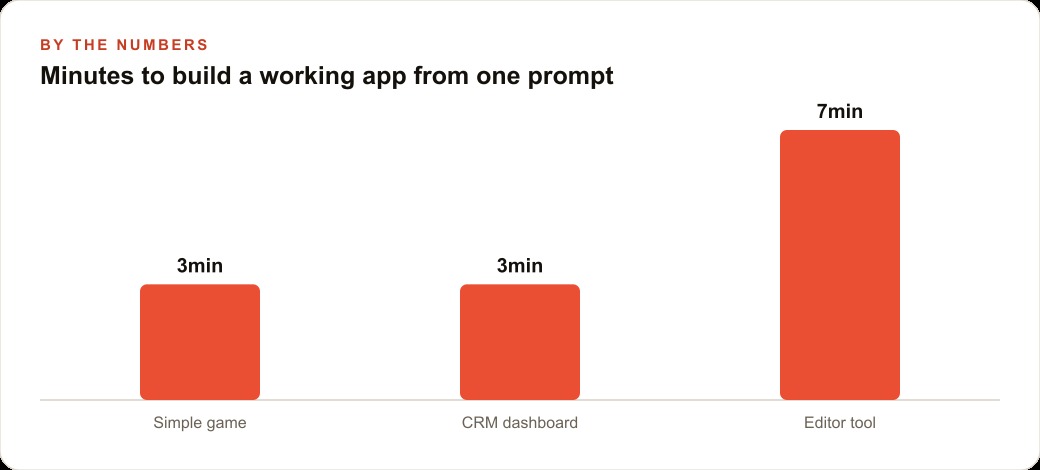
The working tool came back in about three minutes. Three minutes to replace three hours. That number sounds like a sales pitch, so let me be precise about what it means. The three minutes produced a first version that was roughly eighty percent right, and the remaining polish, tweaking which columns showed and how overdue was defined, took another short round of prompting. But the Monday morning that used to cost three hours now cost about fifteen minutes of review. Across a year, that one tool alone gave the office lead back more than a full work week of time, and it did it every single week without asking for anything.
The tools that came later followed the same shape. A tenant communication drafter that pulls the overdue list and writes reminders in the firm's voice took about the same three minutes to stand up. A slightly more involved tool, a small dashboard that tracked maintenance vendor response times across buildings, took closer to seven minutes because it had more moving parts. The pattern held: simple tools in a few minutes, more complex ones in under ten. None of them required a developer on staff.
What made the speed real rather than a demo trick was the init file doing its quiet work in the background. Because the agent already understood the shape of the project, each new tool started from real context instead of a blank slate, so the prompts got shorter over time and the output got more accurate. By the third tool, the office lead could describe what she wanted in two sentences and get something usable, because the agent knew the firm's data and conventions. That compounding is easy to miss on day one and obvious by week three, and it is the reason I always insist on running init before anything else.
Plan mode caught a change before it caused damage
The moment that convinced the owner this was safe came when we extended one of the tools. Open Code has two modes that matter. Plan mode is read only and cannot touch a single file, so the agent can study the code and propose a strategy without changing anything. Build mode lets it write and edit. You switch between them with one key. We asked for a change to how the reminder tool grouped tenants, and in plan mode the agent laid out exactly what it intended to modify. The plan revealed that its first approach would have quietly broken the overdue calculation. We caught it, adjusted the instruction, and only then flipped to build mode. Without plan mode, that would have shipped and someone would have chased a wrong number for a week.
This is the discipline I insist on with every client. Never auto-approve risky commands. The agent will pause before deleting files or running anything destructive, and that pause is a feature, not friction. In a business running on real tenant and payment data, one careless deletion is worse than any amount of saved time. Reviewing what the agent wants to run before it runs is the cheapest insurance there is.
Where the cheap model hit a wall, and what that taught us
Not everything was smooth, and the rough edge is worth telling honestly because it teaches the most useful lesson. One of the more complex builds, a reconciliation tool that had to match payments across two systems with mismatched formats, stalled when we ran it on a weaker, cheaper model. The agent gave every model a better environment to work in, but a better environment cannot rescue a weak model on a genuinely hard problem. When we switched to a stronger model for that one build, the same prompt produced a clean working tool.
The takeaway shaped how we ran everything afterward. The model you choose matters most on the hard jobs. For simple tools, a cheaper model is fine and keeps costs near zero. For the complex ones, spend on a strong model for the build, then step back down. Because Open Code lets you switch models freely, this is a dial you turn per task, not a plan you are locked into. That flexibility is exactly why not being tied to one vendor is more than a philosophical nicety.
Why the desktop app mattered more than I expected
I almost skipped the desktop app, and I was wrong to even consider it. The command line version is more powerful, but the owner and the office lead were never going to open a terminal, and a tool nobody on staff can drive is a tool that dies the moment the consultant leaves. The desktop app, and the editor extension that comes with it, gave the office lead a place to run the finished tools and even request small tweaks in plain language without touching a shell. That approachability is not a nicety. It is the difference between a build that becomes part of how the firm works and one that sits unused after the first month. When I hand a business its own tools, the handover only holds if the people who stay can actually operate what I built, and the clean interface is what made that possible here.
The quarter in numbers
After a quarter, the picture was concrete. The firm was running four internal tools it had built for the price of an AI subscription it was already paying. The Monday report, the reminder drafter, the vendor dashboard, and the reconciliation checker together replaced somewhere near six hours of manual work a week. The office lead stopped dreading Mondays. The owner stopped writing off the hand-stitched reports as a cost of doing business. And crucially, because everything was built on models they already had and code they fully owned, the monthly running cost of these four tools was effectively nothing beyond the subscription.
The tools did not stay isolated, either. The reminder drafter fed cleaner tenant contact data back into their CRM and website stack, which made their follow-up sequences more reliable, and the clarity the dashboards gave the owner freed up budget and attention for the growth side of the business, including their Facebook and Instagram ad campaigns for filling vacancies faster. The internal tooling and the marketing did not compete for the owner's time anymore, because the tooling stopped eating it.
It is worth being honest about what those four tools did not do. They did not replace anyone, and nobody lost a job. What changed is where the office lead's hours went. The six hours a week that used to disappear into stitching reports and chasing overdue balances moved into work that actually needed a person: talking to tenants, resolving disputes, and getting units filled faster. That reallocation is the real return. The saved hours were never the point on their own. What the firm chose to do with them was.
What the owner would tell another business
Asked what advice they would give another owner, the answer was simple and matches everything I have seen. Do not try to rebuild your whole operation at once. Pick one clear, well-scoped, painful task, the one you dread every week, and build a focused tool around it first. Connect a model you already pay for so there is no new cost. Run init so the agent actually knows your project. Write one clear prompt, review it in plan mode before you let it change anything, and never auto-approve something that deletes data. Use a strong model for the hard builds and a cheap one for the easy ones.
That sequence turned a firm that had rented almost-right software for six years into one that owns tools built exactly around how it works. The dentists in another version of this story keep doing dentistry, the leasing agents keep leasing, and the busywork quietly runs on tools the staff built and trust. You can absolutely follow this path yourself in an afternoon with a strong model and a clear prompt. The genuinely hard part is scoping the right tool, writing the prompt well, and keeping the build safe around real data. If you would rather have the tools scoped, built, and handed over working, that is exactly the kind of setup I do for clients, and you can bring me in to handle it.
That is exactly what we do at AI DOERS. Book a private 30-minute call with Madhuranjan Kumar and we will map the fastest path to it for your specific business.
Book your call →
Madhuranjan Kumar
Madhuranjan Kumar brings 20 years of performance-marketing experience and has managed over $200 million in Facebook ad spend for brands across the United States and beyond. His expertise spans the full modern marketing stack: Meta, Google Ads, TikTok, email automation, CRM, and the websites that hold it together. At AI DOERS he turns that track record into lead-generation systems for businesses across every industry.