
NotebookLM Video Overviews Turn Your Notes Into a Narrated Explainer Video. Here Is Why That Matters for Your Business
NotebookLM just added video overviews, which generate a narrated presentation from your research notes in one click. Combined with dramatically better audio podcasts and an interactive mode that answers your questions mid-listen, NotebookLM is now a complete content transformation platform.

# NotebookLM Can Now Build the Presentation for You: What Changed and What It Means
Google's research tool just added a feature that turns your uploaded documents into a narrated video presentation in one click, and it changes what the word "reading" means for anyone who processes research for a living. This breakdown overview feature in NotebookLM, released alongside two other significant updates, is not an incremental improvement to an existing workflow. It is a new output category that did not exist in the tool before, and it arrives alongside changes to audio quality and interactivity that together make the platform meaningfully more useful than it was six months ago.
The three updates shipped together: video overviews that generate a narrated presentation from uploaded sources, a substantial improvement to the AI audio voices used in audio overviews, and an interactive mode that allows real-time Q and A while an audio overview is playing. Each of these matters independently. Together, they change how research-heavy work can be packaged, consumed, and built on.
Madhuranjan Kumar has been tracking how tools like NotebookLM fit into practical content and analysis workflows for business operators. What follows is an assessment of each update and what it actually changes for people who use research as a professional input.
The Video Overview Feature Converts Research Into a Presentation Without a Template or a Designer
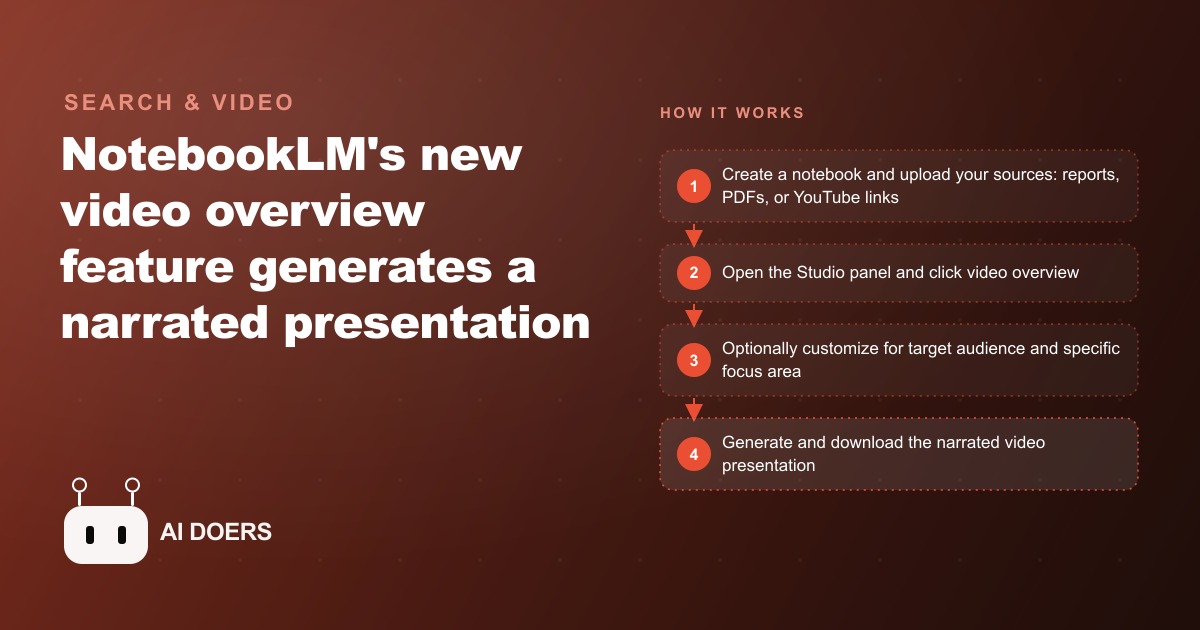
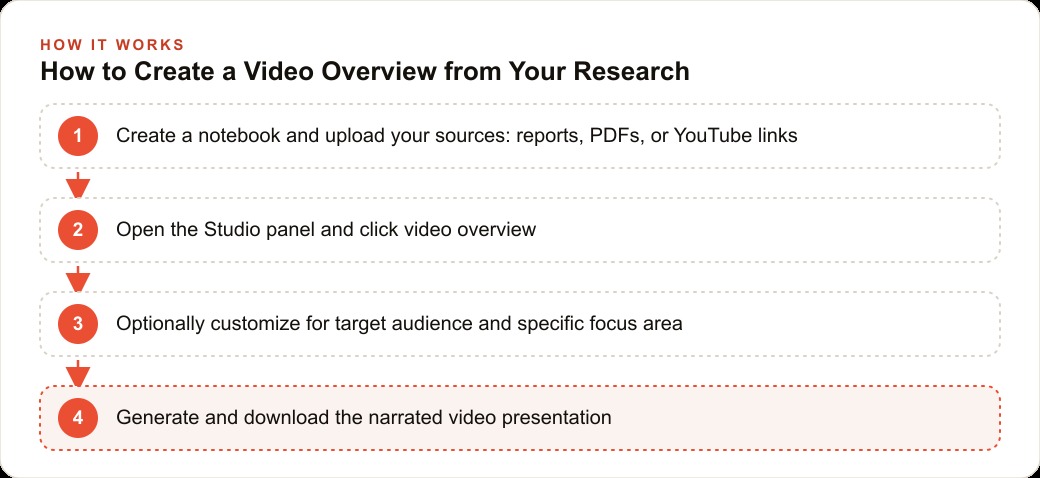
This breakdown overview works as follows. You upload sources to a NotebookLM notebook. These can be PDFs, reports, YouTube links, Google Docs, or any combination of document types the tool accepts. Once your sources are loaded, you open the Studio panel, find the Video Overview option, and click to generate. Before generating, you can customize the output by specifying your intended audience and the specific focus areas you want the presentation to emphasize. This customization step is not optional in the sense of being a hidden setting. It is the mechanism by which you tell the model what to prioritize from your source material.
What you receive is a narrated presentation video. This breakdown includes AI-generated narration, auto-generated slides, and a structural flow that covers the main themes across your uploaded sources. The model does the synthesis work: deciding what the key points are, how to sequence them, and what to put on each slide.
The practical importance of this feature is best understood by considering what it replaces. A researcher or analyst who is asked to present findings from a set of documents currently does one of two things. They read the documents and build a presentation themselves, which takes hours. Or they hire someone to help with the presentation layer, which takes both hours and money. This breakdown overview replaces the mechanical portion of that work: the transcription of key points into slide content, the sequencing of ideas, and the narration of the result. What remains is the human judgment about whether the output captures the right things and where it needs to be supplemented or corrected.
For free-tier users, access to video overviews is available first, which is a notable choice from Google. It suggests the company sees this feature as a significant reason for new users to try the platform rather than as a feature primarily for established paid users.
The customization step before generation is the most professionally significant part of the workflow. A researcher presenting findings to an executive audience needs a different emphasis than one presenting to a technical working group. A consultant presenting competitive research to a client needs a different frame than one presenting the same research internally. The ability to specify both audience and focus means the same source material can generate multiple different video outputs without requiring separate source sets for each use case.
The Audio Quality Improvement Is Not a Polish Update, It Is a Credibility Update
NotebookLM's audio overviews, which generate a podcast-style two-voice discussion of your uploaded sources, have been a popular feature since the product launched. But they carried a recognizable pattern that became a liability the more they were used: the same opening every time. "Welcome to the deep dive." The phrase became a meme among frequent users and a credibility signal in the wrong direction when sharing audio overviews externally. It immediately identified the content as AI-generated to anyone who had heard it more than once.
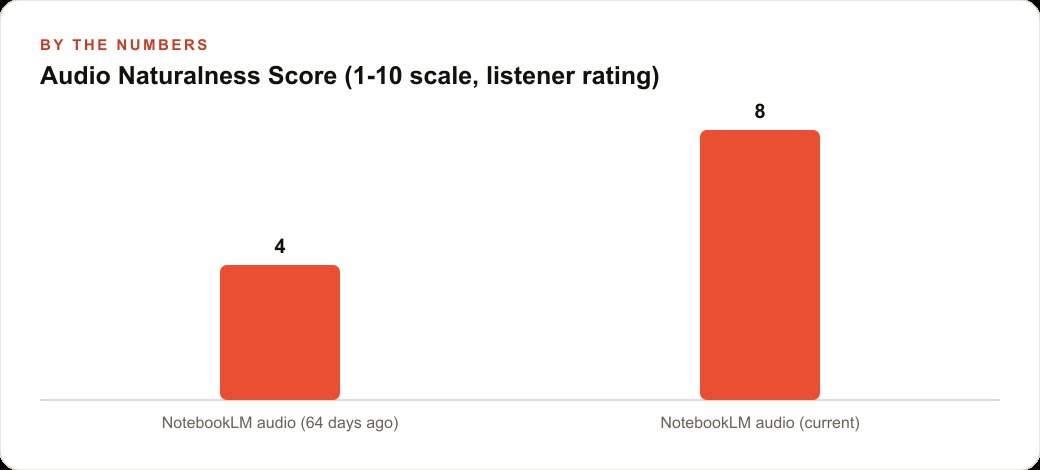
The updated audio voices are described by the product team as sounding substantially more natural, with more variation in intonation, pacing, and sentence-level delivery. More importantly, the openings are no longer formulaic. The two AI voices now begin conversations in varied ways, which removes the most obvious tell that the audio was generated rather than produced.
This matters for professional use in a specific way. Audio overviews are not primarily for internal consumption by researchers who already know the source material. Their value is in sharing. A consultant who sends a client an audio overview of a market research summary is sending them a document in a format that is easier to consume than a PDF while they commute or exercise. A team lead who shares an audio overview of a competitive analysis with a sales team is giving them something they will actually listen to. The credibility of that audio as a professional deliverable depends in part on whether it sounds like something a professional would share or like an obviously AI-generated artifact.
The improvement from "sounds clearly synthetic and formulaic" to "sounds natural with varied openings" is a threshold shift in professional usability. It moves the audio overview from a tool primarily for personal research consumption to one that is appropriate as an external-facing deliverable in a professional context, at least for audiences that are not actively evaluating the production quality with critical attention.
This was not the change that received the most attention in the announcement. This breakdown feature is the headline. But for professionals who already use audio overviews frequently, the voice improvement is likely the update that changes daily workflow most immediately.
Interactive Mode Converts Passive Listening Into a Live Research Session
The third update is the one that changes the fundamental nature of what an audio overview is. In the existing format, an audio overview is a fixed output. The two AI voices discuss your sources, cover the main themes, and reach a natural conclusion. You listen. If you have a question the overview did not address, you note it for later and either search your sources manually or start a new chat session in the notebook interface.
Interactive mode allows you to ask questions while the audio overview is playing, and the AI podcaster answers in real time as part of the audio stream. The conversation pauses, the voice responds to your question, and the discussion continues. The audio overview becomes a live research session rather than a produced artifact.
The practical implication is significant. Research rarely produces a perfect understanding in a single linear pass. Real comprehension usually involves stopping when something does not quite make sense, asking a clarifying question, and integrating the answer into the developing understanding of the material. The traditional audio overview format did not support that process. You either listened passively and noted your questions for later, or you paused and switched to the notebook chat interface, which broke the audio experience.
Interactive mode keeps you in the audio experience while enabling the clarification loop that good research requires. For someone processing a dense research report or a set of complex documents, this is a qualitatively different way to engage with the material than either passive listening or traditional document reading.
The combination of the three updates is worth noting explicitly. This breakdown overview gives you a synthesized visual presentation from your sources. The improved audio gives you a polished, credible audio discussion of the same material. Interactive mode lets you interrogate that discussion in real time. A researcher working with a substantial source set now has three different high-quality ways to engage with and share that material, all generated from the same uploaded sources with minimal manual effort in the production step.
A Practical Workflow That Chains All Three Features Together and What It Produces
The most efficient way to use all three updates together follows a specific sequence that builds each output on top of the previous one.
Start by assembling your source material into a notebook. NotebookLM accepts a wide range of formats, so a typical research workflow might include a few PDF reports, a couple of YouTube video links, and one or two Google Docs with notes or prior analysis. The quality of the output across all three features depends directly on the quality and completeness of the sources. If you have already run a deep research session in Gemini on the same topic, uploading that report as a source gives NotebookLM a comprehensive synthesis document to draw from in addition to the underlying sources. That combination tends to produce denser and more accurate generated outputs.
Once the sources are loaded, generate this breakdown overview first. Specify your intended audience and the aspects of the topic you want prioritized. Review the generated video. This is your synthesis check: does the model's representation of your source material match your own understanding of what matters most? If there are gaps or inaccuracies, you identify them here before they propagate to the other outputs.
Then listen to the audio overview with interactive mode active. Use this session to ask the questions this breakdown overview did not answer, to probe specific claims you want to verify against the source material, and to get at the second-order implications that a structured presentation format does not naturally surface. The interactive audio session is where you develop the parts of your understanding that will not be in the polished deliverable but will inform how you use it.
This breakdown overview is the deliverable for external audiences. The interactive audio session is the deep work layer for your own comprehension.
Here is a concrete illustration of what this combination changes for a professional who produces educational content regularly. A business coach runs a monthly program with four learning modules per month. Each module draws on ten to fifteen research sources: academic papers, practitioner articles, case studies, and relevant video content. Before NotebookLM's video overview feature, building one module's presentation involved reading and annotating the sources, synthesizing the key points, building a slide deck, and recording narration. Total active work time per module was nine to twelve hours, depending on source complexity.
With this breakdown overview workflow, the active work per module drops to approximately ninety minutes. Upload the sources, customize for the module's learning objectives and audience level, generate this breakdown overview, review it for accuracy and gaps, use an interactive audio session to address the gaps and deepen personal understanding, then use the generated video as the core presentation asset with light editing for module-specific framing. Four modules per month at nine to twelve hours each becomes four modules at roughly ninety minutes each.
That is a reduction from thirty-six to forty-eight hours per month of module production work to approximately six hours. At a billing rate of one hundred and fifty dollars per hour for the coach's time, that is between four thousand five hundred and six thousand three hundred dollars per month of freed capacity, either returned to the coach as time or reinvested in serving more clients or building additional program content.
The tool does not replace the coach's judgment about what to teach or how to frame it for a specific cohort. What it replaces is the mechanical production work: the hours spent converting research into a presentable format that someone else can consume. That work was always the lowest-leverage part of a content creator's or educator's day. This breakdown overview feature makes it the fastest part instead. The three features combined represent the most complete version of what AI-assisted knowledge work looks like when it is working correctly: fast synthesis, accessible delivery, and the ability to go deeper on demand, all from the same source set, in one session.
That is exactly what we do at AI DOERS. Book a private 30-minute call with Madhuranjan Kumar and we will map the fastest path to it for your specific business.
Book your call →
Madhuranjan Kumar
Madhuranjan Kumar brings 20 years of performance-marketing experience and has managed over $200 million in Facebook ad spend for brands across the United States and beyond. His expertise spans the full modern marketing stack: Meta, Google Ads, TikTok, email automation, CRM, and the websites that hold it together. At AI DOERS he turns that track record into lead-generation systems for businesses across every industry.