
NotebookLM, Explained: How to Turn Sources Into Podcasts, Maps, and Apps
NotebookLM is a free Google tool that synthesizes your uploaded sources into cited summaries, AI podcasts, video overviews, mind maps, and study guides, and it pairs with Gemini and Claude so you can move from research to a working app without leaving the workflow.

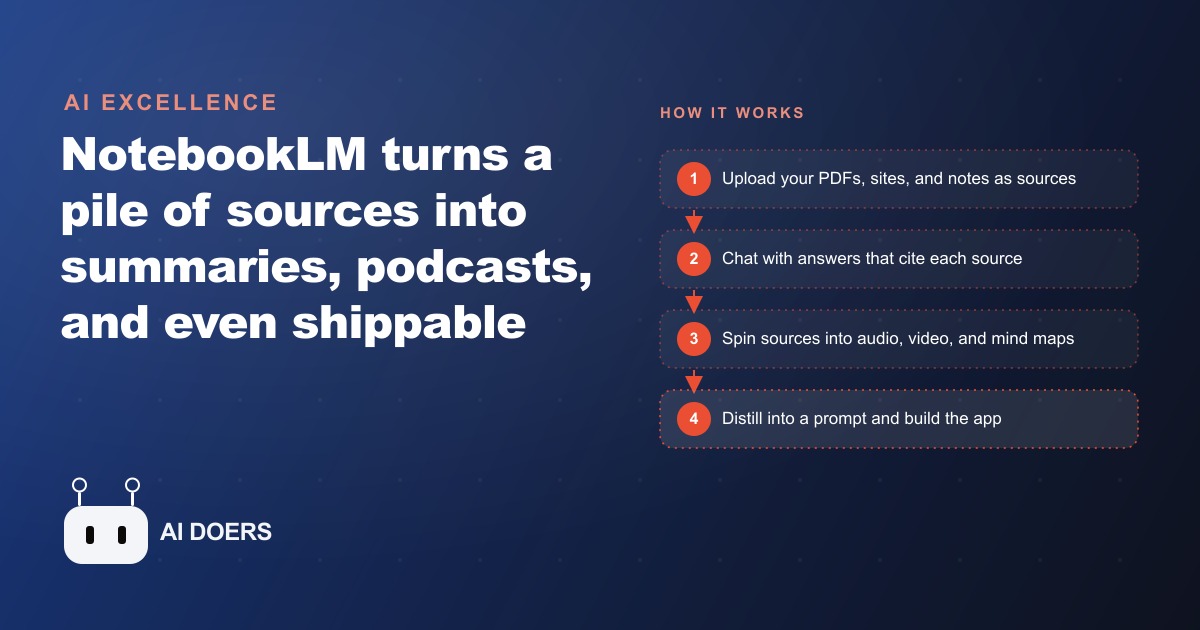
We keep telling ourselves we have an information problem. We do not. Look at any desk, any inbox, any shared drive, and the trouble is never that the answer is missing. The trouble is that the answer is buried inside forty pages nobody has time to read, sitting next to eleven other documents that also need reading, under a deadline that arrived yesterday. I am Madhuranjan Kumar, and after years of watching small teams drown in material they already own, I have come to believe the real scarcity is attention. We are not short on facts. We are short on the time and the focus to make sense of them. NotebookLM is the first free tool I have used that treats that specific gap as the whole point, and once you understand what it is actually doing, you stop seeing it as another chatbot and start seeing it as the quiet fix for a problem you have had for years.
The problem was never finding the information
Google search made finding things trivial a long time ago. Type a question, get ten thousand results, and there is your answer somewhere in the pile. That was the miracle of the last two decades, and it is also why the bottleneck moved. When everything is findable, the scarce thing becomes understanding, and understanding is slow. You have to read the contract, cross the inspection report against the disclosure packet, remember what the policy manual said three sections ago, and hold all of it in your head at once. Machines got very good at retrieving. They stayed clumsy at synthesizing, which is the part humans burn their afternoons on.
NotebookLM is built for synthesis rather than retrieval, and that single design choice changes everything about how it feels to use. It is a free Google tool, and its defining rule is that it only knows what you give it. You do not point it at the open web and hope. You hand it a specific set of sources, and it reads across all of them for you, then answers from that closed world. I think of it as a private research assistant who has read your files cover to cover and nothing else, which sounds like a limitation until you realize it is the reason the answers can be trusted.
A research assistant that only knows what you give it
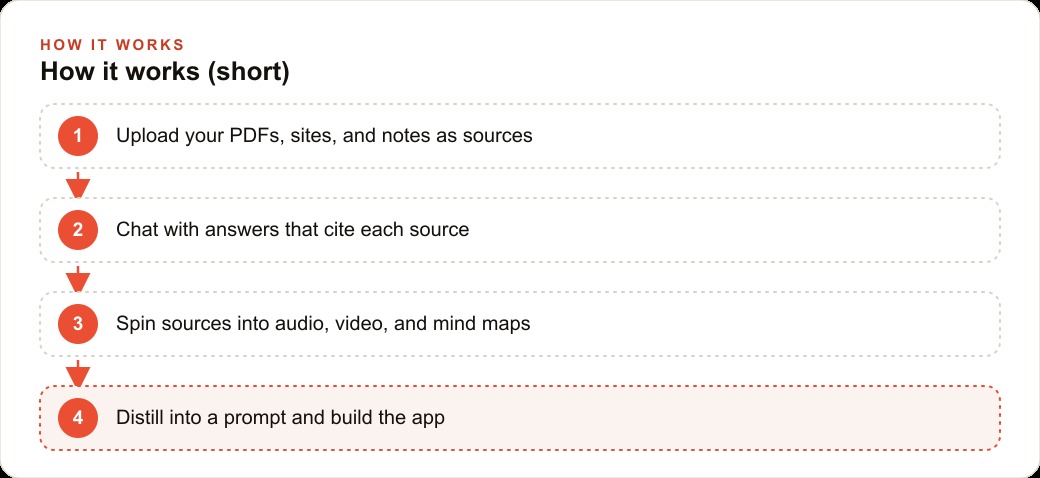
The starting point is always your sources, and the range of what counts as a source is wider than most people expect. You drag in PDFs, pull files straight from Google Drive, paste in raw text, and drop in web pages and YouTube links, and it treats all of them as material to reason over. There is even a Discover tab that goes out and searches the web to gather fresh outside sources for you, so a blank notebook can fill itself with relevant reading in a minute. Once the sources are loaded, you simply start asking questions in plain language.
Here is where the closed world pays off. When you ask something, NotebookLM cites the exact passage behind every claim it makes. You are not staring at a confident paragraph wondering whether to believe it. You click the citation, land on the precise line in the precise document, and confirm it yourself in two seconds. Because the tool stays inside your sources, it has far less room to invent, and when the material genuinely does not contain an answer, it tells you so instead of filling the silence with a plausible guess. Anyone who has been burned by a fabricated statistic understands why this matters. The hallucination rate drops sharply not because the model is smarter but because it is fenced in, and the fence is your own reading pile.
There is one habit that matters more than any single feature, and it catches people off guard. NotebookLM does not keep your chat history, on purpose, for privacy. If you do not save an answer, it vanishes the moment you move on. That feels annoying for about a day, until you learn the loop it is quietly pushing you toward. You save the good answers as notes, and then you convert those notes back into sources. Every pass, the notebook gets sharper, because your best thinking becomes new material the tool can reason over next time. It compounds. A week in, the notebook knows not just your documents but the conclusions you have already drawn from them, and that is a very different thing from a chat window you scroll back through and lose.
From a pile of sources to a podcast on the drive
If the chat were the whole story, NotebookLM would already earn its place. It is not. The part that made it go viral lives in the Studio panel, where the same sources get reshaped into formats that fit the way you actually live. The one everybody talks about is the audio overview. One click turns your documents into a two host AI podcast, two synthetic voices discussing your material in a natural back and forth, and you can interrupt them and talk to the show live while it plays. Suddenly the report you were dreading becomes something you listen to in the car.
There is a speed trick worth knowing here. You can download that audio overview, drop it into Google AI Studio, and ask it to strip out the friendly filler and collapse the two hosts down to a single narrator. Play that back at two or three times speed, and you absorb a dense topic in a fraction of the time, no chatter, just the substance. It is the difference between a podcast made for entertainment and a briefing made for someone who has ten minutes.
The formats keep going. You can generate a narrated video overview where the charts and graphics are pulled accurately from your own data, so if your sources say one group reported anxiety at twenty seven percent against nine percent for another, this breakdown shows exactly those numbers rather than a decorative stand in. You can build clickable mind maps that let you see the whole shape of a subject at a glance, and download one straight onto a slide when you are presenting. And you can spin the same sources into briefing docs, study guides, quizzes, and timelines, each one grounded in the material you uploaded. It is the same closed world, refracted into whatever shape the moment needs, whether that is reading, listening, watching, or teaching.
A fair question is what any of this costs, and the honest answer is that for most people it costs nothing. The free plan covers roughly ninety percent of the value. You get fifty sources and nearly every core feature, which is more than enough to run a real project. The paid tier mostly raises the ceiling to three hundred sources and layers on sharing, chat tuning, and analytics, the sort of things a larger team eventually wants but a solo operator or a small business rarely misses at the start. You can get genuine work done, the kind you would have paid a subscription for, without opening your wallet.
Where research quietly becomes a product
Once you see the pattern, it shows up everywhere a business keeps documents nobody has time to read. A law office loads contracts and case files and asks grounded questions with citations attached. A clinic turns a dense policy manual into a five question staff quiz. An online store feeds in a season of customer reviews and pulls out the themes worth acting on. The move is always the same. Take a messy stack of sources, get back cited answers, a podcast for the commute, and a study guide for the team.
Let me make it concrete with the example I keep coming back to, a real estate agency preparing a listing. An agent taking on a property has to absorb a flood of material before they can speak to a buyer with confidence. There are the HOA rules, the inspection report, the comparable sales, the zoning notes, and a disclosure packet that can run past forty pages on its own. The old way is an afternoon of reading, highlighting, and hoping you remember the right detail when it matters. I would put all of it into one notebook as sources and change the shape of the day.
Now the agent does not hunt. They ask, in plain words, what the pet policy actually says, or whether the roof was replaced and in what year, and the answer comes back with the exact page cited. That citation is not a nicety in this business, it is protection. When a buyer pushes back or a detail gets contested later, the agent can trace the claim to the document in seconds, and in a regulated field that traceability is worth real money. Next I would generate an audio overview of the disclosure packet so the agent can review it while driving between showings, and a short narrated video overview the buyer can watch to understand how the comparable sales stack up, with the actual price figures on screen. For the listing presentation, a clean mind map of the neighborhood data drops straight onto a slide, no design work required.
Because the output is only ever as good as the input, I would not stop at the packet. I would run a deep research pass with Gemini on the local market first, gathering fresh data on recent sales and trends, and add that as a source so the notebook is reasoning over a richer picture. Add it up and the listing prep that used to eat an entire afternoon now takes under an hour, and every claim the agent makes traces back to a document. Multiply that across a dozen listings a month and you have handed the team back days, not minutes.
The last step is the one that surprises people, because it is where research quietly turns into a product. Once your notebook holds a clear understanding of a subject, you can distill it into a tight requirements prompt, a plain description of what a tool should do, and hand that prompt to a coding assistant like Firebase Studio or Claude. From notes to a working prototype, without writing the code yourself. A stack of language learning sources becomes the spec for a small tutoring app. A pile of market research becomes the brief for an internal calculator. The line between understanding something and shipping something built on that understanding gets very thin, and that is the part I find genuinely new.
This is also where it connects to the rest of how a business actually grows. Cleaner understanding of your own material feeds cleaner messaging, and cleaner messaging is what makes Facebook and Instagram ad campaigns and Google Ads stop wasting money. The themes you pull out of customer reviews become the backbone of SEO and organic search content that answers real questions, and the working prototype you spun up can slot into your CRM and website stack instead of living as a slide nobody opens. NotebookLM is not a marketing tool, but it sits upstream of everything a marketer does, because it turns the raw material into understanding you can act on.
So start small. Open one notebook, create the free account, and upload the five or ten documents you are already wrestling with this week. Ask three questions you would normally dig for by hand, and watch every answer show its source. Generate one audio overview and listen to it once. Save your best answers to notes, turn them back into sources, and let the thing compound. You do not need permission or a budget to try this, and you do not need to write a line of code. If you would rather have someone set up the sources, build the audio and video overviews, wire in the deep research, and turn the whole thing into a working tool for your business, that is exactly the kind of work I do, and you are welcome to bring me in to handle it. Either way, the gap between the information you own and the sense you can make of it just got a lot smaller.
That is exactly what we do at AI DOERS. Book a private 30-minute call with Madhuranjan Kumar and we will map the fastest path to it for your specific business.
Book your call →
Madhuranjan Kumar
Madhuranjan Kumar brings 20 years of performance-marketing experience and has managed over $200 million in Facebook ad spend for brands across the United States and beyond. His expertise spans the full modern marketing stack: Meta, Google Ads, TikTok, email automation, CRM, and the websites that hold it together. At AI DOERS he turns that track record into lead-generation systems for businesses across every industry.