
The New App That Builds Mobile Apps From a Single Prompt
A phone app builds working mobile apps from a typed idea, lets you edit and version them like a document, and fixes its own errors. Here is how it works and how I would use it for a landscaping company.

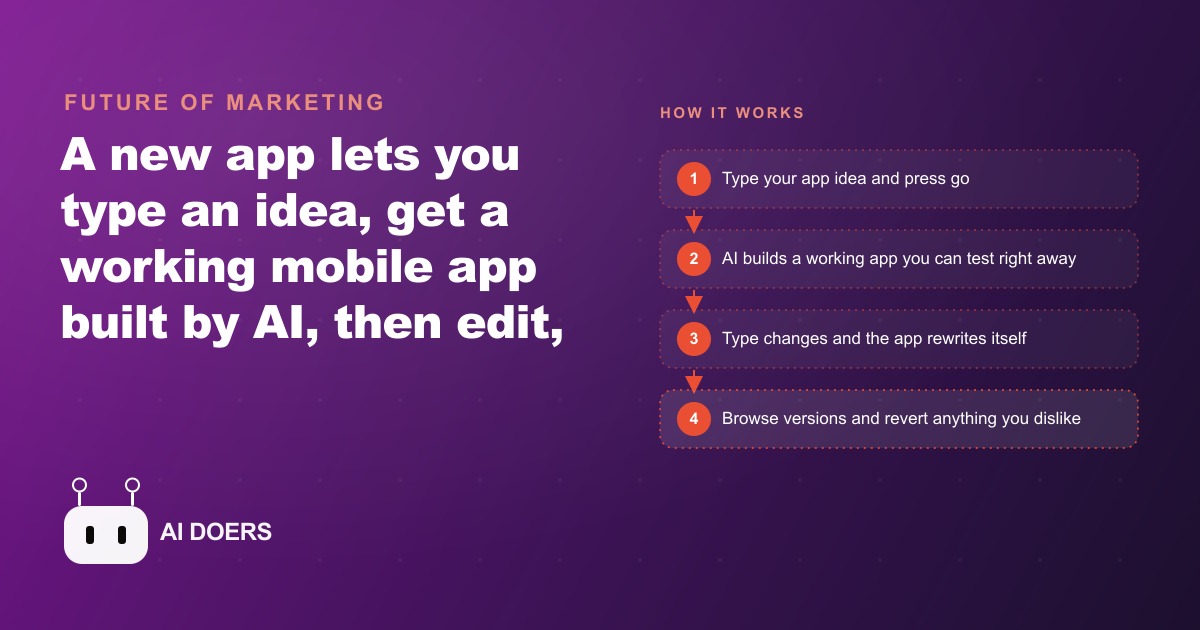
A phone app whose entire job is to build other mobile apps from a typed idea sounds like a party trick until you actually ship something useful with it. You describe the app you want, press go, and an AI agent builds a working mobile app you can open and use within minutes, all from your phone. When you want it different, you type the change and the app rewrites itself, the way you would edit a document rather than reengineer software. The stated goal is to be the plain and fun tool for people who are not developers, while staying capable enough that developers enjoy it too. This playbook walks through how to go from a vague idea to a branded, working app, using a landscaping company's job request tool as the running example so every step is concrete.
Step 1: Pick the one workflow worth an app
Before you type a single word, decide what the app is for, because the building is now the easy part and the choosing is where people go wrong. You are not looking for a sprawling platform. You are looking for one clear, repeatable moment in your day that a small app would smooth out: taking a request, tracking a job, sharing a summary, capturing a lead. Almost every trade, shop, clinic, studio, and service company has one of these sitting in plain sight, usually buried in phone tag and sticky notes.
For the landscaping company, the obvious candidate is the job request and quote. Right now a customer calls, someone writes down an address, asks what they want done, and promises a callback with a number. That is the workflow. The app version is a customer entering their address, picking services like lawn mowing, hedge trimming, or seasonal cleanup, adding a photo of the yard, and getting a rough estimate. One workflow, clearly defined, is the entire scope for day one. Resist the urge to add scheduling, invoicing, and a customer login before the first version even exists.
Step 2: Write the first prompt and press go
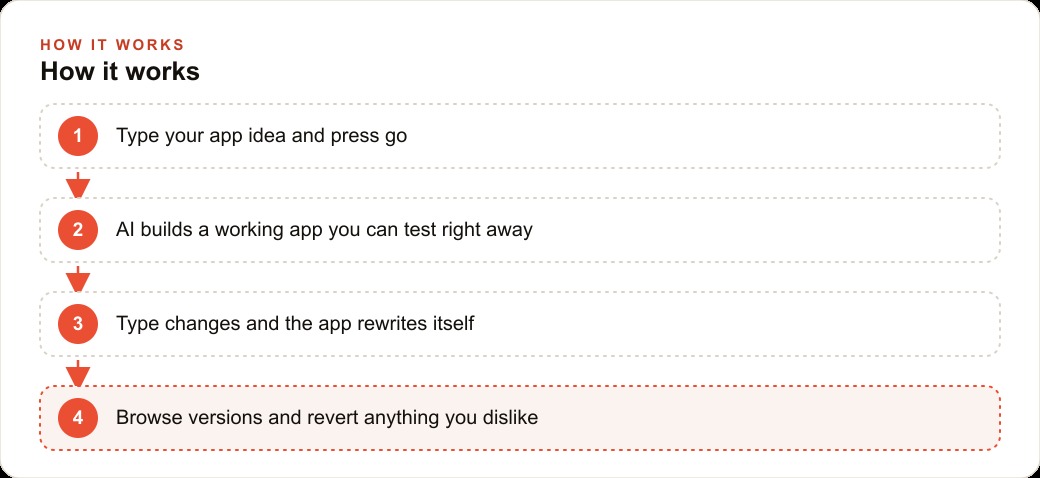
With the workflow chosen, describe it plainly and start the build. You do not need technical language, you need a clear picture of what the customer does and what they get back. Something as direct as, build a job request app where a customer enters their address, selects landscaping services, uploads a photo of their yard, and receives a rough estimate, is enough to start. Press go and let the agent work.
The important habit here is to walk away. Building takes a little while, and the tool is designed so you are never stuck watching a spinner. You can leave the app entirely and get a notification when it is ready. Use that time for actual work, then come back, open the result, and see what the agent produced. Judge the first version as a starting point, not a finished product, because the whole method depends on refining rather than getting it perfect in one shot.
Step 3: Refine one sentence at a time
This is the core loop, and it is where the app goes from generic to yours. Every change is a single sentence, and every sentence produces a new version. Make the colors match the brand. Change the font. Add a settings screen with a profile and a saved username so a crew member can identify themselves. Adjust the timestamps so each incoming request shows how long ago it arrived, which matters when you are triaging a busy morning. You keep the loop small and specific, one clear instruction at a time, rather than asking for sweeping rewrites that are hard to judge.
For the landscaping app, I would tune the palette to the company's green and the logo colors, add the crew profile screen, and set the request list to show elapsed time so the oldest jobs surface first. Each of these is one prompt. The discipline of changing one thing per prompt is what keeps the app coherent, because you can always see exactly what each instruction did and decide whether to keep it. Sweeping requests produce sweeping surprises. Small requests produce control.
Step 4: Use version history as your safety net
The reason you can experiment boldly is that every prompt creates a version, and you can browse your version history and revert to any earlier state if a change makes things worse. This single feature is what makes the refine loop safe. You are never one bad idea away from wrecking the app, because the previous good version is always one tap back. Treat this as permission to try the risky layout, the unusual color scheme, the ambitious feature, knowing you can undo it instantly.
In practice, for the landscaping tool, I would try a bolder single screen layout that puts the address, services, and photo upload all on one page. If it felt cramped, I would revert and go back to a stepped flow, no harm done. The version history turns app building from a nervous, careful process into a playful one, and playfulness is what gets you to a good design faster. Log which version you liked and why, so you are not just clicking backward blindly.
Step 5: Lean on the agent to fix its own errors
Things will break, and the method accounts for it. When an edit throws an error, the AI agent does not just stop, it keeps working, patches the problem, and reports the update as successful. Your job when you hit an error is not to panic or start unwinding changes by hand, it is to describe the problem and let the agent account for it. A known example is mobile keyboards covering the input field, which got fixed simply by describing the issue and letting the agent handle it.
There are small escapes built in for when the interface itself gets in your way. If a menu button slides off screen or you feel stuck, you shake the phone and the menu reappears. For the landscaping build, if a button drifted out of reach mid edit, I would shake to bring the menu back rather than forcing a restart. These are minor touches, but they are the difference between a non developer pushing through and a non developer giving up. Knowing the escapes exist keeps you moving.
Step 6: Ship the focused version, then measure
Once the app does its one job well, put it into real use before you expand it. The landscaping company ends up with a branded request app that captures jobs with photos and rough quotes, built and refined from a phone in a few sittings rather than commissioned from a developer over weeks. That is the deliverable. Now watch it work with real customers and real crews, because usage tells you what to build next far better than imagination does.
Put illustrative numbers on the payoff to see why the focus matters. Say the office was spending about ten hours a week on phone tag and manual quoting, and that time is worth roughly thirty dollars an hour, so three hundred dollars a week, around fifteen thousand dollars a year. An app that captures the request, the photo, and a rough estimate up front might cut that in half, freeing a hundred and fifty dollars a week and, more importantly, catching jobs that used to slip through when nobody called back in time. The app does not need to be elaborate to deliver that. It needs to do the one thing reliably.
Step 7: Wire it into the rest of the business
A request app is only as good as what happens after the request lands, so the last stage of the playbook is connection. The jobs the app captures should flow into the CRM and website stack so follow up is automatic rather than dependent on someone remembering to call. When the company runs Facebook and Instagram ad campaigns or Google Ads to bring in new customers, sending that traffic to a fast, branded request app instead of a phone number raises how many clicks turn into booked jobs, because a customer who can submit a photo and get a rough number in thirty seconds is far likelier to convert than one asked to call during business hours. The same clean intake also feeds SEO and organic search indirectly, because faster response and captured reviews strengthen the business's local reputation over time.
A field guide to workflows worth an app
The landscaping example is deliberately simple, so it helps to widen it into a short field guide, because the method works for any business with a small, repeatable customer or staff interaction. You do not need engineers and you do not need a big idea. You need one moment in the day that a focused app would smooth out. A cleaning company can build a booking app where a customer picks a service, a date, and a square footage and gets an instant quote. A tutoring business can build a session tracker where a parent sees upcoming lessons and a running summary of progress. A food truck can build a where are we today app that shows the current location and the day's specials. A repair shop can build an intake app that captures the device, the problem, and a photo, then hands back a rough turnaround time. Each of these is one workflow, clearly defined, exactly the shape the builder handles well.
The pattern that separates the wins from the abandoned experiments is the same every time. The businesses that succeed start with one clear use and refine it prompt by prompt. They do not try to build a sprawling platform on day one with accounts, payments, messaging, and a dashboard all at once. They ship a focused app, put it in front of real people, and improve it as they learn, knowing they can always revert a change that does not land. The ones that stall are the ones that tried to build everything at once, got tangled, and could not tell which part was broken. Scope discipline is not a limitation here, it is the whole technique.
It is also worth being honest about what these apps are and are not. A phone built app from a single prompt is excellent for a focused internal tool or a simple customer facing capture form, the kind of thing you would otherwise never bother to commission because a developer quote would dwarf the value. It is not the place to build a complex, mission critical system that handles sensitive payments or regulated data on day one. Match the ambition to the tool. Use it for the many small, useful workflows that were never worth a developer's time before, and you will find a dozen candidates hiding in any business. That is where the real leverage is, not in trying to replace a serious engineering project with a shake of the phone.
The honest part about where people stall
The building is genuinely the easy part now, and it is worth being clear about that so you do not expect the tool to do the thinking for you. The judgment is choosing the one workflow worth an app, prompting it so it matches how your business actually runs, and knowing which version to keep. That is where many people stall and quietly give up once the novelty of an app that builds apps wears off. The loop is simple: pick one idea, build the first version, refine one sentence at a time, use version history freely, let the agent fix its own errors, ship the focused result, and connect it to how you already work.
You can absolutely build this yourself with the steps above, starting with a single clear idea and growing it prompt by prompt. If you would rather hand the idea to someone who has shipped these apps many times and have it delivered working, on brand, and wired into your lead flow, that is the version where you skip the stalling and go straight to using it.
That is exactly what we do at AI DOERS. Book a private 30-minute call with Madhuranjan Kumar and we will map the fastest path to it for your specific business.
Book your call →
Madhuranjan Kumar
Madhuranjan Kumar brings 20 years of performance-marketing experience and has managed over $200 million in Facebook ad spend for brands across the United States and beyond. His expertise spans the full modern marketing stack: Meta, Google Ads, TikTok, email automation, CRM, and the websites that hold it together. At AI DOERS he turns that track record into lead-generation systems for businesses across every industry.