
Neo Is the AI Browser That Puts Privacy First
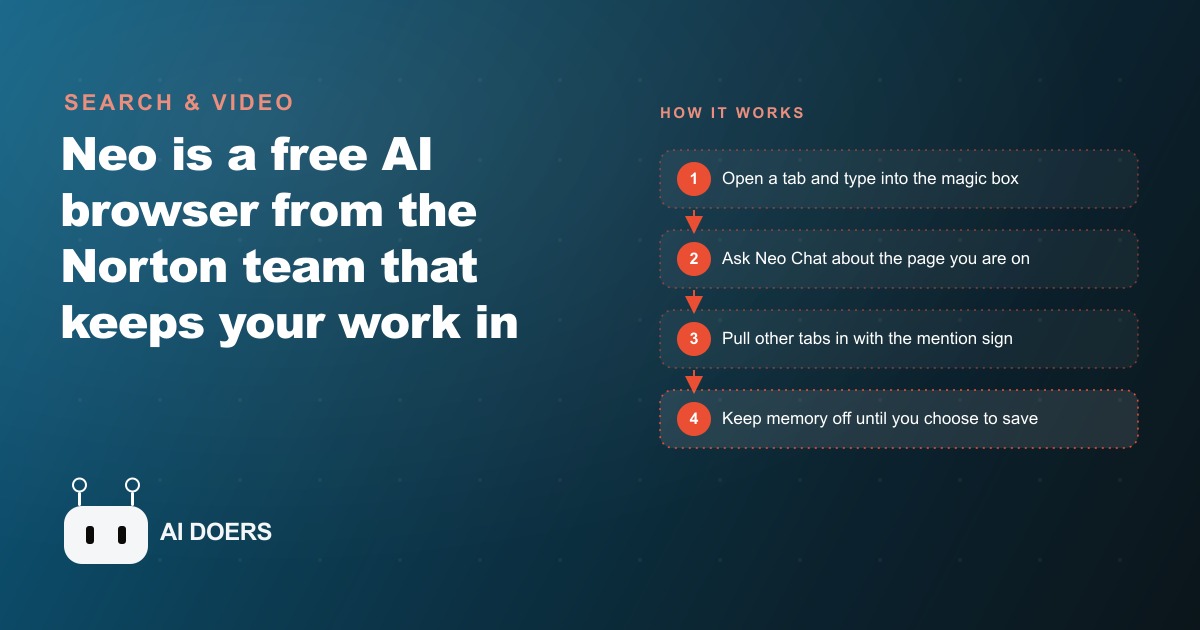
Neo is a free AI browser built by the Norton team that runs AI directly in your tabs while storing nothing by default. It has no background profiling, memory you control item by item, and ad block turned on out of the box.

The privacy-first AI browser sounds like the right answer to the wrong question
Neo is a new AI browser built by the Norton team. Privacy is its headline claim, memory is off by default, there is no background profiling, an ad blocker comes enabled out of the box, and a local AI option is available for the people who want their processing to stay on-device. It is competently built and genuinely thoughtful about a set of problems that most AI-powered tools treat as afterthoughts.
But I want to make an argument that cuts against the obvious reading of this product, not because Neo is bad but because the framing around it reveals a confusion that is worth naming directly.
I am Madhuranjan Kumar, and I have spent time testing Neo and thinking about what it actually solves for a business owner. My honest read is that the product's most valuable features are its AI-native workflow integrations, not its privacy architecture. And the privacy conversation, while important, obscures which features actually move the needle when you are trying to work faster and think more clearly inside a browser.
The case for Neo that its own marketing undersells
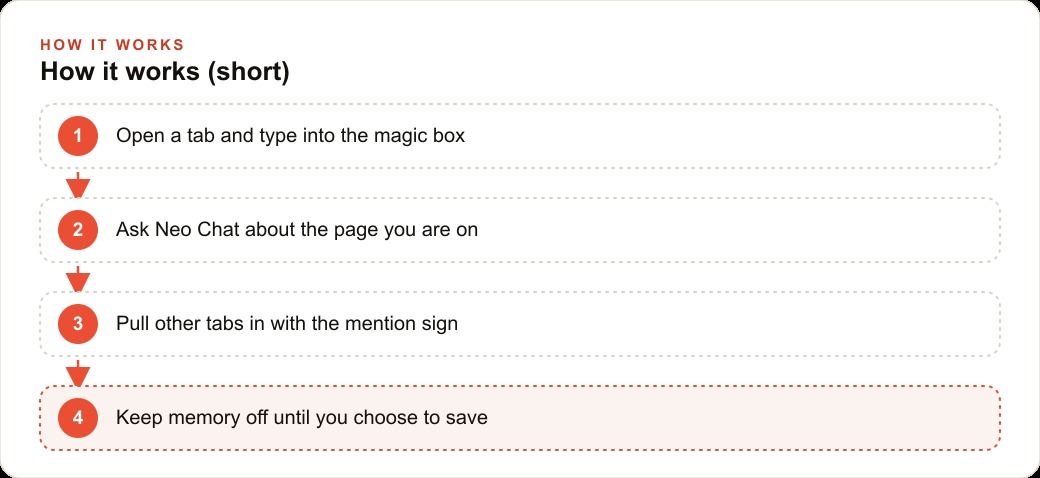
When I tested Neo, the features that changed how I worked had almost nothing to do with privacy. The magic box on every new tab, where you can type a question or a URL or pull in an open tab as context, is genuinely useful. The ability to pull multiple tabs into a single conversation with the mention sign changes how research works. Hovering over a link to preview and summarize it without opening a new tab sounds like a small thing until you realize how much tab-management noise it removes from a research session.
The writing assistant that drafts email replies using context from tabs you already have open is the kind of integration that the standalone AI chat windows can never quite match, because those windows require you to copy and paste the context manually. Neo reads the context from your existing session. That is a meaningfully different experience, not because it is more private but because it is more seamlessly woven into the work.
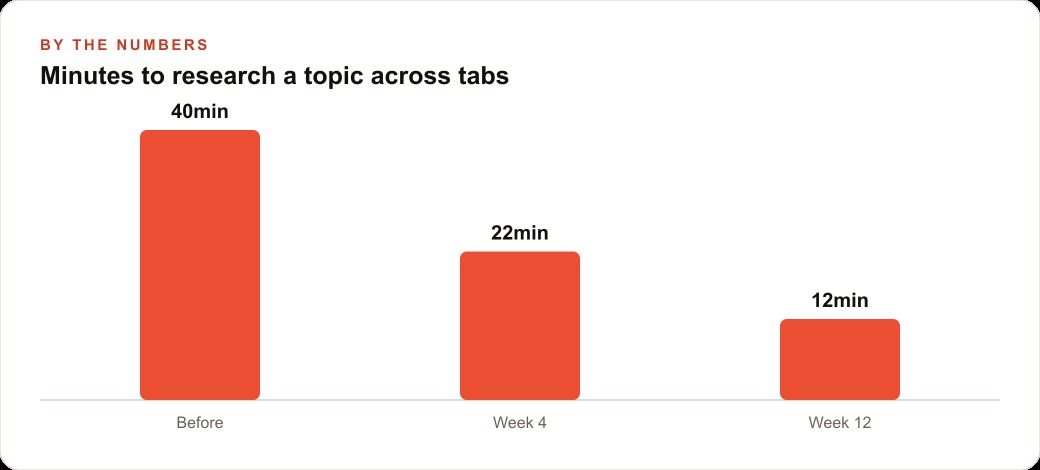
The multi-tab research synthesis is the feature I would highlight to anyone who does competitive research, content research, or due diligence as part of their job. Open eight tabs on a topic, pull them all into Neo Chat, ask for a synthesis. What used to take thirty minutes of reading and note-taking compresses into a conversation where you ask the questions and the AI draws from all eight sources simultaneously. The feature exists in other tools, but browser-native multi-tab context is frictionless in a way that external tools are not.
These features make Neo a serious productivity argument. The privacy story is real and appropriate, but it is not the reason to switch. The reason to switch is that the AI integrations are designed around the way research and writing actually happen inside a browser, rather than as a parallel app you have to context-switch into.
The specific claim about privacy that needs examination
The privacy architecture Neo ships with is thoughtful. Memory is opt-in rather than opt-out. There is no background profiling. The local AI option processes requests on-device. These are real differences from the default behavior of most AI-powered browser tools.
But here is the part that gets less attention: the value of these privacy features depends entirely on your threat model. If your concern is that your AI browser vendor will use your browsing history to train their models or sell behavioral data, Neo's architecture addresses that. If your concern is that your web browsing at work generates records that could surface sensitive client information in a breach of your AI provider, the local model option reduces that risk meaningfully.
But most small business owners I talk to are not primarily worried about their AI browser vendor. They are worried about data leaving their systems to clients, competitors, or regulators. That risk is determined by what you type into prompts and what you do with the output, not by which browser you use. Using Neo does not make your business less likely to accidentally send a confidential document to the wrong email. It does not protect you if you paste sensitive client data into any AI prompt, Neo's or anyone else's.
The privacy conversation is important. It is just not the variable that determines whether your business operates more or less securely. The security variable is prompt discipline and output handling, which are behavioral, not technical.
What privacy architecture actually cannot solve
There is a broader confusion in the AI tools market that Neo sits inside, which is the conflation of privacy with security and security with trust. A tool that stores nothing about you is more private than one that does. That is real. But privacy and security operate on different axes, and for a business context, the security axis is usually more operationally significant.
When a business owner tells me they are concerned about using AI tools because of data privacy, what they usually mean is one of three things. They are worried about their client data appearing in someone else's AI output. They are worried about a breach of their AI provider exposing their queries. Or they are worried about regulatory exposure under something like HIPAA or GDPR.
The first concern is about prompt design and what you put into the system, not which system you use. The second concern is addressed partly by Neo's architecture but also by choosing providers with serious security certifications, not just privacy-forward defaults. The third concern is about compliance workflows and data handling agreements that a browser choice alone cannot satisfy.
This is not a reason to choose the least private option. All else being equal, an AI tool that stores less about you is better than one that stores more. The argument is against treating the privacy label as a proxy for security competence or operational safety. Neo earns the privacy label genuinely. Whether it earns the security trust required for your specific business context depends on questions the feature list does not answer.
The actual decision a business owner should make
If you are evaluating Neo for your team, I would suggest running the evaluation on the productivity features rather than the privacy features. The privacy features are table stakes and Neo handles them well. The productivity question is whether the AI-native browser workflow matches how your team actually researches, writes, and communicates.
For a team that does a significant amount of in-browser research, where multiple sources need to be synthesized and reviewed without constant tab-switching, Neo's multi-tab context and hover-preview features address real friction. For a team that writes a lot of email where the context for the reply lives in other browser tabs, the writing assistant that draws from open tabs rather than requiring copy-paste is a genuine improvement.
For a team whose primary workflow lives inside desktop applications, document editors, or internal tools, the browser-level integration becomes less relevant, and the privacy features solve problems those workflows do not generate.
The honest test is thirty minutes of real work inside Neo on the tasks your team actually runs. The magic box and the multi-tab synthesis will either immediately feel like they fit your workflow or they will feel unnecessary. That feeling is more reliable than any feature list comparison.
What Neo signals about where browser-level AI is heading
Neo's architecture, taken as a signal about direction rather than as a current product evaluation, suggests something important about where browser-native AI is going. The browser is the surface where most knowledge work happens. Research, reading, writing, communication, most of the cognitive work that drives a service business or a content operation runs inside a browser.
AI that lives inside the browser and draws on the context of what you are looking at, across multiple tabs simultaneously, without requiring you to copy-paste or context-switch, is the natural next step from AI that requires you to open a separate window and re-explain what you were reading. Neo is an early version of that integration, and a thoughtful one. The privacy architecture is part of what makes it trustworthy enough for people to actually use it for the sensitive work it needs access to in order to be useful.
The productivity case and the privacy case are not in competition. Neo's privacy architecture is part of why the productivity features are safe enough to build a daily research habit around. But when you are deciding whether to try the tool, I would lead with the productivity case rather than the privacy one, because the productivity case is where the daily value lives.
For a business owner who does research-heavy work inside a browser, who drafts a lot of email, and who finds themselves constantly managing too many tabs to keep the context straight, Neo is worth a serious trial. Not because it is more private than the alternative, but because it is more capable of using the context you already have open without requiring you to do the redundant work of explaining that context somewhere else.
The memory and local AI features deserve their own honest assessment
Two specific features in Neo warrant a closer look beyond the privacy framing they are usually given. The first is the memory system. Memory is off by default, meaning Neo remembers nothing between sessions unless you explicitly tell it to save something. When you do save a memory, you can view, edit, and delete every saved item inside the settings under AI mode. That level of control over what the AI retains is genuinely unusual and worth noting.
The practical consequence for a business owner is that Neo does not accumulate a behavioral profile of your research habits the way that opt-in-by-default memory systems do. If you are using Neo to research competitors, scope acquisitions, or explore strategic directions you are not ready to make public, the fact that those sessions leave no persistent record in the AI layer is a meaningful difference from tools where every conversation trains or informs a growing memory of your interests.
The second feature is the local AI option. Neo offers the ability to run the AI processing on your machine rather than sending requests to a remote server. The tradeoff is that the local model is less capable than the cloud model, which is the same tradeoff that exists across every local versus cloud AI comparison. The local option is most useful when the content you are working with is genuinely sensitive and the quality ceiling of the local model is sufficient for the task.
For most general research and writing tasks, the cloud model produces better results. For tasks involving content that should not leave your network, the local model provides a ceiling on what can be exposed through a cloud interaction. Knowing when to use which option is a judgment call that depends on what you are working on, and Neo is one of the few browser-level tools that actually gives you both options.
The honest summary of Neo's privacy features is that they are well-designed for the problems they address, and those problems are real. The argument I have been making is not that privacy does not matter but that privacy is one dimension of a more complex evaluation. A browser that handles privacy thoughtfully and integrates AI into the research and writing workflow natively is a more complete case for adoption than a browser that handles privacy thoughtfully alone. Neo makes both arguments. The productivity case is just the one that moves more quickly from evaluation to daily habit.
A practical recommendation: spend one week running Neo as your primary research browser for the tasks where you currently have the most tab-switching friction. At the end of the week, count the times the multi-tab synthesis or the hover-preview saved you from opening yet another window. That count, not a feature comparison chart, is the signal that tells you whether the tool fits your specific work. The privacy features will be running in the background throughout, doing their job quietly. The productivity features are the ones you will actually feel.
That is exactly what we do at AI DOERS. Book a private 30-minute call with Madhuranjan Kumar and we will map the fastest path to it for your specific business.
Book your call →
Madhuranjan Kumar
Madhuranjan Kumar brings 20 years of performance-marketing experience and has managed over $200 million in Facebook ad spend for brands across the United States and beyond. His expertise spans the full modern marketing stack: Meta, Google Ads, TikTok, email automation, CRM, and the websites that hold it together. At AI DOERS he turns that track record into lead-generation systems for businesses across every industry.