
n8n Chat Hub: One Place to Talk to Every Model and Your Agents
The new Chat Hub puts every AI model and all of your custom agents behind a single, familiar chat screen, with memory that survives model switches and tools for web search and live data.

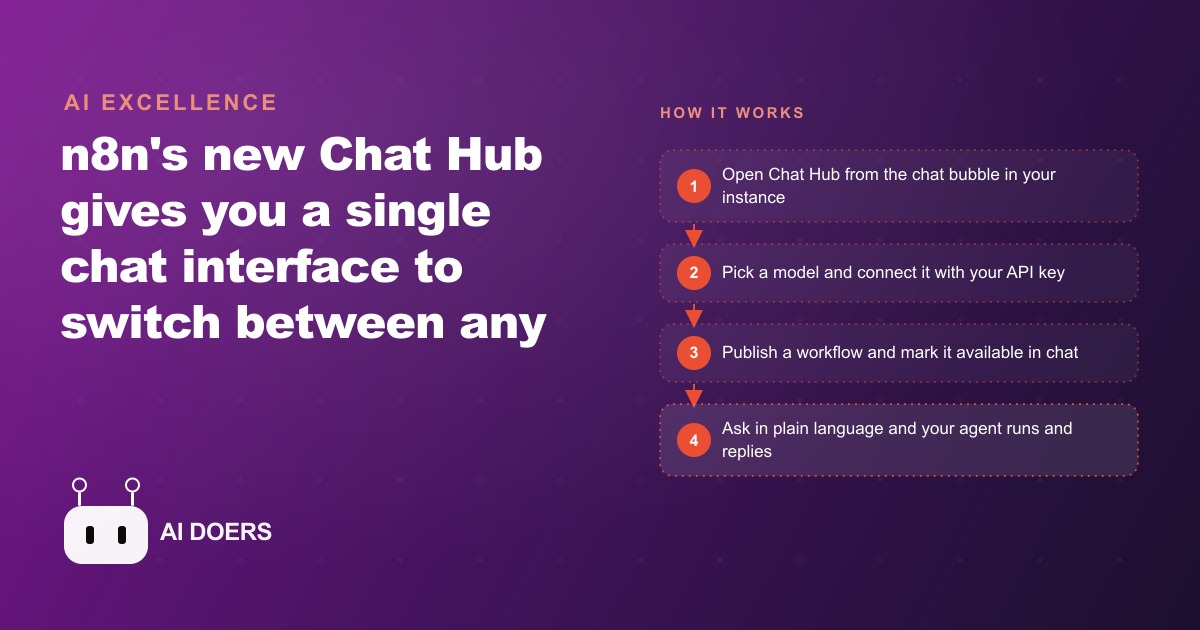
The fragmentation problem in AI tooling has been obvious since the first wave of model releases: every model lives in its own interface, and switching between them means opening another browser tab, re-establishing context, and repeating yourself. N8n's Chat Hub is a direct answer to that problem, and I am Madhuranjan Kumar. I want to explain what it actually does at a technical level, how the design decisions behind it create value, and what the workflow looks like for a business that wants to wire its own operational data into a single conversational interface.
N8n Chat Hub and the unified chat interface problem it solves
Chat Hub is a new interface layer inside n8n that presents a single chat screen connected to multiple AI models and to the custom automation workflows already built inside the same instance. The visual design is familiar by intent: past conversations in a left sidebar, active conversation in the center, input at the bottom. The familiarity is functional, not decorative. The goal is to lower the switching cost between AI-assisted tasks so that a non-technical user can move between a general purpose model, a specialist model, and a custom workflow-backed agent without navigating different applications.
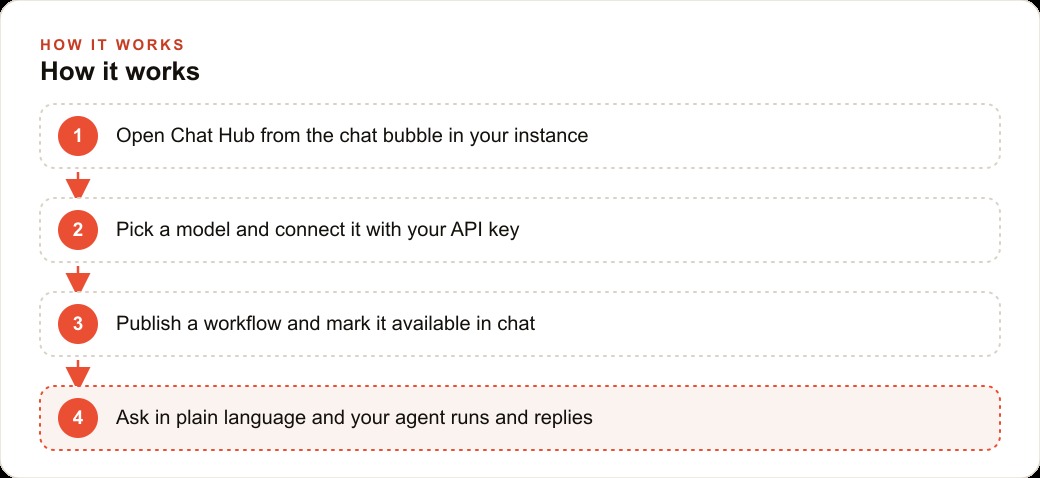
The access point is a chat bubble in the n8n interface, visible after updating to a version that includes Chat Hub. If the bubble is not visible, an update is the first step. The feature is part of the n8n instance rather than an external service, which matters for data handling: conversations routed through Chat Hub stay inside the infrastructure where the rest of the automation logic runs, rather than passing through a third-party chat service.
The underlying problem Chat Hub addresses is one that most teams running AI-assisted workflows have experienced by the time they have more than two or three models in regular use. Context established in one model does not carry to another. Switching models means starting over. The result is that most teams default to one model for most tasks, not because it is the best choice for each task but because the friction of switching is high enough to override the incremental quality improvement of using a better-suited model. Chat Hub removes that friction by making the switch a dropdown selection within the same thread.
Model switching with persistent memory is the technical design choice that matters
The most operationally important feature in Chat Hub is the combination of model switching and persistent thread memory. You can start a conversation on one model, switch to a different model from a different provider partway through the session, and the new model picks up the full conversation history. The context does not reset when the model changes.
This matters because different models have different relative strengths on different task types, and the optimal model for the first half of a session is not always optimal for the second half. A session that begins with a research question, where a model with strong web search integration is the right choice, might shift into a drafting task where a model with tighter instruction following and more concise output is better suited. Under the previous workflow, that shift required opening a second application, re-pasting the relevant context, and losing the natural continuity of the session. Under Chat Hub, the shift is a dropdown change with no interruption.
Credentials already saved in the n8n instance appear automatically in the model selector, so there is no separate API key configuration step for models already connected. An aggregator service can also be connected, bundling many models behind a single credential and adding any new model the aggregator supports without additional configuration in the n8n instance.
For businesses that are running both a standard content workflow and a Google Ads optimization workflow through n8n, this persistent-memory model switching is the difference between a tool that serves both use cases from one interface and a tool that requires separate sessions for each. The chat keeps the full history of the work session, and the model in use can be changed to match the task at hand without losing that continuity.
Connecting custom workflows to the chat layer separates this from any generic chatbot
The feature that elevates Chat Hub beyond a model aggregator into something genuinely different for a business is the ability to expose custom n8n workflows as agents accessible directly from the chat interface. A workflow built around a chat trigger, published with the make available in chat option enabled, appears in the Chat Hub alongside the general purpose models. A plain language question directed at that workflow runs the automation and returns the result in the conversation.
The technical requirement is two steps: the chat trigger setting must be enabled, and the workflow must be published. Missing either step means the workflow does not appear in the Chat Hub. When both are in place, the workflow becomes a named agent in the interface, with a description that tells the user what it does and what kinds of questions it can answer.
The implication of this architecture is that the plain language interface of a chat window can become the front end for operational data that would otherwise require navigating a dashboard, running a report, or asking someone who has access to the system. A staff member who can ask a question in plain English can get an answer from a system they have no technical access to, as long as a workflow has been built to retrieve and format that answer. The system access stays controlled. The interface becomes conversational.
For a business that maintains a CRM or lead management system, this is the configuration that allows the front desk, the sales team, or the operations staff to ask questions about their own data without logging into the CRM or requesting a report. A workflow that reads the contact database and returns structured answers to plain language questions connects the operational data to the people who need it through a surface they already know how to use.
The data analyst pattern: agents that answer questions about your own operation
The concrete example that demonstrates the practical depth of Chat Hub is the data analyst agent pattern, in which a workflow is built to search stored execution logs and answer questions about automation performance. Questions like how many times a specific workflow ran in the last month, how many tokens an agent consumed in a given period, and which workflows failed and at what rate can all be answered by a workflow that reads the execution history and formats the response for a conversational interface.
The underlying data already exists inside n8n's own logs. The Chat Hub connection makes that data accessible through a question rather than through a dashboard. A team member can ask how the automation stack has been performing this week and receive a verifiable breakdown with numbers they can check against the raw data.
The data analyst pattern generalizes to any operational data the business stores: sales records, attendance logs, appointment schedules, inventory counts, support ticket histories, and any other structured data that lives in a system connected to n8n. The workflow reads the data source, applies whatever logic is needed to answer the question, and returns the result to the Chat Hub conversation. The question is natural language. The answer comes from the actual records.
For a local service business that runs its scheduling and client records through a system connected to n8n, this pattern means the operator can ask which of this week's appointments are still unconfirmed, which clients have not been in for more than ninety days, or how many new inquiries came in over the last seven days, and receive an accurate answer in seconds without opening the scheduling system, running a filter, and counting rows. The operational data becomes conversational.
A single-screen assistant for operations that span multiple systems
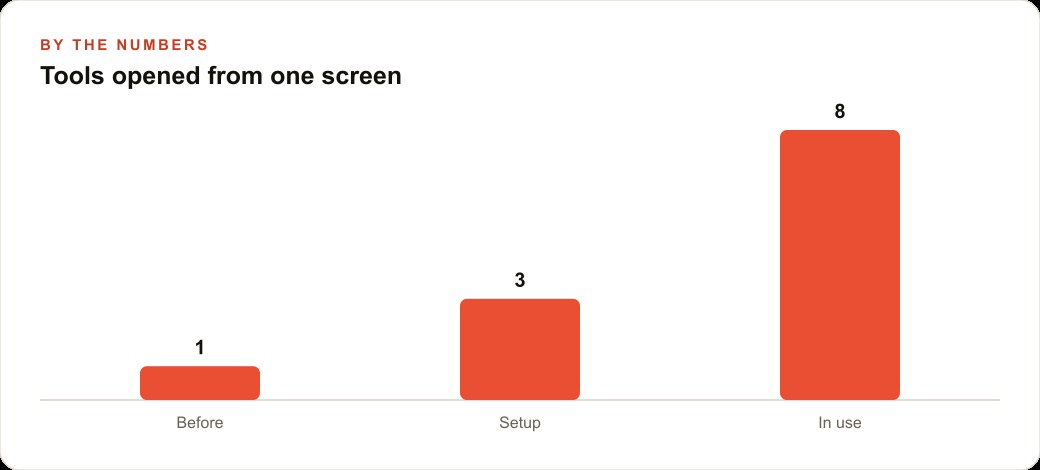
The fullest version of Chat Hub in practice combines all three layers: a general purpose model for tasks that benefit from broad knowledge and strong instruction following, a specialist model for tasks that require a specific strength like image analysis or code review, and workflow-backed agents for questions that require pulling data from the business's own systems. All three are accessible from the same interface, with the same persistent thread memory, and the user does not need to know which layer is handling which question.
The custom assistant configuration allows each agent or assistant to have its own name, system prompt, model selection, and tool set. A business-branded assistant with a name the team recognizes, a system prompt that keeps the voice on brand, and access only to the data it should be able to see, behaves differently from a generic chatbot in exactly the way the business needs it to. It knows what it is for. It speaks in the right register. It does not offer capabilities or access the team did not intend to give it.
The setup sequence is straightforward enough to complete in an afternoon: update to the version that includes Chat Hub, connect at least one model with an existing API key, build a small workflow around a chat trigger, enable the chat availability option, publish it, and verify that it appears in the interface. Start with one workflow and one question it should be able to answer correctly, confirm the loop from question to answer to verifiable source data works, and expand from there. The discipline of verifying each workflow against real data before expanding to the next one keeps the system reliable rather than impressive-looking but unreliable when it matters.
That is exactly what we do at AI DOERS. Book a private 30-minute call with Madhuranjan Kumar and we will map the fastest path to it for your specific business.
Book your call →
Madhuranjan Kumar
Madhuranjan Kumar brings 20 years of performance-marketing experience and has managed over $200 million in Facebook ad spend for brands across the United States and beyond. His expertise spans the full modern marketing stack: Meta, Google Ads, TikTok, email automation, CRM, and the websites that hold it together. At AI DOERS he turns that track record into lead-generation systems for businesses across every industry.