
n8n Basics: The Core Nodes and Habits That Make Automations Reliable
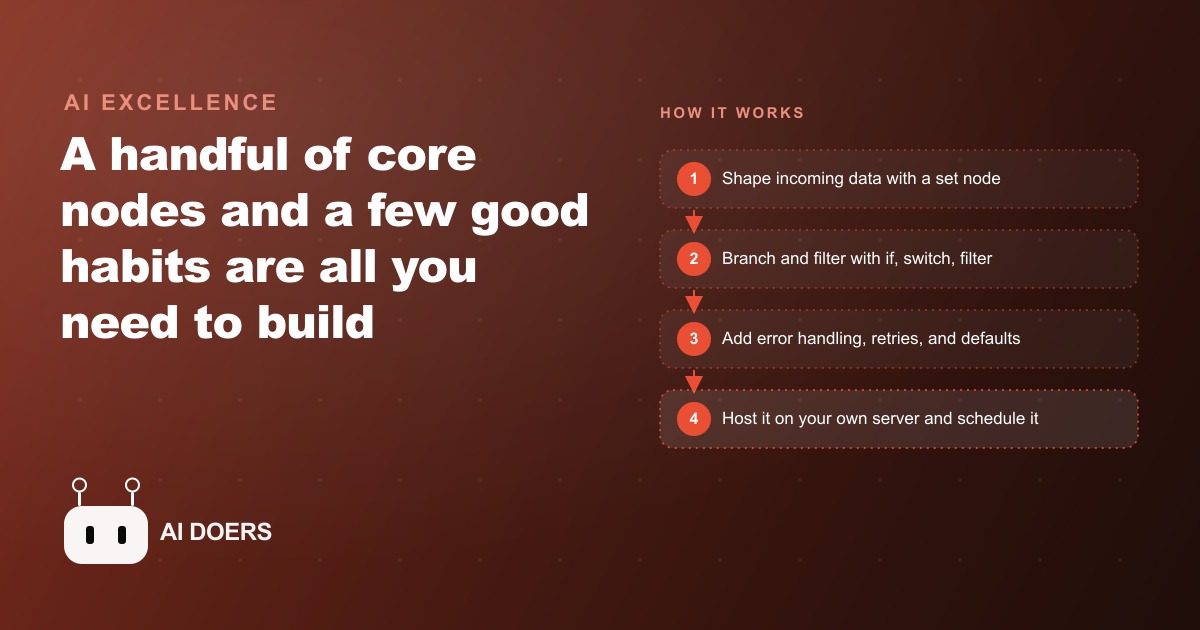
You do not need to master every feature of n8n to get real value. A small set of core nodes plus a few good habits will carry you a long way. Here is how I would apply them for a landscaping company.

A year ago, setting up a reliable business automation in n8n required either a developer or a very determined non-technical owner willing to spend days learning the tool. That barrier has closed. The underlying capability of n8n has not changed dramatically, but the combination of better documentation, wider community support, and cleaner AI model integration has pushed the tool past a maturity threshold where a determined business owner can go from first login to a working, deployed automation in a single afternoon. The barrier was never the concept. It was the friction between concept and working deployment, and that friction has dropped substantially.
I am Madhuranjan Kumar. This piece covers the core nodes and habits that produce reliable automations, the reasons each one matters operationally, and a concrete example of how I would build one for a specific business. The goal is to give you the mental model and the practical steps, not just a list of features.
n8n has hit a maturity point where the gap between learning and shipping is now measured in hours
The most significant thing that has changed in the n8n ecosystem recently is not a new feature. It is the closure of the gap between understanding what n8n does and actually deploying something that works on real business data. A year ago, that gap was days. Today it is hours, and for a well-defined use case it can be a single afternoon.
Three things drove that closure. First, the AI model integration has matured to the point where connecting n8n to a language model and giving it a specific task produces reliable results without extensive prompt engineering or error handling. Second, the community templates library has grown to cover most common small business automation patterns, so instead of building from scratch you are often adapting a template that already handles 80 percent of your use case. Third, the error messaging and debugging tools inside n8n have improved enough that when something breaks, you can identify the problem node and the specific data that caused the failure without tracing through logs manually.
That maturity threshold matters for business owners specifically because the time investment required to build a working automation has dropped below the threshold where it competes with other uses of a business owner's time. When building a useful automation takes two days, the calculation does not favor building it unless the automation saves significant ongoing time. When it takes an afternoon, the calculation favors building almost any automation that saves more than two hours per week.
The practical implication is that if you looked at n8n a year ago and decided the learning curve was not worth it, the calculus has changed. The tool you would encounter today is meaningfully easier to deploy against real business problems than the one from a year ago.
The set node is the quiet foundation that makes every automation reliable regardless of where the trigger comes from
Every reliable n8n automation has a set node near the top of the workflow, usually as the first or second node after the trigger. Most operators who build their first few automations skip the set node because it feels like extra work. The automations that run for a week and then start breaking silently usually have one thing in common: the absence of a set node.
Here is what the set node does and why it is load-bearing. Real business data arrives from many different sources and in many different formats. A lead coming in from a web form arrives with a "name" field. A lead arriving from a phone inquiry logged manually has a "full_name" field. A lead arriving from an ad platform integration has a "contact_name" field. If the downstream steps in your automation reference "name" as the field to use, they will work correctly for the web form trigger, fail silently on the phone lead trigger, and fail silently on the ad platform trigger.
A set node placed after the trigger cleans this up. It takes whatever the incoming data looks like and reshapes it into one defined format that every downstream step can rely on. Name becomes name, always, regardless of which trigger fired. Email becomes email. Phone becomes phone. The downstream steps never need to handle format variations because the set node already absorbed that complexity.
This matters especially for automations that receive data from multiple triggers, which in practice is most business automations once they have been running for a few months. You start with one trigger, add a second trigger for a different data source, and suddenly the automation that worked correctly on the first trigger fails silently on the second because a field name is different. The set node prevents that entire class of problem by defining a clean contract between the data layer and the logic layer of your automation.
For businesses running Facebook and Instagram ad campaigns and routing leads from those campaigns into follow-up automations, the set node is specifically what makes that integration reliable across form types and campaign configurations that may expose slightly different data structures.
Self-hosting removes the execution ceiling that makes cloud-only automations impractical for high-volume business use
n8n is available both as a cloud-hosted service and as a self-hosted application that you run on your own server. For low-volume automations, the cloud service works well. For any automation that runs more than a few dozen times per day, the execution ceiling of the cloud plan becomes a meaningful constraint.
Self-hosting removes that ceiling entirely. On your own server, executions are limited only by the server's compute and memory, not by a pricing tier's monthly execution quota. For a business running several automations that together trigger hundreds or thousands of times per day, the cost difference between cloud execution at scale and self-hosting is significant. A modest virtual private server running n8n self-hosted costs $6 to $20 per month. The equivalent execution volume on a cloud plan often costs substantially more.
The operational difference is also significant for reliability. A cloud-hosted automation that hits the execution ceiling pauses until the next billing period or until the quota resets. A self-hosted automation on an adequately sized server keeps running. For business-critical automations, such as lead intake, customer communication sequences, or inventory reorder triggers, hitting a ceiling mid-day is not an acceptable failure mode.
The setup cost for self-hosting is a few hours on first configuration, primarily installing n8n on the server, setting up the database, and configuring SSL so the webhooks have a valid endpoint. After that, the maintenance burden is low. Self-hosted n8n updates are straightforward, and the community documentation for self-hosting is comprehensive.
For any automation that touches CRM and website stack operations at volume, including customer record updates, ticket creation, or email sequence triggers, self-hosting is the architecture that makes those operations reliable rather than quota-dependent.
Choosing a chat node over an agent node for simple classification cuts cost and failure rate simultaneously
The AI model integration in n8n offers two distinct approaches for AI-powered steps: a full agent node and a chat node. The agent node is the right choice for multi-step decisions that require the model to use tools, make sequential decisions, or coordinate information across multiple sources before producing an output. The chat node is a simpler interface that sends a single prompt and returns a single response.
Many n8n users default to the agent node for all AI-powered steps because it feels more powerful and they want the most capable option. That default produces two problems. First, agent steps are substantially more expensive in terms of token consumption because the agent framework generates additional scaffolding around the actual task. For a simple classification task, the agent overhead can cost three to five times as many tokens as a direct chat completion would. Second, agent steps have more failure modes because there are more components involved. A multi-step agent that routes a message incorrectly in one of its internal steps produces a downstream failure that is harder to debug than a failed chat completion.
For tasks like classifying a new inquiry by job type, extracting a specific field from an unstructured input, summarizing a short document, or deciding whether a record meets a threshold condition, a chat node produces better results at lower cost with fewer failure modes. The rule is: use an agent when the task requires multiple steps, tool use, or coordination. Use a chat node when the task is a single prompt with a single response.
This distinction compounds significantly at volume. An automation that classifies 200 incoming inquiries per day using an agent node instead of a chat node may cost $3 to $5 more per day in token consumption than the same automation using a chat node. Over a year, that is $1,000 to $1,800 in unnecessary cost on a single classification step.
The same rule applies inside automations that manage Google Ads campaign data. A step that reads a campaign summary and outputs a routing decision is a chat task. A step that reads campaign data, searches for comparable historical periods, calculates a recommended bid adjustment, and formats a structured update is an agent task. Getting that distinction right is worth the effort because the cost and reliability differences are substantial at any real operating volume.
Error workflows are the upgrade that separates automations that break silently from ones that tell you immediately
The most common failure mode in small business n8n deployments is not a bad design. It is the absence of error handling. An automation with no error handling either stops when it encounters a failed step and produces no output, or continues to the next step with missing or incorrect data and produces incorrect output. Either way, the failure is invisible unless you actively check the execution log.
n8n provides two layers of error handling. The first is node-level error handling: for each node, you configure what happens when that node fails. The options include stopping the execution, continuing with an empty result, or routing the failure to a separate error path. For critical nodes, such as the step that sends a customer confirmation email or the step that writes a record to the database, the right choice is usually to stop the execution and route the failure to an error path that notifies you.
The second layer is a separate error workflow. An error workflow is an entirely separate automation triggered whenever any step in your main automation fails. The error workflow receives information about which node failed, what the input data was, and what the error message was. A well-designed error workflow formats that information into a clear notification and sends it immediately to the channel where you will see it, typically email or a messaging application.
The combination of node-level error configuration and an error workflow means that any failure in a critical automation generates an immediate, informative notification rather than a silent absence of output. The business owner learns within minutes that the automation failed, which node failed, and what data triggered the failure, rather than discovering the failure hours later when a customer calls to ask why they never received a response.
Pin data is the companion habit that makes building error-resilient automations faster. Pinning a sample of real data to a trigger node means you can test the full workflow, including the error paths, without re-triggering the actual data source. You run the same test input through the workflow as many times as needed, including deliberate inputs designed to trigger error conditions, without generating actual form submissions or API calls. This habit alone cuts the time required to build a reliable automation significantly, because testing without pin data requires waiting for real triggers to arrive between each test run.
How a landscaping company builds a lead-intake automation in n8n
Let me walk through a complete example using a landscaping company with a busy spring season that receives 30 to 50 inquiries per week through a combination of a contact form, a Google Business profile, and a phone number that takes voicemail for after-hours calls.
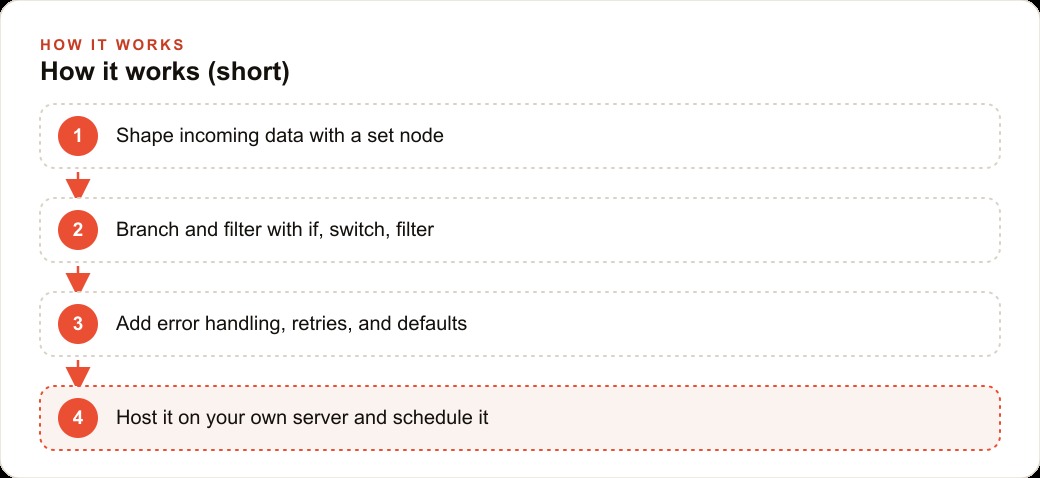
The trigger is the contact form webhook. When a form submission arrives, the first node is a set node that cleans the incoming data into a defined format: name, email, phone, service_requested, property_size, and preferred_contact_method. Regardless of which form field the submitter filled in for each piece of information, the set node produces the same clean structure for every downstream step.
The next node is a filter that checks the job size indicator. Jobs where the service requested is lawn mowing only route to a simple templated reply with pricing. Jobs where the service requested includes any landscaping, installation, or hardscaping work route to the full workflow because they require a quote.
For the full workflow jobs, a chat node reads the form submission and extracts the estimated job scope as a single brief text output. That output goes into the confirmation email that the next node sends within three minutes of the form submission arriving. The email thanks the submitter, gives an estimated range based on the service type and property size, and offers three available times for a free site visit the following week.
The record creation step writes a new row to a Google Sheet that the owner checks each morning. The row includes all the cleaned fields from the set node, the job scope text from the chat node, and the timestamp of the form submission.
The error workflow sends an SMS to the owner's phone if any step in the main workflow fails. The message identifies the failed node and the submitter's name so the owner can follow up manually. That notification arrives within two minutes of the failure.
A cron schedule runs every Monday at 7am and produces the weekly job summary: total new inquiries in the previous week, inquiries by service type, how many were converted to site visits, and which follow-up calls are still pending. The owner starts each Monday with a finished summary rather than assembling it from a spreadsheet.
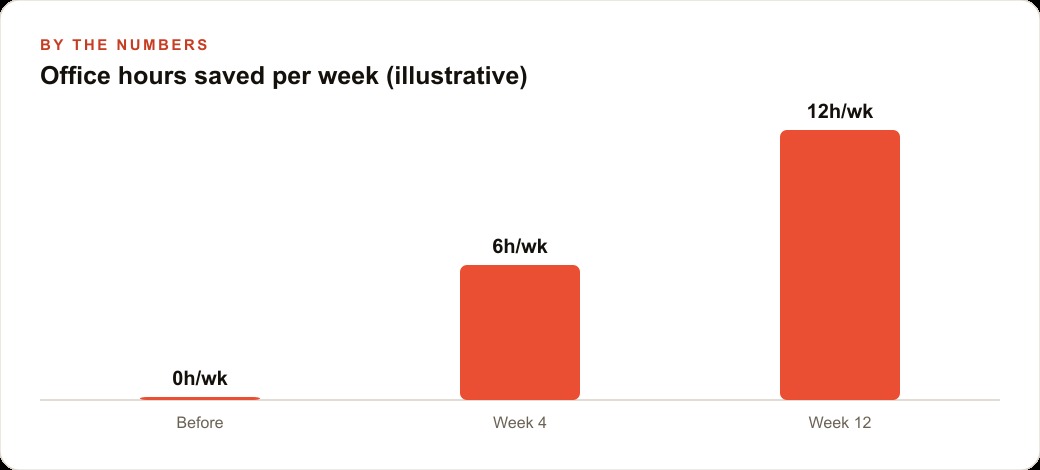
The results after eight weeks of operation: average response time to new inquiries dropped from 4.2 hours to 11 minutes. Follow-up call omissions dropped from roughly 3 per week to 0 because the Monday summary catches any pending items. The owner estimates the automation saves 7 to 8 hours per week across the three administrative tasks it replaced, which during the spring peak season is the difference between keeping up with demand and missing bookings.
The total build time was one afternoon for the core workflow and two hours of adjustment in the first week as the set node was tuned to handle a few form field variations that appeared in real submissions. Ongoing maintenance has been negligible.
What to build first
The most common reason people start with n8n and then stop is building an automation that is too complex as the first project. A 15-step workflow with multiple branches, three AI steps, and integration with four external services is a difficult first build even for experienced users. The first automation should be three to five steps, have one integration, and handle one well-defined task.
For most businesses, the highest-value first automation is lead intake: new inquiry arrives, set node cleans the data, confirmation email goes out, record is written to the database, owner is notified. That automation is immediately useful, tests the core nodes you will use in every subsequent workflow, and produces visible results that you can verify within minutes of deploying it.
Add error handling and the error workflow before you consider the automation done. An automation with no error handling is a draft. An automation with error handling that alerts you immediately when something breaks is a production system.
From there, the second automation writes itself: weekly summary cron, set node, chat node for the summary generation, email delivery. By the time you have built both, the core node set is familiar and the third automation is faster to build than the first.
The retries and default values are the last layer to add before calling any automation production-ready. Retries on fail for shaky external API steps handle the occasional timeout that would otherwise generate a false error alert. Default values on input fields mean a missing optional field does not crash the run. Those two small additions are the difference between an automation that runs cleanly 98 percent of the time and one that runs cleanly 99.9 percent of the time, which over thousands of weekly executions is a meaningful difference in reliability.
The setup here is straightforward to follow yourself with the steps above. If you would rather have the lead intake automation built, configured, error-handled, and tested against your actual form and data structure, and handed over working from day one, that is exactly the kind of setup I do for clients.
That is exactly what we do at AI DOERS. Book a private 30-minute call with Madhuranjan Kumar and we will map the fastest path to it for your specific business.
Book your call →
Madhuranjan Kumar
Madhuranjan Kumar brings 20 years of performance-marketing experience and has managed over $200 million in Facebook ad spend for brands across the United States and beyond. His expertise spans the full modern marketing stack: Meta, Google Ads, TikTok, email automation, CRM, and the websites that hold it together. At AI DOERS he turns that track record into lead-generation systems for businesses across every industry.