
Meta's SAM 3 Segments Anything in a Video for Free, and Local Businesses Can Use It
SAM 3 is a free, open weights model that isolates and tracks any object in a video from a simple text prompt. Here is what it does and how I would put it to work for a real business.

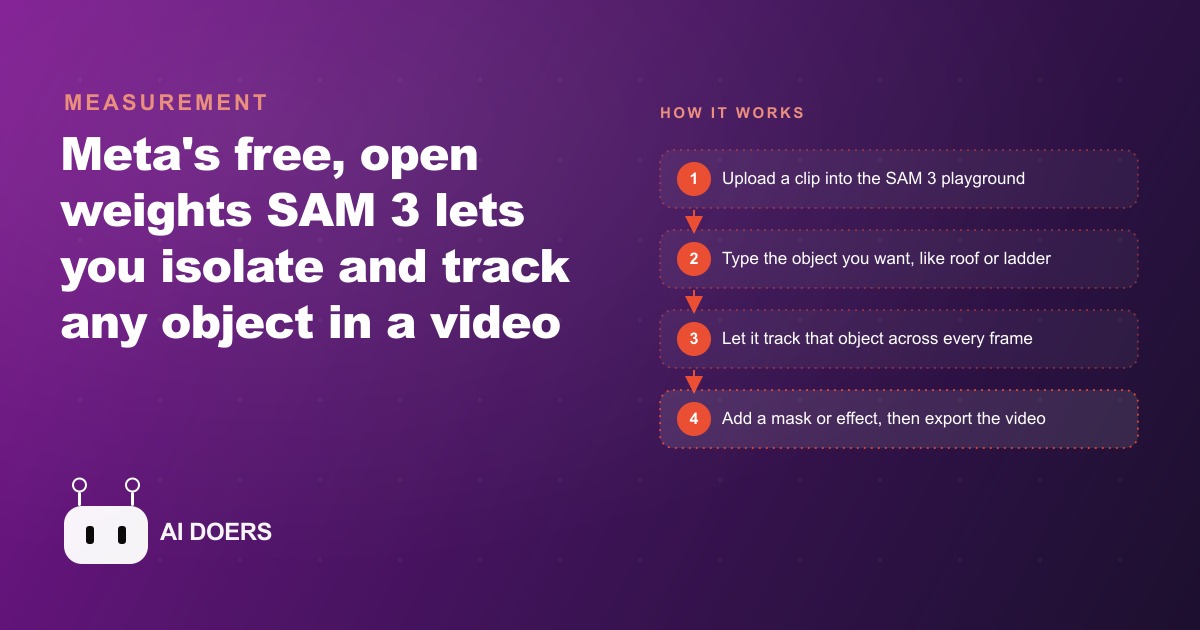
A task that used to take a team of editors days of frame by frame tracing now happens in seconds, for free, from a single typed word. I am Madhuranjan Kumar, and that is the headline on Meta's SAM 3, a model that finds, isolates, and tracks any object in a video the moment you type its name. SAM stands for Segment Anything Model, and segmentation just means cutting an object cleanly away from everything around it. Because Meta released it as open source with open weights, it costs nothing to use, which makes it genuinely useful for a small business and not just a film studio. Here are the seven things about SAM 3 that actually matter, followed by exactly how I would put it to work.
1. You segment anything by typing one plain word
The first thing to understand is how little effort it asks of you. You type a plain word like dog, bike, or taxi, and SAM 3 highlights every matching object in the footage. There is no manual outlining, no tracing, no careful clicking around edges. The model finds the objects and masks them for you. This is the whole premise, and it is why the tool is approachable for someone who has never touched an editing program. If you can describe what you want, you can isolate it.
2. It collapses rotoscoping from days into seconds
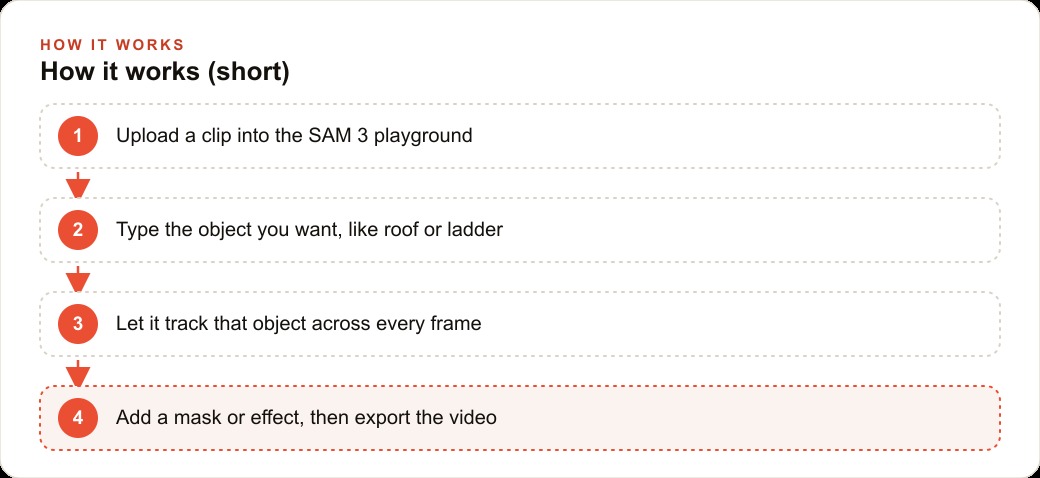
The second thing is the sheer scale of the time saved, and it helps to know what came before. For years, cutting a moving object out of footage was called rotoscoping, and it was brutal. A team of people would trace the edges of an object frame by frame, sometimes for days, to lift it cleanly from a clip. SAM 3 does that same isolation in seconds. A slow, expensive editing chore that used to require specialists becomes a quick step anyone can do. That collapse in cost and time is the reason a tool like this reaches small businesses at all, because the work it replaces was previously far out of reach.
3. It tracks your object across every frame, not just one image
The third thing separates SAM 3 from a simple photo tool. This is built for video. Once you choose an object, the model follows it across the entire clip, tracking it as it moves and even catching new ones that enter the scene partway through. On the left it gives you a tidy list of every object it found, each with its own label and color, so you can delete the ones you do not want. That per frame tracking is what turns a raw, shaky clip into something you can actually control and clean up end to end.
4. When words fail, you click the object instead
The fourth thing is a small feature that quietly removes a big frustration. Sometimes an object is hard to name cleanly. Instead of struggling for the right word, you just click it in the frame, and the model figures out what you selected and keeps it tracked through the whole video. This click to select fallback means you are never stuck. Between typing a name and pointing at a thing, there is almost always a fast way to tell SAM 3 what you care about.
5. It understands the scene, it does not just highlight shapes
The fifth thing is why the output is trustworthy. SAM 3 reads what is actually in the scene rather than blindly tagging similar shapes. It can tell a bicycle from a motorcycle, or vanilla ice cream from strawberry. That semantic understanding matters because it means the model isolates the right object even when several look alike, instead of grabbing everything roughly round or roughly the same color. For real footage full of clutter, that difference is what keeps the masks clean enough to actually use.
6. Templates turn a repeat chore into one click
The sixth thing is where the real business leverage lives. You can save a task as a template, for example find every license plate and pixelate it, then apply that one saved recipe to any future clip. A job you would otherwise redo by hand on every video becomes a single click. This is the feature that turns SAM 3 from a neat demo into an actual workflow, because the value in most businesses is not editing one video brilliantly, it is editing the hundredth video the same way with no extra effort.
7. It is free, open weights, and runs on your own machine
The seventh thing removes the usual barrier. Meta released SAM 3 as open source with open weights, so you can test it in a hosted playground or download it and run it on your own machine for production work. After segmenting, you can add effects like a contour outline, a tracking box, blur, or pixelation, then export or share the result, and the whole flow stays inside one simple screen. No subscription, no per video fee, no design software. For a small business watching every cost, free and self hostable is what makes this realistic to adopt rather than admire from a distance.
A worked example: a roofing company that films every job
Let me assemble these seven capabilities into one business, because a roofing company sits on exactly the kind of footage SAM 3 was made for. Crews already film roofs from the ground and from drones, but raw footage is messy and hard to follow, so most of it never gets used.
The first use is the before and after job videos that close sales. I would drop a clip into the playground, type roof, and let it track and outline the exact section being repaired across the whole video, using the tracking from thing three and the scene understanding from thing five so it grabs the roof and not the sky or the neighbor's wall. Now a homeowner clearly sees the damaged area, then the finished area, with a clean highlight guiding their eye. That is far more convincing than a shaky pan nobody can read, and it is exactly the kind of proof that makes Facebook and Instagram ad campaigns perform, because a clear before and after stops the scroll.
The second use is privacy and trust, built on the template feature from thing six. Drone and street level footage often catches neighbors' homes, cars, and plates, which makes people nervous about sharing it. I would build a template that finds every license plate and face and pixelates them automatically, so the company can post job videos publicly without a second thought. The third use is inspection clarity: using the tracking box to label materials and problem spots, like flagging missing shingles or pooling water, so an estimate video explains itself to the customer.
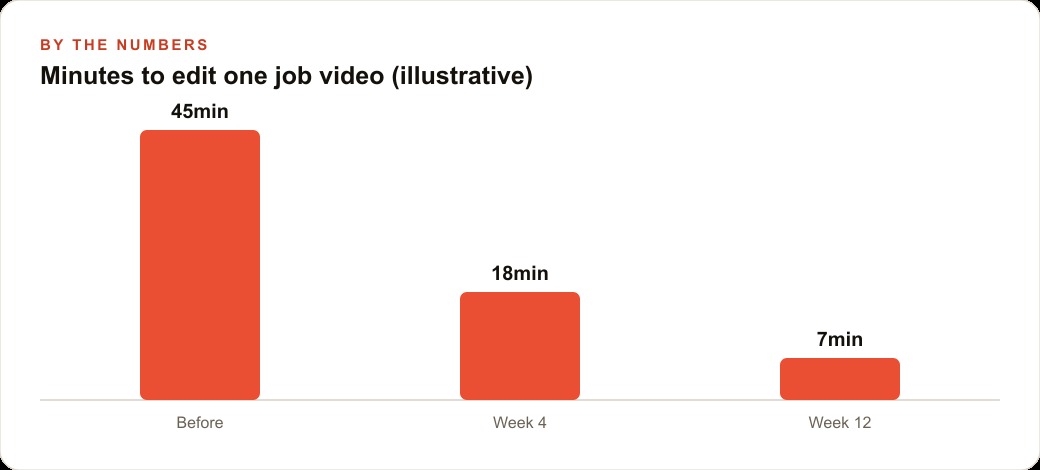
Now the numbers, framed as illustrative. Say editing one job video by hand, trimming, highlighting the work, and blurring plates, used to take around forty five minutes, which is why most clips never got edited at all. With SAM 3 doing the isolation and a saved template handling the privacy blur, that drops to roughly eighteen minutes in the first month as the owner gets comfortable, then to about seven minutes by the twelfth week once the templates and routine are set. Those figures are a shape, not a promise, but the shape is the point: a task expensive enough to skip becomes cheap enough to do on every single job, and that steady stream of clean proof is what fills the calendar. The finished videos also feed SEO and organic search when posted on the company's pages, and the leads they generate land in the CRM and website stack where follow up takes over.
Other trades sitting on unused footage
The roofing example is vivid, but the same seven capabilities apply anywhere a business records video and never uses it, which is almost every local trade and service. Think about how much phone footage already exists that nobody touches because editing felt like too much work. SAM 3 removes that friction, and once it is gone, piles of dead clips turn into a steady stream of proof.
A landscaping company can type lawn or hedge and highlight exactly the area that was transformed, so a before and after clip reads clearly instead of blurring together. An auto detailer can isolate the vehicle from a busy shop background for a clean, ad ready product shot without any studio setup. A gym can track a single piece of equipment or a specific movement to build a clear instructional clip, or blur the faces of other members so it can post floor footage without anyone's privacy at risk. A medical or dental clinic can pixelate faces and any identifying details in a facility tour, making it safe to share publicly. A retailer can pull a product cleanly off its shelf background for a social post. In every one of these, the pattern is identical: pick the one repeat video chore, save it as a template, and let the model own it.
The privacy angle deserves special weight, because it is often the real blocker to sharing video at all. Many owners have great footage they never post because it accidentally captures bystanders, plates, or private details, and manually blurring all of that is too tedious to bother with. A saved template that automatically finds and pixelates faces and plates on every clip removes that hesitation entirely. Suddenly a whole archive of footage becomes publishable, and publishable proof is what feeds every marketing channel a business runs.
Why free and self hostable changes the calculation
It is worth dwelling on what open weights actually mean for a small business, because it is the difference between adopting this and admiring it. A paid, cloud only tool creates two problems for an owner. It adds a recurring cost that scales with how much video you process, which punishes exactly the businesses that would benefit most from doing it a lot. And it means your footage, some of which may show customers, properties, or private details, leaves your control and sits on someone else's server.
Because SAM 3 is open source with open weights, neither problem exists. You can start for free in the hosted playground to learn the tool, then download the model and run it entirely on your own machine for production work, so the footage never leaves your control and there is no per video fee no matter how much you process. For a business that wants to turn video into a routine marketing habit rather than an occasional splurge, that combination is what makes it realistic. A tool you pay for per clip gets rationed. A tool that is free and runs locally gets used on everything, and used on everything is exactly where the compounding value lives.
How to try it without touching anything technical
Start in the free hosted playground before you go anywhere near a download. Upload one real clip, type the object you care about, and watch it track across this breakdown so you trust the output. Once you see it work, pick the single most useful job, maybe blurring plates and faces, and save it as a template so it runs the same way every time. Only after that is solid would I download the model to run it locally, which matters if you process a lot of video or want it inside your own tools.
Honestly, a focused owner can get the first workflow running in an afternoon. The harder part is deciding which videos actually move customers and building the template so it behaves the same on every clip, then wiring that into a steady posting routine. That judgment is where most people stall after the first demo. If you would rather have the whole system built, tuned to your footage, and handed over working, that is the kind of setup I do for clients. You can follow the do it yourself path above, or bring in someone who has already wired this up many times.
That is exactly what we do at AI DOERS. Book a private 30-minute call with Madhuranjan Kumar and we will map the fastest path to it for your specific business.
Book your call →
Madhuranjan Kumar
Madhuranjan Kumar brings 20 years of performance-marketing experience and has managed over $200 million in Facebook ad spend for brands across the United States and beyond. His expertise spans the full modern marketing stack: Meta, Google Ads, TikTok, email automation, CRM, and the websites that hold it together. At AI DOERS he turns that track record into lead-generation systems for businesses across every industry.