
Master Codex in an Hour: From One Folder to a Live Dashboard
Codex is a super app, not just chat. It reads and writes your local files, builds Excel reports and dashboards, automates the browser, and ships projects to the web, all from a single folder that any coding agent can work inside.

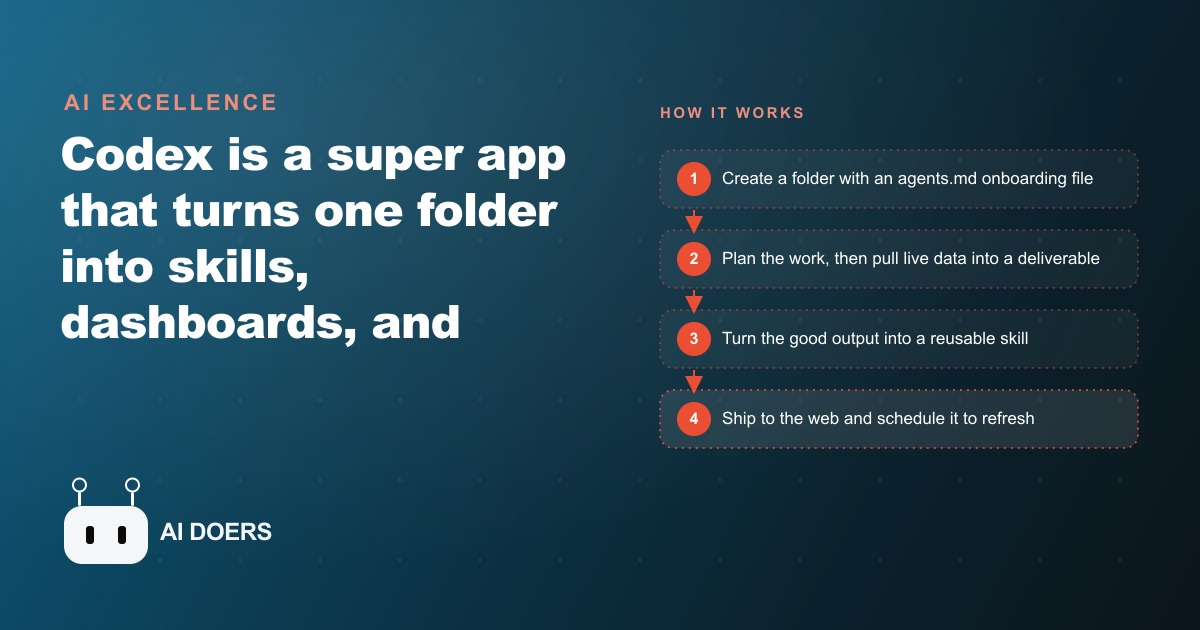
The single thing that makes Codex genuinely powerful is not the chat interface or the model behind it. It is the fact that a project in Codex is just a folder on your computer, and that one architectural decision changes everything about what the tool can do for you. I am Madhuranjan Kumar, and I want to take apart the mechanics of how Codex actually works, because most people stop at the surface and miss the deeper logic that makes it far more than a chat assistant with file access.
Why "Everything Is Files" Is the Foundational Insight
When most people picture an AI tool, they picture a chat window where you type a question and receive an answer. Codex looks exactly like that from the outside. The resemblance is surface level only. A Codex project is a directory on your local machine, a folder containing files, and every operation Codex performs, reading data, writing code, building spreadsheets, operating a browser, pushing to GitHub, ultimately touches that folder.
This matters for a reason that compounds over time. Files are the universal interface between software systems. When your project is a folder, Codex can work inside the same space as Claude Code, Cursor, or any other tool that can point at a directory. You are not locked into one vendor's ecosystem because the project itself is just portable files on your disk. You bring in whichever agent is best suited to a given phase of work, they all read from and write to the same directory, and nothing has to be migrated or re-imported between tools. The folder is the common substrate that every agent understands without needing a special handshake.
This also means that the knowledge an agent builds about your project persists between sessions in a way that chat history cannot match. A chat session starts cold every single time. A folder remembers everything. The agents.md file is where you make that memory explicit: who you are, what the project is for, what the output should look like, what the constraints are, which formats matter and which do not. Every new chat opens inside that context rather than asking you to re-explain yourself from scratch. The difference between a tool that starts oriented and a tool that starts cold is the difference between a partner who picks up where you left off and a stranger you re-brief at the start of every meeting.
For an e-commerce store owner, this insight is immediately practical. A single folder becomes the central brain for every task you want to automate. Add the store's order exports, the review feeds, the inventory CSV, and the weekly sales reports to the folder. Include an agents.md that explains the brand, the product categories, and what a useful output looks like for this particular business. Point Codex at that folder and the agent understands your specific situation from the first message of every session, carrying that context forward without needing re-briefing.
There is one more consequence of the file-as-substrate model that rarely gets discussed. When the project is a folder, you can version it with git. Every change Codex makes is trackable. If a skill runs badly or a build produces something wrong, you can roll back to a known good state without losing the work that came before it. That safety net does not exist in a chat-only tool because there is no persistent file state to roll back to. The folder model gives you the operating properties of a real software project, not just the conversational properties of a chat session, and that difference matters as soon as anything goes wrong.
Why Plan Mode Prevents 80 Percent of Wasted Build Time
Plan mode is Codex's brainstorm-before-you-build switch. When you engage it, Codex structures the work and reasons about the approach without writing or executing anything. No code runs. No files change. You get a clear picture of what the build will do, in what order, and why, before anything happens in the real world.
Most people skip this step because it feels slow. They have a clear idea in their head, they want to see something built, and pausing for a planning phase feels like friction. The opposite is true in practice. The biggest time sink in any AI-assisted build is not writing code. It is backtracking when the code that got written was solving the wrong interpretation of the problem. Plan mode surfaces those misinterpretations before they are baked into hundreds of lines of code that then have to be unwound, which always takes longer than the original build did.
A concrete illustration makes this tangible. Suppose you want a dashboard that shows weekly comment themes from a YouTube channel. Without a planning step, Codex might interpret this as a simple comment-count chart, build it efficiently, and show you something that technically satisfies the description but misses what you actually needed. With plan mode, you see the proposed structure before anything runs: authenticate with the YouTube API, pull 200 recent comments, cluster them by theme, weight by sentiment score, render in a chart with a supporting data table underneath. You correct the interpretation in plain language before a single line of code exists. That correction takes about thirty seconds in plan mode. The same correction costs thirty minutes or more when you discover the problem after the build is finished, deployed, and running on the wrong logic.
The intelligence level setting compounds with plan mode in a way most users overlook. Planning and brainstorming do not require the highest available reasoning. Running on medium is faster and uses fewer resources per session. Bumping to high for a substantial multi-step build is the right call when the complexity genuinely warrants it. Saving extra-high for stubborn bugs that resist every other approach is how you avoid burning premium capacity on tasks that a lower setting handles cleanly. The discipline of matching intelligence to complexity keeps the whole session efficient, not just any individual task.
The deeper value of plan mode is as a scope management tool. When you see the full planned structure before anything is built, you can identify which steps are essential and which are elaborations that belong in a later version. Removing unnecessary scope before a build begins is dramatically faster than removing it after the code for those features already exists. The planning step doubles as a forcing function for clarity, and clarity before a build is worth more than any amount of debugging after it.
Why Skills Beat Re-Prompting: The Compound Returns of Packaged Workflows
The skill system is where the real compounding happens, and it is the facet of Codex that separates users who find it genuinely transformative from users who find it merely useful. After you run a workflow once and get a result you are satisfied with, you tell Codex to turn it into a skill. A skill is a recipe stored in the project folder. It has a name, a trigger, and a set of numbered steps that Codex follows in the same order every time it is invoked. You call it with a slash command and it runs identically, without needing a fresh explanation.
The contrast with re-prompting is concrete. Re-prompting means typing out the intent each time, which introduces variation. You may describe the task slightly differently on Tuesday than you did on Monday. You may forget to specify one step. The model may interpret a phrase a little differently when the surrounding context varies. Skills remove all of that variance because the instruction is fixed and the steps are ordered. The output is reproducible in the same way a kitchen recipe produces a consistent result: the same inputs follow the same process and produce a recognizable output.
The compound returns emerge over time. Consider a weekly review analysis: pull customer reviews, identify emerging themes, flag sentiment shifts, generate a summary report. In week one you prompt Codex through each step. In week two you prompt through it again, slightly differently. By week four the instructions have drifted enough that the output format is inconsistent and you spend time comparing this week's report to last week's to figure out what changed. With a skill, week twelve produces the same structure as week one. The only thing that changes is the data itself.
Skills also improve incrementally rather than resetting each session. After a skill runs you can refine one aspect of it, sharpen a step, add a condition, adjust the output format, and the updated version runs identically from that point forward. Compare that to re-prompting, where each session starts over and carries forward none of the refinements you made previously. The skill compounds. The re-prompt resets. Over a year, that difference accumulates into something significant.
The ceiling of the skill system shows up when you have built several skills in one folder over months. A business might have a weekly sales summary skill, a monthly review analysis skill, a competitor monitoring skill, and a report generation skill for client deliverables. Each one took time to build and refine in the early weeks. Once built and refined, each runs reliably on a slash command with no further prompting needed. The portfolio of skills is a real operational asset, the same way a good set of standard operating procedures compounds over time in a human-run team, except these ones run automatically and do not vary depending on who is available that day.
Why the GitHub-Vercel Pipeline Makes Automation Trustworthy Enough to Build Decisions Around
Building a dashboard inside Codex on your local machine is useful. Having that dashboard live on the web, updating automatically every time new data runs, accessible from any device, managed without anyone touching a server, is a different category of useful. The GitHub and Vercel integration is what moves Codex from a capable build tool into a self-maintaining deployment pipeline.
The mechanic is clean. Codex pushes the project to a GitHub repository. Vercel watches that repository. Every time a commit lands, Vercel detects the change and redeploys the live site automatically. The deployment step, which in a traditional workflow requires a separate manual action, disappears from the process. Commit and the live site updates. No login to a hosting panel. No manual deploy command. No checking whether the update propagated correctly. The pipeline handles it without human involvement at every cycle.
What this creates is trust in the automation. The first time a business owner sees a dashboard refresh on schedule without anyone touching anything, the relationship with automated tools shifts. It stops feeling like a demo and starts feeling like infrastructure. A weekly analysis that is reliably present at the same URL every Monday morning, complete with fresh data and an updated summary, is something you actually build decisions around. Trusted automation changes behavior in a way that theoretically-possible automation cannot, because behavior only changes when reliability is established through repeated quiet success over many cycles.
Browser use closes the verification loop in a way that manual QA cannot match at the same speed. After Codex pushes a new version, it can open the live dashboard in a browser, navigate the interface, interact with every element, and report what it finds. On one documented build, this automated pass caught six real UI problems: a chart that did not render in narrow mobile viewports, a navigation link pointing to a URL that had changed, two buttons that did not respond correctly on touch screens, and two layout elements that overlapped at certain screen widths. Those are exactly the problems that reach real users when the only QA is a developer checking the build on their own device before deploying. Automated browser verification before each new version goes live is not complicated to add, and the return in caught errors is disproportionately high.
The scheduled cron layer is what turns a one-time build into a running service. Codex can fire a skill on a schedule, refreshing data on Sunday at 5 pm, updating the dashboard, pushing the commit, letting Vercel redeploy. Monday morning the view reflects the previous week completely and automatically. The practical limitation of a local cron is that it pauses when the machine is off or asleep. For a machine that runs continuously this is not an issue. For a laptop, schedule runs during hours when the machine is reliably on, or move the schedule to an always-on server once the workflow is proven.
How the Four Principles Combine in One Focused Afternoon
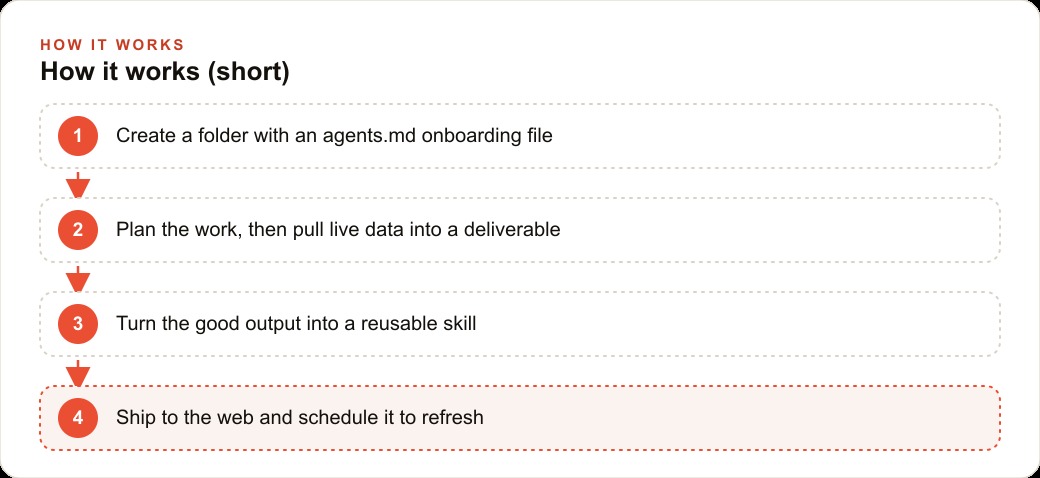
The YouTube comment intelligence build demonstrates how all four principles work together. The project starts in a folder with an agents.md explaining the goal, the channel context, and the output format required. Plan mode runs first to lay out the steps: authenticate with the YouTube API, pull 200 recent comments, apply theme clustering, calculate sentiment by cluster, render results into an Excel sheet with a chart and an insights summary tab. The plan is reviewed in plain language before any code runs. One adjustment is made during the plan review to include negative-sentiment flagging, a step that would have been missed without the planning phase.
The build executes on high intelligence because this is a substantial multi-step job. The Excel workbook comes back populated with real comments, themes grouped by frequency, sentiment scores by cluster, and a bar chart showing engagement by topic. After verifying the output, the skill is packaged with a slash command and numbered steps. GitHub receives the project. Vercel deploys a live dashboard. Browser use runs one verification pass that catches a chart rendering issue on mobile before any real user sees it. A Sunday schedule fires the skill on a recurring cycle with no manual involvement after setup.
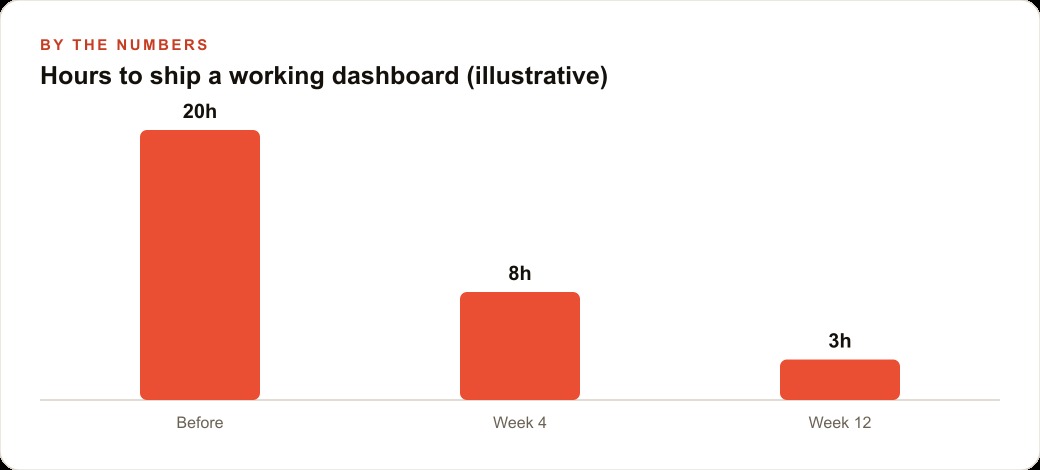
Illustratively, a developer building this through a traditional process would spend two to three days on requirements gathering, development, deployment setup, QA, and schedule configuration. At typical development rates that is 1,500 to 4,500 dollars. The Codex version takes one focused afternoon and the cost of the tool subscription. That is not a marginal efficiency gain. It is a structural change in what a small team or solo operator can build and maintain without outside help.
Over twelve months of weekly cycles, a team that built proper skills inside a properly organized folder accumulates hundreds of hours of recovered capacity compared to a team that re-prompts each week and deploys manually. That recovered capacity, compounded across multiple workflows, is the real return on the architectural discipline of the folder, the plan, the skill, and the pipeline. None of the individual pieces is technically complex. All of them together produce a system that runs reliably, improves incrementally, and earns trust through repeated quiet success, which is the only kind of trust that actually changes how a business operates day to day.
That is exactly what we do at AI DOERS. Book a private 30-minute call with Madhuranjan Kumar and we will map the fastest path to it for your specific business.
Book your call →
Madhuranjan Kumar
Madhuranjan Kumar brings 20 years of performance-marketing experience and has managed over $200 million in Facebook ad spend for brands across the United States and beyond. His expertise spans the full modern marketing stack: Meta, Google Ads, TikTok, email automation, CRM, and the websites that hold it together. At AI DOERS he turns that track record into lead-generation systems for businesses across every industry.