
I Let AI Design and Build a Working Web App, Here Is the Method
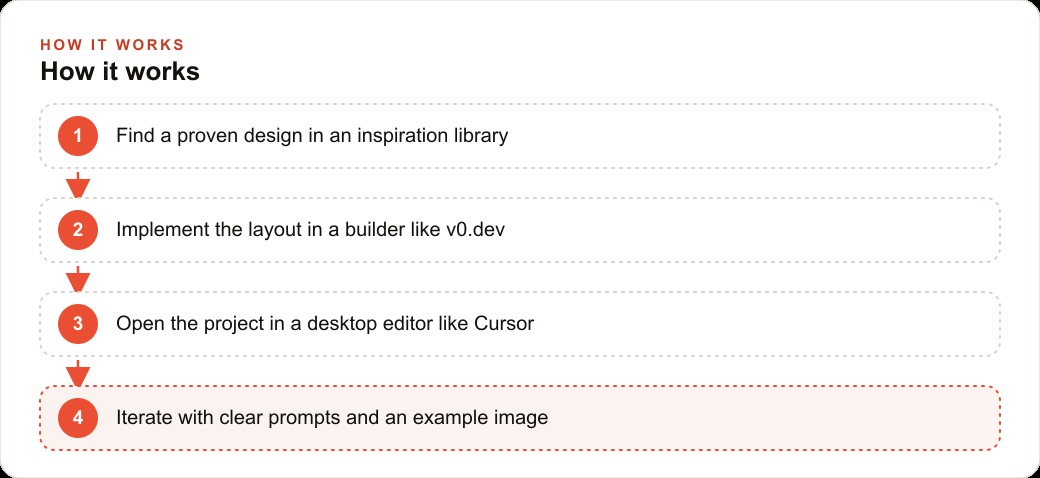
Borrow a proven design, implement it in an AI builder, then finish in a desktop editor with clear prompts and an example image. Here is the method and how I would run it for an auto repair shop.

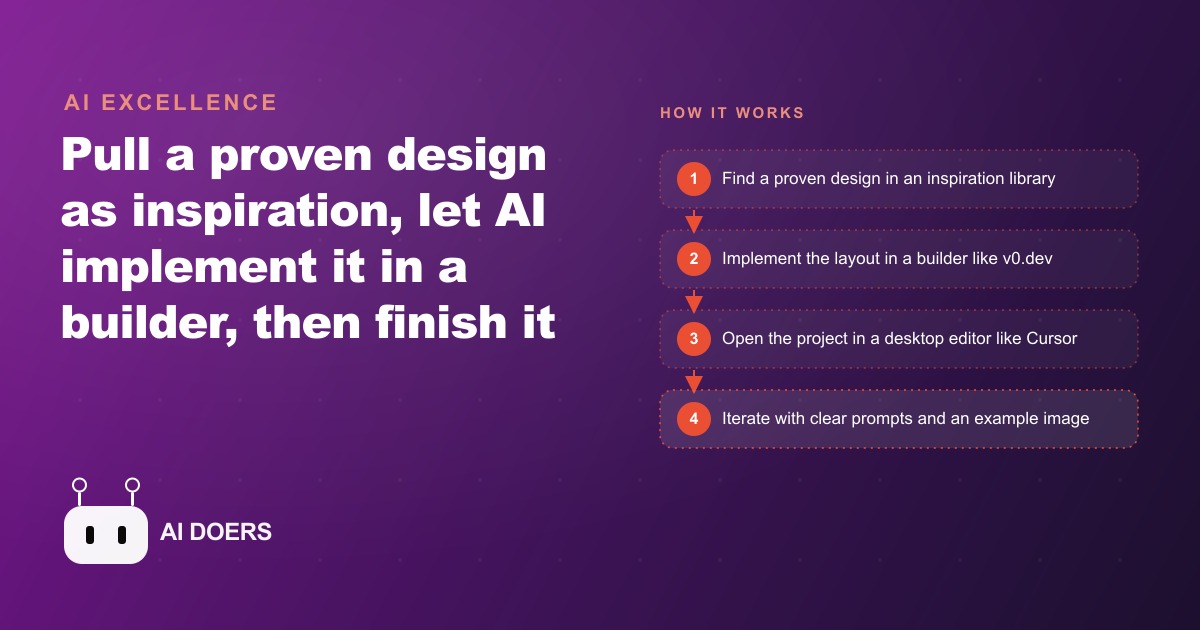
Salman built a digital vehicle inspection form for his auto repair shop using Claude Code, a voice note, and three sessions of directed feedback. I am Madhuranjan Kumar, and the story of how that happened reveals more about what AI-assisted development actually looks like in practice than most tutorials do, because Salman does not code.
The problem that paper inspection sheets create at scale
An auto repair shop that runs vehicle inspections on paper creates a problem that seems small until it compounds. The technician fills out a paper sheet during the inspection. That sheet goes to the service advisor. The service advisor reads it and calls the customer to describe what was found. The customer cannot see the inspection. They are deciding whether to spend money based on a verbal summary of a handwritten form they have never looked at.
At two inspections a day, this is manageable with some friction. At fifteen inspections a day, the friction becomes a workflow bottleneck. Service advisors spend significant time on calls that would be dramatically shorter if the customer could see the inspection results directly, with photos attached and a clear summary of what is urgent versus what can wait. The phone call shifts from "let me tell you what we found" to "do you have any questions about what you saw."
Digital inspection systems that solve this exist as SaaS products, and they work well. They also cost between $99 and $299 per month for a small shop, require training time on a new interface, and lock the shop into a vendor relationship where the data format and the workflow are controlled by the vendor rather than by the shop owner.
Salman wanted the same outcome, a system where technicians fill out an inspection on a phone or tablet and customers get an immediate link to review the results, without the monthly fee and without the data lock-in.
Building the inspiration library before touching any code
The first step was not writing any code. It was collecting examples of inspection interfaces that Salman found easy to navigate and felt appropriate for the shop's brand. This step has a name in professional development practice: building an inspiration library. The goal is not to copy any single example but to give the AI agent a concrete visual and functional target to aim toward.
Salman pulled screenshots of three interfaces he found clean and usable. A check-in form from a dealership website. A vehicle condition assessment from a rental car company. A maintenance record screen from a consumer automotive app. None of them were perfect matches for what he needed. Together they contained the elements he wanted: clear section headers for different inspection areas, a simple photo-upload mechanism, a damage annotation interface, and a severity indicator that would help customers understand which items needed immediate attention.
The inspiration library is not about showing the AI what to copy. It is about showing the AI the quality bar and the functional vocabulary of the domain. An agent that has seen three examples of well-designed inspection interfaces understands things about the domain, the terminology, the user flow, the information architecture, that would take a long time to communicate in text alone.
From a voice note to a working first version in one session
Salman recorded a two-minute voice note describing what he wanted the inspection app to do. He transcribed it, cleaned up the filler words, and pasted it into a new Claude Code session alongside descriptions of the three inspiration examples he had collected. The brief described the technician view, the customer-facing report, the photo attachment mechanism, and the severity categorization system he had been using mentally but had never formalized.
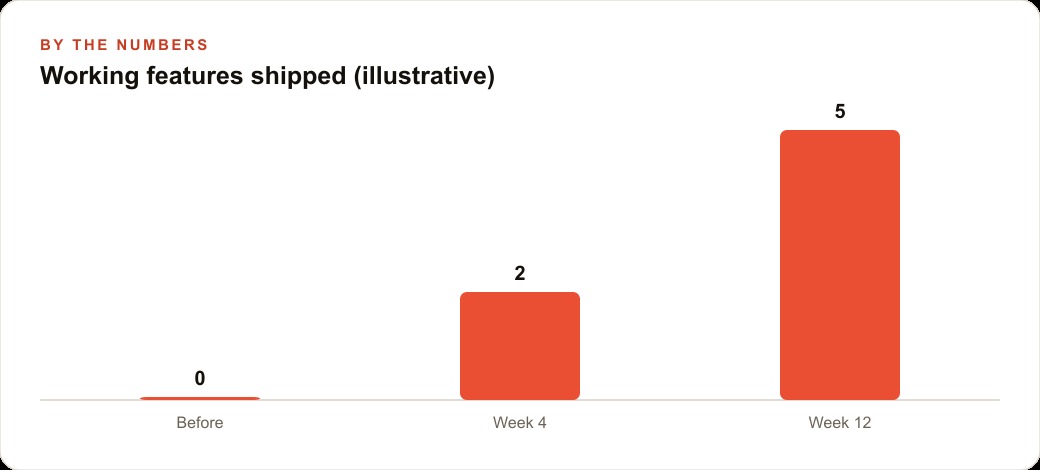
The first version that came back was not what he shipped. It was the starting point for a feedback process. The technician form had the right sections but the layout required too many scrolls to get through a typical inspection. The customer report rendered correctly on desktop but wrapped badly on the phone screens his customers actually used. The photo upload worked but did not compress images, which meant a complete inspection with twelve photos was generating a report link that loaded slowly on a mobile connection.
Each of these problems had a specific, describable solution. The form layout needed a section-by-section accordion structure rather than one long page. The customer report needed its layout tested against a 375-pixel viewport. The photo handling needed a compression step before storage.
The second session addressed all three. The third session added the shop branding, adjusted the severity language to match how Salman actually talked to customers about repair priority, and wired the completed inspection to send an SMS notification to the customer with the report link.
The gap between a polished desktop editor and a working clinic tool
The session that produced the most valuable output was the one Salman did not plan. He had been testing the app on his desktop and found it clean and functional. His senior technician, who would be the actual daily user, tested it on the shop floor on a tablet with greasy hands, working in the overhead light conditions of a vehicle bay.
The feedback was specific and practical. The tap targets on the severity buttons were too small. The photo-upload process required too many taps to get from "I want to take a photo" to "photo is attached to this inspection item." The text input fields for technician notes required a keyboard that covered half the screen when opened, obscuring the field the technician was trying to fill in.
None of these problems appeared in desktop testing. All of them were immediately apparent to someone using the tool in the context it was actually designed for.
A desktop editor is the right tool for building and reviewing code. It is not a useful stand-in for the actual use context of the tool being built. The most common mistake in AI-assisted app development is treating desktop testing as complete validation. It is necessary but not sufficient. The feedback loop between actual use context and the development session is where tools go from technically functional to genuinely usable.
The fourth session addressed the mobile interface feedback. Larger tap targets. A photo-capture shortcut that reduced the tap count from four to two. A sticky note input that stayed visible while the keyboard was open.
Connecting the completed inspection to the customer communication workflow
The inspection form and customer report were both working when Salman realized he had not thought through the notification step carefully enough. The app generated a unique link for each inspection. The link needed to reach the customer so they could review the results before the service advisor called. The options were SMS, email, or both.
Salman's shop used SMS for customer communication because response rates were higher. The app needed to send an SMS with the inspection link as soon as the technician marked the inspection complete. Claude Code integrated an SMS service, configured the message template using Salman's actual phrasing, and built the trigger that fired the message at inspection completion.
The customer experience the system produced was: technician completes the inspection, customer receives an SMS with a link, customer opens the link on their phone and sees a clear summary with photos, customer decides which items they want addressed before the service advisor calls. The call becomes a confirmation of what the customer has already decided, not a persuasion conversation about findings they cannot see.
For a shop owner thinking about the business case for this kind of investment, the math compares favorably to the SaaS alternative even before accounting for ownership of the data and workflow. The development cost was primarily time, and most of that time was Salman's directed feedback rather than any technical work. The ongoing cost is the SMS service and storage for inspection reports, both of which run significantly below the monthly SaaS fee for a comparable commercial product.
The role of the business owner in the entire process
Salman did not write any code across all five sessions. He recorded a brief, collected examples, described what he found wrong in each test, and approved the final result. The technical decisions, what database to use, how to structure the photo storage, how to handle the SMS integration, were all made by the agent based on the constraints Salman described.
This is the actual division of labor in AI-assisted app development when the business owner is not a developer. The owner contributes domain knowledge, the standard for what "good" looks like to the actual user, and the decision about when the tool is ready for use. The agent contributes implementation. The quality of the output depends on the quality of the owner's feedback, not on the owner acquiring technical knowledge.
For business owners who also manage digital advertising and want inspection results integrated into their customer communication and follow-up sequences, the same development approach extends naturally. A follow-up sequence that pulls from completed inspections to send service reminder communications six months later is another tool built with a clear brief and directed feedback, not a significant technical challenge once the inspection data structure is in place. The CRM integration that routes completed inspections into the customer record and triggers the follow-up sequence is a logical next build in the same project, and the foundation that the inspection app established makes each subsequent addition faster to complete.
The business math that justifies custom over SaaS
The comparison between a custom-built tool and a SaaS subscription is often presented as a cost comparison, but it is more accurately a total-cost-of-ownership comparison that includes costs that are not visible in a monthly fee.
A $199/month SaaS inspection management tool has a visible cost of $2,388 per year. The true cost also includes: the onboarding time for new staff on the SaaS platform's specific interface, which varies from the shop's other systems and requires its own learning curve; the ongoing cost of the vendor relationship, including contract renewals, potential price increases, and the risk of feature changes or service discontinuation that affect the shop's workflow without warning; and the data portability constraint, where the inspection history is stored in the vendor's database in the vendor's format and may not be exportable in a usable format if the shop switches vendors.
The custom-built tool has a different cost structure: development time and any ongoing maintenance time. The development time is the one-time investment. The maintenance is typically low for a well-built, simple tool that handles a well-defined workflow. The data is stored in a format the shop controls, in a location the shop owns.
For a business at Salman's scale, the custom-built tool pays back its development investment within the first three to four months of operation, after which the operational cost is near zero compared to the SaaS alternative. For a business at higher scale, with multiple locations or higher inspection volume, the economics favor the custom tool even more strongly because the SaaS pricing typically scales with volume while the custom tool's operating cost stays flat.
The inspection data as a business development tool
Six months of structured inspection data from a digital system creates a business development asset that the paper system could never produce: a searchable, analyzable record of what the shop has seen on the vehicles in its service area.
The aggregate data reveals patterns: which makes and models show specific failure patterns at specific mileage ranges, which components are most commonly deferred when customers decline service, which seasonal patterns affect what the shop sees in inspections. This data is useful for the shop owner's business development in specific ways.
It informs inventory decisions: if the data shows high frequency of a specific brake component failure across a make and model that is common in the area, having that component in stock reduces the wait time for customers and increases same-day completion rates. It informs marketing: a shop that knows its customer base has a high concentration of vehicles in a specific age range approaching a common service interval can time outreach communications to those customers proactively. It informs staff training: if deferred service items cluster in specific categories, targeted training on presenting those categories may improve conversion rates.
For a shop also running local advertising campaigns targeting vehicle owners in the area, the inspection data can inform campaign targeting and messaging. A shop that sees high frequency of a specific preventive service in its inspection data has a concrete, local-market-specific reason to run advertising about that service, with credibility that generic advertising does not have.
Scaling the system as the shop grows
The digital inspection system Salman built serves a single-location shop at its current scale. The architecture it uses, a web application with a database backend and an SMS integration, scales without significant change to higher volume. The constraints that would require architectural changes at high volume, database performance under concurrent inspection submissions, SMS delivery rate limits for large volumes of daily notifications, would only become relevant at a volume significantly above what a single-location shop generates.
For a multi-location expansion, the same architecture requires adding location-specific data segmentation: each inspection record needs a location identifier so the management view can filter by location and roll up to a multi-location summary. Adding this field to the existing data model is a well-defined extension that the agent can implement from a specific brief, and it does not require rebuilding the system.
The value of having built a well-structured custom tool rather than using a SaaS product is that this kind of expansion is controlled entirely by the shop owner. The timing, the cost, the exact feature set of the expanded system, all of these are decisions the owner makes rather than decisions the vendor makes and announces as a new pricing tier.
That is exactly what we do at AI DOERS. Book a private 30-minute call with Madhuranjan Kumar and we will map the fastest path to it for your specific business.
Book your call →
Madhuranjan Kumar
Madhuranjan Kumar brings 20 years of performance-marketing experience and has managed over $200 million in Facebook ad spend for brands across the United States and beyond. His expertise spans the full modern marketing stack: Meta, Google Ads, TikTok, email automation, CRM, and the websites that hold it together. At AI DOERS he turns that track record into lead-generation systems for businesses across every industry.