
What Hundreds of AI Agents Taught Me About Automation That Actually Helps a Business
The hype is all multi agent fireworks, but the wins are quieter: human in the loop drafting, boring tasks that compound, clean data, and the judgment to know what to automate. Here is how I would apply it.

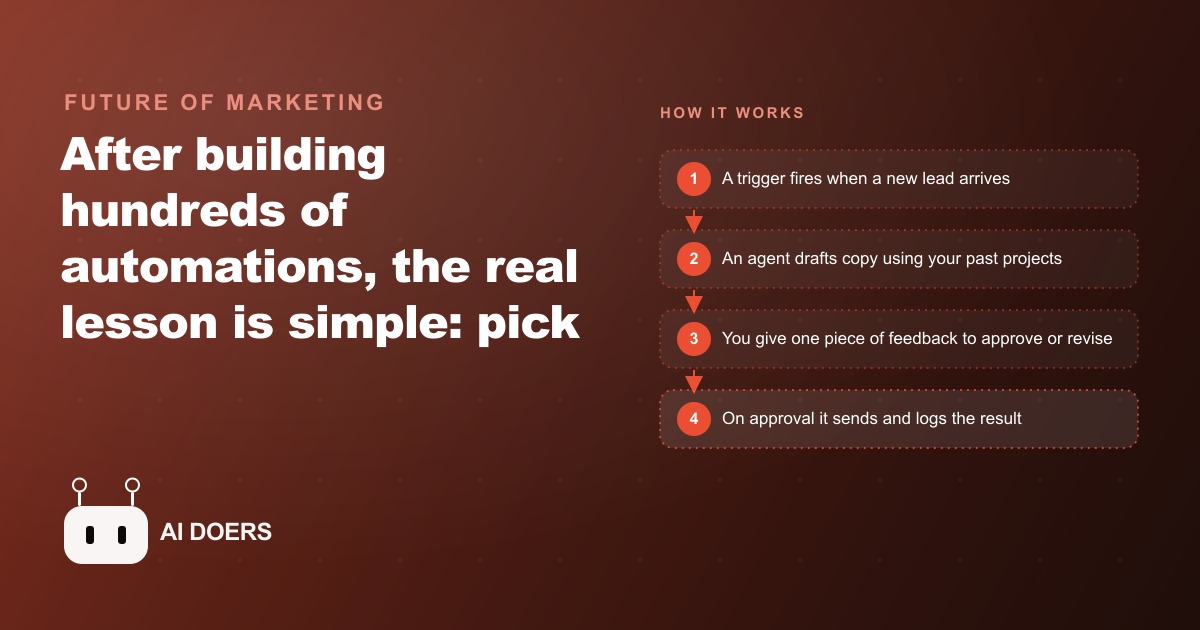
After building more than 500 AI agents across industries, I can tell you the pattern that actually produces results inside a real business. It is not multi-agent orchestration. It is not a six-model pipeline. It is a short linear workflow with a human in the loop, a set node as the source of truth, and a deliberate choice to automate the boring task that compounds instead of the impressive one that impresses nobody six months later. In this playbook I will walk you through every stage of that pattern, exactly as I would wire it up today.
Map the workflow before you build a single node
The first thing I do with any new automation is sit down and write out the steps on paper. Not in a builder, not in a diagram tool, just a plain list: what triggers this, what data does it need, what does it produce, where does it go. If you cannot describe the workflow clearly in five lines, you are not ready to build it. Most failed automations I have seen were started by someone who opened the builder first and figured out the logic as they went. That approach works fine when you are building a toy. It breaks when real leads or real clients are on the other end.
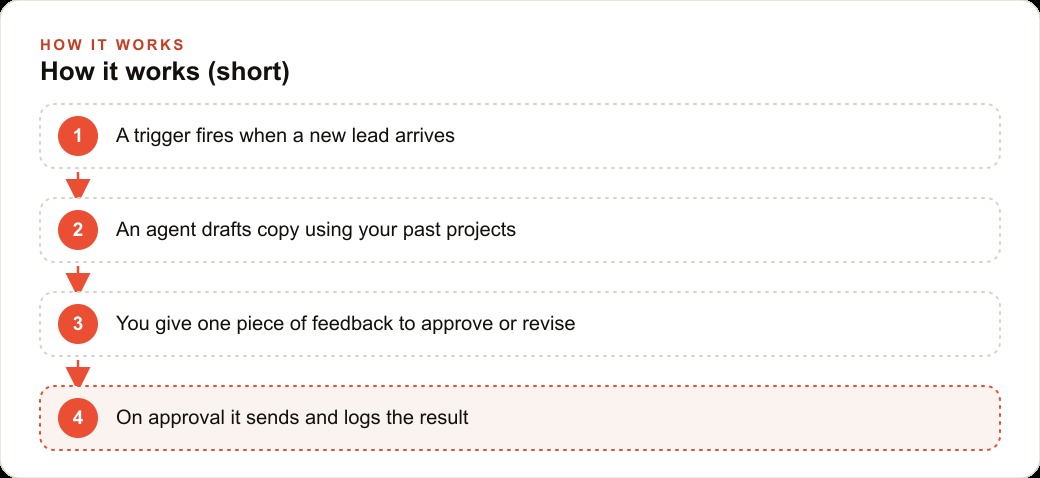
For the pattern I am about to describe, the paper version looks like this. A new lead submits a form. The agent reads the lead details and drafts a personalized reply based on past projects and context. The draft goes to you for review. You either approve it with one word or send back one line of feedback. If you approved it, it sends and logs. If you gave feedback, the agent revises and loops back to you. That is the whole thing. You could put it on a napkin. The clarity of that picture is what makes the build fast and the debugging easy.
Wire the trigger and the drafting agent as a linear chain
Once the map is clear, the first two nodes to build are the trigger and the drafting agent. Start with a linear chain: no branches, no parallel paths, no loops. A trigger watches for a new lead, a new row in a sheet, a webhook from a form, whatever fires in your situation. When it fires, it passes the lead data to the sales agent.
The sales agent is a large language model node with a system message that tells it exactly who it is and what it is trying to do. Something like: you are a senior sales consultant, your goal is to book a discovery call, write a short email referencing the prospect's stated problem and one relevant past project. Give it one tool, a function that looks up relevant past work from a simple database. Do not give it five tools on day one. One tool, one purpose, one output. The agent produces a draft email. Nothing sends yet. This is the foundation of the human in the loop pattern, and it is intentionally the simplest possible version of it.
Beginners almost always want to add complexity here. They want the agent to also check the CRM, score the lead, and post a message to Slack in the same step. Resist that. Get the draft right first. Adding integrations is trivial once the core logic is stable. Adding them before the core logic is stable is how you end up with a workflow where something breaks and you cannot tell which of the five things caused it.
Anchor every revision to a set node as the single source of truth
This is the stage most people skip, and it is the one that causes the most frustration when they build revision loops later. After the drafting agent produces its output, that output needs to be stored in a set node before anything else happens. A set node is a variable that holds the latest version of the draft. Every subsequent revision overwrites this node with the improved draft. Every read of the draft pulls from this node.
Without it, the revision loop keeps rewriting the very first draft. You give feedback, the agent revises, but the next time through the loop it has already forgotten the improvement and revises the original again. With the set node wired correctly, every round of feedback layers onto the best version so far. That one architectural decision is the difference between a loop that converges and a loop that spins. If I had to choose a single technical detail that separates working revision workflows from broken ones, this is it.
The practical wiring is straightforward. After the drafting step, set a variable called current_draft to the agent's output. When the revision agent runs, it reads current_draft as its input and its output overwrites current_draft before going back to the human review step. The set node is not a fancy feature. It is just a named variable that you respect throughout the flow.
Route the draft to a human approval step, not a send node
Once the draft exists in the set node, it goes to you. Not to the prospect. To you. The human approval step is what makes this pattern trustworthy. I have seen business owners who were excited about AI automation send the first version of an agent straight to customers, and the first time the agent wrote something slightly off, it cost them a relationship. The human in the loop is not a concession to imperfect AI. It is a deliberate design choice that keeps judgment where judgment belongs.
The approval mechanism can be simple. An email that contains the draft and two links, one to approve and one to request changes, works fine. A Slack message with a button works too. The key is that the workflow waits. It does not proceed until you take an action. When you choose to approve, the flow continues to send. When you choose to request changes, the flow continues to a revision agent that reads your feedback and rewrites current_draft, then loops back to show you the result.
For the feedback path, a small classifier that reads your reply and decides whether it means approved or needs revision is all you need. Your reply does not have to follow a format. You might type looks good, or shorten the second paragraph and make the close more direct. The classifier handles both. Once approved, the send node fires and a log node records the result. The whole loop from draft to send typically takes under three minutes of your active time.
Pick the boring task that compounds, not the flashy one
Everything above is about how to build the workflow. This stage is about choosing what to automate in the first place, and it is where most business owners spend the least time and make the most expensive mistake. The task that looks impressive in a demo is almost never the task worth automating first.
I will give you the question I use. Does this task happen multiple times a week, every week, without variation? If yes, it is worth automating. Inbox sorting that flags unimportant mail every single morning is worth automating. A flashy assistant that generates a weekly competitive intelligence briefing sounds impressive but gets ignored by week three. The boring task compounds. The flashy task sits unused.
For businesses running paid traffic, the compound tasks are usually in the lead response loop, and that is exactly the pattern we have been building. Every new lead that comes in from Meta ads or Google ads needs a fast, personalized first reply. That happens every day, sometimes dozens of times a day. The ROI of automating it is real and it grows as volume grows. Compare that to automating the quarterly competitor analysis that you do once and forget to run again.
The other framing that helps is this: what task, if you never had to do it again, would free up the most compounding time? Not the most total time, the most compounding time. An inbox sorter that saves you twenty minutes every morning saves more than 120 hours a year, and that time was stolen in two-minute increments across every single working day. That is a compounding drain and therefore a compounding opportunity.
Feed the agent better data instead of tweaking the prompt
Once the workflow is running, the instinct is to improve the drafts by rewriting the system prompt. Add more instructions, be more specific, give more examples. This works to a point, but it is not where the leverage is. The leverage is in the data you feed the agent, specifically the data about each individual lead.
One extra field on your lead form, asking the prospect's most pressing problem or their current monthly budget, changes the quality of the draft more than any prompt optimization. The agent can write a message that references their actual situation instead of their stated industry. That is what makes a reply feel personal. And as the underlying models keep improving, prompts that are somewhat vague still produce good output, but the agent will always produce better output with more context about the specific person it is writing for.
This is why I call data the compounding moat of automation. The workflow you build today will perform better in six months with the same prompt but richer lead data, because the models underneath it will be smarter and the context you are feeding them will be more specific. Invest in collecting one more useful field per form, in logging useful metadata about each lead to a simple database, in structuring the past projects your agent can look up so the relevant ones surface reliably. That investment compounds quietly in the background of every workflow run.
For businesses using SEO content or web and CRM tools to capture leads, this matters even more because those leads often arrive with detailed intent signals. Someone who read a specific service page, clicked a specific CTA, and filled out a form with a specific question is sending you signal that the agent should use. Build the data collection to capture that signal and pass it into the agent.
Read the error, check the docs, and move on in under a minute
Every automation breaks at some point. A webhook changes its payload format, a credential expires, an API returns an unexpected response. The instinct when this happens is to treat it as a crisis, start Googling broadly, or assume the whole workflow is broken. None of those responses are efficient.
In my experience building hundreds of these, only a handful of error messages show up with any regularity. Authentication failure usually means an expired token or a missing permission scope, and the fix is to re-authenticate or check the OAuth settings. A timeout usually means an API call took too long or the workflow waited forever for a human approval that never came. A data type mismatch usually means a string came through where a number was expected, and you need to add a conversion step. A null reference usually means a field you expected to be populated was empty on this particular run, and you need to add a default value.
The protocol is simple. Read the exact error message. Copy the key phrase and search the platform documentation. Most errors clear in under two minutes when you follow that process instead of trying to reason about what might be wrong from memory. I have watched people spend three hours debugging what turned out to be a one-line fix that was on the first page of the docs. The discipline to read and search before theorizing is a skill, and it is worth cultivating early.
Master one platform deeply before branching to others
The automation tool landscape changes fast. New platforms appear, existing ones add major features, pricing structures shift, and integrations that required custom code last year are now native. In that environment, the tempting strategy is to stay shallow across many tools so you are never locked in. That strategy is wrong for most businesses.
Mastering one platform deeply means you know how it handles data types, how it structures credentials, how its error messages work, and where its performance ceiling is. That knowledge transfers directly to troubleshooting, to building more complex flows, and to onboarding any team member who needs to maintain the system. It also means you can evaluate other platforms accurately, because you know what good looks like.
Staying tool-agnostic does not mean using every tool. It means not building your identity around a specific tool so that when something better appears for a specific use case, you can evaluate it without bias. The skill is in understanding the workflow patterns, the data structures, the logic of triggers and branches and loops. Those concepts are portable. The specific UI of any given platform is not what you are learning; you are learning how automation works, and that knowledge applies everywhere.
Build judgment about what to automate and where to place each step
This is the stage that separates the people who build automation as a party trick from the people who build it as a compounding business advantage. Judgment is knowing which task is worth the build time, where in a workflow a human checkpoint actually adds value versus slows things down for no reason, which model to use for a given task, and when to stop optimizing and ship.
Judgment is also knowing what not to automate. Some tasks should stay manual because the variability is too high for an agent to handle well without constant supervision. Some tasks should stay manual because the relationship cost of a machine touching them is higher than the time cost of a human doing them. A good automation practitioner knows both the technical constraints and the relational ones.
As the tools become more accessible and more businesses run basic automations, judgment is the compounding moat. Soon anyone will be able to describe a workflow and have it built for them. The edge will belong to the people who know which workflow to describe, where to put the guardrails, how to measure whether it is working, and how to improve it over time. That taste develops through building, breaking, fixing, and observing what happens in production, not through reading about it.
Worked example: new lead to approved reply in under three minutes
Here is how the full pattern runs in a real situation. A prospect fills out a contact form requesting help with paid advertising. The form captures their name, the industry they are in, their current monthly ad spend, and the problem they most want to solve. The trigger fires the moment the form submits. The sales agent receives all four fields, searches a database of past projects filtered by industry and ad spend range, and drafts a 120-word reply that references a similar engagement and proposes two specific times for a thirty-minute call.
That draft is stored in current_draft and an email lands in the inbox of the person handling sales review. The reviewer reads it in twenty seconds and types back one line: tighten the second sentence and drop the second call time option. The classifier reads that reply, routes it to the revision agent, which rewrites current_draft with both changes applied, and sends a new review email. The reviewer replies approved. The send node fires the final email to the prospect, and a log node writes a row to a tracking sheet with the lead name, the draft count, the total time from form submit to send, and the outcome.
In this example the total time from form submission to email sent was eleven minutes. Eight of those minutes were the reviewer doing other work while the workflow waited. The active time spent by the reviewer was under ninety seconds across both review rounds. The prospect received a reply that referenced their specific situation within the same hour they submitted the form, which is faster than almost any competitor operating on manual processes.
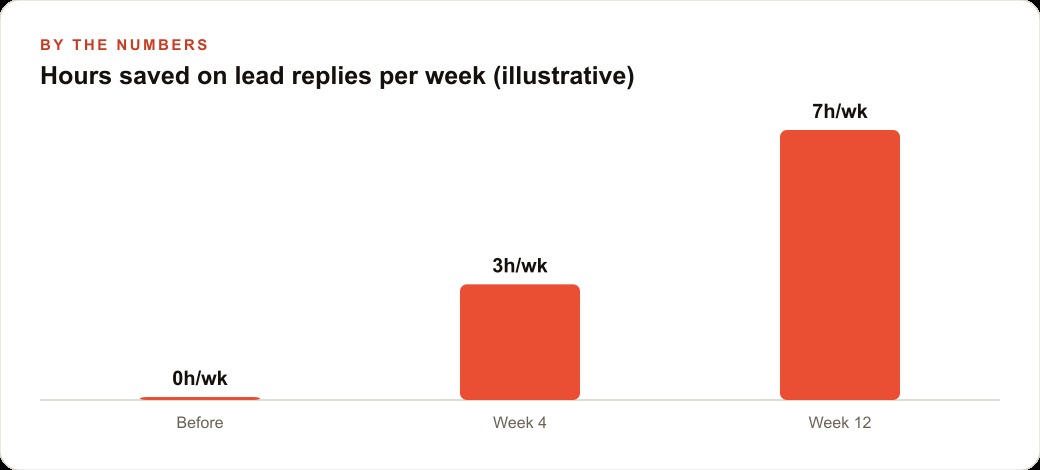
Over forty leads in a month, that workflow returned roughly six hours of drafting time at a running cost of a few dollars in API calls. The reply quality was consistent across every lead, regardless of what else was happening that day. And when the team looked at the data after thirty days, they noticed that leads who received a reply within the first hour converted at nearly twice the rate of leads who received a reply the following day. The automation did not just save time. It moved a business metric that mattered.
That is exactly what we do at AI DOERS. Book a private 30-minute call with Madhuranjan Kumar and we will map the fastest path to it for your specific business.
Book your call →
Madhuranjan Kumar
Madhuranjan Kumar brings 20 years of performance-marketing experience and has managed over $200 million in Facebook ad spend for brands across the United States and beyond. His expertise spans the full modern marketing stack: Meta, Google Ads, TikTok, email automation, CRM, and the websites that hold it together. At AI DOERS he turns that track record into lead-generation systems for businesses across every industry.