
Is Windsurf Better Than Cursor? It Comes Down to Context
Windsurf outperforms Cursor on real projects because it indexes your entire codebase first. Its Cascade agent understands file structure, dependencies, and your manual edits before writing code, instead of guessing and breaking things.

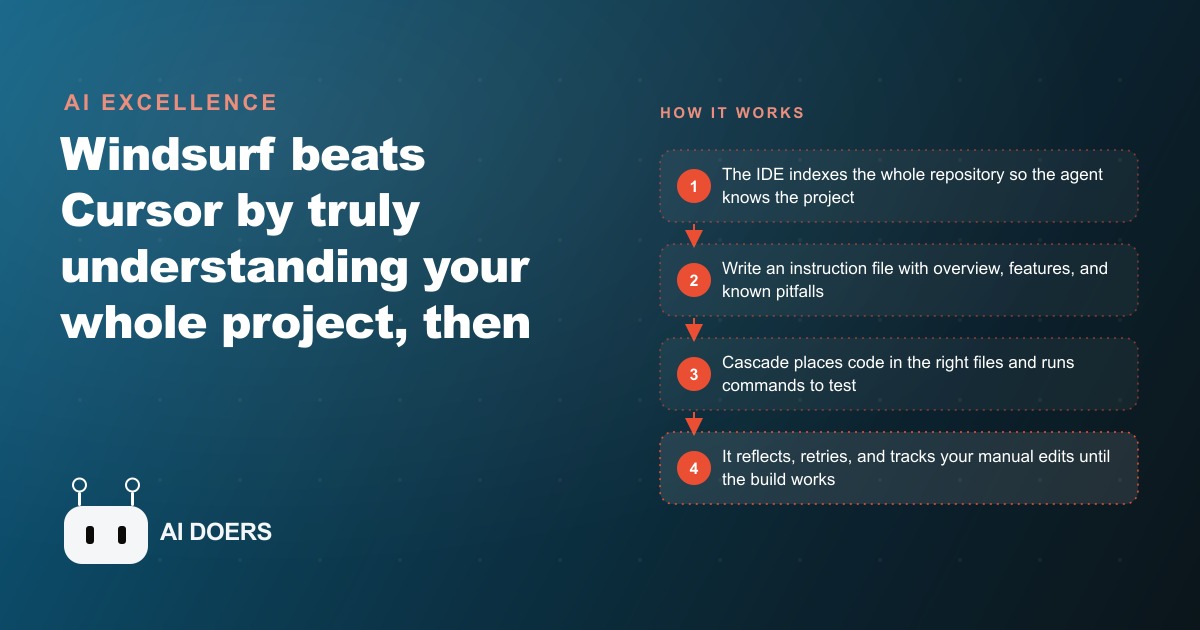
Something meaningfully different happened in agentic coding tools this year, and it changed the Windsurf versus Cursor comparison in a way that most benchmark comparisons miss. The difference is not which model each tool uses. It is whether the agent understands your project before it writes a single line of code.
I am Madhuranjan Kumar. I want to walk through what specifically changed, why it matters for any business trying to build internal software without a full engineering team, and where a gym owner or a professional services firm can apply this today.
Windsurf's Cascade agent ships with repo-level context, not file-level guessing
The practical failure mode of most AI coding assistants is consistent and maddening: you open a file, ask the agent to add a feature, and it writes code that works perfectly in isolation but breaks three things it did not know existed. The agent did not know they existed because it was only looking at the one file you had open.
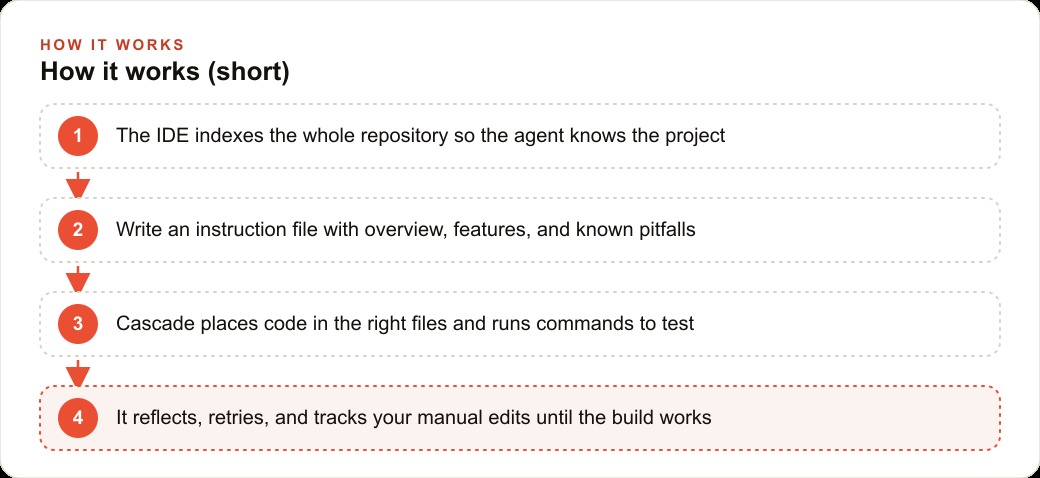
Windsurf's answer to this is an agent called Cascade that indexes the whole repository before it does anything else. Given a Next.js project that already has a component library configured, Cascade reads the folder structure, understands where components live, identifies how they import from each other, and places new components in the correct existing directory instead of creating a new one in the wrong location. This sounds minor. In practice it is the difference between a build that works and a build that takes an hour to untangle.
The underlying retrieval method is also different from the embedding-based search that most tools use. Embedding search compresses code into a lower-dimensional representation, which loses structural nuance and generates false positives when two pieces of code look similar but do very different things. Cascade runs many small, purpose-built model calls in parallel, each scoring a different code snippet for relevance to the current task. This captures the full detail of what the code actually does, not a compressed approximation of its surface appearance. On a large codebase, the difference in precision is significant enough to change which files the agent touches on a given task.
Two behaviors follow from this directly. First, Cascade knows where files belong without being told, because it has already mapped the project. Second, it knows what code is currently in the project, so when you make a manual edit it can see the change and respond to it without you needing to explain what you did or restart the conversation.
The instruction-file habit that unlocks reliable builds from the first prompt
Before Cascade writes any code, the most powerful thing you can do is write a brief requirements document and drop it into the project. This file does not need to be long. A project overview, the core features, a list of the external libraries the project uses, links or excerpts from current documentation for those libraries, and a short list of known constraints or pitfalls is enough. Two pages if you write efficiently.
This habit matters because it aligns the agent's understanding before the first prompt, rather than discovering misalignments through broken builds. The agent reads the instruction file, understands the architecture decisions that were already made, and makes new decisions consistent with them. Without it, the agent makes reasonable guesses that are often wrong in ways that are only visible when something breaks later.
The library documentation point is especially important for fast-moving tools. AI models have a training cutoff, and libraries that were released or significantly updated in the past six to twelve months may not have their current API documented in the model's training data. Pasting the current documentation directly into the instruction file or the conversation context ensures the agent writes code that actually works with the version you installed, rather than a version from eighteen months ago that has since changed its method signatures.
A practical template for the instruction file is: project name and one-sentence description, tech stack, core features in plain language, external libraries with version numbers and a link to or excerpt from current documentation, known constraints, and a list of the three or four things most likely to go wrong based on past experience. Writing this once per project, and updating it as the project evolves, is the highest-return documentation habit in agentic coding.
Debugging changed when the agent tries a different fix instead of repeating the same one
The frustration that anyone who has done serious agentic coding will recognize is the loop: the agent tries a fix, it does not work, the agent tries the same fix again with slightly different wording, it still does not work, and you are fifteen minutes into a conversation going nowhere.
What changed with Cascade is that on a stubborn bug, the agent's debugging behavior is persistence with adaptation rather than persistence with repetition. In testing, Cascade attempted one fix, observed from the console output that the bug was still present, changed its underlying assumption about what was causing the bug, tried a genuinely different approach, and on the third attempt resolved the issue. The critical word is "different": each attempt was based on a different diagnosis, not a different surface expression of the same wrong diagnosis.
This behavior is only possible because the agent can see the full context of the project, the console output from the running application, and the results of previous fix attempts. A plugin sitting inside a general-purpose editor often cannot see all of that without additional configuration. An IDE that owns the entire editing environment sees it natively, including which file you are currently in, what edits you made since the last agent turn, and the console output from the running application.
The business implication is time. A developer debugging a stubborn issue who is getting genuinely different approaches tried with each attempt resolves the issue faster and with less context-switching than one who is manually steering a stuck agent by rephrasing the same prompt. For a small business owner or a non-developer building an internal tool, the difference between an agent that adapts and one that loops can be the difference between a finished tool and an abandoned project.
Who this actually helps and what the PDF-to-data niche tells us about the opportunity
The people this helps most are the ones building real software on an existing codebase, not starting from a blank file. A developer who already has a six-month-old project with a specific folder structure, specific dependencies, and specific constraints benefits far more from context-aware agentic coding than someone starting from scratch. The agent's understanding of what already exists is most valuable precisely when the most already exists.
The PDF-to-Excel niche from the demo is worth examining because it reveals a broader pattern. There are reportedly micro-SaaS tools in this category earning substantial monthly recurring revenue by solving one narrow problem: taking a specific type of PDF, extracting its structured data, and returning it as a clean spreadsheet. The value proposition is simple, the customer need is genuine, and the barrier to building it dropped significantly once large language models became capable of understanding document structure.
What makes this relevant to the agentic coding question is that building a reliable PDF extraction tool requires integrating a parsing library, a structured output schema, error handling for malformed documents, a clean user-facing interface, and a deployment configuration that runs without constant maintenance. These pieces interact with each other in ways that only a context-aware agent can navigate cleanly the first time. A tool that guesses file placement breaks the integration. A tool that knows the project structure places each piece correctly.
The same pattern applies to dozens of other structured-data problems that small and medium businesses deal with daily: supplier invoices that need to feed into an accounting system, insurance documents that need to feed into a claims tracker, research tables that need to feed into an analysis tool, and client intake forms that need to route into a CRM. Each of these is a niche with real paying users and a small enough surface area to build from a requirements document in days rather than weeks.
The move to make this week if you have unbuilt internal tools
The concrete move is to identify one internal data-handling task that is currently done manually and write a two-page requirements document for a tool that would automate it.
Here is what that looks like for a gym. The front desk currently spends three hours per week copying member data from a PDF export into the booking system and the accounting tool. The data includes member name, plan type, billing date, and class bookings. Copying errors happen regularly, and the person doing it has other things they would rather be doing.
The requirements document for a tool to solve this problem takes thirty minutes to write. Project: member data import tool. Stack: whatever the existing internal tools run on. Core feature: ingest the weekly membership PDF, extract the specified fields, write them into the booking system and the accounting tool. Libraries: the PDF parsing library, the relevant API for the booking system. Known constraints: the PDF column names are inconsistent depending on who filled out the form, so the extraction needs to handle several variations. Known pitfalls: the booking system API has a rate limit of a hundred requests per minute, so the tool needs to batch its writes.
With that requirements document in place and pasted into the instruction file, a context-aware coding agent can scaffold the tool in a working session. The agent understands the project structure from the first message, places each component correctly, and handles the edge cases that were documented rather than discovering them through failed builds.
Once built, the three hours per week of manual data entry becomes twenty minutes of review and approval. Over a year that recovery is more than one hundred hours returned to the business. For a two-person front desk operation, one hundred hours is meaningful: that is five full weeks of Monday mornings given back to member onboarding, follow-up calls, facility maintenance, or simply leaving at a reasonable hour.
The opportunity right now is that most small businesses have three or four of these structured-data problems sitting unresolved because the cost and time of building a custom tool seemed out of reach. Context-aware agentic coding has moved that cost from thousands of dollars and weeks of developer time to an afternoon and a requirements document. The businesses that identify their highest-friction data-handling tasks and address them first will recover time that compounds every single week from the date the tool goes live.
What the instruction file actually changes in practice
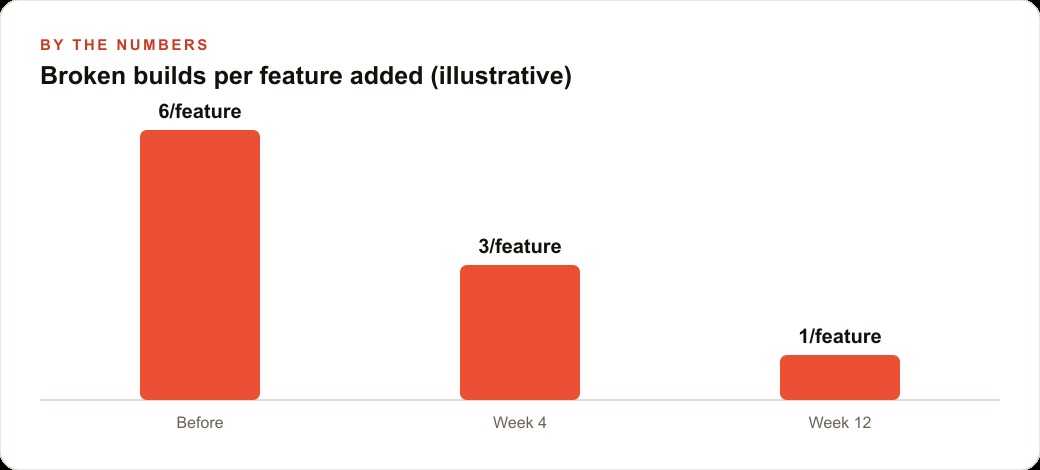
To make this concrete, consider the difference in outcomes from two otherwise identical sessions. In the first, a developer asks Cascade to add a search feature to a Next.js application. No instruction file exists. Cascade builds a search component, places it in the root directory because that is a reasonable guess, wires it to a new API route that does not account for the existing authentication middleware, and uses a state management approach that conflicts with the one the rest of the application uses. Three things need to be fixed before the feature works.
In the second session, an instruction file exists. It notes that components belong in the src/components directory, that all API routes must pass through the existing auth middleware at src/middleware/auth.js, and that the project uses React Query for data fetching rather than local state. Cascade adds the search feature, places it correctly, wires it through the existing middleware, and uses React Query consistently with every other data-fetching operation in the project. Zero things need to be fixed.
The difference in build quality is not from a different model or a different agent. It is from two pages of context written before the session started. This is the leverage point that most people miss because writing documentation before building feels backwards. The practical experience of agentic coding flips that intuition: the document written before the first prompt is the most productive document in the project.
A useful shortcut: write the instruction file after the first failed build of a new project. The first build will reveal the assumptions the agent makes without context. Write down the correct answers to every wrong assumption and put them in the instruction file. Every subsequent build starts from those correct answers instead of discovering them through errors.
That is exactly what we do at AI DOERS. Book a private 30-minute call with Madhuranjan Kumar and we will map the fastest path to it for your specific business.
Book your call →
Madhuranjan Kumar
Madhuranjan Kumar brings 20 years of performance-marketing experience and has managed over $200 million in Facebook ad spend for brands across the United States and beyond. His expertise spans the full modern marketing stack: Meta, Google Ads, TikTok, email automation, CRM, and the websites that hold it together. At AI DOERS he turns that track record into lead-generation systems for businesses across every industry.