
Is Genspark the Most Underrated AI Tool for 2026? A Practical Review
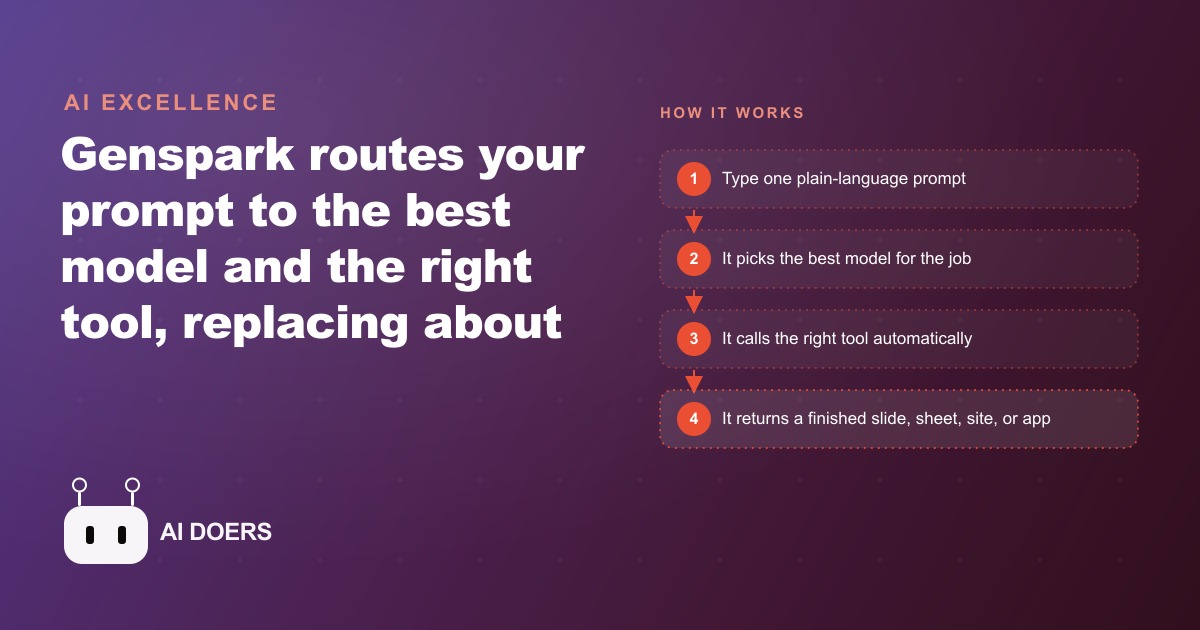
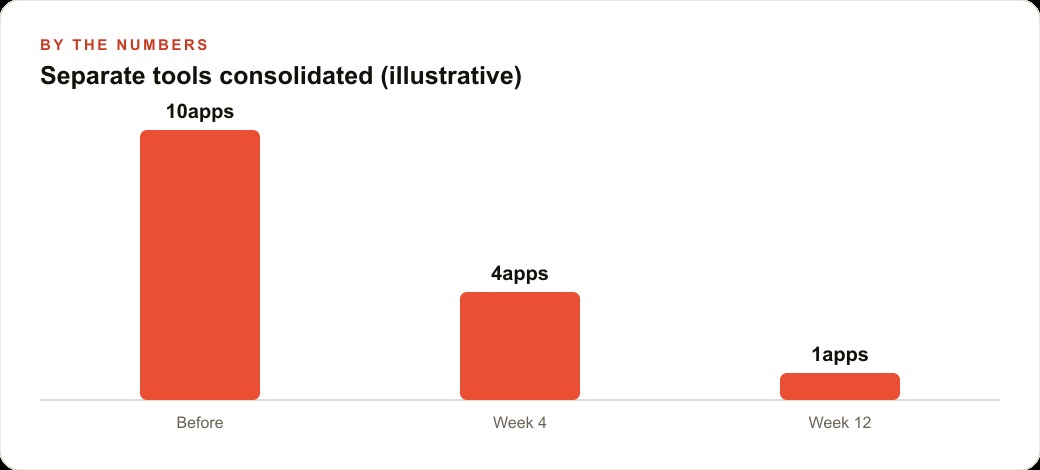
Genspark is an all-in-one AI workspace that takes a single prompt, automatically picks the best model, calls the right tool, and can replace roughly ten separate subscriptions for slides, sheets, sites, images, and apps.

Start with an honest audit of every tool you pay for
I am Madhuranjan Kumar, and the first step in this playbook is not installing Genspark. It is not signing up for anything. It is sitting down with a billing statement and writing a list of every AI-adjacent tool the business pays for, what it actually does, and how many times in the past month it was used for its primary purpose. That audit is the work most people skip, and skipping it is why consolidation projects fail: people swap one tool for another without clarity on what the original tool was actually providing.
What you are looking for is the overlap between what you pay for and what you actually use. Most businesses have three categories of tools in this space. The first is the core assistant, the general-purpose AI they interact with daily. The second is a set of point solutions for specific tasks: a slide builder, a spreadsheet tool, an email summarizer, an image generator, a site builder. The third is tools that were set up during a period of enthusiasm and never became habits, still billing monthly while contributing almost nothing to the actual work. The audit reveals which tools belong to which category and sets the scope for what consolidation can reasonably accomplish.
For a small business with a typical AI stack of five to eight tools, the honest result of this audit is usually that two or three tools account for ninety percent of the weekly use, one or two are used occasionally for specific jobs, and the rest are ghost subscriptions. The consolidation opportunity is in that first category. If an orchestrated workspace can handle the jobs currently spread across the high-frequency tools, those subscriptions can be cancelled and the combined cost redirected to a single platform that handles all of them.
Score each subscription by what it actually does, not what it promises
Marketing copy for AI tools is uniformly aspirational. Everything claims to save time, produce better results, and fit seamlessly into your existing workflow. The question that cuts through the copy is simpler: what is the one specific thing this tool does that I would miss if it disappeared tomorrow?
For an email summarizer, the one thing might be the ability to understand a 40-message inbox in ninety seconds rather than reading through it sequentially. For a slide builder, it might be the ability to turn a topic into a structured deck with designed slides in ten minutes rather than building from a blank template. For a spreadsheet tool, it might be the ability to describe a calculation in plain language and have the formula written rather than looking it up in documentation. For a site builder, it might be the ability to describe a page structure and have a deployable version in twenty minutes.
Write that one thing down for each tool. That list of one-things is the actual specification you are comparing against any replacement. The replacement does not need to match every feature of each tool. It needs to match each tool's one thing. A business that has written this list can evaluate an orchestrated platform like Genspark in an afternoon by testing each one-thing against the platform's capabilities. Where the platform matches or exceeds, the subscription is a candidate for cancellation. Where the platform falls short on a specific one-thing, that tool stays.
Map your stack against what an orchestrated platform can replace
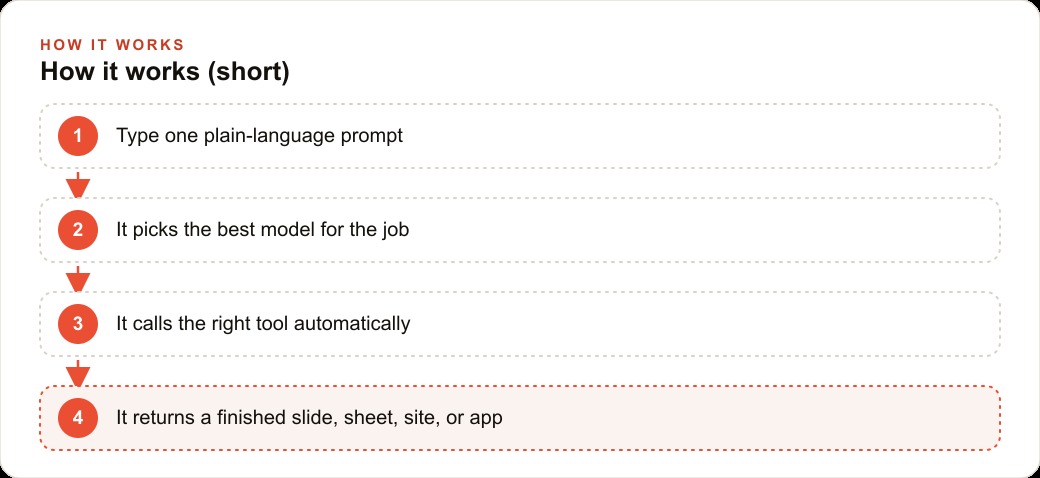
Genspark is an orchestrated workspace that takes a prompt and decides both which AI model to use and which tool to activate, without asking you to make either decision. The architecture is worth understanding before you map your stack against it, because the routing decision is the part most tools outsource to the user.
The core capabilities that have direct equivalents to common business subscriptions are email triage through a connected inbox, slide generation from a topic or outline, spreadsheet building from a plain description with working formulas, website creation from a structural description with live publication, and full-stack application development from a single prompt. These five capabilities cover what most small businesses are paying for across their point-solution stack. The AI Inbox replaces or substantially reduces the standalone email summarizer. AI Slides covers the slide builder. AI Sheets covers the spreadsheet formula tool. The website builder and the developer together cover lightweight site-building and simple app creation.
The capability that stands out and has fewer direct equivalents in most stacks is email triage at scale. The demo walkthrough showed a 58-email inbox understood, grouped by topic, and flagged for priority response in about a minute. For any business with a high-volume inbox and a desire to spend less than an hour per morning on email, that specific capability is the one most worth testing first, because the time saving is measurable from the first use rather than accumulating gradually.
The mapping exercise is straightforward. Take your list of subscriptions and their one-things. Find the corresponding capability in the platform. Schedule a test session for each one, using real examples from your actual work rather than made-up scenarios. A slide test should use a real upcoming presentation topic. An email test should use real messages from your actual inbox. A site test should describe a real page your business needs. Tests on realistic inputs produce evaluations you can actually act on. Tests on artificial scenarios tell you what the tool can do in ideal conditions, which is rarely the information you need.
Test on the highest-frequency task first, not the most impressive one
The mapping exercise typically reveals a most-impressive capability and a highest-frequency capability, and these are almost never the same one. The most impressive is usually the full-stack app developer, which can produce a working application from a single sentence. The highest-frequency is usually the email inbox triage, which saves the most time per week for most business owners.
Test the highest-frequency task first. The reason is practical: if the platform handles your most frequent task well, you will use it every day, which accelerates your understanding of every other capability. If you test the most impressive capability first and it works, you have demonstrated something interesting but infrequently useful. If you test the most impressive capability first and it fails or falls short, you may dismiss the platform before discovering that it handles your daily tasks excellently.
For a law firm, the highest-frequency task might be document summarization, which is faster to test and more revealing of daily value than the full-stack development capability. For a marketing agency, it might be briefing-to-slide conversion. For a retailer, it might be product description drafting. Identify the one task you repeat most often that currently requires opening a specific tool, and run it through the platform first. Give it a real input. Compare the output to what the incumbent tool produces. If the platform matches or exceeds on quality and is faster or cheaper on time or cost, that is the first subscription you cancel.
Build the habits that make one workspace more useful than ten
Switching to a consolidated workspace is only half the change. The other half is building the habits inside the new workspace that make it more useful than the stack it replaced. A platform with ten capabilities is only better than ten separate tools if the user builds the muscle memory to reach for it consistently rather than defaulting to old tools from habit.
The habit-building process has three practical stages. The first is replacement: for each cancelled subscription, create a saved workflow in the new platform that covers the same job. For the email inbox, that means setting up the inbox connection and building the daily triage summary prompt so it is ready to use without configuration each morning. For the slide workflow, that means establishing a standard template instruction so every new presentation starts with the same prompt rather than reinventing the structure each time. Replace each tool's workflow before cancelling its subscription.
The second stage is extension: look for tasks you currently handle manually or imperfectly and run them through the new capabilities you now have access to. The app developer might be able to produce a simple client intake form you have been building in a shared document. The site builder might be able to produce a new landing page you have been postponing because opening the old tool felt like a project. Extension is where the value grows beyond subscription savings into new capabilities the business did not have before.
The third stage is routine: make the workspace the first place you go when a task surfaces rather than the second or third. This requires deliberate practice for the first two weeks and becomes automatic by the fourth. The business that builds this routine has a materially different relationship with AI output than one that treats it as a specialty tool for exceptional tasks. The cumulative weekly output, the number of drafts, summaries, structured sheets, and designed pages produced, is higher, the time spent per output is lower, and the team stops making tool decisions because there is only one tool to open.
What stays, what goes, and why the exceptions matter
Not every subscription survives the consolidation, and not every capability of the platform replaces what it replaced. There are legitimate exceptions on both sides, and being honest about them is what makes the evaluation credible rather than oversold.
A team with specialized design requirements that go beyond what an AI generator can produce reliably will keep a professional design tool. A developer team running complex infrastructure will keep dedicated developer tooling. Any business subject to compliance requirements that mandate specific vendor certifications will keep those certified tools regardless of whether a general platform could technically do the same job. The exceptions are not failures of the consolidation. They are the cases where the one-thing of the incumbent tool is genuinely not covered at sufficient quality or compliance by the platform.
The more common legitimate exception is the team that has invested significant time in a specific prompt library, template set, or workflow within an existing tool. Migration costs are real when institutional knowledge is embedded in a specific platform's format. The right question is not whether migration is possible but whether the migration cost is worth paying given the expected savings and capability gains. For a two-person business with a dozen prompts written in one tool's format, migration is an afternoon's work. For a ten-person team with hundreds of templates, the calculation is different and worth working through explicitly before committing.
The honest conclusion of any consolidation project is a smaller stack, lower monthly cost, and a set of exceptions that are kept for genuine reasons rather than inertia. The exceptions become candidates for review when the platform's capabilities improve, because the platform's capabilities will improve. The subscriptions you keep for legitimate current gaps may not justify keeping twelve months from now when those gaps are filled. Building the review habit into a quarterly calendar appointment ensures the stack stays current rather than reverting to old subscription patterns as capabilities evolve.
That is exactly what we do at AI DOERS. Book a private 30-minute call with Madhuranjan Kumar and we will map the fastest path to it for your specific business.
Book your call →
Madhuranjan Kumar
Madhuranjan Kumar brings 20 years of performance-marketing experience and has managed over $200 million in Facebook ad spend for brands across the United States and beyond. His expertise spans the full modern marketing stack: Meta, Google Ads, TikTok, email automation, CRM, and the websites that hold it together. At AI DOERS he turns that track record into lead-generation systems for businesses across every industry.