
Inside an Always-On AI Agent: One Machine That Runs Your Business While You Sleep
A wiped MacBook Air left running an AI agent in clamshell mode became a self-updating CRM, a searchable knowledge base, a video idea pipeline, daily meeting prep, and a nightly council that audits the business, all for about 150 dollars a month.

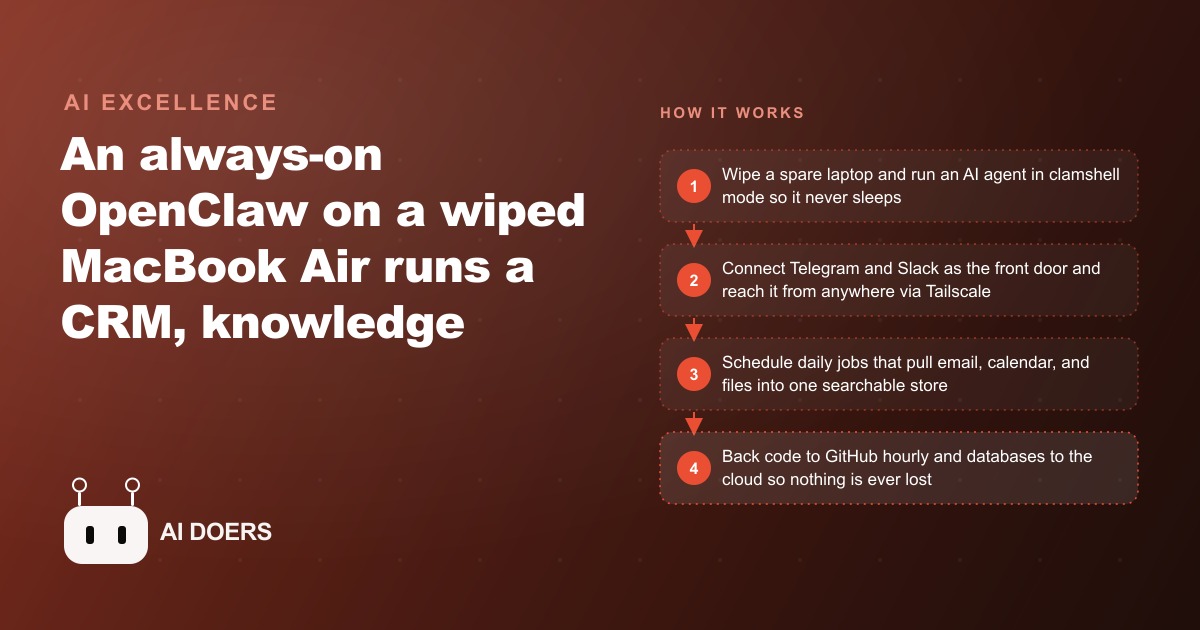
A wiped MacBook Air, a closed lid, and roughly one hundred and fifty dollars a month in API costs. That is the hardware foundation of an always-on AI agent setup that is genuinely more capable than most business owners would guess. I am Madhuranjan Kumar, and I want to walk through what this kind of dedicated machine can actually do when it runs continuously rather than waiting for a human to open a chat window.
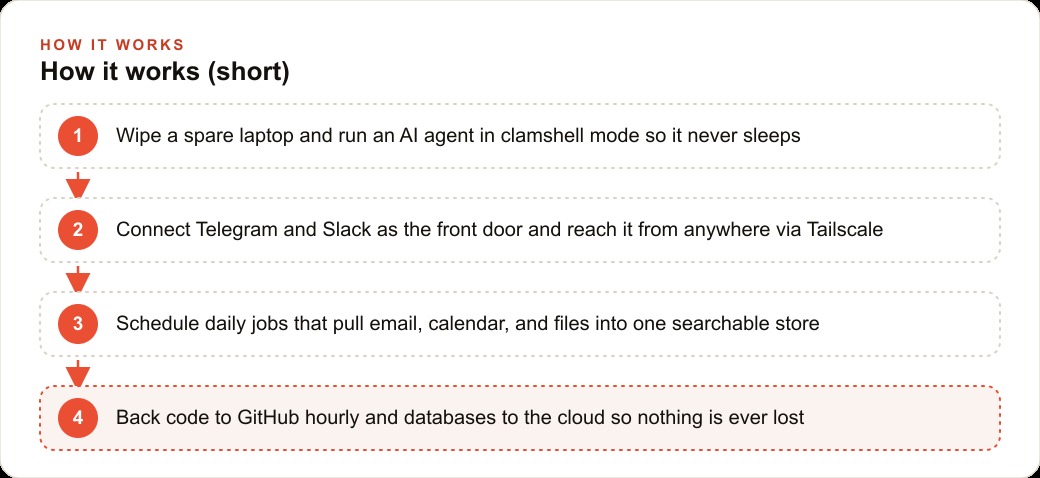
The core setup is straightforward. A spare machine is wiped clean and configured to run an agent platform called OpenClaw in clamshell mode so it never sleeps. Tailscale provides secure remote SSH access from any device. TeamViewer provides full screen access when that is needed. Telegram serves as the primary interface, split into narrow topic channels for different purposes. Slack provides a secondary access point restricted to two channels. The machine does not wait for a user prompt before doing work. Scheduled jobs run on their own cadence, feeding information into a shared data store that powers everything else.
Here are eleven jobs this single machine handles continuously, without anyone sitting in front of it.
Reads your Gmail and calendar each morning and rebuilds your contact records automatically
A daily cron job pulls down every email received and sent in the previous twenty-four hours alongside the current calendar. From those sources it extracts every person who appeared as a sender, recipient, or meeting participant, then deduplicates and merges those records against the existing contact store. Each contact gets classified by role, relationship type, and recency of interaction.
The output is a contact database that updates itself without anyone curating it. You can ask who you last spoke to at a specific company and what the conversation covered. You can ask which contacts you have not reached out to in the past thirty days. You can ask who is scheduled for a call this week and what they have discussed with you in the past. The answers come from a structured database rather than from memory.
Holds all data in one store that answers both SQL queries and plain language questions
The storage layer is a SQLite database with a vector column, and that combination is what makes the rest of the system coherent rather than a collection of disconnected tools. SQL queries handle the structured retrieval, things like listing all contacts classified as high priority or finding every meeting scheduled in the next seven days. The vector column handles semantic search, things like finding every conversation about pricing concerns or every document mentioning a specific vendor.
Both query types run against the same standardized store. Every workflow that adds data to the system uses the same schema so the storage layer does not fragment as the number of workflows grows. Building that standardization into the foundation from the start is what makes scaling the system from three workflows to eleven workflows a matter of adding queries rather than rebuilding the data architecture.
Turns any URL or file you drop in a chat channel into a searchable knowledge entry
Any URL or file dropped into the Telegram knowledge base channel gets processed automatically. A URL is fetched and its content is extracted, chunked into segments of appropriate size for retrieval, converted to vector embeddings, and stored in the database with the source URL attached. A file goes through the same chunking and embedding process. The result is a searchable corpus that grows every time something is dropped into the channel.
Later, asking a plain question returns the relevant passages with the source cited. A week after saving a competitor's pricing page, asking what their enterprise tier includes retrieves the relevant section. A month after saving an industry report, asking what it said about market sizing finds the passage. The knowledge base functions as an external memory that does not degrade with time the way personal recall does.
Takes a dropped link from research to a full video outline in about thirty seconds
This breakdown idea pipeline shows what happens when multiple capabilities are combined into a single triggered workflow. A link dropped into this breakdown research channel triggers a sequence: the agent fetches the content of the linked page, queries the web and social search tools for related discussions, checks the existing knowledge base for context from previous research on similar topics, drafts a set of hook angles, and produces a content outline. The completed outline is filed as a task card in the project management tool connected to the system.
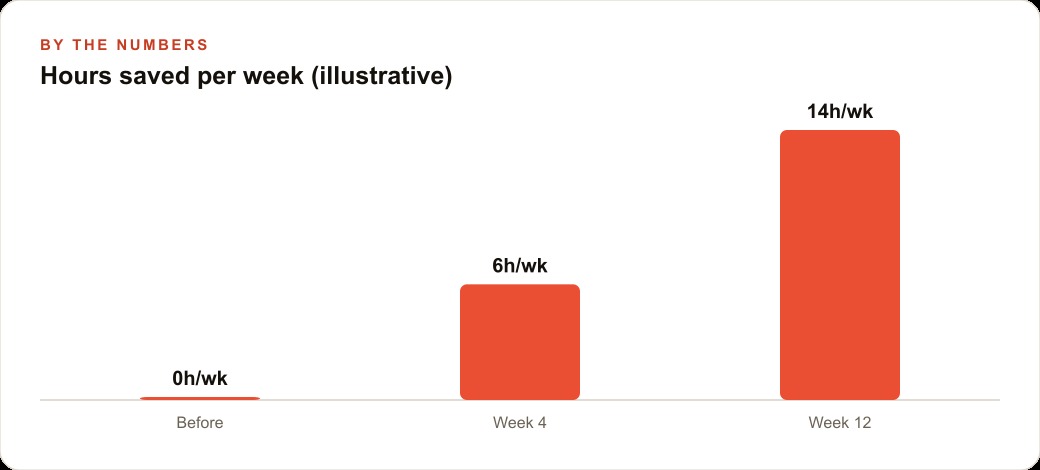
The sequence that previously required opening multiple browser tabs, reading across several sources, synthesizing a point of view, and manually creating a task record now finishes in under a minute. The output is not a finished piece of content; it is the research synthesis and structural scaffold that makes producing finished content significantly faster. For a creator publishing regularly, the compounding time savings across every piece of content add up to hours recovered per week.
Writes the briefing for every meeting before you sit down for the first call
Each morning, the agent reads the day's calendar and filters out internal-only events that do not require preparation. For every external meeting remaining, it generates a briefing that covers who you are meeting, the last three interactions you had with that person drawn from the contact database, what they mentioned wanting to discuss in previous exchanges, and any relevant notes from past meetings stored in the knowledge base.
The briefing arrives before the first scheduled call without requiring any prompting. The effect is that every client call or partner meeting starts with the relevant context already retrieved, reviewed, and organized. An owner who manages twenty to thirty contacts actively never has to open multiple tabs before a call to remind themselves where the conversation left off. That preparation time, which for most people runs five to ten minutes per meeting, is handled automatically.
Runs a panel of AI personas each night that debate and rank what the business is missing
The nightly council is the most distinctive feature in this setup. Each night, the agent assembles a structured brief from the day's data: the metrics that changed, the contacts who went quiet, the deals that moved or did not move, the meeting transcripts from Fathom, and the content performance numbers. That compressed brief is then fed to a panel of three AI personas that represent different lenses on the business: a growth strategist who focuses on acquisition and expansion, a revenue guardian who tracks cash flow and deal health, and a skeptical operator who looks for risks and inefficiencies.
The three personas generate their individual assessments, debate points of disagreement, reconcile where possible, and produce a ranked list of the most important items requiring attention. The report is waiting in the morning. For an owner who would otherwise need to synthesize this information manually from multiple dashboards and conversations, the nightly council functions as a low-cost advisory process that runs while the owner is not working. The timing is also deliberate: running the heavy model calls at night takes advantage of off-peak pricing that makes the expensive reasoning tasks cost less.
Searches for tweets and social content using the cheapest source that returns a result
Social listening and research requires access to platform data that can be expensive if accessed through official APIs. The cost-optimized approach builds a fallback chain that tries the cheapest working option first before escalating to more expensive sources. The sequence starts with a free public API for Twitter data. If that returns nothing useful, it falls back to a low-cost third-party service priced at roughly fifteen cents per thousand tweets retrieved. If that also fails to return the needed content, it escalates to the official platform API. As a last resort for context and synthesis, a search-enabled model can fill gaps.
The practical effect is that social research tasks that occasionally require an expensive API call do not incur that cost when a cheaper source would have served. Most requests resolve at the first or second level. The small fraction that requires the expensive option is handled automatically without the user needing to manage which source to use for which query type.
Routes each request to the right model so the monthly bill stays predictable
The system connects to multiple AI providers: Anthropic for reasoning-heavy tasks, Google Gemini for high-volume classification, xAI for search-enabled tasks, and OpenAI as a general fallback. The routing logic is a set of rules that match task type to the appropriate model tier. Classification tasks, those with a defined set of output categories and no need for extended reasoning, go to a cheap, fast model like Gemini Flash. Writing, synthesis, and complex analysis tasks go to a stronger model capable of the work. The expensive frontier models run only on tasks that genuinely warrant the cost.
This routing keeps the monthly total around the one hundred and fifty dollar figure even as the number of tasks the system handles grows. Without routing, running everything through a flagship model would produce a bill several times higher for the same output volume. With routing, the expensive model capacity is reserved for work where the quality difference justifies it.
Accepts all input and delivers all output through messaging apps you already use
The entire interface is Telegram and Slack. Telegram is the primary surface, organized into purpose-specific channels: one for the knowledge base, one for video research, one for business analysis queries, one for the food and health journal. Slack is locked to two channels and only the account owner can send messages that trigger the agent. There is no dashboard to log into, no separate application to manage, and no new interface to learn.
The design principle behind this choice is that a tool you do not use every day eventually gets abandoned. A tool that lives inside the messaging applications you already check dozens of times per day stays present without effort. Every interaction the owner has with the agent happens in the same interface where they communicate with their team and their clients. That integration into existing habits is what makes the difference between a system that gets used and one that gets built and then forgotten.
Backs code and notes to a repository every hour on its own schedule
A cron job syncs every code file, configuration file, and markdown note to a version-controlled repository on an hourly schedule. No manual commits are required. Any change made to the system, whether a new workflow, a prompt revision, or an updated configuration, is captured and versioned automatically within an hour of being made.
This matters because the system accumulates value over time as more workflows are added and more data is stored. Losing the system to a hardware failure or an accidental deletion without a current backup would mean losing not just the software but the accumulated configuration, the prompt iterations that were refined through use, and the workflow logic that represents weeks of setup work. The hourly sync ensures the backup is always nearly current.
Carries a restore document so a replacement machine is running in under an hour
The backup files are only useful if someone can use them under pressure. A detailed restore document in the repository explains every step needed to rebuild the complete system on a new machine. The document covers which software to install, in what order, with what configuration. It covers how to restore each database from the cloud backup. It covers how to reconfigure each external service connection. It covers how to verify that each workflow is running correctly before depending on the system.
The document is tested on a clean machine before the system is used for anything business-critical. Testing the restore process once, following the document step by step, reveals gaps in the instructions before those gaps become a crisis. A system you can rebuild in under an hour is one you can depend on. A system with no tested restore path is one you will eventually lose permanently.
The real estate brokerage application
For a real estate brokerage, the always-on machine becomes the memory and preparation system the whole team relies on. The daily CRM job pulls every email and calendar entry, builds a contact record for each buyer, seller, lender, and inspector, and tags them by deal stage and urgency. Before a listing appointment, the morning brief covers who the agent is meeting, the last three conversations with that client, the property they discussed, and the financing situation they mentioned. Before a showing, the brief pulls the buyer's stated preferences and flags whether the specific listing matches their criteria based on conversations on record.
Dropping an inspection report or an HOA document into the knowledge base channel means a week later anyone on the team can ask a plain question about what was flagged in the inspection and get the relevant passage with the source document cited. The nightly council reviews the pipeline and surfaces the deals going cold, the leads who have not been followed up in too long, and the listings that have been sitting without a price adjustment. That morning report is the difference between catching a cooling deal before the client moves to another brokerage and discovering the loss after the fact.
A brokerage that loses two or three commission deals per quarter to follow-up failures, at five thousand dollars or more per lost deal, would cover the annual cost of an always-on agent system with a single prevented loss. For a business where understanding CRM and workflow discipline determines how many of the leads generated by Facebook and Instagram ad campaigns actually convert to closed deals, an AI agent that monitors every relationship and flags deteriorating ones is not an overhead cost. It is revenue infrastructure.
That is exactly what we do at AI DOERS. Book a private 30-minute call with Madhuranjan Kumar and we will map the fastest path to it for your specific business.
Book your call →
Madhuranjan Kumar
Madhuranjan Kumar brings 20 years of performance-marketing experience and has managed over $200 million in Facebook ad spend for brands across the United States and beyond. His expertise spans the full modern marketing stack: Meta, Google Ads, TikTok, email automation, CRM, and the websites that hold it together. At AI DOERS he turns that track record into lead-generation systems for businesses across every industry.