
How to Turn Cursor Into a Real iOS IDE
Add the Sweetpad extension and the Xcode build toolchain so Cursor can see build errors and run the simulator, then drive it with tight rules, a numbered requirements doc, and a tested API schema. That combination lets you build a native iOS app almost as easily as a web app.

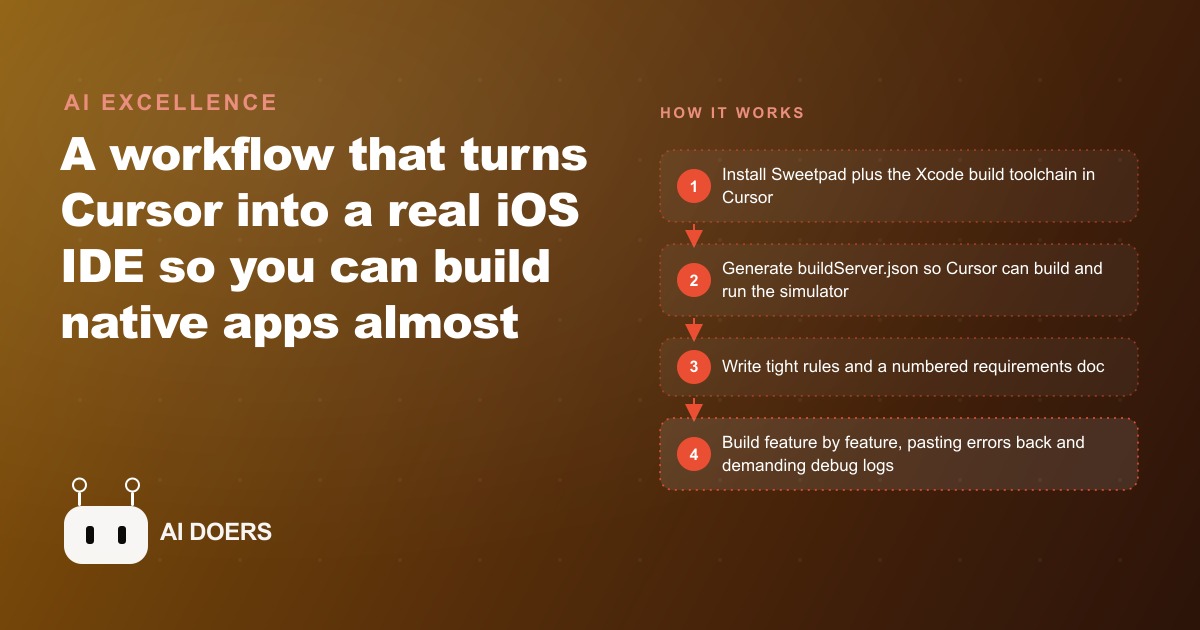
Native iOS development used to require Xcode and a Swift specialist. That changed when a small set of extensions and CLI tools closed the gap between Cursor and Xcode's build system, giving the AI agent visibility into real build errors and simulator output. I am Madhuranjan Kumar, and what follows is a specific list of the tools, setup steps, and working habits that make Cursor a practical iOS IDE rather than a web editor pointed at a Swift project.
1. Install Sweetpad before anything else
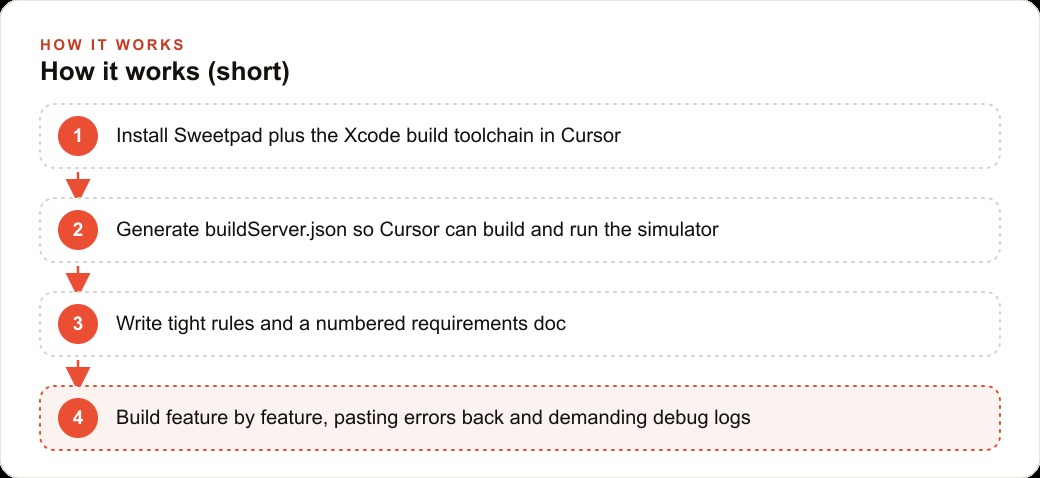
Sweetpad is the VS Code extension that bridges Cursor and Xcode. Because Cursor is built on the VS Code engine, it installs exactly the same way. Sweetpad exposes Xcode's build system and simulator controls inside Cursor, so you can launch the iPhone simulator, run builds, and view output without leaving the editor. Without Sweetpad, the AI agent codes blind: it writes Swift without seeing whether the build succeeds or fails, and it cannot debug what it cannot observe.
2. Add four CLI tools to complete the toolchain
Sweetpad alone does not close every gap. Four additional CLI tools complete the environment:
- xcode-build-server: connects the Xcode build system to Cursor for autocomplete and code navigation
- ios-deploy: installs builds onto the simulator or a real physical device
- xcbeautify: reformats Xcode's verbose error output into readable lines the agent can parse and act on
- swift-format: enforces consistent formatting across generated Swift code
Each tool closes one specific gap. Together they give the agent the same error visibility and environment control a human developer has in Xcode.
3. Generate buildServer.json from the Sweetpad command palette
After the toolchain is installed, open the Cursor command palette and run the Sweetpad command to generate the build server configuration. This creates a buildServer.json file that points the Xcode build server at the project directory. That file is what allows Cursor to run the app, capture real build output, and feed it back to the agent as raw error text. Without it, the simulator loop does not close.
4. Write your .cursorrules file short and tight
The .cursorrules file is the agent's system prompt for every session in the project. Stuffing it with borrowed rules from other people's setups causes the agent to lose track of the rules that actually matter for this project. Two rules belong in every iOS project's .cursorrules by default: always add debug logs to the code, and state which rules were applied in any response. Beyond those two, add only what is specific to this project and this codebase. Keep the total under thirty lines.
5. Number every requirement in your instructions.md
Create an instructions folder and write a numbered product requirements document inside it. Number each feature: booking is feature one, check-in QR is feature two, notifications are feature three. Numbering allows you to direct the agent at exactly one slice of the product at a time, rather than asking it to hold the whole spec in mind and prioritize on its own. The numbered reference also creates a clear audit trail: the agent can state which requirement number it is working on, which makes review faster.
6. Define and validate your API schema before any code is written
If the app makes calls to an external API or a backend service, generate the structured request and response schema up front, make a real test call, and paste the verified working example into the requirements document. The agent will match its code to the schema in the requirements rather than guessing the shape of the response. An incorrect assumption about a key name or a data type discovered after twenty minutes of development means twenty minutes of debugging a problem that a five-minute schema check would have prevented.
7. Ask for debug logs from the start, not just when something breaks
The discipline of requiring debug logs from the beginning, before anything breaks, is what makes the loop from error to fix fast and predictable. When a feature behaves unexpectedly, the logs already exist and can be read immediately. Without them, diagnosing a blank camera preview or a silent network failure requires adding logs first, rebuilding, and then reading them, which doubles the round-trip time on every issue. Add logging as a rule in .cursorrules and treat its absence as a missing requirement, not an optional enhancement.
8. Build one feature at a time and commit after each
Each numbered requirement from the instructions.md becomes a discrete build step. Complete the feature, confirm it works, and commit to version control before starting the next one. This practice keeps a clean rollback point available at every stage. A session that builds three features in a row before committing has no clean state to return to if the third feature introduces a regression that only becomes visible after the second feature is already layered on top. One feature, one commit, is the discipline that makes the work recoverable.
9. Paste build errors straight back into Cursor without interpreting them
When Sweetpad surfaces a build error, paste the raw text directly back into the Cursor session rather than paraphrasing or summarizing it. The agent reasons better from the actual error message than from a human interpretation of it. Error messages contain specific line numbers, error codes, and stack traces that the agent uses to locate the problem precisely. A paraphrased version drops the specific details that make that precision possible.
10. Follow the capture, analyze, history sequence
For any feature involving media, the camera, or device hardware, work in the sequence: capture first, then add analysis, then add history. This order prevents a common pattern where a history or analysis layer is added before the underlying capture works, which makes it impossible to distinguish a capture bug from an analysis bug. Getting capture working independently before layering anything on top of it makes each stage testable in isolation.
11. Check simulator logs before the code when the screen is blank
A blank screen during development is almost never a code logic problem. It is almost always a lifecycle, permission, or rendering issue that the simulator logs surface immediately. Before modifying any code in response to a blank screen, read the logs from the current run. The actual cause is almost always stated there in plain text. Going straight to the code without reading the logs adds a debugging round-trip that the logs would have skipped.
12. Test each feature with a real device before considering it done
The simulator handles most cases correctly but misses device-specific behavior around camera permissions, push notification delivery, and hardware sensor access. Each feature that touches these capabilities needs at least one run on a real device before it can be marked complete. The connection through ios-deploy makes this part of the same workflow rather than a separate step requiring Xcode. A feature that works in the simulator but fails on the device is a feature that was not finished.
The full stack, Sweetpad plus the four CLI tools, a buildServer.json, a tight .cursorrules, a numbered requirements document with a validated schema, and the build discipline of one feature per commit, is what makes the gap between a web editor and a real iOS IDE disappear in practice. Businesses that have wanted a native app without the agency cost or the specialist hire have a different set of options now. A member app for a fitness studio that surfaces class schedules and handles booking, a field-service app for a trades business that captures job photos and syncs notes to a CRM and website system, or a content-capture tool for a team publishing regularly to SEO-driven channels are all within the reach of a single person with this workflow and the discipline to use it correctly.
That is exactly what we do at AI DOERS. Book a private 30-minute call with Madhuranjan Kumar and we will map the fastest path to it for your specific business.
Book your call →
Madhuranjan Kumar
Madhuranjan Kumar brings 20 years of performance-marketing experience and has managed over $200 million in Facebook ad spend for brands across the United States and beyond. His expertise spans the full modern marketing stack: Meta, Google Ads, TikTok, email automation, CRM, and the websites that hold it together. At AI DOERS he turns that track record into lead-generation systems for businesses across every industry.