
How to Turn Claude Into a Second Brain and AI Operating System
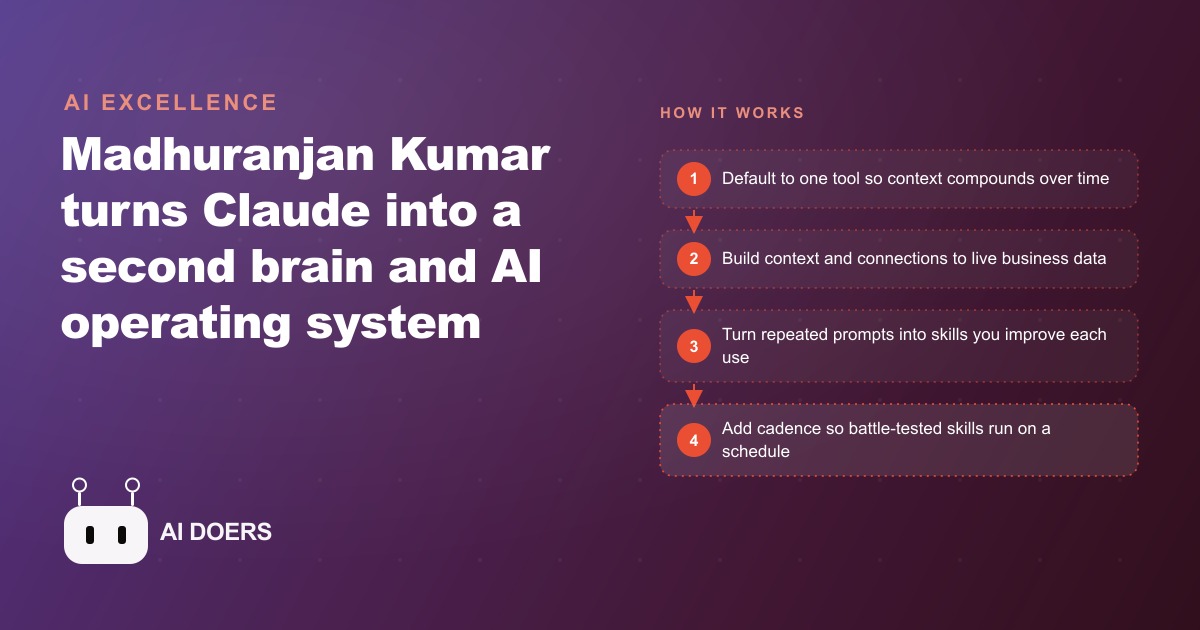
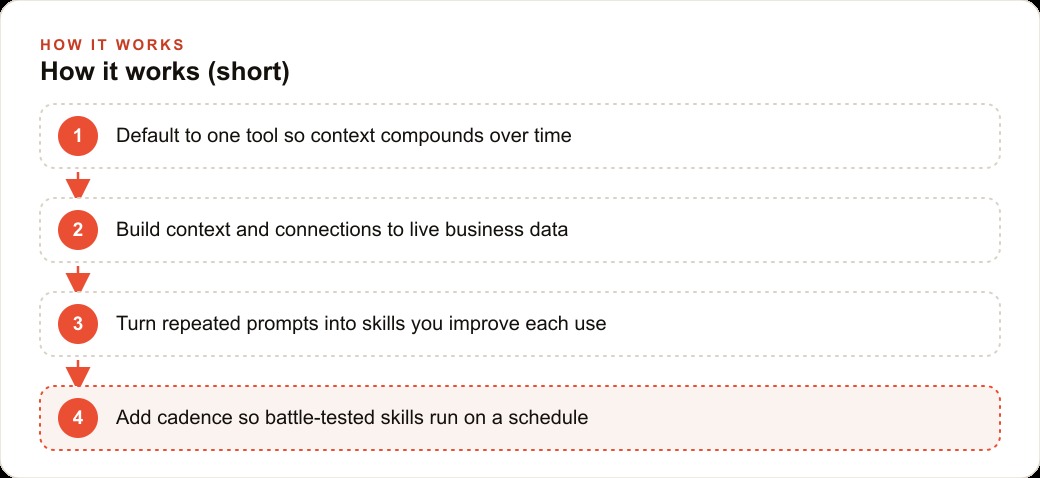
Turn Claude into a second brain by defaulting to one tool and following the four C's in order: context as a routing tree, connections to live data, capabilities as reusable skills, and cadence for automations that run while you sleep.

Most people use AI like a search engine they have learned to speak to. That is exactly why it never becomes a second brain.
I am Madhuranjan Kumar, and after working with dozens of business owners on their AI setups, the pattern is almost universal. They open a chat window, type a question, get a decent answer, close the window, and return the next day with no memory carried over. The AI knows nothing more about their business in month four than it did on day one. The problem is not the tool. The problem is the habit. Treating AI like a search engine produces exactly that result: a fast, capable librarian who forgets you the moment you walk out of the library.
The second brain concept gets talked about constantly, but the architecture that actually makes it work is almost never laid out in terms you can build against. That is what this article does. I want to dissect the four elements of a functional AI second brain, starting with the one that separates setups that compound over time from setups that plateau in week two.
The single habit that separates a second brain from a search engine
Before any architecture, there is one behavioral prerequisite. You have to close every other AI tab and default to running everything through one tool. Not because that tool is magically superior to the others, but because distributed context produces no compounding. If your drafting goes to one tool, your research to another, and your analysis to a third, none of those tools ever develops a meaningful picture of your business. Each one is perpetually meeting you for the first time.
Defaulting to one tool sounds trivially simple, and the discipline cost is higher than most people expect. The temptation to open a different interface for a different task is constant. Every time you give in, you sacrifice context compounding for a marginal convenience. Over six months, the person who defaulted consistently will have a system that operates with genuine contextual depth. The person who diversified will have a collection of capable tools that each know almost nothing about them.
This is not a technical recommendation. It is a behavioral one. The technology is secondary to the habit. One tool, every day, for every task you can route to it. That is the prerequisite for everything that follows.
Context is a routing tree, not a knowledge dump
The most common mistake in the context layer is treating it as a giant knowledge dump. Someone spends a weekend writing a thousand-word system prompt that describes everything about their business, pastes it in, and expects transformative results. The output is marginally better but not transformative, and they cannot understand why.
Context that works is structured as a routing tree. The main instructions file is not a container for all the information. It is a map that points the system to where the right information lives for a given task. Rules for client communication are stored separately and referenced. The voice guidelines are a separate document that the instructions point to. The procedure for handling a refund request is its own file. The client folder for each active engagement has its own location that the routing file knows about.
The practical test is this: can you as a human find any piece of information in your system within 30 seconds? If yes, the AI can navigate to it too. If you have to dig through an unstructured folder of mixed documents for several minutes to find a client brief, the AI will fail the same task. Good context architecture serves human navigation first, and the AI benefits from exactly the same clarity.
The other property of a functional routing tree is that it scales without becoming unwieldy. When you add a new client, you add a new folder and update one pointer in the routing file. When you create a new procedure, you add a file and reference it. The main file stays lean regardless of how much knowledge accumulates in the system. This is what distinguishes an architecture that grows well from one that becomes unmanageable as the business expands.
Live data connections are what transform a reference into an operating system
A context architecture built only on static files is a reference system. It knows your business as it existed the last time you updated the files. Connections to live data are what turn that reference system into something that operates on what is actually happening right now.
Static data covers the slow-moving facts: your service descriptions, your pricing, your brand voice, your onboarding procedures, your standard contract terms. This goes into the knowledge base and stays there between updates.
Live connections cover the things that change constantly: your email inbox, your calendar, your project tracker, your customer records, your accounting data. These come into the system through API keys and command line integrations, not through manual copy-paste. The operational difference is significant. A system that requires you to manually paste last week's client emails before asking it to help with a follow-up is a system that depends entirely on your memory and discipline to stay current. A system that can pull those emails directly is a system that stays current whether you remember to update it or not.
The capability gap between a reference system and a connected operating system is not subtle. A reference system helps you draft better. A connected operating system can read your calendar, check your email history with a contact, flag a conflicting commitment, and draft something informed by what has actually happened recently. One of those is a better keyboard. The other is a thinking partner.
Most people treat live connections as optional or too technical to bother with. They are neither. Connections are the single most impactful upgrade you can make to a static second brain after the initial context structure is solid.
What reusable capabilities actually look like when they work
A capability is a saved workflow for a recurring task. The simpler version: if you have typed the same prompt more than three times in your work, that prompt is a capability waiting to be saved.
The important thing to understand about capabilities is that they are never finished. A capability you build today is probably at around 65 to 70 percent of the quality you will eventually want from it. After five or six uses and rounds of feedback, it might be at 80 percent. After a month of regular use with consistent corrections, it approaches something genuinely reliable. Capabilities that receive no feedback after the first use stay at 65 percent permanently. Capabilities that are corrected and refined every use keep improving.
This is the compounding mechanism inside the capabilities layer. A template is static and decays relative to your changing needs. A capability that learns from your corrections gets progressively more tuned to your actual situation, your actual clients, and your actual voice. No off-the-shelf tool does this for your specific context, because no purchased tool takes your specific corrections and updates its own behavior in response.
The practical scope of a capability is wider than most people assume. Not every capability needs to be a multi-step automated pipeline. Some of the highest-value capabilities are short saves for tasks that cost 20 minutes to do carefully and take three minutes with a well-built starting point. The standing meeting agenda. The weekly progress note to a client. The summary paragraph for a proposal. The follow-up email after a discovery call. These routine tasks, done at consistent quality every time, represent a significant share of the total time a professional spends in a given week.
How cadence transforms an active tool into passive infrastructure
Cadence is the layer that makes the system feel like infrastructure rather than a tool you operate. It is where proven capabilities run on a schedule or a trigger without requiring you to initiate them.
The principle here is that automation is earned, not claimed. A capability earns the right to run automatically after it has been run manually enough times to establish trust. The threshold varies based on stakes. A capability that produces internal draft documents can earn cadence faster than one that touches external communication with clients. A capability that affects money or reputation requires more manual verification runs than one that affects only your own internal work.
There are three types of triggers worth building around. Manual triggers are direct requests: you ask, it runs. Event triggers fire when something happens: a new email arrives matching a pattern, a file appears in a folder, a calendar event is created. Scheduled triggers run at fixed times: every morning at 7 a.m., every Sunday evening before the work week begins, the first of each month.
The critical discipline in the cadence layer is permission scoping. An agent that can read data and produce drafts for your review is low risk at any level of automation. An agent that can send emails, post publicly, or update financial records is high risk and should always have a human approval gate, even after months of reliable performance. The governing principle: permissions are the actual security layer, not the prompt. An agent with the key to send mass email will, eventually, send mass email in a situation you did not intend. Scope what each automated capability can actually touch, and keep the irreversible actions behind a review step.
The complexity trap that kills most second brain setups before they mature
The most common failure pattern is building too much before anything works reliably. Someone gets excited about the full architecture, spends two weeks building an elaborate context structure with a dozen data connections and twenty saved capabilities before any of them have been tested on a real task. The context routing is ambitious but untested. The connections are wired up but not validated. The capabilities are written but never run against real inputs. The whole system sits unused because it is too uncertain to trust.
The right approach is surgical depth on one workflow before breadth across many. Pick the single recurring task that costs you the most time each week. Build only the context that task needs. Connect only the data source that task requires. Run the capability manually. Correct what is wrong. Run it again. Repeat until the output is consistently at the quality where you would comfortably review and approve it rather than rewrite it from scratch. Only after that first workflow is reliable do you add the second.
This sounds slower, and in the first month it is. In month three, the difference is visible. The person who drilled deep on three reliable workflows has a system they use every day and trust fully. The person who built twenty workflows none of which work reliably has a system they stopped trusting in week two and have not opened since.
A solo consultant's client-prep system: what three hours recovered every week looks like
Consider a solo consultant managing eight active client engagements. Each engagement requires a focused prep session before each call: reviewing past notes, checking recent communications from the client, confirming where the open items stand, and drafting talking points for the conversation. Done manually, this prep takes roughly 30 to 45 minutes per client call across notes retrieval, email review, and talking point drafting. Across a full week with multiple client calls, total prep time runs to approximately four hours.
After building a focused second brain around this one workflow, the architecture is straightforward. A routing context that knows each client's folder, their engagement scope, their key outcomes, and their current open issue list. A live email connection that pulls recent messages from each client automatically. A capability that takes the client folder and recent emails, produces a one-page structured prep sheet with a current-state summary, three suggested talking points, and any flagged items that need follow-up, and returns it ready for a five-minute review.
The time shift is real. Where the manual version across eight clients averaged roughly four hours per week, the second brain version produces all eight prep sheets in about 25 minutes of generation time, with another 20 to 30 minutes for review and any adjustments for nuance the system missed. Total time under an hour where four hours was the baseline.
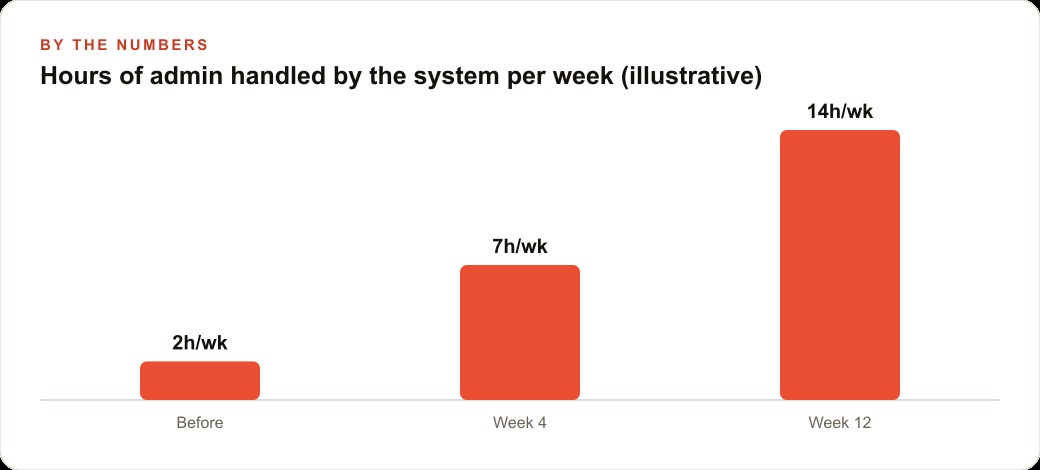
The recovered time across a month is more than 12 hours, equivalent to a full additional working day and a half returned to the consultant each month. These figures are illustrative based on typical usage when the context is well-structured and the capability has been refined over six to eight weeks of regular use. The exact recovery depends on engagement count, how detailed the notes are, and how complex the client relationships are. The pattern holds even when the specific numbers shift: a properly architected second brain recovers real hours, not minutes.
What becomes possible with those hours returned is the larger point. A consultant who gains twelve hours per month can take on an additional client, invest those hours in the kind of deep strategic thinking that commands higher fees, or simply do the same work with less exhaustion. The second brain does not replace judgment. It eliminates the administrative overhead that was consuming the time that judgment actually requires.
The four elements working together produce something qualitatively different from a chat window with a good memory. A routing context that knows where everything lives, a connection that keeps the client data current, a capability that runs a proven process, and a cadence that could eventually trigger the prep sheet automatically for any client meeting added to the calendar. Each element is simple on its own. Combined and built in order, they produce a system that actually earns the name second brain.
That is exactly what we do at AI DOERS. Book a private 30-minute call with Madhuranjan Kumar and we will map the fastest path to it for your specific business.
Book your call →
Madhuranjan Kumar
Madhuranjan Kumar brings 20 years of performance-marketing experience and has managed over $200 million in Facebook ad spend for brands across the United States and beyond. His expertise spans the full modern marketing stack: Meta, Google Ads, TikTok, email automation, CRM, and the websites that hold it together. At AI DOERS he turns that track record into lead-generation systems for businesses across every industry.