
How To Set Up OpenClaw The Right Way: Hardware, Memory, Agents, And Security
A solid OpenClaw setup runs on isolated hardware so it never touches your personal data, treats its soul, agents, user, and memory markdown files as the portable core of the agent, adds a custom mission control plus a multi-agent team on cheaper models, and locks down security so it builds for you while you sleep.

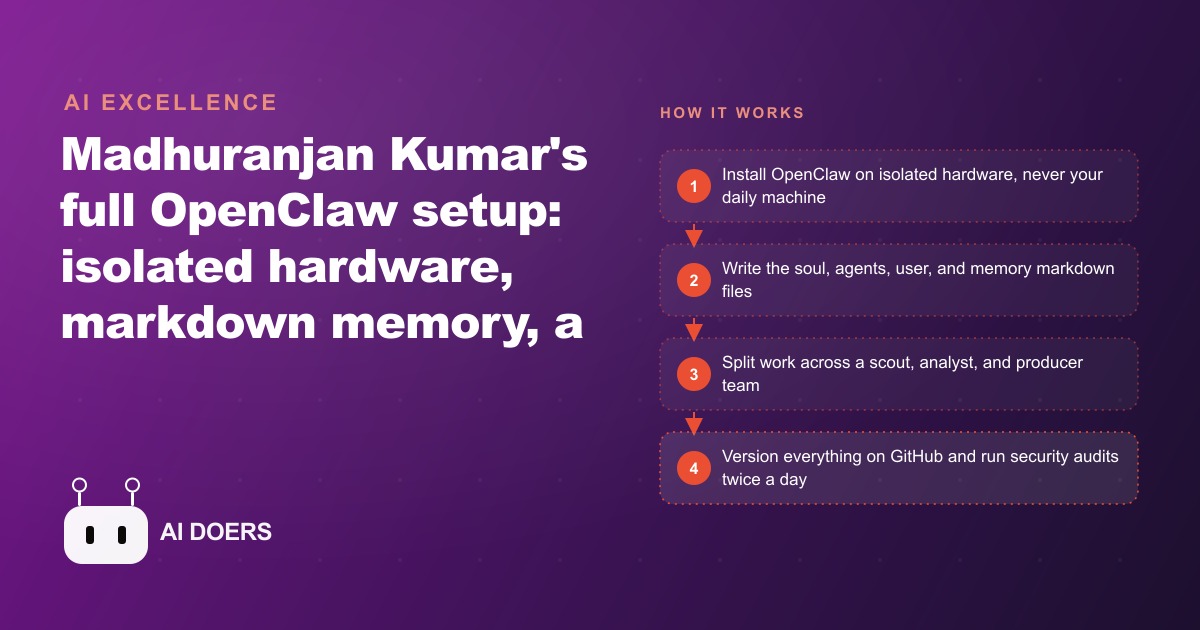
Most guides to setting up a personal AI agent skip the one decision that actually keeps you safe, then rush you toward the fun parts. I am Madhuranjan Kumar, and I want to take an OpenClaw setup apart properly, because the difference between an agent that quietly runs your business overnight and one that quietly leaks your data comes down to four things almost nobody explains well: where it lives, what holds its memory, how you split its work, and how you lock it down. Understand those four and the rest is just typing.
The isolation layer is the whole security model
Everything starts with a physical decision, and it is the one most people get wrong. Never install OpenClaw on the personal computer you use every day. The agent technically has access to everything on the machine it runs on, and that is precisely where disasters happen: a misfired command, an over-eager cleanup, a script that reads a folder it should never have seen. Isolation is not a nice-to-have you add later. It is the entire security model, chosen up front by where you put the software.
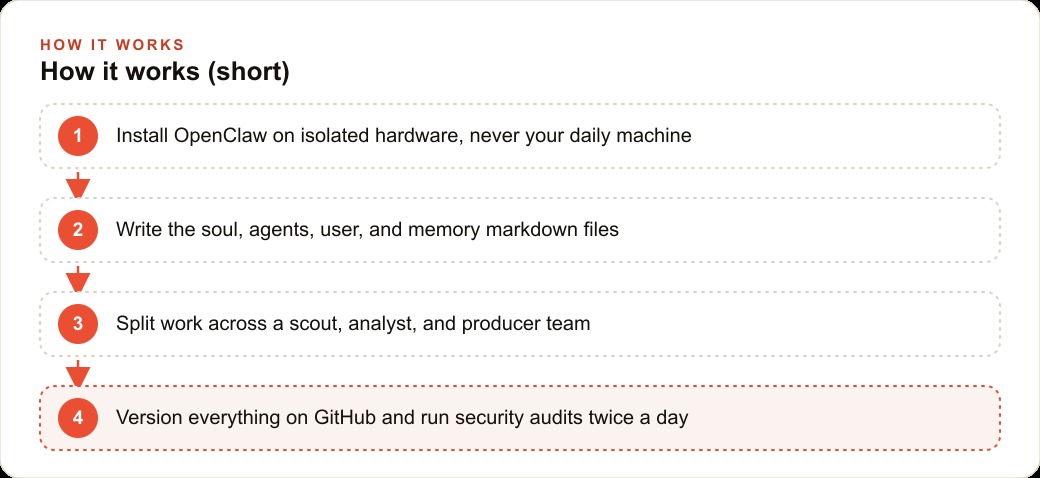
There are three realistic homes for it, and they map to three comfort levels. The first is a wiped old laptop you already own, which costs nothing and keeps the agent fully off your daily machine. The second is a dedicated always-on Mac Mini or Mac Studio, which is my preference for a business because it stays awake and answers day and night. The third is a small VPS at five to twenty dollars a month, ideal if you are comfortable in a terminal and want it living in the cloud rather than on your desk. Whichever you pick, the principle is identical: the agent gets its own sandbox, and your personal files are never inside it.
Once the machine is booted, install is genuinely short. You go to openclaw.ai, copy the curl command from the quick start into your terminal, and the onboarding wizard launches. If it does not start on its own, you type open claw onboard and it kicks off. The speed of this step is a little deceptive, because it makes the whole thing feel casual, when the casual part is exactly why the isolation decision has to be deliberate and made first.
The thinking layer depends on cost and RAM, not hype
With a home chosen, the next facet is which model does the reasoning, and here the honest answer is that it depends on your hardware and budget rather than on whatever is trending. The best experience pairs Anthropic Claude Opus with Sonnet as the fallback, and that is the premium tier: strong reasoning, reliable tool use, the works. But it assumes you can run or pay for it.
On limited hardware, specifically under thirty-two gigabytes of RAM, the calculus changes. The hosted Minimax M2.5 accessed through its API delivers strong performance at a fraction of the cost, which matters enormously when the agent is running many small jobs all day. The nuance most guides miss is that you do not have to pick one model for everything. Heavy planning can run on the strong model while routine, repetitive tasks run on a cheaper one, and getting that split right is where the real savings live. I will come back to that when we get to the agent team, because it is the same idea applied structurally.
Text files are the soul, and that is the point
This is the facet I find genuinely elegant, and it is the one that most changes how you should think about the whole system. The agent's personality and memory are not locked in some database you cannot see. They are plain markdown text files, and there are four that matter. soul.md is its personality and voice. agents.md is the standard operating procedure it reads at the start of every session. user.md is everything it knows about you. memory.md holds long-term facts and preferences.
Sit with what that means for a second. Because the agent is defined by four readable text files, you can open them, edit them in plain language, version them, and copy them. Keep those four files and you can rebuild the entire agent on any machine, which is the whole portability story in one sentence. Your agent is not trapped inside a piece of software. It is a set of documents that a piece of software reads. That reframing is worth more than any single feature, because it means you own the thing that makes the agent yours, and you can move it, back it up, or hand it off without asking anyone's permission.
It also changes how you improve the agent over time, which is a facet most people never reach. Because the memory is plain text, you tune the agent by editing prose, not by retraining anything. If it keeps making the same mistake, you write the correction into agents.md and it stops. If it forgets a preference, you add the fact to memory.md and it remembers. The agent gets better the way a well-managed employee does, through clear written instructions and a growing record of what matters, except here the record is literally the four files. That is a profoundly approachable way to run something this powerful, because the skill it demands from you is writing clearly, not coding.
From that foundation you generate a custom mission control, a single dashboard for tasks, calendar, content, and memory, and you build it by prompting the agent over your chosen channel. Which brings up the next facet.
The channel is how you actually live with it
An agent you cannot talk to is useless, so the communication layer deserves its own attention. Telegram is the easiest place to start. You create a bot through BotFather with the slash newbot command, paste the OpenClaw command carrying your Telegram ID, and the agent comes online in a chat you already have on your phone. Now you can message it and get replies from anywhere.
The upgrade path is Discord, and the reason is structural rather than cosmetic. Discord gives you separate channels: a daily digest channel, a research channel, a content channel, a projects channel. Different agents can alert you in the right place, so a security warning does not get buried under a content draft. That separation becomes important the moment you move from one agent to several, because a single stream of mixed messages stops being readable exactly when the system gets useful.
Splitting one agent into a team is how it stays affordable
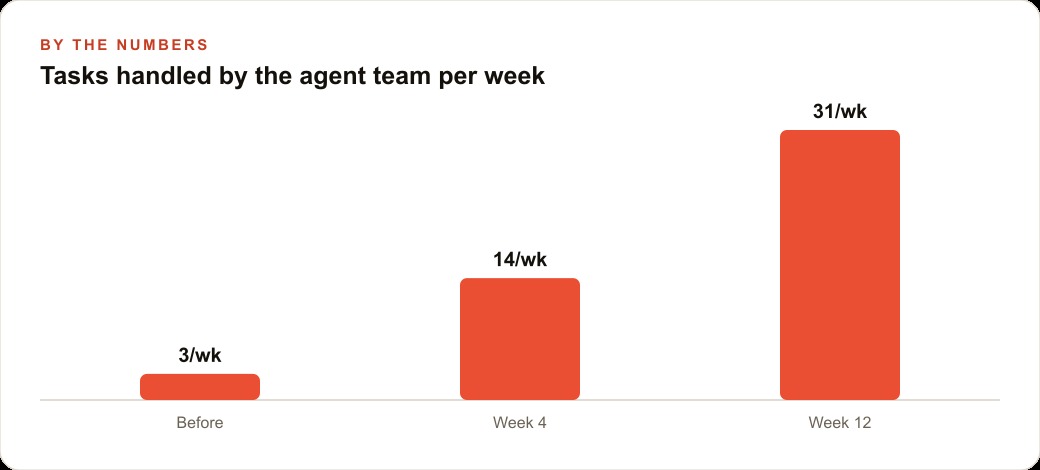
Here is where the earlier note about mixing models pays off, and it is the facet that turns a novelty into something a business can run all day without a scary bill. Instead of one agent doing everything on an expensive model, you split the work across a small team. A morning scout scans for news and scores ideas. An evening analyst does a deeper dive on what the scout surfaced. A producer drafts the content that comes out of that analysis. The heavy planning runs on a strong model, and the routine jobs run on a cheaper local one, so cost tracks the difficulty of the work rather than a flat premium rate everywhere.
This is the same principle as the model split from earlier, now expressed as roles. And it connects directly to how a business grows online, because a scout that watches your market and a producer that drafts on a schedule is the engine behind consistent SEO and organic search content that would otherwise never get written. The team structure is not complexity for its own sake. It is how you keep the lights on cheaply while the output goes up.
Security is a routine, not a one-time checkbox
The final facet is the one that lets you actually leave the agent alone, which is the whole reason you built it. You put every file on GitHub early, so a bad change is always reversible: you simply ask the agent to put all the files and code onto version control, and it walks you through the steps. Then you set the agent to run a security audit against its own security documentation twice a day, reporting into a dedicated alert channel. Pairing it with a tool like Claude Code for debugging helps too, because that job it does especially well.
The reason this belongs at the end rather than the beginning is subtle. Security here is not a wall you build once. It is a rhythm the agent keeps, twice daily, forever, so the system stays trustworthy as it grows more capable. You only earn the right to let the agent build unattended once that rhythm is running. And notice how the facets reinforce each other here: the isolation layer contains the blast radius if something goes wrong, GitHub makes every change reversible, and the twice-daily audit catches drift early. No single one of these is bulletproof alone, but stacked together they let you do the thing that makes the whole build worthwhile, which is walk away and trust that work is happening safely while you sleep.
One worked example, start to finish
Let me tie the four layers together with a single business. Picture a pest control company where the owner is also the scheduler, the marketer, and the person answering the phone. The goal is to move that load onto an isolated machine in the back office.
First, the isolation and memory layers. I would put OpenClaw on a dedicated Mac Mini in the office, never a personal laptop, and write the four files. soul.md gives the agent a calm, reassuring voice, which matters for a service people feel anxious about. agents.md lays out the daily routine. user.md and memory.md hold the service area, the common pests by season, and the pricing tiers. Then the team layer: a scout checks the calendar each morning and flags which recurring quarterly treatments are due, an analyst reviews which neighborhoods generated the most callbacks, and a producer drafts reminder texts and seasonal promotions, like a spring termite inspection push or a fall rodent campaign.
The mission control dashboard becomes the owner's command center, showing today's routes, overdue follow ups, and a simple memory log of every customer's history. Say the routine drafting runs on a cheaper model and the weekly analysis runs on a strong one. The owner wakes up to a drafted route plan, a list of customers due for re-service, and three follow up messages ready to send, all built overnight by an agent that never touched a company laptop or any personal data. Those drafted campaigns can feed straight into the company's Facebook and Instagram ad campaigns and land new inquiries in the CRM and website stack where follow up is already waiting. The business does exactly what it did before. It just stops depending on the owner staying late to hold it together, and the twice-daily security audit means the owner can trust it while asleep.
Build it in the order the facets actually stack
The mistake I would warn against is building the whole stack at once. Take it in the order these facets come. Pick the isolated machine and run the quick-start install. Connect Telegram so you can talk to it at all. Spend an afternoon writing the four markdown files in plain language, because every later capability inherits them for free. Put everything on GitHub early so mistakes are reversible, then add the twice-daily security audit before you let the agent work unattended. Only once that foundation is solid do you split into a team and ask the agent to build something new for your business every morning.
You can absolutely stand this up yourself, layer by layer, and I would start with the isolated machine and the four files this week. If you would rather have someone choose the right hardware, write your business context into the files, wire up the agent team, and lock down the security so it works safely from day one, that is exactly the kind of build I do for clients, and you can bring me in to handle it.
That is exactly what we do at AI DOERS. Book a private 30-minute call with Madhuranjan Kumar and we will map the fastest path to it for your specific business.
Book your call →
Madhuranjan Kumar
Madhuranjan Kumar brings 20 years of performance-marketing experience and has managed over $200 million in Facebook ad spend for brands across the United States and beyond. His expertise spans the full modern marketing stack: Meta, Google Ads, TikTok, email automation, CRM, and the websites that hold it together. At AI DOERS he turns that track record into lead-generation systems for businesses across every industry.