
How To Run Agent Zero On Your Own VPS For A Private AI Agent
Agent Zero is an open-source AI agent you run on your own VPS with Docker Compose, connected to a strong model through OpenRouter, giving you a private, always-on agent that delegates tasks across cheap and powerful models and keeps your API keys out of its context with a built-in secret store.

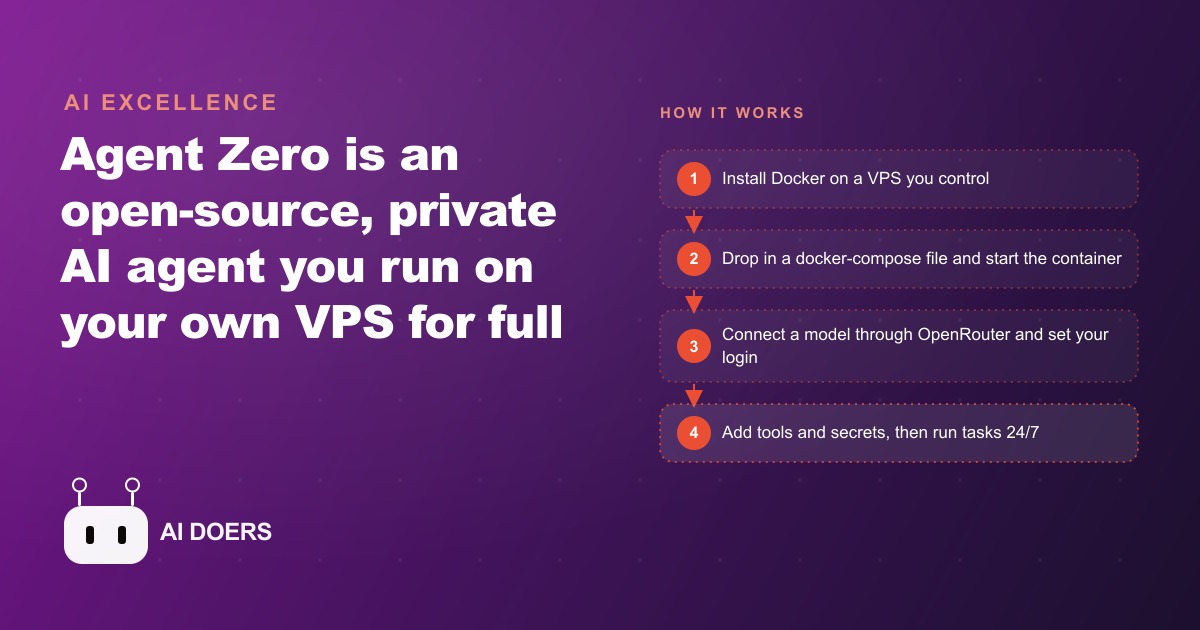
Agent Zero has arrived as a fully self-hosted, open-source AI agent you run on your own server, and the case for it is not about features. It is almost entirely about data privacy. Most AI agents route your content through a vendor's cloud. You upload documents, describe your workflow, and the tool runs your tasks on servers you do not own, under terms of service you may not have read carefully, with data handling practices you cannot audit. For many tasks that trade-off is acceptable. For a growing number of business contexts it is not, and Agent Zero is built precisely for those contexts.
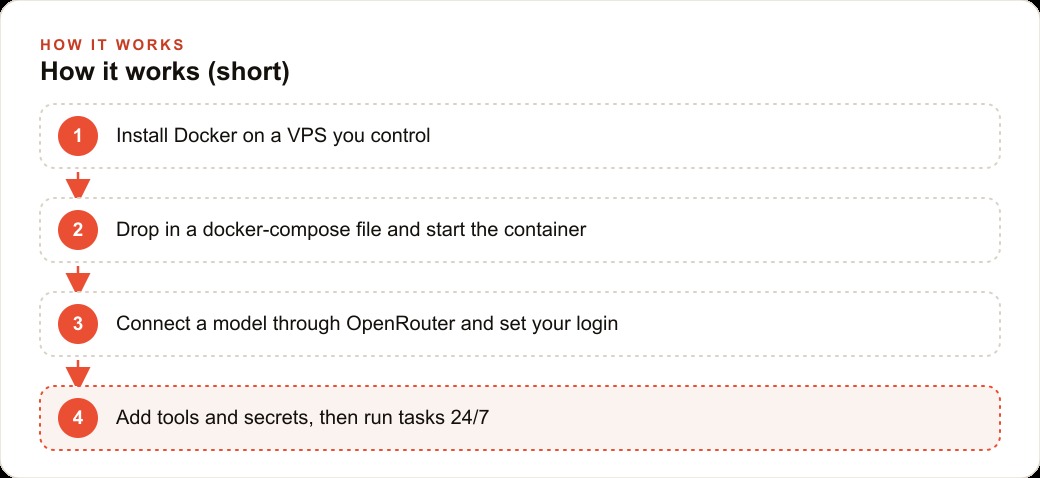
The project ships as a Docker image carrying a full operating system inside it, which is why the initial download is a couple of gigabytes. You install Docker on a virtual private server you control, write a short configuration file, run one command, and the agent is running at a web address only you can reach. From that point forward, your documents, your prompts, your API credentials, and your workflow outputs stay on infrastructure you own and pay for directly. The agent connects through OpenRouter to a strong reasoning model for tasks that require it, routes simpler work to a cheaper model to hold down costs, and runs continuously without tying up your laptop. The setup takes an afternoon. The privacy benefit is permanent.
A fully self-hosted agent is now practical, not just possible
Self-hosted AI was possible before Agent Zero. What makes this specific moment different is that the configuration burden has dropped low enough, and the available model quality is high enough, that the setup time is justified for businesses that are not primarily technical. A business owner who has never run a Docker container can follow the setup steps in a single afternoon. A business that already uses a VPS for web hosting can add the agent to the same server without a significant infrastructure change.
The privacy argument is direct. When you run Agent Zero on your own VPS, your data does not leave your server. The agent uses your API key to call external models, but those calls contain only the specific prompt being processed at that moment, not your accumulated knowledge base or your conversation history. Your business documents, your client correspondence, and your internal notes stay in a vector database on your own machine. The agent retrieves relevant chunks when it needs them and discards nothing to an outside storage system.
Agent Zero also includes a secret store, which addresses the most common data risk in AI agent use. When the agent needs to call an external service, you add your credential to the secret store under a name. The agent calls the service using that name without ever seeing or logging the actual credential value. The key never enters the conversation context and is never sent to any external AI provider. For a business holding client financial data, protected health information, or any other sensitive material, this is the single most important feature in the entire setup. Credentials are used by the agent but never exposed to it.
The smart model delegation is the cost-management layer on top of the privacy layer. You configure three models separately: a main reasoning model for tasks that require hard thinking, a cheaper utility model for simple one-off jobs, and a browser model. The routine reminders and summaries run on the inexpensive model. The complex research or judgment tasks run on the powerful one. Agents that lack this split burn expensive compute on every task regardless of complexity, which is the primary reason self-hosted can run meaningfully cheaper than subscription-based hosted alternatives that apply the same premium model to every step.
The timing is right because hosted costs are rising as privacy concerns sharpen
Hosted AI agent platforms have been raising prices as demand has grown. Tools that offered generous free tiers in 2024 now carry meaningful subscription costs, and those costs scale with usage in ways that can be difficult to predict when you are running recurring workflows. A self-hosted setup has predictable costs: the VPS, typically five to twenty dollars per month for typical business workloads, plus per-token model API costs through OpenRouter at rates you can estimate in advance.
The cost advantage compounds for businesses with recurring workflows specifically. A tool running the same set of tasks every week accumulates costs differently under a monthly subscription versus per-token pricing. For modest recurring use the self-hosted math is often significantly better than the subscription math, especially when the VPS is already being paid for another purpose like web hosting or a file server.
The regulatory environment around AI data handling is also still being established. Getting ahead of that uncertainty by running AI workflows on infrastructure you own means you are not scrambling to change providers when rules clarify. Your data was always on your own server. The audit trail is clean. Any compliance conversation with a client or regulator is simple because the answer to where your data goes is a direct one.
The open-source nature of the project is a third timing factor. Because the code is public and the community is active, capabilities are being added on a timeline driven by what users actually need rather than what a vendor has decided to prioritize in the next release. Being familiar with the setup now means you take advantage of improvements as they arrive rather than waiting for a subscription product to include them in a future tier.
The businesses that gain most are the ones handling information they cannot route through vendor servers
Any business that does digital work can in principle use a self-hosted agent. But the businesses that gain the most from Agent Zero specifically are the ones where data routing is a genuine constraint.
Law firms handling client communications and case documents. Clinics managing patient intake forms, care notes, or prescription records. Financial service businesses with proprietary pricing models, client portfolios, or trading strategies they cannot send to a third-party platform. HR departments processing performance reviews, compensation records, or recruitment correspondence. Accountants holding client financials. Businesses under non-disclosure agreements that cover operational details. Any of these have workflows a capable AI agent could automate, and most of them have data that makes hosted agents difficult to justify to clients, counsel, or regulators.
Agent Zero is also well suited to businesses using software the major hosted agents do not natively support. You can extend the agent with any service that has API documentation by pasting the documentation as a knowledge file and letting the agent write its own tool to interact with that service. If you use a specialty scheduling platform, a sector-specific inventory system, or any API whose documentation you can paste in, you can add it in a few minutes. The tool set is not fixed at what a vendor chose to include. It grows as your needs grow.
The project workspace system matters for businesses with multiple distinct task areas. Each project gets its own folder, its own set of instructions, its own memory, and its own secrets. Switching between a client communication project and an inventory monitoring project does not mix up context or credentials. A business running five different recurring workflows can run them all from one install, with each workflow living in its own isolated project.
The first concrete move is a clean install with changed credentials, a working secret store, and one tested workflow before anything else
If you decide to set this up, the sequence matters. Getting it right from the first session prevents the two most common early problems: leaving the default admin credentials in place, and building complex workflows before confirming the basic setup is sound.
Start by renting a VPS from any major provider. A two-core machine with two gigabytes of RAM handles typical single-user workflows. Install Docker and confirm it is running. Write the docker-compose configuration the project provides, but change the admin username and password from the defaults before you start the container. The interface is reachable from the internet once the agent is running, and leaving default credentials on a publicly accessible service is the simplest security mistake in the category. Change the credentials first, not later.
Reach the web interface in your browser, add your OpenRouter API key, and configure your three models: a strong reasoning model for hard work, a cheaper one for routine tasks, and a browser model. Add your first credential to the secret store before you try any task that needs external access. Name the secret clearly, run a test that uses the name to call the service, and verify the actual credential value does not appear anywhere in the conversation output.
Then run one real but contained task end to end. Compile a summary from three documents you have uploaded, or draft a simple follow-up message from a template and a few variables. Confirm the output is correct. Check that your knowledge files are being retrieved accurately. Only once you trust the basic setup is it worth building the first real recurring workflow.
To put numbers on this: a veterinary clinic routing appointment reminders, low-inventory alerts, and post-visit care instruction drafts through Agent Zero handles roughly 80 to 120 automated interactions per week. The combined VPS and model API cost for that volume runs under 30 dollars per month. The same volume through a hosted agent platform would cost two to four times that amount, and the clinic's patient records and care templates would be on someone else's server rather than the clinic's own. The choice between those two setups is straightforward for any clinic that takes its data handling obligations seriously.
The first time the agent greets you after setup, it will introduce itself and ask for a pairing code as a confirmation step. That is the beginning of an agent that runs on your infrastructure, follows your instructions, uses your credentials without exposing them, and handles your business data without routing it anywhere you do not control.## Projects and memory give the agent context that persists between sessions
One of the most practically useful features in Agent Zero is the project system, and it is worth understanding before you build your first real workflow rather than after.
Each project gets its own directory on your server, its own instruction file, its own memory store, and its own set of secrets. When you switch between projects mid-session, the agent carries the context, instructions, and memories from the new project, not from the previous one. A client communication project and an inventory monitoring project never mix their contexts, their accumulated notes, or their credentials. You can run both from the same install, and switching between them is a single selection in the interface.
The memory system compounds the value of the project structure. Files you drop into a project's knowledge directory are automatically indexed in a vector database, a searchable store built on meaning rather than keywords. When the agent needs to answer a question or draft a document, it retrieves only the relevant sections from that index rather than stuffing every document into the conversation and paying for all of it with every message. That retrieval behavior is what makes knowledge-intensive tasks fast and accurate rather than expensive and scattered.
The agent can also save its own notes across sessions using the memory-save capability. If you tell it that your client prefers weekly summaries on Friday rather than Monday, or that your standard invoice payment term is 30 days, it can save those preferences and apply them in future sessions without you restating them each time. Those saved preferences live in the project memory, not in the conversation history, which means they do not add to your per-message context cost after they are written.
For a business using the agent across multiple ongoing client relationships, this combination of project isolation and persistent memory means the agent gets progressively more useful for each client over time rather than starting from scratch in every session. The knowledge base grows, the preferences accumulate, and the outputs get more precisely fitted to each context without additional prompting effort from you.
That is exactly what we do at AI DOERS. Book a private 30-minute call with Madhuranjan Kumar and we will map the fastest path to it for your specific business.
Book your call →
Madhuranjan Kumar
Madhuranjan Kumar brings 20 years of performance-marketing experience and has managed over $200 million in Facebook ad spend for brands across the United States and beyond. His expertise spans the full modern marketing stack: Meta, Google Ads, TikTok, email automation, CRM, and the websites that hold it together. At AI DOERS he turns that track record into lead-generation systems for businesses across every industry.