
How to Prompt Gemini 3.1 Pro for Animations That Look Production-Ready
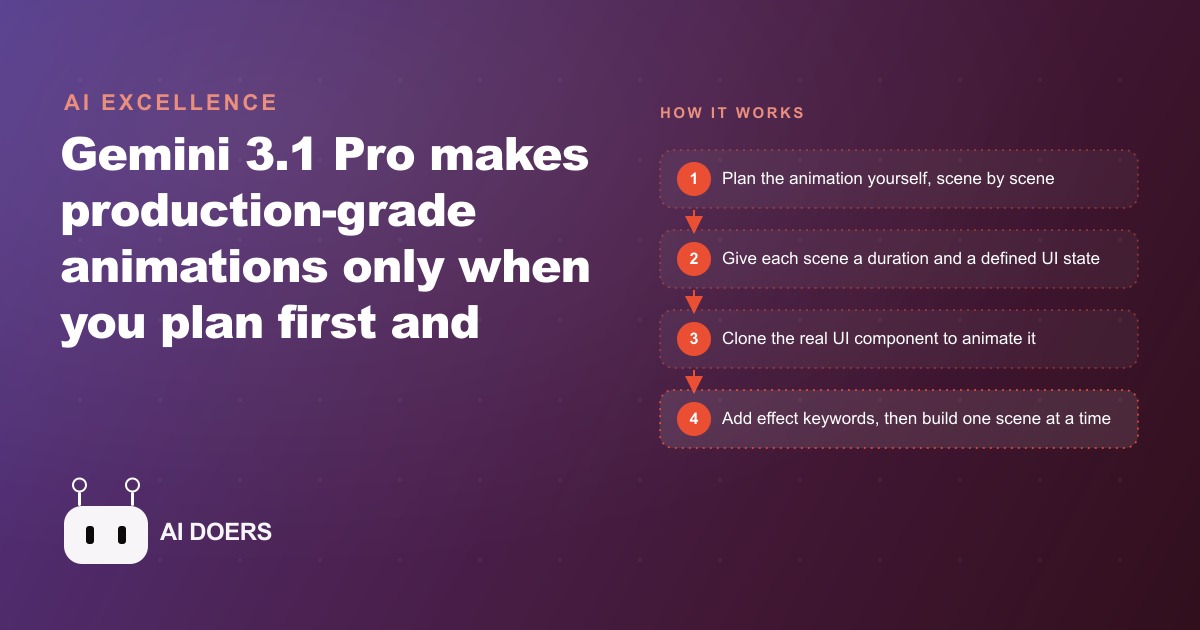
Gemini 3.1 Pro produces launch-grade animation only when you plan first and hand it a scene-based prompt with timing, a defined UI state, the action, and effect keywords. That single shift separates the model's spatial planning from its building and lifts quality two to three times.

Ask Gemini 3.1 Pro to animate this or make it pop and you get chaotic, uncoordinated motion that looks closer to a clunky slide deck than a launch video. The model is not the weak link. The prompt is. When people see gorgeous AI animation online, try it themselves, and get junk, they blame the tool, when the real difference is process. Animation demands heavy spatial reasoning, and models are not specifically trained for it, so a one-line request forces the model to plan the choreography and build it in the same breath, which is exactly where it collapses. The fix is to do the planning yourself and hand the model one clear scene at a time. Here are the eight moves that turn Gemini 3.1 Pro into something that produces launch-grade motion, each one a rule you can apply today.
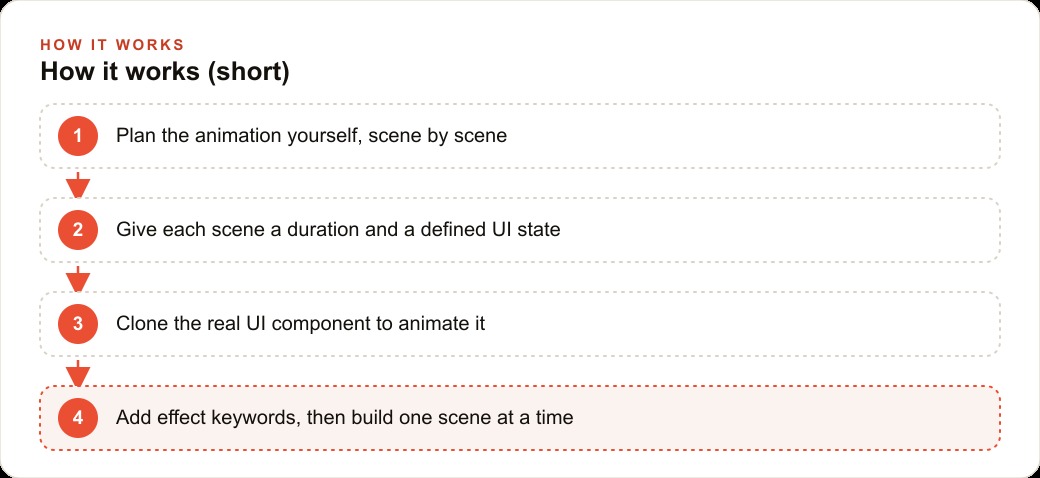
1. Plan the whole sequence before you open the model
The single highest-leverage move is to separate planning from building. You do the creative planning, and the model handles only the implementation. The artifact of that planning stage is a structured, scene-based prompt, and writing it is the most creative part of the entire process. Even a rough version of this discipline lifts results two to three times over a single open-ended request, simply because the model now has a timeline to follow instead of inventing one. Every minute spent planning scenes saves several minutes of iteration later, because a vague prompt produces output you then have to describe more precisely anyway, and somewhere in that back-and-forth you lose the thread of what you originally wanted.
2. Give every scene a duration
A strong scene prompt has four ingredients, and the first is timing. For each scene, say how long it should run. Giving the model a rough duration per scene keeps the motion coordinated instead of letting it guess pacing and produce something that rushes one element and lingers too long on another. Two seconds for a product reveal, one and a half for a set of details fading in, one second for a supporting element to settle. The exact numbers matter less than the fact that you set them, because a timeline the model can follow is what makes a sequence feel deliberate rather than random.
3. Pin down exactly what appears in the frame
The second ingredient is a clearly defined UI state. Spell out precisely what appears in each scene. Clear state removes ambiguity, so the animation matches what you actually pictured rather than what the model assumes you want. This is the difference between saying show the product and saying the product card sits centered on an empty background, title and price stacked below it, review stars beneath that. When the model knows the exact contents of the frame, it animates those contents. When it does not, it invents contents, and invented contents are where results drift away from your intent.
The discipline extends to the start state and the end state of each scene. Tell the model what the frame looks like before the motion begins and what it should look like once it settles. A scene that starts empty and ends with a fully composed card is a different animation from one that starts with the card already present and only reveals the price. Naming both ends removes the guesswork that produces the most common failure, which is motion that lands in a state you never intended and forces you to regenerate the whole scene to fix a single element that arrived in the wrong place.
4. Spell out the action, not just the vibe
The third ingredient is the action: describe what moves and how it transitions, with enough specificity that the model does not have to invent the choreography. This is where most prompts go thin. It is easy to say the card appears and much harder, and much better, to say the card scales in from ninety percent to full size while easing upward, with a soft shadow forming underneath as it settles. The model can execute precise motion. It cannot read your mind about which motion you wanted, so the more exactly you describe the transition, the closer the output lands to the picture in your head. A useful habit is to describe motion the way you would to a person who cannot see your reference: name the direction, the distance, the speed, and what happens to the surrounding elements while it moves. That level of description feels tedious the first time and becomes second nature quickly, and it is the difference between an animation that looks designed and one that looks like the model's best guess.
5. Use effect keywords like a motion designer
The fourth ingredient is effect keywords, and they are not decoration. Words like 3D perspective, rotation, staggered fade, staggered item reveal, and a named easing type instruct the animation at a level of detail that gives the output its polish. They are the vocabulary that separates a launch reel from a slide deck. Leaving them out and hoping the model picks tasteful defaults is how you get motion that technically works but feels generic. A staggered reveal where elements arrive one after another, offset by a fraction of a second, reads as intentional design. The same elements appearing all at once reads as an accident. The keywords are how you ask for the former.
It is worth building a small personal glossary of these keywords, because the same handful recur across almost every animation you will ever make. Easing type controls how motion accelerates and decelerates, and a soft ease-out at the end of a move is what makes an element feel like it settles rather than stops abruptly. A 3D perspective transform adds depth that flat scaling cannot. A staggered offset turns a group of elements from a blunt block into a graceful cascade. Once these four ingredients live in your head, timing, defined state, action, and keywords, you have the entire framework, and missing any one of them is what leaves the model guessing, which is where motion goes wrong.
6. Clone the real UI instead of describing it
The process gets dramatically better when you animate a real interface rather than a description of one. Using a browser extension you can capture the actual UI component you want to animate and get a cleaned-up version of its HTML to paste into any coding agent. Animating the real component beats describing it in words, because the model is moving elements that genuinely exist on screen, with real dimensions, real font sizes, real button styles, and real layout. A description of a product card produces a generic approximation. The cloned real component produces an animation that looks like your actual product, which is what converts a viewer into a buyer.
7. Build one scene at a time and review before the next
Do not hand the model all your scenes in one giant prompt and hope it choreographs them coherently. Build one scene, confirm it looks right, then move to the next. This keeps errors small and preserves your ability to adjust without unraveling everything that came after. If scene one looks right, proceed. If the perspective feels too aggressive, fix that one keyword before building scene two. Incremental building means mistakes are caught when they are cheap, not after four scenes are woven together and a single bad choice has propagated through all of them. There is also a helper layer worth knowing about: a product-release demo skill that asks targeted questions about the initial state, how tabs should appear, where items pop in, and how the cursor behaves, then writes the full scene-based plan for you to review before anything is built. And when you generate, pick Gemini 3.1 Pro specifically, because it is the strongest model for motion right now, while the scene-based method itself stays tool-agnostic and works just as well in Claude Code, Cursor, or any other coding agent.
8. Turn the pattern into a reusable template, with a worked example
The last move is to stop treating a good animation as a one-off and start treating the pattern as an asset. Here is the whole approach applied to an e-commerce store launching a new product line, with illustrative numbers. The store wants a short animated hero for the product page and for social ads: the product card slides in, the lifestyle photo reveals, the reviews appear, and the add-to-cart button draws the eye. A single vague prompt would produce something that technically moves but feels random.
First, clone the real product card with a browser extension, isolated and cleaned from the rest of the page, so the animation is built on real dimensions and real styles. Then plan the scenes in writing before touching the model. Scene one, two seconds: the product image scales into frame from slightly below center using a 3D perspective transform, starting at eighty percent scale and easing to full size with a soft shadow appearing underneath. Scene two, one and a half seconds: the title and price arrive in a staggered fade from the bottom, each element offset by a hundred fifty milliseconds, while the review stars reveal left to right. Scene three, two seconds: the add-to-cart button pulses once from full size to a hundred six percent and back, then a subtle glow builds for two hundred milliseconds to draw the eye without shouting. Scene four, one second: the lifestyle photo crossfades in behind the card at sixty percent opacity, giving context without competing with the conversion element. Write each scene with its duration, its defined UI state, its action, and its effect keywords, select Gemini 3.1 Pro, and build one scene at a time, reviewing before moving on.
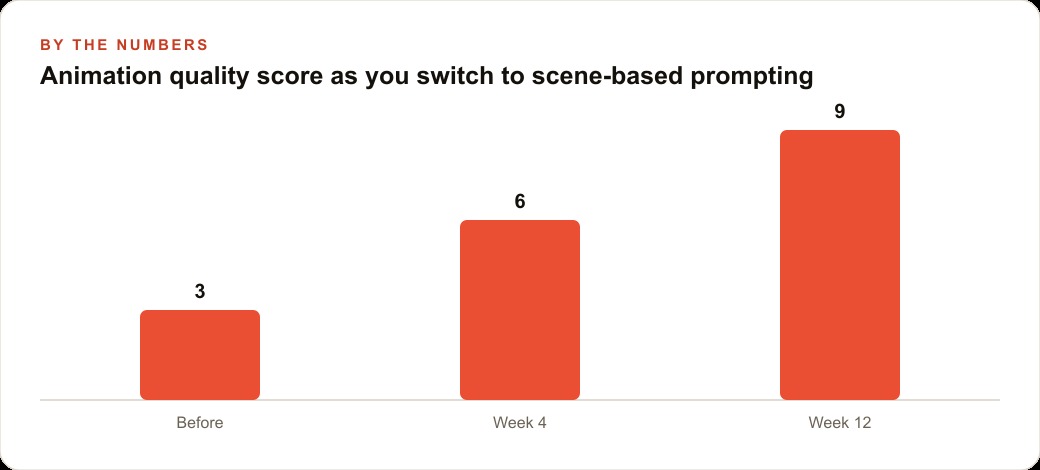
Put rough numbers on the payoff. Judged on a simple ten-point quality scale, a first attempt with vague prompting lands around a three, the kind of output you would not ship. The same store using scene-based prompting reaches roughly a six by the fourth week as the team internalizes the four ingredients, and closer to a nine by the twelfth week once the template is reused across product drops. The planning that took one to two hours the first time drops under thirty minutes once the pattern is familiar, because the store reuses the exact scene template for every future launch, swapping the product image and adjusting the color accent. What took hours the first time takes minutes the third, and the animation becomes a repeatable asset rather than a one-off production. That polished hero is exactly the kind of creative that lifts click-through on Facebook and Instagram ad campaigns, keeps visitors on the page long enough to help SEO and organic search, and sends more qualified traffic into the CRM and website stack where the sale gets closed.
The reason this matters beyond software companies is that any business needing to show a product, a feature, or a process in motion can use the exact same eight moves. A real estate listing with an animated walkthrough stands out from a static gallery. A service business explaining its process in a choreographed sequence communicates more in ten seconds than a paragraph does. The content type changes and the process does not, which is why the smart investment is learning the pattern once rather than paying for motion design every launch. The model is genuinely capable of studio-grade output. Plan first, feed it timing, a defined state, the action, and effect keywords, clone the real interface, and build one scene at a time, and you get there. The gap between what most teams get and what the model can produce is almost entirely a prompting gap, not a model gap, and that gap is closable in an afternoon of practice. You can run this yourself this week on a single product or feature, or bring in someone to plan the full sequence, clone the interface, and hand over a scene template your team reuses across every future launch.
That is exactly what we do at AI DOERS. Book a private 30-minute call with Madhuranjan Kumar and we will map the fastest path to it for your specific business.
Book your call →
Madhuranjan Kumar
Madhuranjan Kumar brings 20 years of performance-marketing experience and has managed over $200 million in Facebook ad spend for brands across the United States and beyond. His expertise spans the full modern marketing stack: Meta, Google Ads, TikTok, email automation, CRM, and the websites that hold it together. At AI DOERS he turns that track record into lead-generation systems for businesses across every industry.