
How to Make OpenClaw 10x More Powerful: VPS, Better Search, and Living Files
OpenClaw becomes a tireless operator once you run it on a VPS it can fully control, upgrade its search, and turn its core files into living documents it can read and act on. Here is how I set mine up.

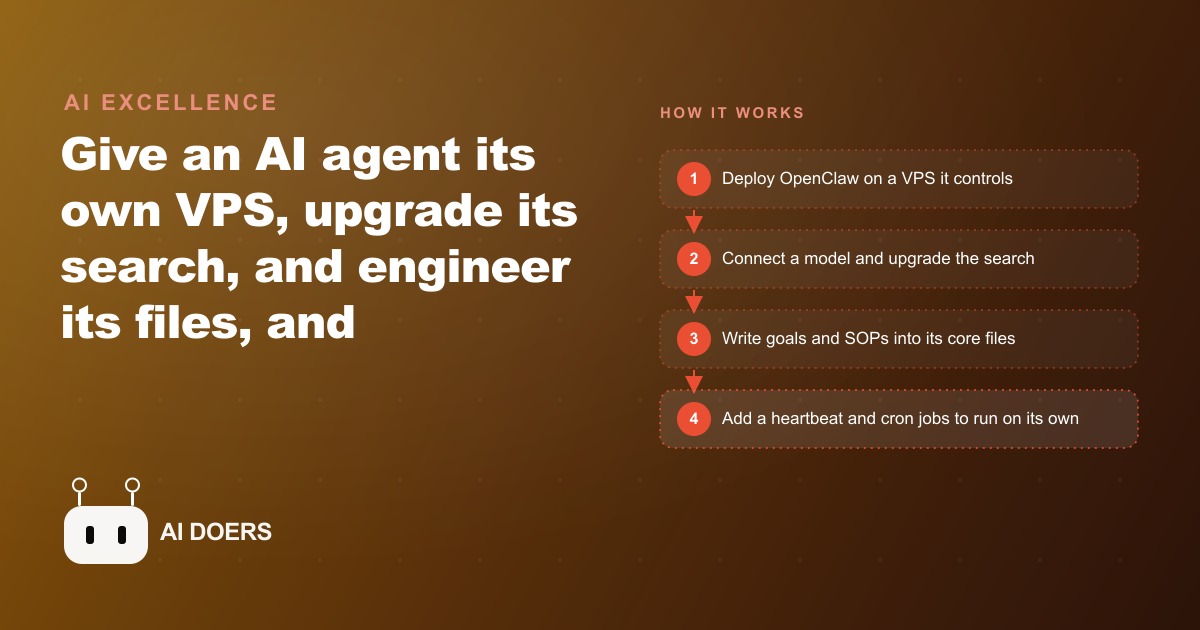
A file on your laptop is passive. It sits there until you open it, does nothing while you are away, and contains whatever it contained the last time you saved it. A file on a VPS that an AI agent can read, edit, and act on is fundamentally different: it is a living document that can trigger actions, update itself when circumstances change, and serve as the memory that makes the agent's next session smarter than the last one. I am Madhuranjan Kumar, and understanding that distinction is the key to getting ten times more from an AI agent like OpenClaw, because the power does not come from the model, it comes from the quality of the environment you build around it.
The file on your laptop and the file on the agent's VPS are not the same thing
This seems obvious once you say it and is invisible until you do. Most people who set up an AI agent give it a powerful model and a chat interface and then wonder why it does not feel dramatically more capable than a standard chatbot. The reason is that they have not changed the nature of the files the agent works with. The agent reads a file, produces an output, and the output disappears when the session ends. Nothing has been changed in the agent's environment, nothing has been saved to a place where the next session can benefit from it, and nothing has been updated to reflect what the agent learned.
When you move the agent to a VPS it fully controls, the dynamic reverses. The agent reads a file, produces an output, updates the file to reflect what it found, and that update persists. The next session starts from a richer state than the last one started from. Over weeks, the files accumulate the agent's learning and the user's feedback. The agent that has been running for a month on a well-structured VPS is not the same agent as the one that was installed on day one, even though the underlying model has not changed. The wrapper has grown.
The practical choice between a Mac Mini and a VPS is also worth addressing directly. A Mac Mini costs at least $600 upfront and is physically tied to one location. A VPS is available for a fraction of that per month, is accessible from anywhere, does not require you to be present for it to run, and can be scaled or replaced without losing the files it contains. For anyone running an agent as a persistent business tool rather than an occasional experiment, the VPS is the right starting point.
Context engineering is editing markdown, and the quality of your markdown determines the quality of your agent
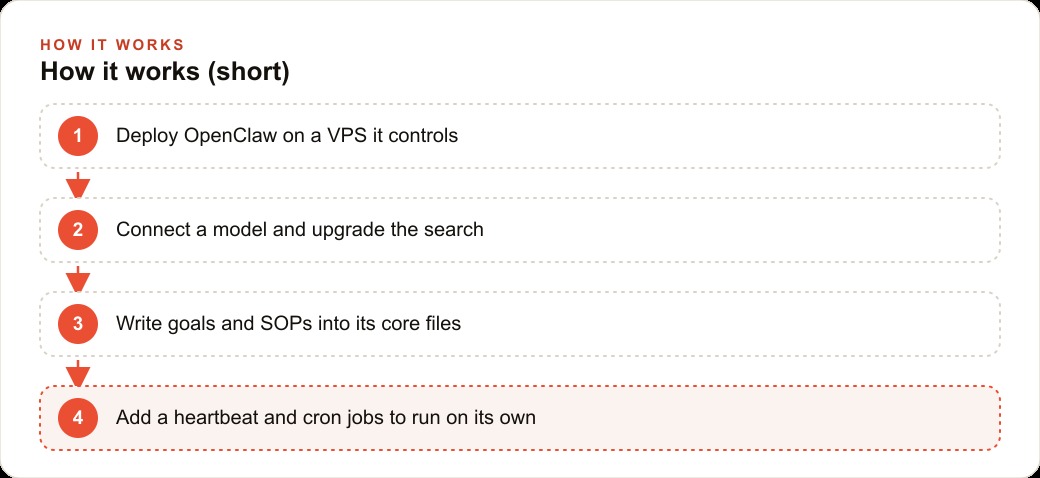
OpenClaw loads nine core files into every message: agents, soul, user, memory, tools, identity, heartbeat, and a few others. Those files are plain markdown. Editing them is what practitioners mean when they say context engineering. It is not writing code. It is writing clear descriptions of how the agent should behave, what it knows about your situation, and what resources and procedures it has available.
The quality of what you write into those files determines the quality of what the agent produces. An agent whose soul file contains vague instructions produces inconsistent behavior. An agent whose soul file contains specific, tested descriptions of the situations it will encounter and how to handle them produces consistent, useful output. The relationship between the markdown you write and the agent's behavior is direct and relatively predictable, which means improving the agent is mostly a writing task, not a technical one.
Beyond the core files, the most valuable content lives in the personal and business folders you create: your goals, your standard procedures, your preferences, your specific knowledge about recurring situations. The agent reads these folders at the start of tasks and draws on them to make decisions that match how you actually want things done, rather than how a generic assistant might approach the same question. A business folder for an electrician that contains service area, pricing ranges, common customer questions, and how the business handles specific job types means every email the agent drafts sounds like it came from someone who knows the business, not from a generic tool trained on the internet.
For businesses investing in SEO and organic content specifically, the business folder is where your content standards, topic focus, and audience understanding belong. An agent that can read those standards before drafting any content will produce output that fits the brand without requiring detailed re-explanation every session.
Search quality is a multiplier on everything the agent does
The default search available to most AI agents is web search of varying quality. The upgrade that changes the most about how an agent answers complex questions is replacing that search with Perplexity's agentic search models through OpenRouter. Two modes matter: Sonar Pro Search for everyday queries where current information improves the answer, and Sonar Deep Research for complex questions that benefit from synthesizing multiple sources before responding.
The difference in output quality between a well-searched answer and a poorly-searched answer is substantial on any question that depends on current information. Market conditions, competitor activity, regulatory changes, recent technical developments, all of these require current search to answer accurately. An agent that retrieves current, synthesized information before answering produces responses that are genuinely useful for business decisions. An agent that relies on training data alone produces answers that reflect what was true when the model was trained, which may be months or years out of date for anything that moves quickly.
The practical upgrade is to have the agent document the new search configuration in its tools and memory files the first time you set it up, so the preference persists across sessions without requiring manual activation. A change you make once and document correctly becomes a permanent improvement rather than something you have to remember to set every time.
For businesses running Facebook and Instagram ad campaigns or Google Ads, an agent with good search quality can monitor competitor activity, surface relevant industry developments, and synthesize market research from current sources, producing briefings that would otherwise require hours of manual research per week.
The heartbeat and cron system is how agents become proactive instead of reactive
Most AI agents are purely reactive: they respond when you ask something and are idle otherwise. The heartbeat changes that. It wakes the agent on a schedule, typically every 15 to 30 minutes, to read its instructions and act on whatever is specified for that time of day or that condition. The agent becomes proactive: it checks whether something needs doing rather than waiting to be asked.
Running the heartbeat on a cheap model like Haiku 4.5 keeps the cost of frequent check-ins low. The heartbeat is not doing deep reasoning; it is reading a short set of instructions and deciding whether any of them apply to the current moment. Reserve the expensive model for the sessions where complex thinking is actually required, and run lightweight routine checks on the efficient model.
Cron jobs extend this further by scheduling specific tasks at specific times without requiring you to know the syntax for writing cron schedules. Describe the schedule in plain English to the agent: every weekday morning at 8 AM, pull yesterday's completed jobs and draft the invoice for each one. Every Sunday evening, check whether any follow-up emails from last week have not received responses and draft reminders. The agent writes the cron schedule from the description and sets it running.
For an electrician using this setup, the morning cron sends the day's job summaries, the evening cron checks for unanswered quotes, and the heartbeat watches for inbound messages and flags anything that looks urgent. The owner wakes up to a prepared inbox and a list of actions rather than to a pile of raw information that requires manual sorting. The electrical work is what the owner's time goes to; the admin runs on the agent.
The end state that OpenClaw's architecture points toward is an agentic company: every person has a personal agent holding their individual context and preferences, and one team agent holds the shared company context that the personal agents can query. A task that requires company policy knowledge gets handed to the team agent; a task that requires personal context stays with the individual agent. The coordination between them, which happens through the MCP connectors OpenClaw already supports, replaces the coordination overhead that currently happens through meetings and messages. You can build toward that end state starting from a single well-configured personal agent, and each improvement you make to the markdown files and the search configuration compounds directly into more capable output from every session that follows. ## A concrete example: an electrician's agent after six weeks
A licensed electrician running a three-person shop with one office manager and two field technicians built an OpenClaw setup over four weeks. The setup started with a VPS on a budget plan, a Claude API key connected with Sonnet as the default model and Opus reserved for complex analysis tasks, and a business folder that contained the service area, pricing for twenty common job types, the company's preferred parts suppliers, the standard safety and inspection notes for the most common residential jobs, and tone guidance for customer communication.
Week one produced a working inbox monitor. The office manager described the task: every morning, read the inquiry form submissions from the previous day, draft a response to each that confirms receipt, provides a price range for the described job, and offers two appointment slots. The response draft should match the tone of the sample emails in the business folder. The agent produced acceptable drafts from day two onward, requiring only minor edits to approximately one in four for tone or specificity.
Week two added the supplier check. The electrician identified the two parts distributors they used most often and the fifteen parts they ordered most frequently. The agent was given a task: every Tuesday morning, check the current stock status for those fifteen parts across both suppliers using the distributor's online portals, and report any items that are below the reorder threshold or significantly different in price between suppliers. The first run was manual and took the technician twenty minutes to supervise. By week three, the agent ran it autonomously and delivered a clean report.
Week three added the heartbeat for urgent inquiry monitoring. The office manager was losing roughly two calls per month because the office phone was unmonitored during hours when the team was on job sites. The heartbeat, running on Haiku every twenty minutes, checked the web-form inbox and flagged any submission that contained words like emergency, flooding, outage, or no power with a text alert to the owner's phone. Two urgent situations in the following month were responded to within fifteen minutes of submission.
Week four added the cron jobs. Every Sunday evening, the agent prepared the weekly schedule summary: jobs scheduled for the week ahead, parts that needed to be ordered for specific jobs, any customer follow-up tasks that had been flagged during the previous week. The summary arrived in the owner's inbox by 7 PM, before the work week started, giving the owner a clear picture of the week without any manual compilation.
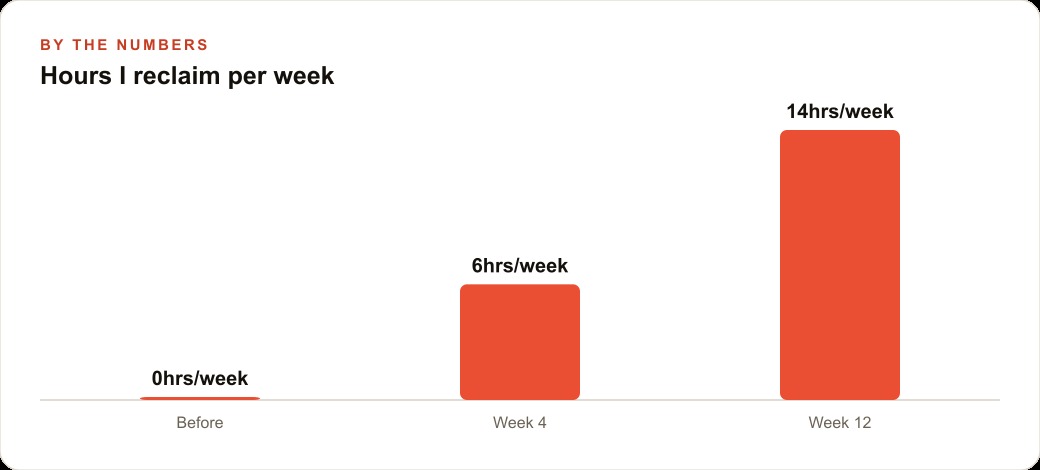
Six weeks in, the time recovered per week was estimated at approximately five hours: two hours from the morning draft responses, one hour from the supplier check, and two hours from the Sunday schedule summary that previously required the office manager to compile manually from separate sources. The cost of the VPS and the API usage combined was roughly $45 per month. Five recovered hours per week at the office manager's hourly rate of $20 represents $100 per week of recovered value, or roughly $400 per month. The payback on setup and monthly costs was clear within the first month.
The setup also revealed a pattern the electrician had not quantified before: the urgent-inquiry monitoring showed that approximately 15 percent of inbound inquiries described situations where a faster response was the primary decision criterion for the customer. Those customers were not comparing prices; they were choosing whoever responded first and seemed competent. Responding within fifteen minutes rather than the next morning converted those inquiries at a significantly higher rate, which is the kind of business intelligence that only becomes visible when you have a systematic way to observe it.
That is exactly what we do at AI DOERS. Book a private 30-minute call with Madhuranjan Kumar and we will map the fastest path to it for your specific business.
Book your call →
Madhuranjan Kumar
Madhuranjan Kumar brings 20 years of performance-marketing experience and has managed over $200 million in Facebook ad spend for brands across the United States and beyond. His expertise spans the full modern marketing stack: Meta, Google Ads, TikTok, email automation, CRM, and the websites that hold it together. At AI DOERS he turns that track record into lead-generation systems for businesses across every industry.