
How to Iterate UI in Cursor Faster With Free Version Control
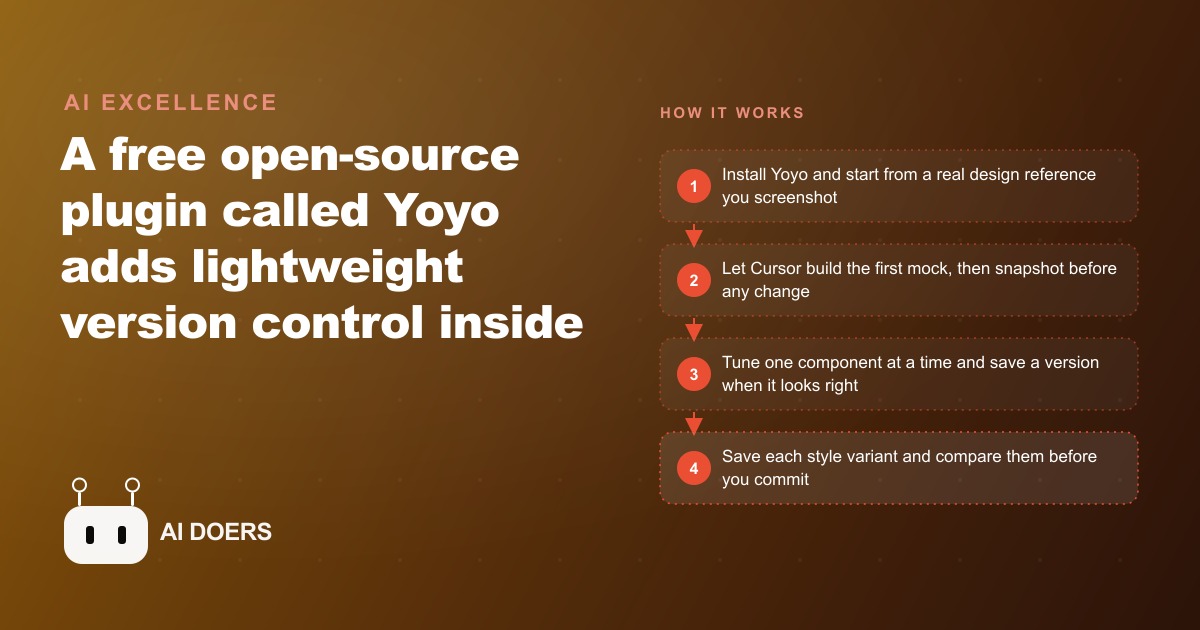
Install Yoyo, a free open-source plugin that adds lightweight version control inside Cursor, Windsurf, and Claude Code, then snapshot before every prompt so you can fork, compare, and roll back UI iterations without losing your best versions.

If you have spent any time iterating on a user interface inside Cursor, Windsurf, or Claude Code, you have hit the same wall. The agent breaks something that was working. You want to go back to what you had three prompts ago, but you never committed it to git because it was just an experiment. Now it is gone, and you are rebuilding from memory.
I am Madhuranjan Kumar, and the Yoyo snapshot plugin solves this problem in a way that git was never designed to. Git is a distributed version control system built for software teams managing production codebases. It is excellent at what it does. But the cadence of AI-assisted UI iteration, which can mean ten to fifteen distinct visual states in a single afternoon of work, demands something lighter, faster, and closer to the act of design than git commits support.
Yoyo is a free, open-source plugin that installs in one click inside Cursor, Windsurf, or Claude Code. It adds lightweight snapshots that sit between your prompts, labeled by intent rather than commit message, queryable through a natural language interface. Here are seven things it does that git was never built for, illustrated through a med spa redesigning its booking page, a project with exactly the kind of iterative, visual, high-stakes quality bar where this tool earns its place.
1. Takes a pre-prompt snapshot as a trained reflex, not an afterthought logged after damage is done
The most valuable habit Yoyo teaches is timing. In git, the commit happens after the work is done and reviewed. The snapshot you wish you had taken was the one before the work started.
Yoyo rewires this instinct. The correct moment to snapshot is immediately before you send a new prompt to the agent, when the current state is working and you are about to ask for something that might break it. One click, a label like "pre-nav-redesign," and you have a checkpoint you can return to without hunting through any history.
For the med spa booking page, this reflex matters from the very first session. The team has a reference screenshot from a design inspiration site. They paste it into Cursor and ask the agent to analyze the design system, extract the component structure, and build the first version of the booking page with placeholder data. Before they send that prompt, they snapshot "initial-empty." Before they ask for the appointment card to be rebuilt to match the reference, they snapshot "pre-card-rebuild."
Every single prompt becomes a potential rollback point. The reflex does not add time to the workflow because the snapshot takes two seconds. It adds an insurance policy to every agent interaction for effectively no cost.
The teams that do not develop this reflex spend disproportionate time recovering from agent derailments. The teams that do spend that same time actually iterating. Over a week of UI work the difference in output quality is visible to anyone who looks at the two final screens side by side.
2. Stores style variants by intent so you can compare dark, light, and glass without juggling browser tabs
When you are exploring visual directions, the comparison problem is as important as the generation problem. You can build a dark-mode version and a light-mode version of the same screen, but if you are running them sequentially in a single preview window, you lose the ability to compare them directly. Memory is not a reliable design tool.
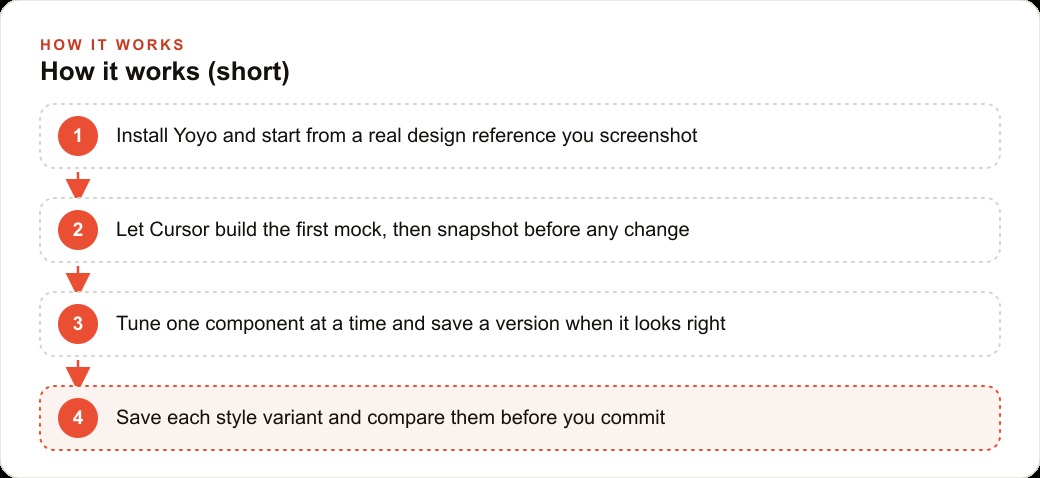
Yoyo solves this by letting you save each style variant as a named snapshot with a label that describes what it represents. The label is not a commit hash or a version number. It is "dark-v2," "light-v1," or "glass-experiment-3." Each snapshot preserves the full codebase state at the moment it was taken, which means you can jump between them instantly and preview each one in the browser.
For the med spa booking page, the team wants to test three visual directions before the client review: a soft navy palette with white cards, a pure-white minimal treatment with black typography, and a frosted-glass effect over a warm-gradient background. Each direction gets built, previewed, and saved as its own snapshot. The client review meeting can now show all three versions live, switch between them in under a minute, and gather feedback on actual implementations rather than static mockups.
Without Yoyo, showing three live versions of the same screen requires three separate branches in git, switching between them, rebuilding, and hoping the preview server handles the swap without artifacts. With Yoyo it is three snapshots and a click per transition. The meeting stays on the design decision rather than on the tool mechanics.
3. Answers a natural-language version query so you never dig through a numbered list to find the state you want
Version control systems index states by sequence. Commit three hundred and forty-seven. Version fourteen. These identifiers are useful for machines and useless for human memory. When you want to find "the version where the nav had the soft-drop shadow and the booking form was centered," you are not looking for number three hundred and forty-seven. You are looking for a description.
Yoyo's chat interface lets you ask exactly that. "Which version had the soft shadow on the nav?" The extension returns the snapshot that matches, with the label you gave it at the time and a brief description of what changed in that state.
This matters more as the number of snapshots grows. Early in a project, you can probably remember which version was which. Three weeks in, with forty-odd snapshots across two weeks of sessions, memory fails completely. The chat interface compensates for the failure of sequence-based retrieval by letting you search by meaning.
For the med spa project, three weeks in, the team has twenty-eight snapshots. Someone remembers that the version the client preferred had the appointment card with a slightly warm background tint and a wider border radius on the confirm button, but they cannot remember when that was built. They ask the Yoyo chat. It surfaces "warm-card-v2" from twelve days ago with a summary of what that snapshot contained. They restore it in under a minute and resume from that direction instead of rebuilding it from description.
4. Removes the fear of experimenting because the cost of a wrong turn collapses to near zero
Fear is the primary limiter of UI quality in AI-assisted development. When rolling back to a previous state is painful, developers and designers stop experimenting the moment they reach something that is "good enough." They would rather live with a design that is fine than risk losing it by trying something that might be better.
Yoyo removes the cost of failure from every design decision. If you snapshot before an experiment, the worst possible outcome is one click back to where you started. Nothing is lost. The experiment cost two minutes and produced information, either a better design or the knowledge that the current one is already the best available option.
This changes the quality ceiling of what a team will attempt. The med spa team would not have tried the glassmorphism variant at all without Yoyo. Building it required rewriting the card background, adding blur filters, adjusting the opacity of multiple layers, and modifying the color variables throughout the component. Any of those changes could cascade into breaking something that was working. With a snapshot taken before the attempt, the cascade is recoverable. Without one, the team would have looked at the risk and chosen not to try.
They tried it. It looked wrong in context, competing visually with the background image in a way that made the form hard to read. One click back to the pre-attempt snapshot. They learned something important about what works for this specific design system without paying any cost for the learning. That is the experiment budget that Yoyo makes available.
5. Undoes an agent derailment in one click rather than a debugging session that can run forty minutes
AI coding agents derail. This is not a flaw in the tool; it is a known property of probabilistic systems operating on complex codebases. The agent makes five correct changes and one deeply wrong one that cascades. The wrong change introduces a subtle bug in state management that surfaces three components away from where the change was made. By the time the symptom appears, the cause is hard to trace.
Without Yoyo, recovery from a derailment means running git diff to understand what changed, isolating the problematic changes across multiple files, reverting specific sections, and rebuilding the state you had before. In a complex component this can take twenty to forty minutes of careful debugging.
With Yoyo, recovery is one click back to the snapshot taken before the derailing prompt. The agent's changes disappear completely. The codebase is exactly as it was. A new prompt can be written with better constraints to prevent the same derailment.
For the med spa project, the most significant derailment came when the team asked Cursor to adjust the border radius on the confirm button. The agent, without being told not to, also refactored the state management logic for the entire booking form, breaking the date picker in the process. The date picker failure took thirty seconds to notice. The repair without Yoyo would have taken the better part of an hour. With Yoyo, they clicked back to "pre-button-radius," wrote a new prompt that explicitly excluded the state management files from the scope of the change, and had a working button adjustment in four minutes.
6. Labels states by what they represent rather than by a sequence number that means nothing six days later
Human memory works on meaning, not on sequence. When you want to find a previous state of your UI, you search by what was distinctive about it, not by when it was created. "The one with the warm card background." "The version after we fixed the mobile layout." "The state right before we added the testimonial section."
Git commit messages could theoretically carry this meaning, but in practice they rarely do. "WIP," "fix," "update," "refactor" are the dominant vocabulary of commit history for solo developers and small teams working fast. These messages are written under time pressure, after the work is done, and they decay in usefulness almost immediately.
Yoyo labels are chosen at the moment of snapshot, before the change, when the label writer has full context about what is about to change and what they want to find later. The label is the memory hook. It is written when the information is fresh and read when it is needed. That gap, sometimes hours, sometimes weeks, is exactly when memory fails and good labels succeed.
For the med spa project, the snapshot history at the three-week mark tells a legible story: "initial-mock," "post-nav-rebuild," "dark-header-attempt," "light-header-v1," "after-client-feedback-1," "mobile-fix," "appointment-card-v2," "current-best." Anyone on the team can read that list and understand the project's visual history without having been present for every session.
7. Prepares your workflow for the multi-agent era before that era arrives and raises the stakes on state management
The development environment of 2026 has one agent working in one session. The development environment coming in the next eighteen to twenty-four months will have multiple agents working in parallel on the same codebase. One agent refactors component structure while another writes tests while another updates the design system to match a new brand direction. The number of code states being generated per hour will multiply by the number of agents active simultaneously.
Git was not designed for this cadence. The merge conflict resolution model that works for human developers committing a few times per day breaks down when agents are generating states every few minutes. A new model of state management, lighter, faster, and more granular than git commits, will be necessary.
Yoyo represents an early version of that model. The snapshot-before-every-change reflex, the intent-based labeling, the chat-based retrieval, these are the behaviors that will be essential when the pace of state generation multiplies. Adopting them now means you arrive at the multi-agent era with habits already formed rather than trying to learn them while managing four simultaneous agents on a production codebase.
For the med spa project, one designer working in one session took twenty-eight snapshots over three weeks. Extrapolate that to a team of three developers with one agent each, running parallel sessions five days per week: the snapshot count for the same three-week period would be somewhere between two hundred and four hundred states. The chat-based retrieval that feels convenient at twenty-eight snapshots becomes essential at two hundred.
The med spa booking page shipped with a design the team would not have attempted without Yoyo's safety net. The client approved the final direction in the second review session rather than the fourth. The difference was not better prompting. It was the freedom to experiment that comes from knowing every experiment is recoverable. Git gave us production safety. Yoyo gives us iteration safety. Both are necessary. Neither replaces the other.
The one habit that makes all seven capabilities worth having
Seven distinct advantages make a persuasive list on paper. In practice, only one of them unlocks the rest: the pre-prompt snapshot reflex.
If you install Yoyo and continue prompting the same way you did before, clicking snapshot only when something breaks or when you remember, you will use maybe three of the seven capabilities occasionally. If you make the pre-prompt snapshot automatic, a two-second action taken every single time before you send a new instruction to the agent, all seven capabilities become available to you as a natural byproduct.
The comparison of dark, light, and glass variants is only possible if you snapshotted before switching to each one. The chat-based version query only returns useful results if your snapshots have meaningful labels applied at the moment of creation. The one-click rollback from an agent derailment only works if you snapshotted before sending the derailing prompt. None of these depend on using Yoyo cleverly. They depend on using it reflexively.
The med spa project shipped a final design that the team considers the best work they have produced in this tool category. When asked what made the difference, the answer from the developer was not a specific Yoyo feature. It was "I stopped being afraid to ask Cursor for something that might not work." That loss of fear came directly from knowing that every interesting prompt was preceded by a checkpoint they could return to. The quality came from the confidence. The confidence came from the reflex. Start there.
That is exactly what we do at AI DOERS. Book a private 30-minute call with Madhuranjan Kumar and we will map the fastest path to it for your specific business.
Book your call →
Madhuranjan Kumar
Madhuranjan Kumar brings 20 years of performance-marketing experience and has managed over $200 million in Facebook ad spend for brands across the United States and beyond. His expertise spans the full modern marketing stack: Meta, Google Ads, TikTok, email automation, CRM, and the websites that hold it together. At AI DOERS he turns that track record into lead-generation systems for businesses across every industry.