
How to Fine-Tune an Open-Source AI Model Locally With Unsloth Studio
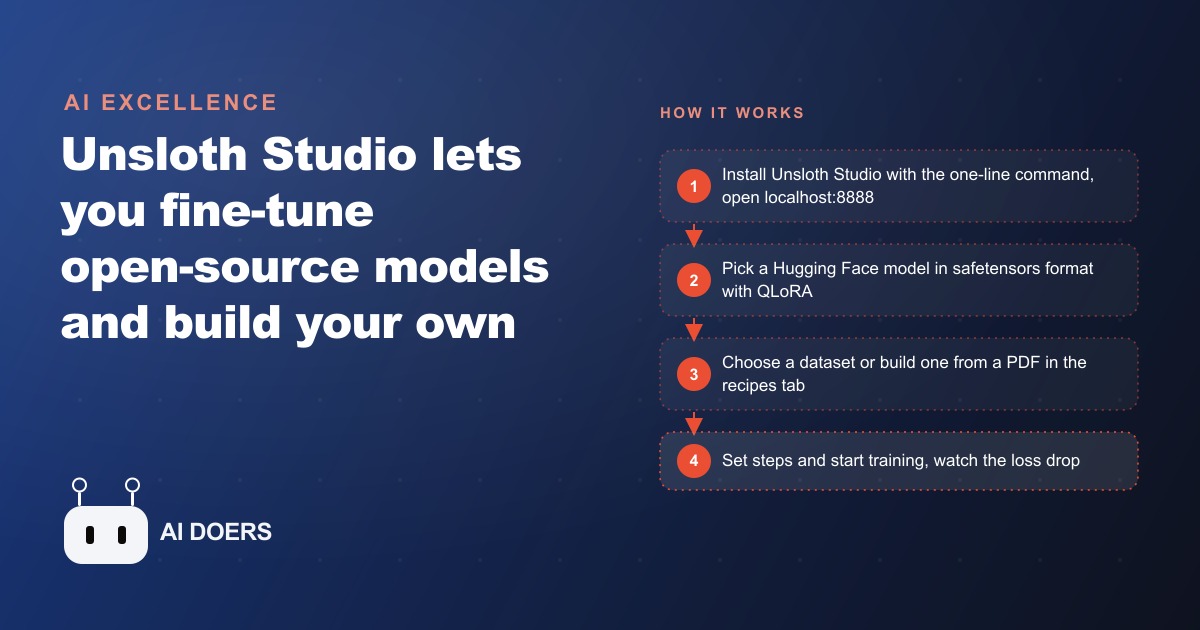
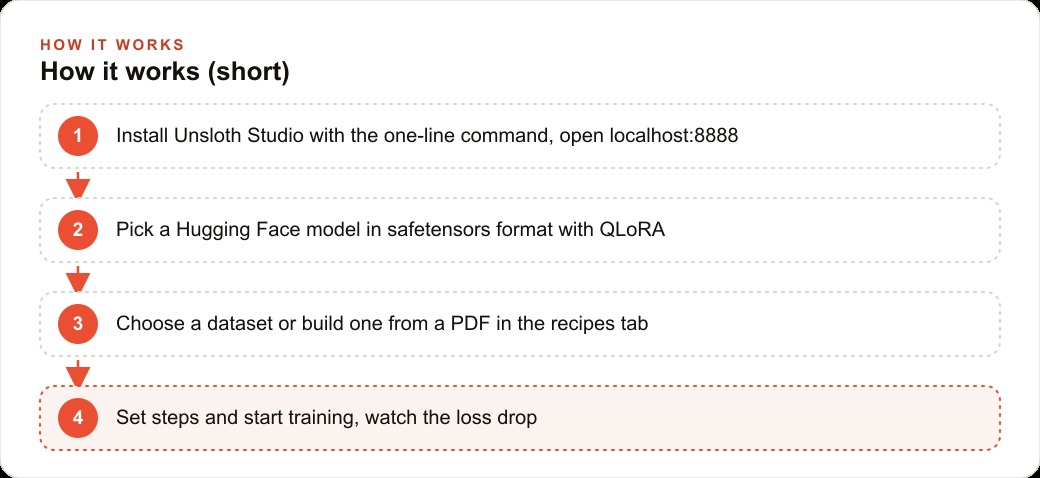
Install Unsloth Studio with one command, open localhost:8888, pick a Hugging Face model in safetensors with QLoRA, choose or build a dataset, then start training and watch the loss drop. It runs fully offline on hardware you already own, for free.

The three problems that kept fine-tuning out of reach for small teams
Fine-tuning a language model on your own data has been theoretically accessible for years and practically inaccessible for most teams that would benefit from it. Not because of the concept, but because of three specific friction points that compounded into a barrier most people never cleared.
The first was dataset creation. Building a training dataset in the format that fine-tuning requires, with instruction-input-output triples that represent the specific behavior you want the model to learn, was time-consuming and required understanding the format well enough to avoid errors that would corrupt the training run. Most people who tried to build their own datasets gave up before they had enough examples to produce a meaningful fine-tuned model.
The second was local infrastructure. Running a fine-tuning job on a personal machine required understanding GPU memory requirements, quantization formats, training parameters, and the command-line tooling that connected all of these. People who cleared the dataset hurdle frequently stopped here.
The third was visibility. Even when someone cleared both hurdles and started a training run, understanding whether the training was working required reading loss curves and knowing what to look for. A training run that produced a worse model than the base, because the dataset was too small or the learning rate was wrong, looked the same from the outside as a training run that produced an improvement.
I am Madhuranjan Kumar, and Unsloth Studio addresses all three of these problems in a single open-source tool that runs locally and costs nothing to use.
What Unsloth actually does differently from training a model from scratch
The terminology around AI model training creates confusion because "training" can mean two very different things. Training a model from scratch means initializing a neural network with random weights and exposing it to an enormous amount of text data over weeks or months of computation, which requires resources that only well-funded research organizations possess.
Fine-tuning means taking a model that already exists and has already been trained on an enormous corpus, and adjusting a small subset of its weights using a much smaller domain-specific dataset. The adjusted weights push the model's behavior toward the patterns in your dataset without erasing what it already knows. You are not building a model. You are teaching an existing model how to behave in your specific domain.
QLoRA, which is the fine-tuning method Unsloth defaults to, is a particularly efficient variant that further reduces the memory requirements by quantizing the base model weights during the adjustment process. On a machine with 24 to 32 gigabytes of RAM or VRAM, QLoRA fine-tuning on models in the 7 to 27 billion parameter range is practically achievable within hours rather than days.
Unsloth's specific contribution is making QLoRA training faster and more memory-efficient than the standard implementations, combined with their own quantization format that maintains accuracy while reducing size. For a model like Qwen 2.5 in the 7 billion parameter range, Unsloth's implementation typically runs 2 to 5 times faster than the baseline while using less memory.
The dataset creation workflow that removes the biggest barrier
Unsloth Studio's recipes tab is where the dataset problem gets solved. The feature takes a document you provide, sends it to a capable model through OpenRouter, and generates a training dataset of instruction-output pairs derived from the document's content.
The practical case is a business that has accumulated domain knowledge in documents it already owns. A tax advisory firm that has a set of client guides explaining common tax situations. A legal services business that has explainer documents describing standard contract issues. A medical practice that has educational materials explaining procedures and aftercare. A financial planning firm that has written guides explaining investment concepts.
Any of these businesses can feed their existing documents into Unsloth Studio's recipes tab and receive a training dataset in the correct format. The demonstrated example used an 80-page Nvidia financial report as the source document, which produced a training dataset of financial analysis question-answer pairs specific to the content of that report. A fine-tuned model trained on that dataset could answer detailed questions about that specific report more accurately than the same base model applied to the same questions without fine-tuning.
The quality of the generated dataset depends on the capability of the model used to generate it. Unsloth Studio connects to OpenRouter, which provides access to models including DeepSeek V4 Pro at very low cost. Using a capable generation model to create the training dataset and then using that dataset to fine-tune a much smaller, cheaper-to-run local model is the distillation approach: extract the knowledge through a capable model, encode it into a small model that runs locally for free.
Reading the training run and understanding what the loss curve tells you
Once a dataset is prepared and a base model is selected, the training run itself is configured through Unsloth Studio's interface. The key parameters are context length, batch size, and the number of training steps. For most initial fine-tuning experiments, the defaults are sensible starting points.
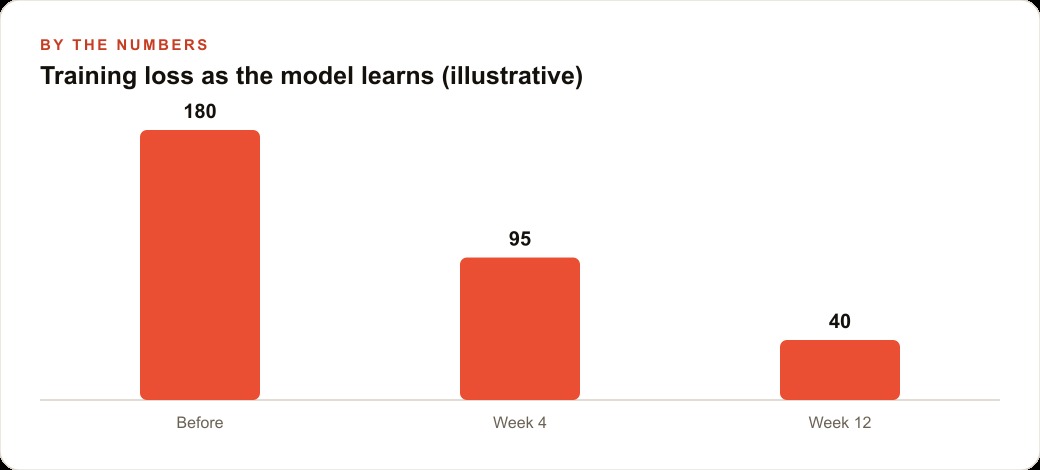
The signal that the training run is working is the training loss curve. Loss measures how poorly the model is predicting the next token given the training examples. A loss that starts high and decreases over the training steps means the model is learning the patterns in the dataset. A loss that does not decrease means the training is not working, which is typically caused by a problem with the dataset format or the learning rate configuration.
The demonstrated training run produced a loss that fell from above 2.0 to approximately 0.8 over the course of the run, which is a clear signal that the model learned the dataset. The final step is testing the fine-tuned model against the domain it was trained on: asking questions that the base model would answer generically and seeing whether the fine-tuned version answers with the domain-specific knowledge from the training dataset.
The model selection decision and why it matters for local deployment
Choosing which base model to fine-tune is the first decision in the Unsloth Studio workflow, and it requires understanding the difference between two file formats that models are typically distributed in.
GGUF is a compressed format optimized for inference. Running a GGUF model for local chat requires less memory and produces faster responses, which is why tools like Ollama and LM Studio use GGUF. But GGUF files are read-only for inference. Fine-tuning requires modifying the weights, which is not possible on a compressed inference-optimized format.
Safetensors is the uncompressed format that stores the full weight values. Fine-tuning requires safetensors. After fine-tuning, the resulting model can be converted to GGUF for local deployment if efficient inference is the goal.
Hugging Face hosts both formats for most models. Unsloth re-uploads optimized versions of major open models including Qwen, Llama, and Gemma with fixes and dynamic quantization applied. The recommended path for Unsloth Studio is to use one of Unsloth's re-uploaded versions as the base model, because these versions include bug fixes and optimizations that the original releases sometimes lack.
The distillation logic and when it produces the best results
The most cost-effective path to a high-quality fine-tuned model for a specific domain follows the distillation pattern. A capable model with broad knowledge generates training examples by applying that knowledge to domain-specific documents. A smaller model is then fine-tuned on those examples. The smaller model learns to behave like the capable model did on those specific documents.
The value of this pattern is that it produces a small, locally-runnable model that performs comparably to a large cloud-hosted model on the specific tasks it was trained for, at a fraction of the ongoing cost. A small model running locally answers queries immediately, with no API cost per request, and with no latency from an external API call.
For a business that has a high volume of repetitive domain-specific queries, whether that is answering product questions, processing claims of a specific type, or responding to client questions about a specific set of topics, the distillation path produces a local capability that pays for its setup cost quickly. The ongoing cost is electricity and hardware amortization, not per-query API fees that scale with volume.
The distillation approach requires checking the terms of service of the model used to generate the training examples. Some model providers explicitly prohibit using their outputs to train competing models. Providers that permit distillation are the appropriate choice for this workflow.
The moat that fine-tuning creates and why it is different from prompt engineering
Prompt engineering, the practice of writing careful instructions to shape a model's behavior, is powerful but does not create a durable advantage. A prompt can be copied. A fine-tuned model trained on proprietary data cannot be replicated by copying a prompt, because the data it was trained on is not accessible to anyone who sees the model's outputs.
Fine-tuning on your own data creates a capability that is specific to your organization's knowledge and that cannot be easily replicated by a competitor who does not have access to the same data. A financial advisory firm that fine-tunes on years of its own client communications and advisory documents has a model that reflects its specific approach to analysis and advice. A competitor cannot replicate that model by observing its outputs, because the outputs are a consequence of the specific training data, not a consequence of a specific prompt that could be reverse-engineered.
This is why fine-tuning is worth understanding even for organizations that are not yet ready to implement it. The competitive dynamics of AI adoption are moving toward a landscape where the organizations with proprietary fine-tuned models have capabilities that the organizations using standard models with better prompts cannot match. Building familiarity with the tooling now, even experimentally, positions a business ahead of the adoption curve for a capability that will matter more over time, not less.
The practical entry point for a business owner who wants to try this
Starting with Unsloth Studio does not require a specialized machine. A laptop with 24 gigabytes of unified memory, which is the configuration available in current mid-range consumer hardware, can run fine-tuning on 7 to 14 billion parameter models. A desktop with a dedicated GPU in the 24 gigabyte VRAM range can run fine-tuning on larger models.
The installation path is a one-line command from the Unsloth documentation that sets up the environment. The studio serves at a local web address, meaning the interface runs in a browser on the same machine without requiring any external accounts or API keys beyond what is needed for the dataset generation step through OpenRouter.
The recommended first experiment is narrow and specific. Take one category of questions that come up repeatedly in your business, gather twenty to thirty existing answers that represent how you would ideally respond to those questions, and use the recipes tab to expand those into a training dataset. Run a fine-tuning experiment on a small base model. Test the result against ten questions in that category. Compare the fine-tuned model's responses to the base model's responses on the same questions.
That experiment, from start to test result, takes most operators between four and eight hours on the first attempt. The time is concentrated in dataset preparation and understanding the parameter settings. The second experiment, with a different dataset or a larger base model, takes significantly less time because the workflow is already understood.
The purpose of the first experiment is not to produce a production-ready model. It is to build the practical understanding of how fine-tuning works at a level that makes the business application decisions legible. The questions that matter, like how many examples produce meaningful improvement, which model size fits within what hardware, and what the output quality ceiling is for your domain, can only be answered through direct experience with the tooling. Unsloth Studio makes that experience accessible without requiring the technical depth that fine-tuning previously demanded.
That is exactly what we do at AI DOERS. Book a private 30-minute call with Madhuranjan Kumar and we will map the fastest path to it for your specific business.
Book your call →
Madhuranjan Kumar
Madhuranjan Kumar brings 20 years of performance-marketing experience and has managed over $200 million in Facebook ad spend for brands across the United States and beyond. His expertise spans the full modern marketing stack: Meta, Google Ads, TikTok, email automation, CRM, and the websites that hold it together. At AI DOERS he turns that track record into lead-generation systems for businesses across every industry.