
How to Clone a Billion-Dollar App in 34 Minutes With Claude Code
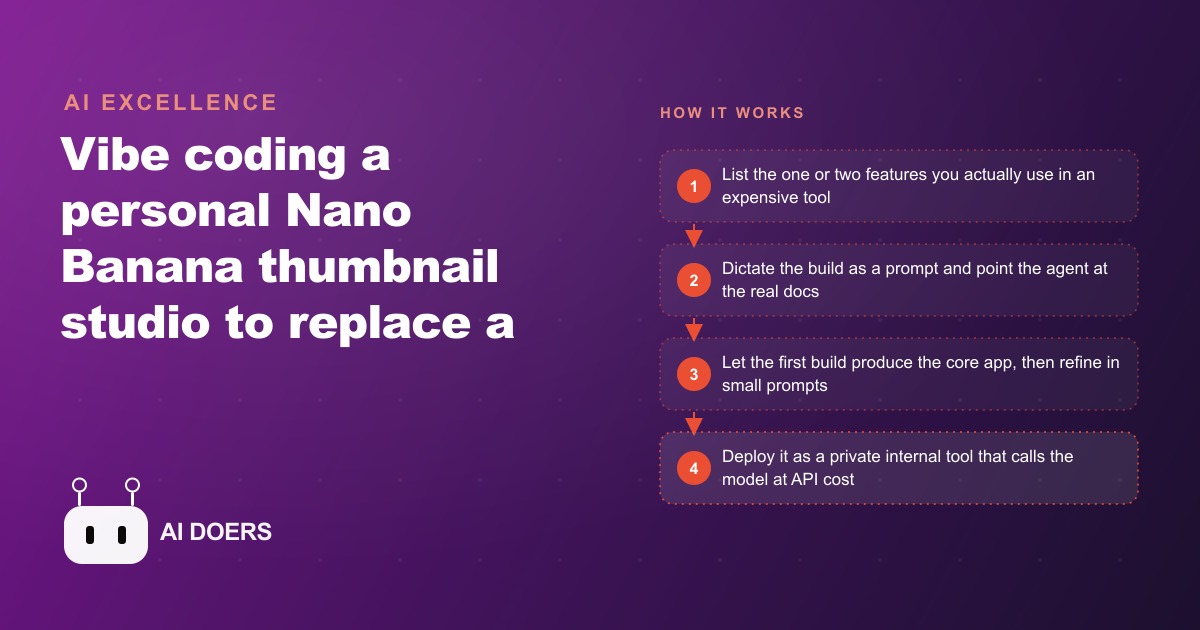
You do not rebuild the whole product. You clone only the one or two features your team actually uses and call the same model at API cost, building a tailored internal tool that is far cheaper than the app it replaces.

The subscription price of a polished AI creative tool is almost never the cost of the underlying model. It is the cost of the model plus a markup for the interface, the team that maintains it, the marketing budget, and the dozens of features the vendor built for users who are not you. When Madhuranjan Kumar reviews tool costs with clients, the first question is always the same: how much of this subscription does anyone on your team actually open in a given week? The answer is consistently a small fraction. The expensive tool gets used for one or two things, everything else sits dormant, and the bill arrives regardless.
The subscription margin is a monthly fee on features your team never opens
The way most AI creative tools are priced, you are not paying for access to one capability. You are paying for access to every capability the vendor chose to build, and that bill arrives every month whether you open the other features or not. A premium image editing product built on a high-quality AI model might charge several hundred dollars monthly per seat. The direct API cost to call the same underlying model at a comparable generation volume might be a few dollars. The gap between those two numbers is the vendor's margin, and it funds the interface, the infrastructure, the support team, the product roadmap, and every feature in the product that your team ignores.
This margin is not automatically wrong. The vendor did real work wrapping the model in a usable product that does not require an API key, a local environment, or any technical setup. That convenience has genuine value. The problem appears when you can precisely identify the features you actually use and when the underlying model is accessible directly. At that point the margin becomes optional. You can keep paying it, or you can spend one afternoon building the two features you need and keep the monthly subscription cost in your pocket every month after.
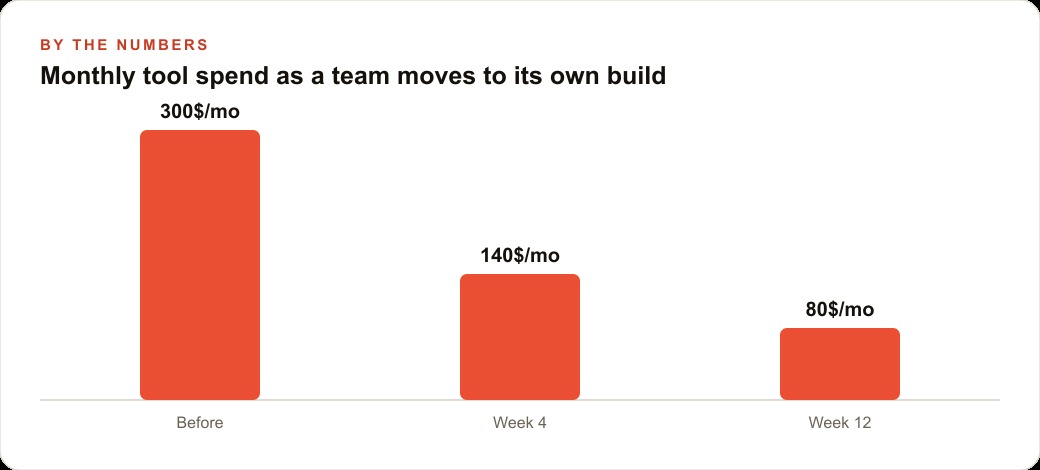
The arithmetic compounds quickly. A four-person creative team paying per-seat access to a premium tool primarily to use one image editing capability might spend several hundred dollars monthly for access they use a fraction of. Over twelve months that is several thousand dollars. A private internal tool calling the same model directly might cost a few dollars monthly in generation fees and cost roughly fifty cents in model credits to build the first time. The math runs heavily in favor of the build for any team that does this calculation honestly.
Feature triage delivers a higher return than any other pre-build decision
Before opening a code editor, before writing a prompt, before thinking about infrastructure or deployment, the highest-leverage move is writing down the specific features you actually open every single time you use the expensive tool. Not the features that sound useful in the marketing copy. Not the features you tried once six months ago. The features your team uses in every working session.
For most creative tools, that list is short. Two features, sometimes one. The hard part of this exercise is resisting the urge to expand the list. Every feature added to the build scope adds time, complexity, and a wider surface for things to go wrong in the first version. The tight list of features you genuinely use is not a limitation of the approach. It is the constraint that makes building possible in an afternoon rather than across several weeks.
The original case makes this concrete. A creator team was paying for access to a premium image editing tool built on Google's Nano Banana model. After honest reflection, the only features the team used consistently were two. The first was text-to-image generation from a prompt. The second was a system the tool called Elements, where you save an image under a name and recall it later by typing the @ symbol followed by that name. Every other feature in the product went untouched. The build scope became those two features and nothing else. That decision is what made the entire project fit inside a single working session.
The Elements feature is where the real productivity leverage lives
Elements deserves its own explanation because it is the capability that transforms a basic image generator into a genuinely useful creative tool at production scale. The concept is straightforward. You save a visual reference under a name: a founder face, a logo, a product shot, a style example, a background you want to reuse. Later, in any prompt, you type @ followed by that name, and the model incorporates that specific saved image as a reference when generating the output. You do not need to describe the face in detail, re-upload the file, or manage a separate reference workflow. You type two characters and the model knows exactly what you mean.
For a creator producing branded content at volume, this capability changes the economics of the entire workflow. A recurring face used across dozens of posts becomes one named element, called in instantly. A product that appears in every promotional graphic becomes one named element. A visual style established in one reference image becomes one named element that reproduces that style in every new generation. The consistency this enables across a large body of content is what makes personal brands and product brands recognizable over time, and having it in a tool your team owns rather than rents is the difference between a subscription line item and a proprietary workflow asset.
The critical implementation detail is that the agent read the actual Nano Banana Pro API documentation before writing any code. The prompt explicitly instructed it to look up the real docs and implement the feature correctly before doing anything else. That instruction produced a working Elements implementation on the very first attempt, with no debugging required. The alternative, letting the model infer how the API works from its training data without reading the actual documentation, consistently produces code that looks syntactically correct but fails at runtime because a parameter name, endpoint path, or authentication pattern differs slightly from what the model guessed. Real documentation resolves this entire class of error before it ever occurs.
A dictated spec produces a more complete brief than a typed one
The build brief for this tool was not typed. It was dictated out loud using a voice transcription tool, spending five to ten minutes thinking through what the app needed to do before a single line of code was written. The process covered what each feature should feel like, how the generation queue should behave when multiple images are running in parallel, what should happen when a user types the @ symbol, and what the YouTube thumbnail importer should do when given a video URL. The transcription captured all of it and produced a complete, detailed specification.
This distinction matters because the quality of the first build scales with the specificity of the brief. A brief that names the exact features, describes the UI arrangement, specifies the model to use, points at the real documentation, includes details about queue behavior and element recall, and covers the deployment context gives the agent precise targets. A brief that says build me something like this expensive tool gives the agent very little to work from and produces a first build that requires substantial rethinking before it is useful. Voice dictation consistently produces more thorough briefs than typing because the cognitive friction of speaking is lower, and lower friction produces more detail.
The refinement phase runs six prompts, not sixty
After the first build returned a working application with a functioning Elements system, the refinement phase involved six or seven additional prompts. Most were small and specific. One adjusted the logo placement. One changed the button color. One modified the background treatment. One rearranged the generation queue layout so the most recent result appears in the top-left position rather than appending to the end. One added the YouTube URL importer that automatically fetches a video's thumbnail as a named element ready to use in the next prompt. None of these prompts required rebuilding any part of the core application. Each targeted one visible detail, the change was applied, and the result was tested immediately.
This phased structure, a thorough first build followed by small targeted refinements, is consistently faster than trying to specify every visual and behavioral detail in the initial brief. The first build creates a working baseline that makes remaining decisions concrete. Once you can see the running app, you know immediately whether the button color is right or the queue layout works for your workflow. Before you can see anything, those same decisions are abstract and harder to evaluate accurately. The complete build including all refinements fit inside a single afternoon.
Fifty cents is the one-time cost of a build that replaces a recurring subscription
The total API credit cost for the core build and all refinement prompts came to roughly fifty cents on an economical available model. On the premium model, the same work would have cost closer to two dollars. Both figures are small relative to a monthly subscription that might run hundreds of dollars per seat. The build cost is a one-time fixed expense. The subscription is recurring. The first month's saving from replacing the subscription with a private internal tool covers the build cost many times over, and every subsequent month the saving repeats without any additional effort.
Ongoing operational costs after the build are the direct API fees for each generation. At a reasonable creative volume, a team producing dozens of images daily would spend a fraction of what the subscription charged for the same number of generations, and with no per-seat ceiling. The internal tool charges per generation at cost, not per user per month. Every team member can use it without adding a new line to the monthly bill.
The SerpAPI YouTube integration added after the core build illustrates how the tool continues to grow. Pasting a video URL fetches that video's thumbnail and saves it as a named element, automatically, without any manual download or naming step. That entire capability was a single short prompt added to the existing app. Not a new project. Not a vendor feature request waiting on a roadmap. One prompt, tested immediately, added to the tool in minutes.
Private deployment removes the vendor ceiling from your team's creative output
Deploying the tool privately rather than as a public product changes the economics in a way worth naming directly. A private internal tool has no per-seat pricing imposed by a vendor, no usage tier to upgrade when the team grows, and no feature limitations set by a product roadmap. Your team generates images until the API budget you set is reached, and you adjust that budget directly by choosing between models or setting daily limits. Every new capability your team needs gets added by writing one prompt, not by waiting for a product team to prioritize it.
For any business running Facebook and Instagram ad campaigns or producing regular visual content for SEO and organic content, the throughput advantage of a tool with no per-generation cap compounds over weeks and months. More creative variations generated means more variations tested, more data on what resonates with your audience, and better decisions in every campaign that follows. A CRM and website stack can eventually connect to the internal tool through a short API integration, automating the handoff from generated creative to the system where it gets deployed, so the team produces more content without adding manual steps to the workflow.
The pattern applies to any subscription where two features dominate actual usage
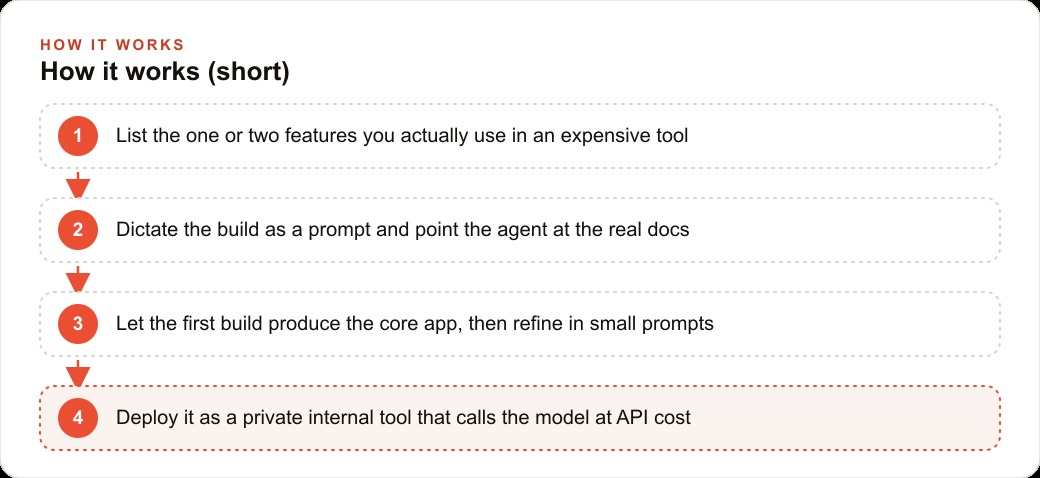
The mechanics of this build: identify the two features you actually use, dictate a thorough spec, point the agent at the real API documentation, let the first build establish the baseline, refine in targeted prompts, deploy privately, extend with one prompt per new capability. These mechanics work for any subscription where a wide feature surface and a meaningful per-seat cost sit above a narrow band of features your team opens in every session. The specific tool being replaced is less important than the pattern.
The first move is always the honest inventory. Write down the features you genuinely use. Keep the list to two or three items at most. Check whether the underlying model is available via a direct API at a fraction of the subscription cost. If both answers are yes, the arithmetic almost always favors building, and the build is closer than most teams expect. One afternoon, one focused brief, one agent that reads the real documentation, and you have a private tool your team owns rather than rents, sized to your workflow rather than to every possible market use case.
That is exactly what we do at AI DOERS. Book a private 30-minute call with Madhuranjan Kumar and we will map the fastest path to it for your specific business.
Book your call →
Madhuranjan Kumar
Madhuranjan Kumar brings 20 years of performance-marketing experience and has managed over $200 million in Facebook ad spend for brands across the United States and beyond. His expertise spans the full modern marketing stack: Meta, Google Ads, TikTok, email automation, CRM, and the websites that hold it together. At AI DOERS he turns that track record into lead-generation systems for businesses across every industry.