
How To Build Your First AI Agent In n8n With Zero Code
An AI agent is not a clever prompt, it is six components working together. Here is how I assemble all of them in n8n, with no code, and ship something that actually survives real use.

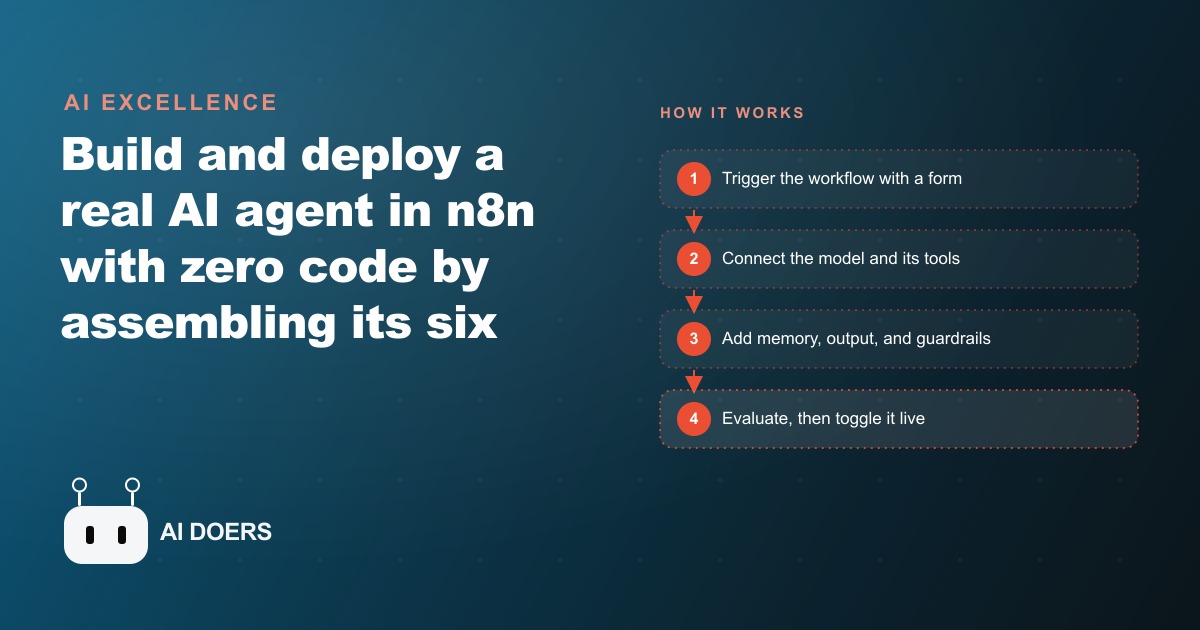
The no-code AI agent tutorials spreading across YouTube follow a pattern I find misleading. They show you how to connect a form trigger to an AI model node, wire an email output to the end, and call the result a production-ready agent. Then they move on. What they skip are the four components that determine whether the thing you built will behave well with real users, real edge cases, and real stakes. I am Madhuranjan Kumar, and my position is this: most "AI agents" people build today are glorified chatbots with extra steps, and the difference is not in the technology they use but in the components they leave out.
There are six components that define a real agent: a model, tools, memory, audio output if the use case requires it, guardrails, and an evaluation system. Most tutorials cover the first two and gesture at the third. The missing three are where agents either work reliably or fail in ways that damage trust in exactly the situations where trust matters most. n8n gives you everything you need to build all six. The question is whether you stop at two.
Most "AI Agents" People Build Are Glorified Chatbots
A chatbot takes a prompt and returns a response. It has no memory of prior conversations. It has no access to external tools that would allow it to take action in the world. It has no mechanism for detecting when a response would be harmful or out of scope. It has no system for measuring whether it is doing its job well over time. When you build an "agent" that connects a form to an AI model and sends the output somewhere, you have added a trigger and a destination. You have not added the components that make a chatbot into a system that can be trusted with real users in real situations.
The word "agent" implies autonomy: a system that can handle a range of situations reliably, without needing a human to review every output before it reaches the user. That definition sets a higher bar than "generates a response when asked." Reaching that bar requires memory so the system does not lose context across a conversation, tools so it can actually retrieve information and take action rather than just recommend steps, guardrails so it routes harmful or out-of-scope inputs away from the model's response, and an evaluation system so you know when it is improving or degrading over time. Build without those four and you have not built an agent. You have built a form that produces AI text. That is useful for specific narrow tasks. It is not the same thing as a system that can handle variation, error cases, and adversarial inputs without human intervention.
What Actually Happens When You Skip the Guardrail Layer
A guardrail in n8n is a content classification node that evaluates the user's input before it reaches the model, and a switch node that routes different classifications to different outputs. In OpenAI's content moderation API, the classification takes one additional API call per input. Adding this layer adds a small amount of latency, typically a few hundred milliseconds. Most builders skip it because the demo works without it, and latency in a demo feels like a friction point.
Here is what happens without it in production. A user submits an input that is manipulative, harmful, or simply outside the scope of what your agent is designed to handle. The model responds because models respond to inputs by design. The response goes out because there is nothing between the model and the output destination checking whether it should. Depending on your use case, the consequences range from a confusing response that makes your business look incompetent to a genuinely harmful recommendation that reaches a user who acted on it before realizing the agent was not qualified to provide it.
The guardrail layer does not need to be complex to be effective. A binary pass-or-fail from a content classifier, routing failed inputs to a static message that explains what the agent can help with, is sufficient for most use cases. The investment is one additional node and one to two hours of configuration and testing. The alternative is shipping an agent with no mechanism for handling the inputs you did not anticipate, which in any sufficiently used system means shipping a liability that will eventually produce an output that requires a public apology or a private damage-control conversation. Adding the guardrail before that happens is straightforwardly better than adding it after.
Memory Is Not Optional: Why Stateless Agents Frustrate Real Users
Stateless means every conversation starts from zero. The user opens a new session, and the agent has no recollection of what the user asked yesterday, what preference the user stated last week, or what context was established in the prior session. For a general-purpose AI assistant on a public platform, statelessness is a known limitation that users have learned to accept. For a business agent deployed to real users with real recurring needs, statelessness is a design failure that reveals itself quickly.
Consider new member onboarding at a gym. A member starts a conversation with the agent on Monday, shares their fitness history, states their goal, and receives a recommended starting program. On Wednesday, the member opens a new session and asks a follow-up question about progression. A stateless agent asks for the fitness history again. The member either provides it again, which is friction, or does not provide it, which means the follow-up answer is missing the context it needs to be accurate. Either outcome signals to the user that the system is not actually tracking their situation, which is the opposite of what a personal onboarding agent is supposed to feel like.
The memory node in n8n solves this by saving session data to a configurable persistent store. That store can be a simple database, a vector store for semantic search across past conversations, or any structured destination that persists between sessions. The implementation takes roughly the same time as the guardrail layer. The result is that users feel the agent remembers them, which is functionally what trust in a system means in practice. Users who feel remembered by a system return to it. Users who are asked to re-explain their context the third time they open a session stop using the system and lose confidence in whoever deployed it.
Evaluation Is the Component That Makes Everything Else Improvable
An evaluation system is a collection of test cases, each with an input and an expected output or a scoring rubric, run against the agent after every significant change to the system prompt, tools, or underlying model. In n8n, this is built with a Google Sheet containing test inputs, a workflow that processes each input through the agent and captures the output, and a scoring column where either an AI judge running against a rubric or a human reviewer rates the response quality.
Without evaluation, you cannot know whether your agent is getting better, getting worse, or staying the same as you update it. This sounds obvious. In practice, nearly every agent tutorial skips it because running a test suite is not a visually exciting step, it does not produce a moment where something visibly comes to life, and it requires deciding in advance what good output looks like, which forces a precision about intended behavior that many builders prefer to defer until later. The problem with deferring is that later never arrives cleanly. The system continues to be modified, and each modification is assessed by gut feel rather than against a documented standard.
The result is a common failure pattern: someone updates the system prompt to fix one problem, and the update introduces a regression in a different scenario they did not test. They discover the regression two weeks later when a user reports it. The evaluation system is what catches regressions before they reach users. It is also what provides the data to justify changes: if updating the system prompt improves average scores across the test cases by 15%, you have a documented reason to keep the change. If it does not improve scores, you have a documented reason to revert it. Evaluation turns agent development from a sequence of subjective improvements into a process where changes have measurable effects against a known standard.
Orchestration Without a System Prompt Strategy Is Just Structure Without Intelligence
The meta-prompt technique, where you describe your agent's role and the user's input format to a general-purpose AI and ask it to generate the system prompt rather than writing the prompt by hand, is one of the most practically useful steps in the build process. A hand-written system prompt is limited by what the builder can articulate about the agent's desired behavior in a single sitting. A generated system prompt starts from a richer description of the interaction and produces a more comprehensive set of instructions that covers edge cases and tone variations the builder might not have explicitly considered when writing manually.
The system prompt is the orchestration layer in the sense that it determines how the model interprets its role, what it does with ambiguous inputs, how it decides when to use a tool versus when to answer directly, and what tone and format to use across different kinds of responses. An agent with a weak system prompt produces inconsistent behavior that is difficult to debug because the inconsistency comes from the model's own defaults filling in the gaps. Improving the system prompt is frequently the highest-leverage change available before reaching for additional tools or more complex workflow logic.
The Gym Example: What All Six Components Look Like Running Together
A gym deploys an agent for new member onboarding and ongoing program guidance. The agent handles 50 member requests per week at a total AI cost of $45 per month in API fees. The equivalent front-desk staff time for 50 onboarding sessions, at 20 minutes each and $24 per hour fully loaded, is $400 per week or roughly $1,600 per month. The agent handles it for $45 per month, a reduction in cost that frees the front-desk staff for the in-person interactions that genuinely require human judgment and presence.
But the cost comparison is not the most important part of the story. In the first month of operation, the guardrail layer catches three inputs that contain exercise requests the agent would have responded to incorrectly given each member's stated health conditions. Specifically: a member with a lower-back injury requests a deadlift progression, a member recovering from a shoulder procedure asks for a pressing volume plan, and a member with a knee surgery in the past six months asks for a running schedule. The guardrail classifier flags each of these as requiring professional guidance and routes them to a response asking the member to speak with a trainer before the agent generates any plan for that movement category.
Without the guardrail, all three responses would have gone out with training recommendations. The recommendations might have been plausible for a general population. They were not assessed against the individual's medical context because the agent did not have that context and did not have a mechanism for recognizing when that context was required before responding. The guardrail did not produce a better recommendation in those three cases. It produced no recommendation where no recommendation was safe, which is the correct behavior for a system operating in a domain where incorrect guidance carries physical risk.
The memory layer ensures that the trainer's subsequent guidance for each of those three members is available in their session context for the agent's next interaction, so the correction is not lost when the conversation resumes after the trainer visit. The evaluation system catches two weeks later that the agent's phrasing for injury-flagged responses is too clinical and discourages members from returning to the agent at all. The system prompt is updated before the phrasing pattern affects more members than it already has. Every component did something the other five components could not do in its place.
Building the first two components and calling it a production agent is easy. Building all six is the actual work. The difference between a demo and a system is the four components most tutorials skip.
That is exactly what we do at AI DOERS. Book a private 30-minute call with Madhuranjan Kumar and we will map the fastest path to it for your specific business.
Book your call →
Madhuranjan Kumar
Madhuranjan Kumar brings 20 years of performance-marketing experience and has managed over $200 million in Facebook ad spend for brands across the United States and beyond. His expertise spans the full modern marketing stack: Meta, Google Ads, TikTok, email automation, CRM, and the websites that hold it together. At AI DOERS he turns that track record into lead-generation systems for businesses across every industry.