
How To Build A Real AI App In Under An Hour Without Code
You describe the app you want in one plain sentence, let an agentic platform fill in the design and wiring, and connect several AI models through a single universal key. In under an hour you have a launchable product with sign-in, a database, payments, and an agent that tests its own work.

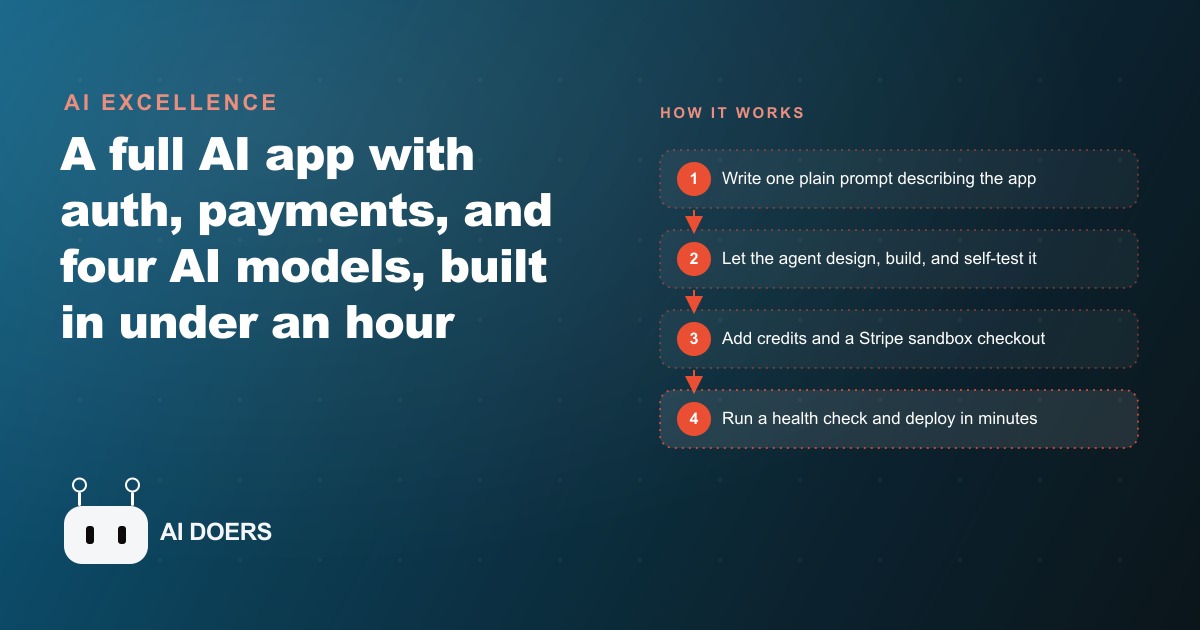
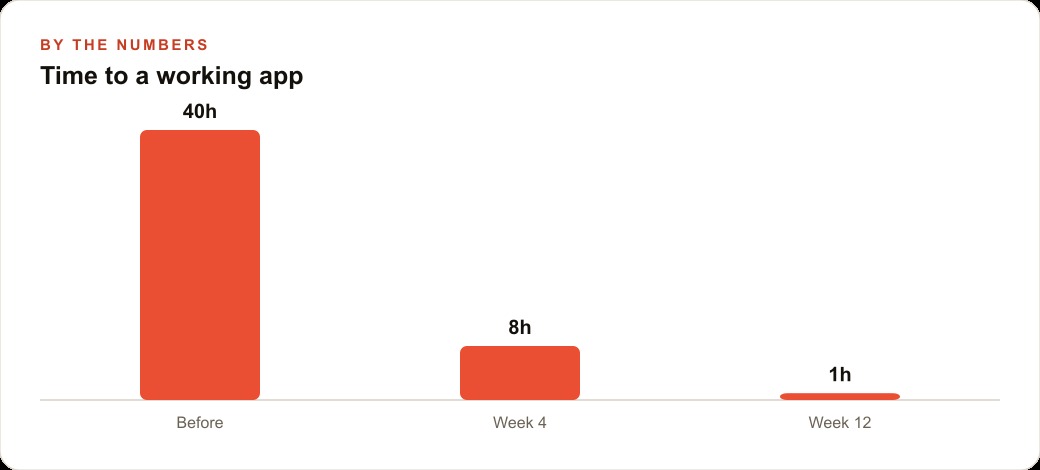
Developers spent years telling the rest of the world that software was too complicated to build without them. That argument is now over. I am Madhuranjan Kumar, and I recently watched an AI startup mentor app go from a single typed sentence to a launchable product with authentication, a database, four live AI models, a credit system, and a Stripe checkout in under sixty minutes, with no code written by hand at any step.
This article is a complete walkthrough of exactly how that happens, in the order you would actually do it. Each stage builds on the last. By the end you will know how to use this approach yourself, and I will show you a concrete example of what the numbers look like when a real business owner applies it to a client-facing tool.
Write the one-sentence prompt that everything flows from
The first and most important step is restraint. Every instinct you have will push you to write a long brief covering every feature, every edge case, every page. Fight that instinct completely.
The prompt that kicked off the sixty-minute build was roughly this: create a web app called AI startup mentor that helps users start a business step by step, including idea generation, logo creation, website setup, and basic marketing guidance. That is one sentence. It names the app, describes the audience, and lists the general capability areas. It does not specify the database schema, the authentication method, the interface layout, or the pricing model. Those details are the agent's job.
The reason brevity works here is that the agentic platform fills gaps through follow-up questions. It might ask whether you want user accounts or a guest experience, or whether you prefer a guided wizard flow or a free-form chat interface. Each question it asks is actually a design decision it would otherwise make on its own. When you answer, you are steering. When you do not answer, it makes a reasonable default choice and keeps moving. Either way the build continues without you having to write specifications.
A well-written one-sentence prompt has three parts: a name for the product, a description of who it is for, and the core outcome it delivers. Everything else is elaboration that you can add later through follow-up prompts once the foundation is running.
Let the agent handle authentication, database design, and interface layout simultaneously
Once the initial prompt is accepted, the agent does not ask you to decide what comes first. It builds the foundation in parallel, and this is where the time savings become visible in a way that is genuinely difficult to explain if you have only ever seen traditional development.
Authentication in a manually coded project is not a single task. It means choosing an auth library, configuring sessions or tokens, building the sign-up and login pages, wiring up password reset flows, and testing each path. In a team that has done it before, this can take a day. For someone doing it for the first time, it can take a week.
The agent produces all of that from the original prompt. The sign-up page, the login page, the session handling, and the database schema that stores user information are generated together as a coherent unit. You see a working authentication system in minutes, not days, and the parts fit together because they were designed as a set rather than assembled piece by piece.
The same applies to the database. The agent infers the data model from the prompt. If the app guides users through starting a business, it needs to store user profiles, their progress through the steps, any saved logos or website pages they generated, and their credit balance. The agent designs that schema without being asked to list it out. The interface layout follows the same logic: the agent reads the prompt, decides that a step-by-step guided experience suits the goal, and produces a layout that matches.
Your job during this stage is to review what appears, answer any clarifying questions the agent asks, and signal when a choice is wrong. It is closer to reviewing a junior employee's first draft than to building something yourself.
Connect four AI models through one universal key instead of managing separate providers
This is the part of the build that I find most interesting, because it removes an entire category of friction that has historically stopped non-technical people from building AI-powered products.
In a conventional setup, wiring multiple AI models into one app means creating accounts at each provider, generating API keys, storing those keys securely, writing the integration code for each API's specific format, and managing rate limits and errors separately per provider. For someone without a development background, that process alone is enough to make the project feel impossible.
The platform used in this build gives you a single universal key that covers every model available on the platform. In the sixty-minute demo, four models ran inside one app: one for chat and content generation, one for the website builder feature, one for logo creation, and a testing model that checked the app's own behavior. You never visited OpenAI, Google, or Anthropic to set any of this up. The key was already in the platform, and the agent knew which model to call for which task.
From a business standpoint this matters enormously. Any client-facing tool that uses AI under the hood currently requires ongoing management of API keys, billing accounts at multiple providers, and monitoring for model updates that might change behavior. Centralizing that through a single platform subscription simplifies the operational burden down to one renewal and one dashboard.
For context on what these models are doing in this particular app: the chat model talks the user through each stage of starting their business in plain language. The logo model generates two clean logo options per request using a business name and a brief description, with text that actually reads correctly and fonts that look professional. The website builder model takes the user's business concept and produces a working landing page they can publish. The testing model checks the app's own behavior before any of that reaches a real user.
Build the credit system by describing the economics in plain language
A monetization layer on a software product is normally a significant development effort. It requires a data model for tracking usage, logic for deducting credits or incrementing usage counts, a pricing page that explains the system, an FAQ that answers common objections, and a billing integration that handles top-ups or plan upgrades.
In the sixty-minute build, this entire system was generated from a single follow-up prompt. The instruction was something like: add a credit system where users start with ten free credits, logo generation costs three credits, and website creation costs five credits. Include a pricing page and an FAQ.
The agent produced all of it. The database schema was updated to track credit balances per user. The usage deduction logic was wired into every action that consumed credits. A pricing page appeared explaining the credit tiers. An FAQ answered the questions users would naturally ask: what happens when credits run out, how do you buy more, what counts as a single generation.
Notice what the agent did that you did not ask for: it decided how to present the pricing, what questions the FAQ should cover, and how to phrase the answers. Those are product decisions. The agent made them because the prompt left them open. If you want different answers on the FAQ or different phrasing on the pricing page, you give a follow-up prompt and it updates. But the first draft is usable without any changes, and producing it took approximately the time it took to type the instruction.
This matters for anyone who has ever had a software idea that involved charging money. The gap between "I have an idea for a tool" and "I have a tool that charges for usage" is now one follow-up prompt.
Wire Stripe into the sandbox before you ever touch a live payment credential
The Stripe integration appeared in the build after a prompt asking for real payments. The platform generated a live Stripe sandbox checkout at the standard checkout.stripe.com address. Test transactions ran through the sandbox. Credit purchases worked. The confirmation flow landed correctly.
The only step between that sandbox and a real paying customer is connecting an actual Stripe account, which takes about five minutes on the Stripe dashboard.
I want to be specific about sequence here because this is where people make costly mistakes. Always confirm that the sandbox works end to end before switching to live credentials. Run a test purchase. Check that the credit balance updates. Check that the confirmation email or confirmation screen appears. Check that a second purchase adds to the balance rather than resetting it. Only after all of those pass should you connect real credentials.
The reason this matters is that Stripe sandbox mode is forgiving in ways that live mode is not. A bug in credit deduction logic that causes a double-charge in sandbox mode is a refund email in live mode. A broken confirmation screen in sandbox mode is a support ticket and a potential chargeback in live mode. The five extra minutes of sandbox testing are not optional.
Once the Stripe sandbox is confirmed clean, switching to live mode is a setting change, not a rebuild. The same checkout flow, the same credit logic, and the same confirmation screen all carry over. Nothing breaks. The only difference is that real money moves.
Fork the session before trying any direction you might want to reverse
The fork feature is the most underused part of the agentic build workflow, and skipping it is the most predictable way to lose hours of work.
At any point in the build, you can fork the current session. The platform summarizes everything built so far and spins up a new version that starts from that state. The original session is preserved exactly as it was. You can take the fork in a completely different direction, try a bolder design choice, add an experimental feature, or restructure the navigation, and if it goes wrong you still have the original to come back to.
The analogy is a save point in a game, but for your product. You would not play through a difficult section of a game without saving first. The same logic applies here. Before trying anything that might break a working feature, fork first.
The build that I am describing had a fully functional authentication system, a credit model, logo generation, website creation, and a Stripe sandbox all working together before any forking happened. At that point forking became the safe way to try the deployment path, because a bad deployment attempt cannot break the underlying product if the product exists in its own separate session.
Run the health check and deploy without touching server configuration
Deployment in a conventional project means choosing a hosting provider, configuring server settings, setting environment variables, managing SSL certificates, and watching logs for errors that only appear in production. For most business owners, this is the step where a project stalls permanently.
The platform runs an automated health check before deployment. This is a code review the agent runs against itself, looking for issues that would cause failures after going live: unhandled errors, missing environment variables, authentication paths that would fail under real traffic, and similar blockers. In the sixty-minute build the health check caught a couple of issues and resolved them without requiring any manual action.
After the health check passes, deployment takes five to seven minutes. There is no server configuration to write, no SSL certificate to provision, no deployment pipeline to set up. The platform handles all of it. The result is a live URL you can share with anyone.
This is the moment where the full significance of the sixty-minute timeline becomes clear. The app that existed as one sentence at the start of the session is now live at a public URL, with working authentication, a database storing real user data, four AI models running inside it, a credit system tracking usage, and a Stripe checkout processing test payments.
What this looks like with real business numbers
I will use an illustrative example to make the economics concrete. A freelance consultant who runs online workshops wanted a tool where participants could enter their business concept and immediately receive a one-page positioning statement, a tagline, and three headline options, without waiting for a live session to start. Previously the consultant had to generate these manually during workshops, which capped the number of participants per session at around twelve before quality dropped.
Building the tool through this approach took one afternoon. The core prompt named the tool, described the participant as the user, and specified the three outputs. Follow-up prompts added a credit system where each workshop batch purchased fifty credits, enough for one generation per participant in a group of up to fifty. A Stripe checkout let the consultant sell credit packs directly to workshop organizers. Logo generation was removed as unnecessary for this use case and replaced with a simple document export.
After deployment, the consultant could run workshops with groups of forty to fifty without any manual generation work during the session. Participants submitted their concept, received the outputs in under a minute, and used them as the starting point for the workshop discussion. The per-session revenue stayed the same while the time per session dropped by roughly forty percent because the generation work happened asynchronously before the discussion began.
The total cost of the tool was the platform subscription and about three hours of the consultant's time including testing. The alternative, a custom-built tool from a developer, had been quoted at several thousand dollars with a six-week timeline. The credit pack pricing covered the subscription cost within the first two workshop cycles.
For any business owner thinking about a similar tool, the pattern is always the same: one prompt, one credit model, one payment integration, one deployment. The tool does not need to be complicated to be valuable. It needs to do one thing reliably and charge for that one thing in a way that makes sense to the buyer.
If the mechanics of setting up the credit logic, the Stripe integration, or the deployment sequence feel like too many moving parts to manage solo, that is exactly the kind of project where working with an ads and systems team saves the time and the rework. The build itself is fast. Getting the business model wired correctly from the start is where experience pays off. The same principle applies when you are deciding whether to handle your own SEO content strategy or delegate it: the tools are accessible, but the sequencing decisions compound.
The sixty-minute timeline is real. The apps that come out of it are real. The question is not whether this approach works. The question is what you build with it first, and whether you let the agent handle the parts it is better at than you are, or whether you slow it down by trying to control every decision yourself.
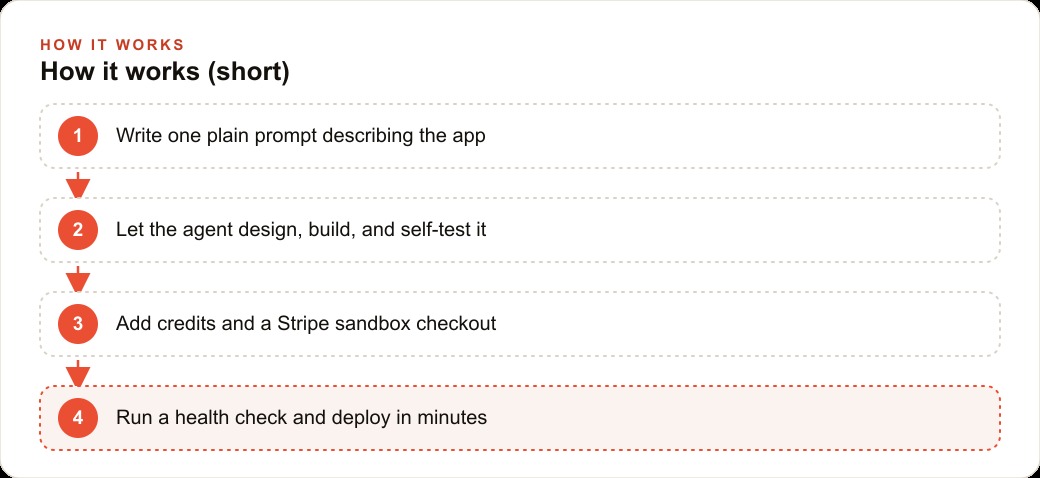
Start with one sentence. Let the agent fill the rest. Test the sandbox before going live. Fork before you experiment. Deploy after the health check clears.
That sequence, done once, produces a product. Done repeatedly, it produces a business.
That is exactly what we do at AI DOERS. Book a private 30-minute call with Madhuranjan Kumar and we will map the fastest path to it for your specific business.
Book your call →
Madhuranjan Kumar
Madhuranjan Kumar brings 20 years of performance-marketing experience and has managed over $200 million in Facebook ad spend for brands across the United States and beyond. His expertise spans the full modern marketing stack: Meta, Google Ads, TikTok, email automation, CRM, and the websites that hold it together. At AI DOERS he turns that track record into lead-generation systems for businesses across every industry.