
How Six Non-Technical Founders Built a Claude Code AI Operating System in 8 Hours
By installing Claude Code from a starter kit, loading each business's context once, and using a couple of commands to build real workflows, six founders with no coding background each had a working AI operating system by the end of a single day. The same sequence works for any business.

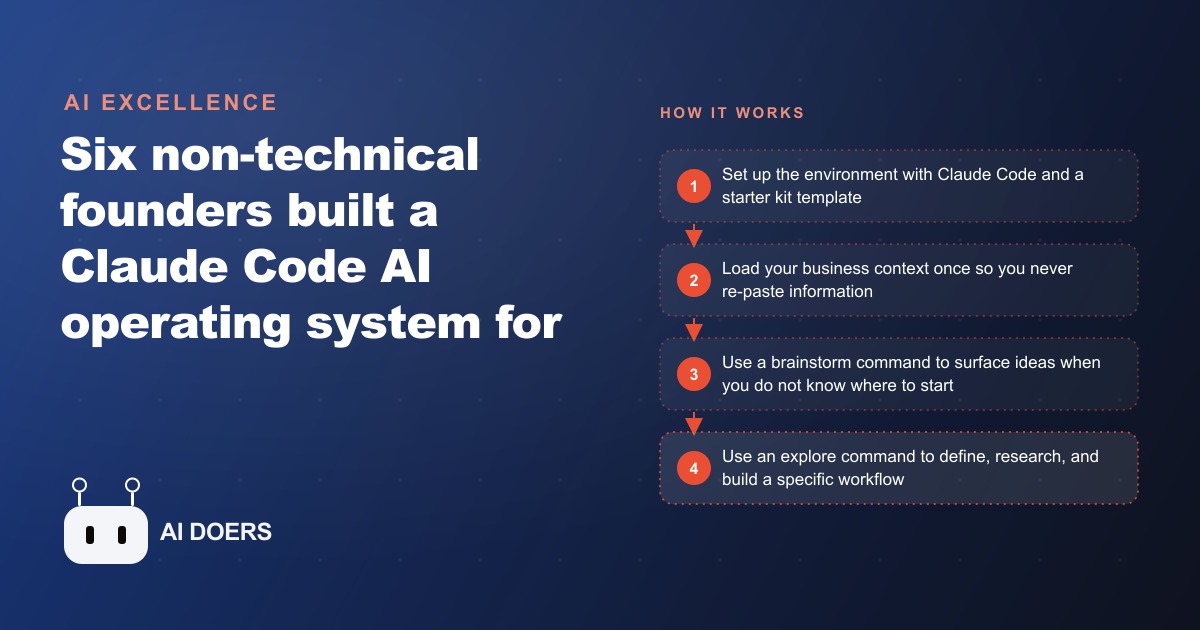
The reason six non-technical founders could each build real, working business automations in eight hours is not the tool they used. It is the framing they started with. I am Madhuranjan Kumar, and the framing is this: what they built was not a chatbot, not a single automation, and not a productivity app. It was an operating system, a universal layer wrapped around the business they already ran. That distinction is the entire reason the results were durable rather than a one-day demo that faded by the following week.
The experiment brought together six founders in a single location for one eight-hour day. The group was deliberately mixed: one had exited an agency for a significant sum, another barely used AI tools in the ordinary course of his business. The mix was intentional because the goal was to prove the method worked across business types and skill levels, not just for people who were already technical. By the end of the day, all six had a working system connected to their real business data and capable of answering operational questions and running real workflows. The question worth asking is why the framing mattered as much as the tools.
The operating system framing is what separates compound leverage from one-off automation
A one-off automation solves one problem. It runs when triggered, produces its output, and that is the extent of its value. When the problem it was built for changes, or when a second problem needs solving, you start from scratch. The value does not compound.
An operating system is different. It is a persistent, context-aware workspace that knows your business, retains what it has learned about how you operate, and builds on that knowledge each time you add something to it. Every workflow you add benefits from the business context already loaded. The second workflow is faster to build than the first, the third faster than the second, because the foundation is already there. That compounding structure is what the OS framing creates, and it is what separates a business that gets slightly more efficient from one that structurally changes how it operates over time.
The one-off automation mindset produces a collection of disconnected tools. The operating system mindset produces a unified layer that the business owner can query, instruct, and extend the way you would use any operating system: as the environment through which all the work gets done, rather than as a specific app that handles one specific task. When you add a new workflow to an operating system, it does not stand alone. It draws on the context that was already there, the team structure, the pricing, the communication templates, the historical patterns, and it produces output that fits the business from the first run rather than generic output that needs to be adapted.
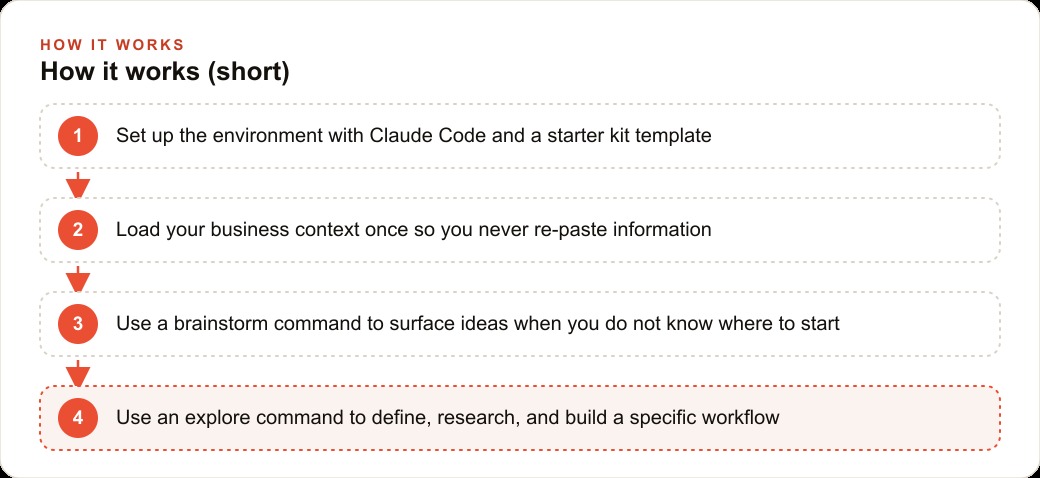
Context loading is the step that most solo setups skip and most successful ones invest in
Context loading is the process of telling the system everything it needs to know about your business in a structured form: your services and pricing, your team structure and roles, your processes, your communication templates, your historical data, your typical customer questions and the answers you give them. Once loaded, the system can use that information in every workflow it runs without being re-briefed each time.
Most people who try to set up an AI system for their business skip this step or treat it as a minor detail. They start asking the system to do things and find that it gives generic, accurate-but-irrelevant answers because it does not actually know anything specific about the business. The output looks capable in a demo and useless in practice, because the capability is general but the need is specific.
The founders who invested time in a proper context load before building their first workflow consistently produced better outputs in less time than those who jumped straight to building. One founder loaded a single website URL and a small set of documents and, from that point, the system could answer operational questions about his business with specificity: not "here is how a business like yours might handle unpaid invoices" but a direct answer with specific figures from his real data. That specificity comes entirely from the context that was loaded, not from the model's general knowledge.
For a dental practice, the context load covers the full service and pricing list, the team roles and which staff member handles which type of appointment, the patient communication tone and exact scripts used for confirmations and recalls, the insurance plans accepted, the intake form templates, and standard responses to frequently asked scheduling questions. Loading all of that once means every subsequent workflow the system builds or runs already understands who the patients are, what the practice offers, who on staff does what, and how the practice communicates. That foundation is the investment that makes the compounding possible.
The brainstorm command solves the blank-page problem: it tells you what to build, not just how
The blank-page problem is the most common reason people set up an AI system and then stop using it. They have a capable tool, they know in theory that it could save them time, but they do not know which specific workflow to build first. The generic suggestions the system returns without business context are not specific enough to act on. The owner already knows scheduling and recall outreach could be better. What they need to know is precisely which part to build first and what the right structure for their specific business looks like.
The brainstorm command solves this by working from the loaded context rather than from general patterns. It reads the business information that was loaded, identifies the recurring tasks that follow clear enough rules to be automated, and surfaces specific, actionable ideas ranked by the value they are likely to recover. For a dental practice with context loaded, the brainstorm output is not "automate your recalls." It is: "You have patients overdue for a cleaning who have not been contacted this month. An automated recall sequence would contact them on a three-day cadence with a message in your existing communication tone and stop when they book. Here is what the first message would look like." That specificity is what makes the idea actionable rather than aspirational.
The brainstorm command is the answer to the question "where do I start?" and it is where most solo setups go wrong: they skip the structured brainstorm and guess. The guess is usually based on what the owner found annoying this week rather than what would recover the most time or revenue across the whole operation. A structured brainstorm from real business context produces a prioritized list, not a random starting point.
The explore command is the pattern that turns a stated goal into a delivered workflow without code
The explore command takes the next step. Once a founder knows which workflow to build, they state the goal clearly and the explore command does the rest: it analyzes the business workspace, researches the most effective approach given what it knows about the tools and systems in use, designs the solution, and builds it. The founder does not write code. They describe what they want in plain language, and the workflow exists when the command finishes.
What makes the explore command different from simply asking the system to "build me a recall automation" is the structured analysis that precedes the build. It does not jump to the first plausible solution. It reads the existing context, considers what the practice management system can expose, looks at how the communication templates are structured, and designs an approach that fits the actual business rather than a generic template. The result connects to the real tools, uses the real communication voice, and produces output that is immediately usable rather than something that needs to be adapted for another hour before it does anything.
For the dental practice, the first workflow built with the explore command answers the most common operational question: how is today's schedule looking? The goal is defined clearly, the command connects to the practice management or billing system, and the result is a direct answer to the question without opening the tool and running a report manually. The front desk asks how many confirmed appointments are on tomorrow's schedule, how many open chair slots remain, and which patients have outstanding balances. The answers come back in seconds. That is the same outcome the least technical founder in the eight-hour experiment achieved with his accounting integration, and it required no code and no developer.
A daily dashboard is what converts a collection of individual automations into a morning operating habit
Individual automations recover time. A dashboard converts recovered time into a changed operating pattern. Without a dashboard, the owner still has to open the practice management system, the billing tool, the scheduling platform, and the communication log separately each morning to understand what the day looks like. The individual automations each save some time, but the starting point of the day is still the same manual information-gathering routine.
A dashboard that pulls all of the key numbers into one view changes the morning. The owner opens one window and sees: today's confirmed appointments and open chair time, yesterday's production versus target, the recall outreach that went out this week and how many patients responded, and any outstanding balances above a threshold the owner set. Everything needed to make a decision about how to prioritize the day is visible in the first five minutes, without switching between four tools and reconstructing the picture manually.
The dashboard is what turns a collection of automations into a system the owner uses every day. The individual workflows save time when they run. The dashboard saves time and changes behavior: the owner starts the day informed rather than uninformed, makes faster decisions, and can act on the information the system surfaced before the first appointment rather than discovering it at noon. A dental practice where the owner arrives knowing which high-value appointments are confirmed, which patients need a same-day reminder call, and how far ahead or behind the monthly production target the practice is running has a structural advantage over one where the owner assembles that picture manually each morning.
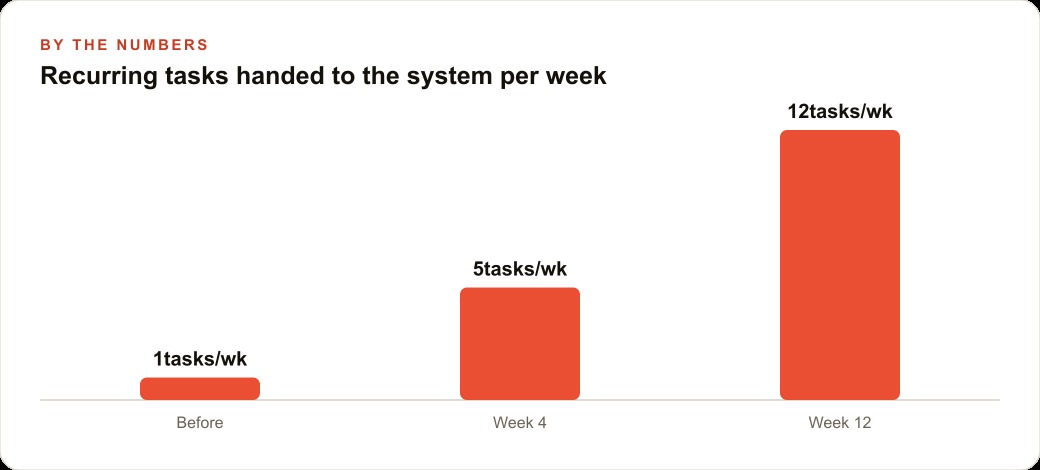
The time savings over a month are concrete. A front desk that saves one hour per day on recall outreach, balance follow-up, and appointment summary preparation recovers approximately twenty hours per month. An owner who saves thirty minutes each morning assembling the day's operational picture recovers about ten hours per month. Combined, that is thirty hours per month of operational work shifted to the system, hours the people in the practice did not have to give to the business before. Some of those hours go back to patient experience. Some go to the owner's strategic thinking time. The dashboard is the mechanism that makes those recovered hours visible and permanent rather than scattered savings that disappear back into old habits.
The operator trap is the specific structural problem this system is designed to break
The operator trap is the condition most small business owners are in: spending the majority of their working hours on operational tasks inside the business rather than on the decisions that determine where the business goes. It is not a failure of ambition or time management. It is the natural outcome of running a business without enough leverage, where the owner is the person every process depends on and where things only move when the owner personally makes them move.
The trap has a compounding cost that is easy to miss. An owner buried in operations does not just have less time. They have less visibility, because they are too close to the daily work to see the patterns across weeks and months. They make slower decisions, because each decision requires stopping what they are doing to gather information that should already be visible. And they have no bandwidth to respond to a market change, because every hour of the week is already allocated.
AI is putting downward pressure on prices across a wide range of services and products, and that pressure will compound over the next two to three years. Businesses that cannot cut their cost base or free up bandwidth to adapt will watch margins compress. The founders who move first have more time to pivot. The ones who move last are still buried in operational work when the pivot is already overdue. The operating system is designed to break the trap at two levels: at the task level, by moving recurring analytical and administrative work from the owner to the system, and at the information level, by giving the owner a daily view of the business that does not require manual assembly.
The eight-hour experiment proved the setup accessible to the least technical owner in the room. The method works because the starting sequence is the same regardless of the business type, and because the outcomes build on each other: context loaded once, brainstorm command produces a prioritized list, explore command builds each workflow, dashboard converts the stack into a daily habit. Each step is simpler than it sounds, and the compound effect of completing all four is a business that runs differently than it did before.
That is exactly what we do at AI DOERS. Book a private 30-minute call with Madhuranjan Kumar and we will map the fastest path to it for your specific business.
Book your call →
Madhuranjan Kumar
Madhuranjan Kumar brings 20 years of performance-marketing experience and has managed over $200 million in Facebook ad spend for brands across the United States and beyond. His expertise spans the full modern marketing stack: Meta, Google Ads, TikTok, email automation, CRM, and the websites that hold it together. At AI DOERS he turns that track record into lead-generation systems for businesses across every industry.