
How Playwright MCP Turns Cursor Into a Self-Fixing QA Agent
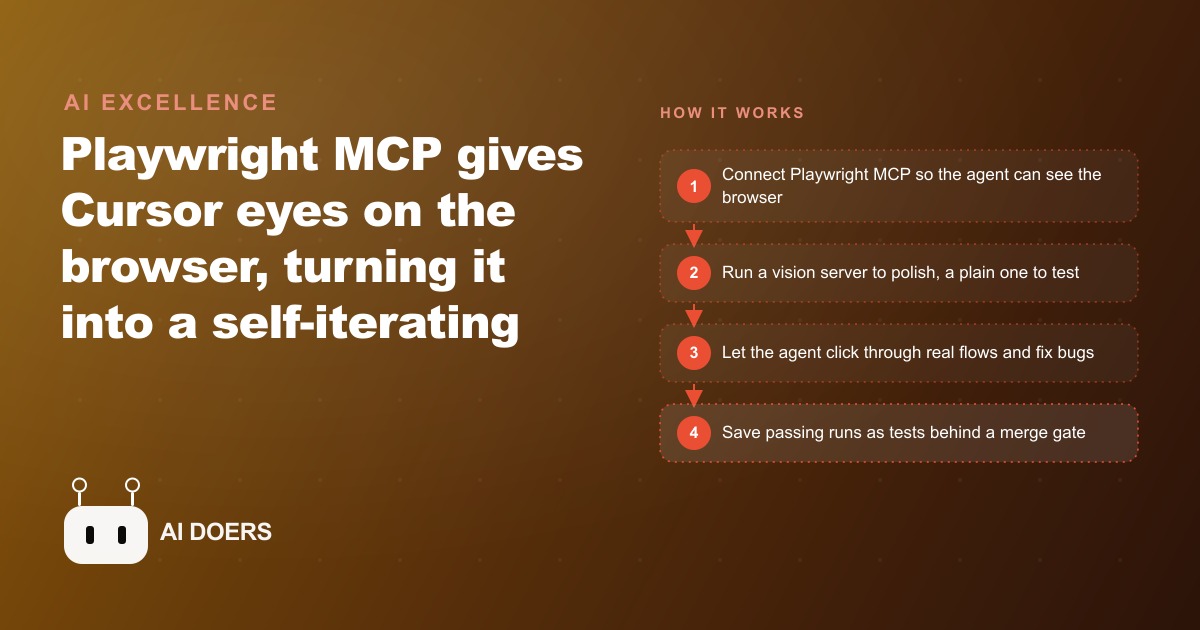
Connecting the Playwright MCP to Cursor gives the agent direct browser access so it can see your app, find UI bugs, and self-iterate until the flow works. Run a vision server to polish the interface and a separate server for reliable click-and-test runs, then save passing flows as tests gated by a GitHub Action.

Why AI-Built Interfaces Need a Browser-Connected QA Layer
I want to start with an honest observation about the current state of AI coding tools. They are genuinely capable at writing logic and generating components, but the interfaces they produce consistently have the same gap: they look like they were built fast rather than considered carefully. Individual components function correctly. The overall page has spacing inconsistencies, input fields that feel slightly off, and a visual polish level noticeably below what a designer would ship. The code works. The product looks generated.
Playwright MCP solves this by giving the AI agent direct access to the live browser so it can see what it built and fix what looks wrong. That is the shift from a tool that generates code blindly to a tool that verifies its own output against reality. Here are the six specific reasons that shift matters.
1. The Agent Sees the Live Page Instead of a Static Description of What the Page Contains
The fundamental limitation of AI coding agents without browser access is that they work from static file content, not from what the page actually looks like when rendered. A component can have correct code and still look wrong in the browser because of how styles interact, how the browser handles text wrapping, or how elements stack at a specific viewport width. An agent that cannot see the page cannot detect these problems and has no mechanism to fix them.
Playwright MCP connects the agent to a live browser instance so it can take screenshots of the actual rendered page and work from what it sees rather than from what the code describes. When the agent spots a misaligned element or an inconsistent spacing gap, it makes a targeted change and immediately sees the result in a new screenshot. This iterative see-and-fix loop is fundamentally different from guess-and-check with static file content. It is how a human designer approaches polish work, and it is now how a well-configured AI coding agent can approach it.
The practical result is a level of visual quality in AI-generated interfaces that was not achievable before browser access. The agent is not limited to making changes it can predict from reading the code. It observes the effect of each change and continues iterating until the page looks right by visual inspection, the same evaluation a human designer would apply.
2. Vision Mode Closes the Polish Gap That Every AI-Built Interface Has
There is a specific category of work that AI coding agents consistently leave undone, and it is the work that makes the difference between a product that functions and a product that feels professional. Card spacing that is slightly inconsistent. Input field borders that do not quite match. Section padding that differs between mobile and desktop. Navigation elements that are technically functional but visually competing with each other. None of these are logical errors. None of them appear as test failures. All of them are visible to any user who compares the product to something built by a designer who cares about finish.
Vision mode in Playwright MCP is the mechanism for closing this gap. You prompt the agent to view the current page, find areas where the visual presentation could be improved, make changes, view the result, and repeat until the page reads as polished. The agent approaches this the way a designer approaches polish work: checking spacing, alignment, consistency, and visual hierarchy, and making adjustments until the result looks considered rather than generated.
The concrete outcome I saw in practice was the difference between a Notion-quality layout and a first-draft layout on the same page. The vision agent iterates toward cleaner typography, more consistent spacing, and better visual rhythm without needing explicit instructions for each specific change. It identifies what looks off by looking at the page, which is the correct evaluation method, and it keeps iterating until the result passes its own visual check.
3. Non-Vision Mode Clicks Precisely Without Getting Confused by Tab Focus
Vision mode is excellent for design polish, but it is not the right tool for reliable test automation. A server with vision enabled processes screenshots to understand page state, which introduces variability in how precisely it identifies interactive elements. For the kind of automated testing where you need a login click to land on the right button every single time, that variability is a problem.
The solution is to run two separate server instances rather than one. The non-vision server interacts with the page through the browser's accessibility tree and element identifiers rather than through screenshot analysis. It is more mechanically precise about clicking exactly the right element, which is what reliable end-to-end test automation requires. A non-vision server testing a login flow correctly identifies and clicks the email field, the password field, and the submit button on every run, without the occasional misfire that vision mode can produce when elements are visually close together.
A small set of Cursor rules that force the agent to resize the browser to a consistent width and start the tab index at one rather than zero eliminates the most common cause of test failures on specific input fields. These rules take five minutes to add to the configuration and prevent hours of debugging confusing failures where the agent clicks the visually correct element but browser focus lands somewhere unexpected.
4. Pinning Version 0.0.2 Is the Difference Between a Working Setup and a Debugging Session
The practical detail that trips up most people attempting this setup is the version number. The newest Playwright MCP package at the time of writing had known issues that produce unpredictable behavior. The reliable version is 0.0.2, pinned explicitly in the Cursor MCP configuration using the npx command.
This is the kind of detail that is easy to miss if you follow the default installation path, which points to the latest version. The symptom of running the wrong version is confusing: the agent seems to connect to the browser but behaves erratically, clicks on the wrong elements, or reports successes that are not real. Debugging these symptoms from the wrong-version assumption takes longer than the original setup would have taken, because the problem is not visible in any error message. It manifests as bizarre agent behavior that looks like a logic problem but is actually a compatibility problem.
Pinning the version in the configuration is a single line change. The right version is 0.0.2. Setting it explicitly at setup and not updating until the stable release has resolved the known issues saves significant time and frustration that has no diagnostic value. This is the one detail that pays back ten times its reading cost on first setup.
5. Passing Flows Become Reusable Tests That Run Without Burning API Tokens
The moment a flow passes during an agent test run is the moment to convert it from a live AI session into a reusable Playwright test script. The conversion is simple: prompt Cursor to take the verified flow and write it as a standard Playwright TypeScript test file. The agent writes the test, the test runner configuration, and the setup instructions.
The difference between a live agent run and a stored test script is significant for ongoing use. A live agent run uses API tokens each time it executes, takes longer to run because the agent reasons through each step, and introduces variability because the AI might make slightly different decisions on different runs. A stored Playwright test runs in milliseconds, uses zero API tokens, and produces identical results on every execution.
The right workflow is to run the agent live to verify a flow and generate the test, then run the generated test in CI rather than rerunning the agent on every code change. This gives you both: the agent does the creative work of figuring out how to test the flow when the UI changes significantly, and the generated script does the repetitive work of verifying it on every future change at near-zero cost. Running ten tests in CI takes the same time and cost whether you run them once a day or fifty times a day, which is the correct property for a merge gate that has to cover every code change without becoming a bottleneck.
6. The GitHub Action Gate Catches Every Regression Before a Real User Encounters It
The final piece of the setup is the CI gate that runs the generated tests automatically on every merge to the main branch. Cursor can write the GitHub Action configuration that sets this up, along with the test runner script and the necessary environment configuration. Once in place, any code change that breaks a previously passing flow fails the CI gate and cannot be merged until the test passes again.
The value of this gate is passive and cumulative. Every new feature that ships, every bug fix that modifies existing code, every dependency update that might change how a component behaves: all of these are automatically checked against every flow that has ever been tested and verified. The protection is not something you actively manage. It runs automatically on every change and catches problems before they reach real users.
For a gym's member sign-up and class booking flow specifically, this means that a future change to the booking calendar UI that accidentally breaks the submit button gets caught in CI before anyone tries to book a class and hits a dead end. The CI failure is visible to the developer immediately. The fix happens before the problem reaches production. The prospective member who would have tried to book and given up never encounters the broken page.
The economics are straightforward. One broken booking flow at a gym that converts 20 prospects per week might cost five to ten missed sign-ups before anyone notices and deploys a fix. At any reasonable membership value, that cost is significant and real. A CI gate that prevents that scenario costs the setup time once and runs automatically forever after. It is the kind of passive protection that pays for itself on a single prevented incident and continues paying forward on every future change.
Putting It Together: The Three Steps That Activate the Full Setup
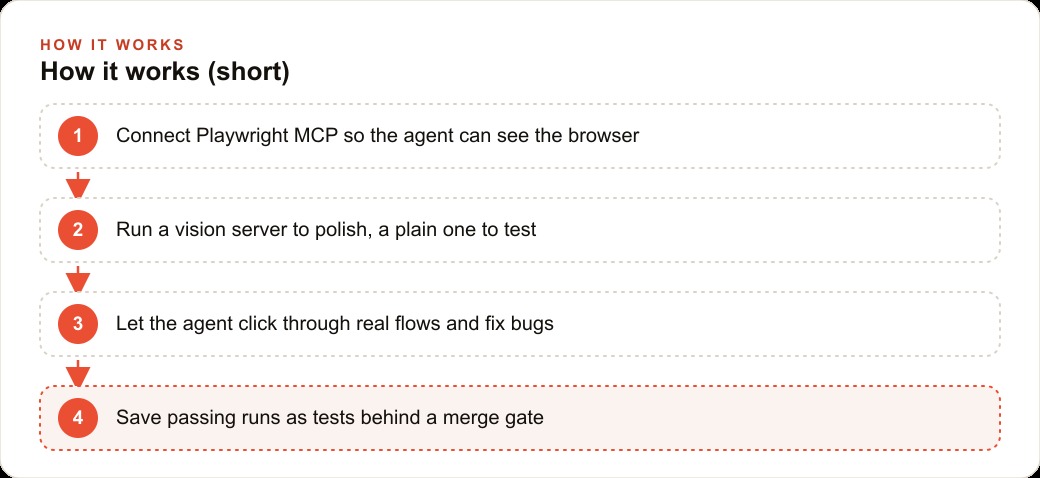
Assembling the two-server approach, the version pinning, the Cursor rules, and the CI gate into a working setup takes real configuration work, but the order is clear. First, add Playwright MCP at version 0.0.2 to your Cursor configuration with two entries: one specifying vision mode and one without. Add the Cursor rules file that forces a consistent browser width and sets tab index starting at one rather than zero. These two rules eliminate the most common failure modes before you run a single test.
Second, run a visual polish pass with the vision server. Prompt the agent to view the current page, find what looks off, and iterate until the page reads as clean and consistent. This is the step most developers skip because it feels optional, but it is the step that closes the gap between functional and professional.
Third, switch to the non-vision server and test a real user flow from start to finish. Choose the most critical path: login and then the action your users come to perform. Let the agent navigate the flow, verify each step, and confirm the final outcome. When it passes, prompt Cursor to convert the run into a reusable Playwright test and generate the GitHub Action that runs it on every merge.
The setup takes a few hours the first time. The payoff is every regression on that critical path caught automatically before it reaches a real user, and a visual quality baseline that is consistently higher than most AI-generated interfaces achieve without a browser-connected polish pass. ## What This Costs Versus What It Prevents
The financial case for the full setup is clearest when you put a number on what a broken critical flow actually costs. A gym with 20 new member inquiries per week that converts 30 percent of them into sign-ups at $60 per month earns roughly $3,600 per month in new membership revenue from that inquiry flow. If the sign-up page breaks silently for four days before anyone notices, and conversion drops to zero during those four days, the cost is approximately $480 in lost new memberships, plus any existing members who tried to book a class during that period and could not.
One CI gate running ten tests costs nothing to execute once it is set up. The Playwright open-source library is free. The GitHub Actions free tier covers more than enough monthly minutes for a test suite of this size. The only real cost is the configuration time, which runs between two and four hours to set up the full two-server split, the rules, the generated tests, and the action. That four hours of setup time pays for itself the first time it catches a regression before a real user hits it.
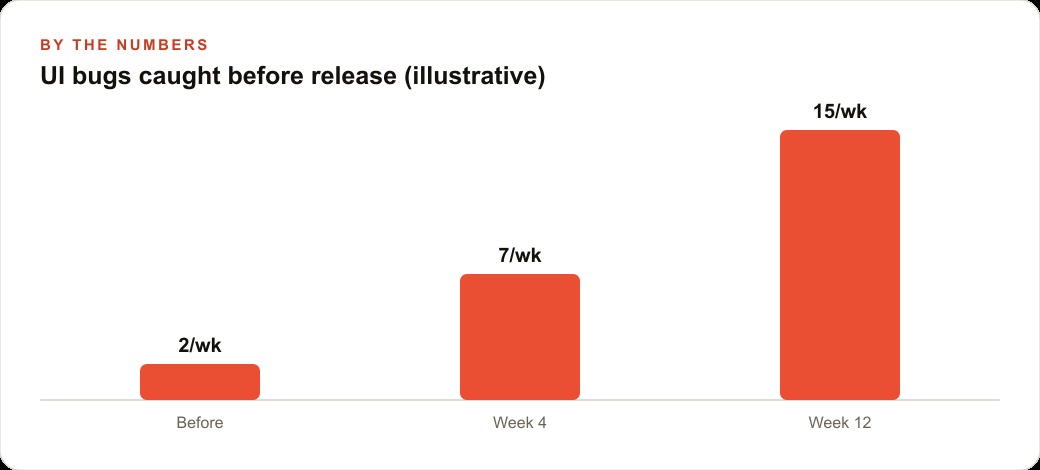
The deeper return is compounding. Every time a developer merges a change and the CI gate runs, the suite of verified flows grows in collective confidence. Each test that passes is a confirmation that the entire system still works for the user paths that matter most. Each test that fails is a bug caught before it became a customer complaint or a lost sign-up. After six months of regular development, that CI suite is one of the most valuable assets in the codebase, and it was built incrementally from individual verified flows rather than from a large upfront testing effort.
That is exactly what we do at AI DOERS. Book a private 30-minute call with Madhuranjan Kumar and we will map the fastest path to it for your specific business.
Book your call →
Madhuranjan Kumar
Madhuranjan Kumar brings 20 years of performance-marketing experience and has managed over $200 million in Facebook ad spend for brands across the United States and beyond. His expertise spans the full modern marketing stack: Meta, Google Ads, TikTok, email automation, CRM, and the websites that hold it together. At AI DOERS he turns that track record into lead-generation systems for businesses across every industry.