
How One Builder Used OpenAI Codex and the Claude Agent SDK to Ship an App That Builds Apps
By layering a desktop coding driver, an in-app assistant, and a build-and-host CLI, one person vibe-coded an app whose entire job is generating other apps from a chat. The lesson is knowing which tool owns which job, then running them in parallel.

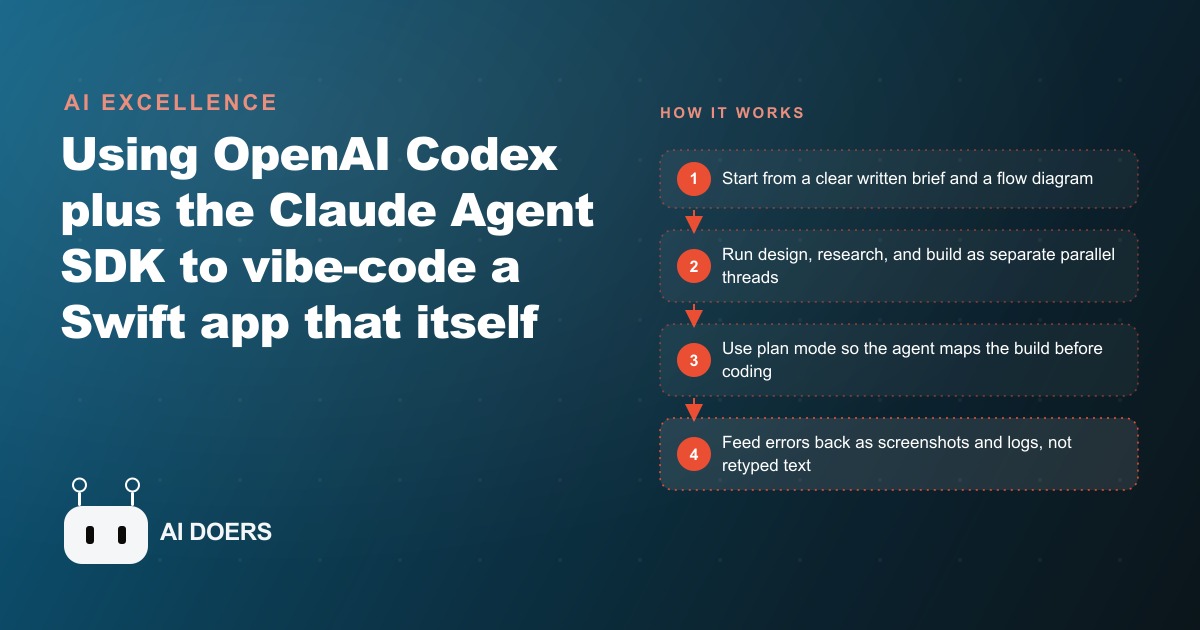
One person built an iOS app from scratch, in a single session, using two AI tools that had never been wired together before. The app's only job is to generate other apps from a chat. It is a vibe-coded product whose entire purpose is to vibe-code more products. What makes it worth studying is not the novelty of the output. It is the decision-making throughout the build: which tool handled which job, when design and building ran at the same time, how errors got fixed without replaying the whole prompt, and what made the result feel like a real product instead of a demo.
I am Madhuranjan Kumar. The case is worth walking through step by step, because the decisions are the transferable part.
The goal was a simpler way to build apps from a phone, which already set the scope
The builder opened with a specific frustration: the existing mobile AI build experience felt cluttered and slow. The interface had too many surfaces, too much cognitive overhead, and not enough of the texting-a-friend simplicity that makes a tool feel easy. The goal was not to clone what existed but to make a cleaner version, something where you type a request and an app comes back, without managing a workspace or understanding what runs underneath.
That starting point shaped every technical decision that followed. The build was scoped to four screens before a single prompt was written. An inbox of conversations, a conversation view, an in-app preview for generated output, and a result screen. Not more. Scope discipline is what keeps a one-person build from collapsing under its own surface area. Knowing what is out of scope before the build begins is as important as knowing what is in.
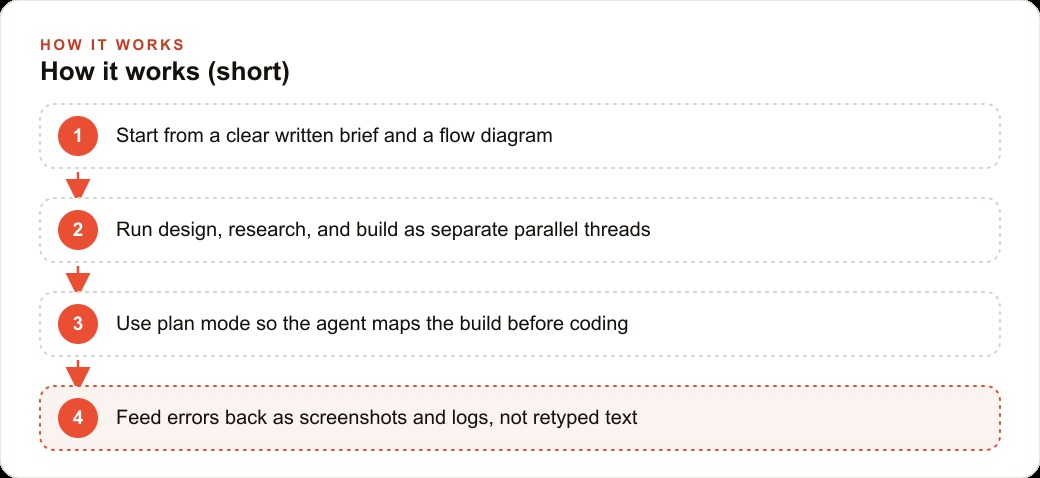
Writing a brief before prompting anything is the first habit in this build and the one most commonly skipped. A brief does not need to be a formal document. It needs to answer four questions: what does the product do, what are the screens, how does a user move between them, and what does the output look like. A paragraph per answer and a simple flow diagram between the screens are enough to give the agent a target worth building toward.
Three tools, three distinct jobs, no overlap between them
The build layered three tools, and the critical choice was keeping their responsibilities separate. A desktop coding agent handled the Swift project: it wrote the files, edited them, ran the builds, and resolved compilation errors. It did not handle conversation design or app generation. An in-app assistant ran on the Claude Agent SDK, which embedded a coding agent directly inside the iOS app so the user could chat with it in plain language. It did not handle the code for the outer shell. A build CLI handled the actual app generation: sandboxing, building the requested app, hosting it, and returning a live link back into the conversation. It did not handle the UI or the conversation layer.
Those three responsibilities never overlapped. The desktop agent wrote the shell. The Claude Agent SDK powered the chat inside it. The CLI handled what the chat produced. When something broke, the diagnosis was immediate because each tool had a single job. A bug in how links were handled was a desktop-agent problem. A broken conversation flow was an SDK problem. A generation failure was a CLI problem. Clean separation makes debugging faster because the tool that owns the problem is always clear.
For any business considering how to build internal tools, the separation principle applies directly. A tool that handles its own data storage, its own interface, and its own external integrations becomes impossible to debug and nearly impossible to maintain. Splitting those responsibilities across purpose-built components, even when it means wiring more tools together, produces something far more stable.
Design, research, and building ran as separate threads at the same time
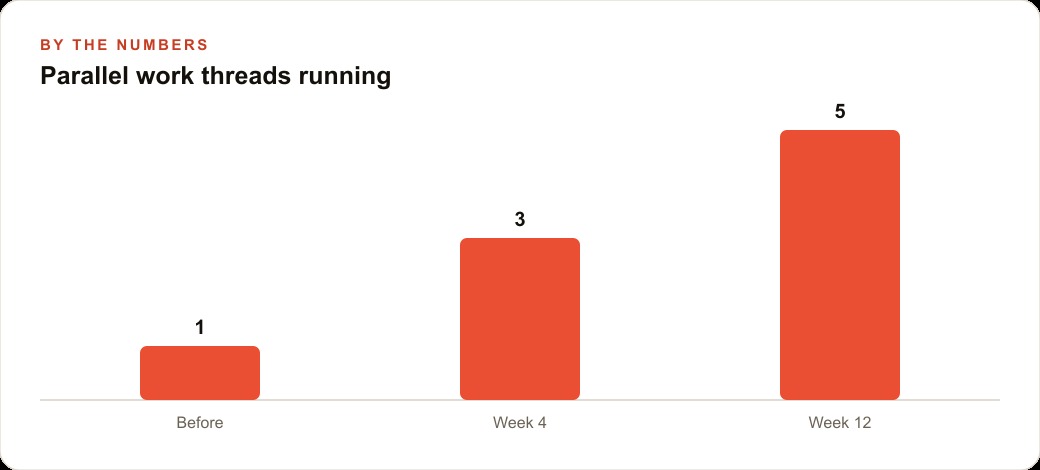
The build did not happen linearly. While the desktop coding agent was writing the Swift project, a separate design tool was drawing the four main screens. A design tool built for AI agents read the brief through its connection interface and produced screen layouts for the inbox, the conversation view, the preview, and the result. Research into how to wire the CLI into the conversation ran as a third separate thread. Three things that could happen at the same time did.
The first prompt on a fresh project is the longest. It takes time for the agent to process the full brief and begin generating. That wait is not dead time if other threads are running. For a one-person build, this is the highest-leverage habit in the workflow: batch work that does not depend on each other and run it in parallel. Design can happen while code is being generated. Research can happen while design is underway. The operator is the coordinator, not the person doing one thing at a time.
For a business building a client-facing digital tool, whether that is a customer portal, a CRM and website system, or a lead capture flow, the same parallel structure applies. Designing the screens, mapping the data flow, and wiring the backend do not need to happen in sequence. Running them in parallel is not reckless, it is the practice that makes a one-person build competitive with a team build.
The plan-mode habit before writing any code
Before the coding agent wrote a single file, it was asked to map the build. Plan mode takes the brief, works through the sequence of steps the build requires, identifies dependencies, and lays out what will be generated and in what order. The plan is a check before the work begins. It surfaces whether the brief is complete enough for the agent to proceed, whether there are ambiguities that will become blockers mid-build, and whether the sequence the agent intends to follow makes sense.
This habit costs a few minutes at the start and saves a much larger amount of time mid-build. An agent that runs into an ambiguity halfway through a large generation will sometimes halt and ask, which interrupts the momentum of the build. An agent that surfaced the ambiguity in plan mode let the operator resolve it before any code was written, which means the generation runs to completion without interruption.
For any build that involves a chat interface, the plan-mode review is where conversation design decisions should be locked. What triggers a new generation? What does the user see while the generation is running? What does the result screen show if the generation fails? Answering those questions in the plan, before the code exists, means the code does not need to be rewritten when the answers change.
The iMessage tuning and what it took to get there
The conversation layer was tuned to behave like a familiar messaging interface: message bubbles aligned the correct direction, typing indicators showed while the generation was running, and the visual rhythm matched what a user expects from a chat. That tuning did not happen in a single prompt. It happened in a series of small corrections, each one describing a specific visual behavior that was wrong and asking for a fix.
Each correction was precise: this bubble should be on the right, this indicator should appear only when the other party is generating, this font should be smaller. The agent applied each fix and the builder reviewed the result on a real device. Reviewing on a real device is the check that a screenshot inside a coding environment cannot replace. A spacing issue that looks acceptable in a small preview is obvious and distracting on a physical screen that a real person holds. The build was running on a real device for this reason throughout the session.
The chat overlay is the detail that pushed the result past demo quality. A chat input sits over the live preview of the generated app, following the pattern of how some social platforms open links in an overlay rather than leaving the current surface. The user can type new instructions while looking at the generated app running beneath the input. That behavioral detail is what makes the experience feel continuous rather than interruptive.
Errors were fed back as screenshots, not retyped descriptions
When the build broke, the response was to drag the Xcode error logs and a screenshot of the failure directly into the coding agent's input and ask it to fix the problem. The agent read the actual compiler output and the actual visual state, not the builder's paraphrase of either. The fix it produced addressed the real failure rather than the operator's interpretation of it.
This habit is the single most time-saving debugging practice in an AI-assisted build. Retyping an error is a compression that loses information. The actual compiler message contains the exact file, line, and type of failure. The actual screenshot shows the visual state the agent cannot otherwise see. Giving the agent both takes ten seconds longer than retyping and produces a more targeted fix that usually does not require a second round.
For a business team building digital tools that run Facebook and Instagram ad campaigns or manage Google Ads reporting, the same principle applies to any integration that breaks. The raw API error response, pasted in full, gives the agent what it needs to diagnose the actual failure. A summary of what went wrong gives it a guess.
The business case for one-person builds with layered tools
The reason this build matters beyond its specific output is the economics it demonstrates. One person, in a single session, shipped a working iOS app with a native-feeling chat interface and an in-app preview system. The cost was a few hours of careful orchestration and the subscriptions for the tools involved. The equivalent output from a traditional development process would require a designer, an iOS developer, a backend developer, time for review cycles, and a QA pass before submission.
That gap is the business case. A small business that needs a branded client-facing app, a scheduling tool, a simple product catalog, or a follow-up workflow tool has access to this leverage directly. The operator does not write code. The operator writes a brief, coordinates parallel threads, applies precise corrections in a short feedback loop, and tests on a real device before submitting. That is a fundamentally different skill set from software development, and it is learnable in a much shorter time.
The businesses best positioned to capture this leverage are the ones that already understand what good output looks like in their domain. For a business running SEO content and client reporting, knowing what a good report looks like is the prerequisite for directing an agent to produce one. The agent handles generation. The operator handles judgment about whether the output is good. That split is what makes the workflow functional rather than a demo exercise.
The pattern from this build, three tools with distinct jobs, parallel threads for independent work, plan mode before generation, precise corrections rather than broad rewrites, and errors fed back as raw logs and screenshots, is not specific to Swift development. It applies to any digital build: a landing page, a lead capture form, a client dashboard, a product catalog. The stack changes. The orchestration habits are the same. The operator who learns the habits builds faster on every new project that follows, because the discipline compounds across every build after the first.
That is exactly what we do at AI DOERS. Book a private 30-minute call with Madhuranjan Kumar and we will map the fastest path to it for your specific business.
Book your call →
Madhuranjan Kumar
Madhuranjan Kumar brings 20 years of performance-marketing experience and has managed over $200 million in Facebook ad spend for brands across the United States and beyond. His expertise spans the full modern marketing stack: Meta, Google Ads, TikTok, email automation, CRM, and the websites that hold it together. At AI DOERS he turns that track record into lead-generation systems for businesses across every industry.