
How MCP Turns Claude Into a Real Agent That Works Inside Your Tools
Most owners treat AI as a smarter search box. MCP is the feature that lets the same model read, create, and edit inside the apps you already run, and here is how I would wire it up for a real business.

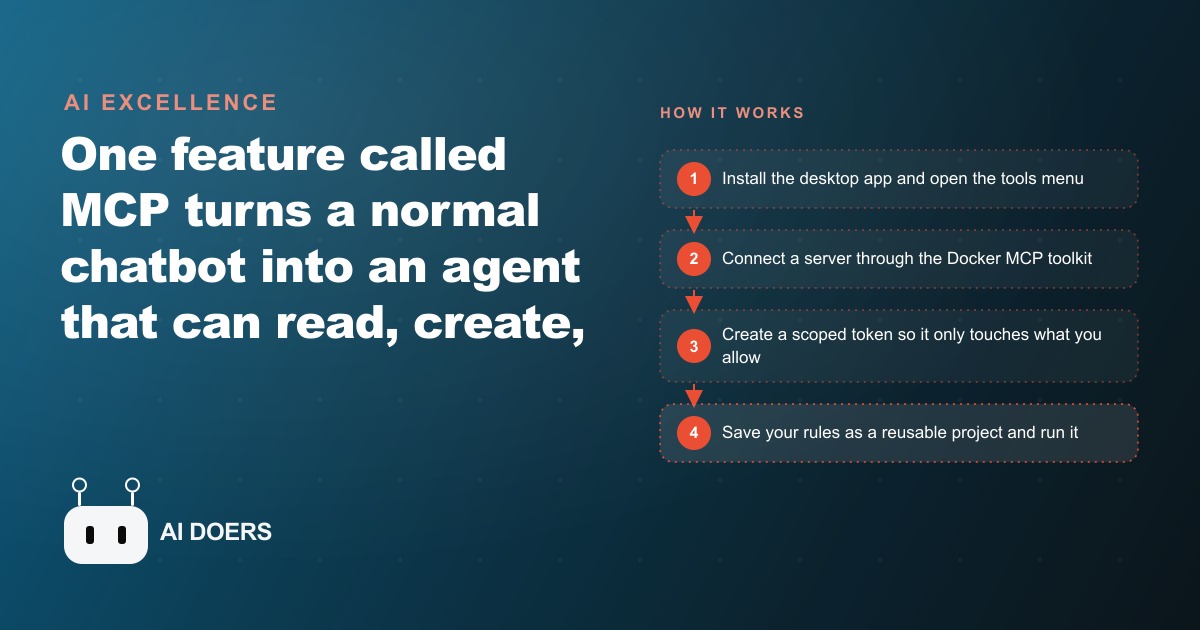
Every productivity tool on the market promises to save your team time, but most of them mean something specific by that. They mean your team will spend slightly less time on one task, then spend exactly the same amount of time copying the result into the next tool. The information moves, but a human moves it. MCP breaks that cycle because it connects the model directly to the tools you already operate, so context flows through them without a person manually shuttling it between sessions.
What follows is one med spa's journey from treating a chat assistant as a smarter search box to running a properly wired agent that handles consult replies, content graphics, and scheduling tasks inside the tools the business already uses. The names are not the point. The pattern is.
Before MCP: Copying Context In, Copying Answers Out
Before the clinic discovered MCP, the coordinator's AI workflow looked like this. Open a new chat session, type out the treatment menu, explain the clinic's pricing policy, paste in the patient's inquiry, and ask for a draft reply. The model would produce a good draft. The coordinator would copy it, paste it into the booking software's message interface, clean up any formatting that came through wrong, and send it.
Then the next inquiry would arrive and the process would start again from scratch. The conversation had no memory of what the clinic was or what it offered. Every session was a blank slate. The model was capable; the architecture around it was not. Context that should have been permanent had to be re-entered every time, and output that should have flowed directly into the booking software had to be manually transferred by hand.
The practical cost of this workflow is harder to see than the time it takes. The deeper cost is inconsistency. When the coordinator is busy and the explanation of the treatment menu is abbreviated, the draft reflects that abbreviation. When a different team member handles the inquiry, the explanation is different and the draft sounds different. The output quality varies with the quality of the setup, and the setup is rebuilt from scratch every time. A well-connected agent eliminates that variation by making the context permanent rather than re-entered.
The Tools Menu: What It Shows You the First Time You Open It
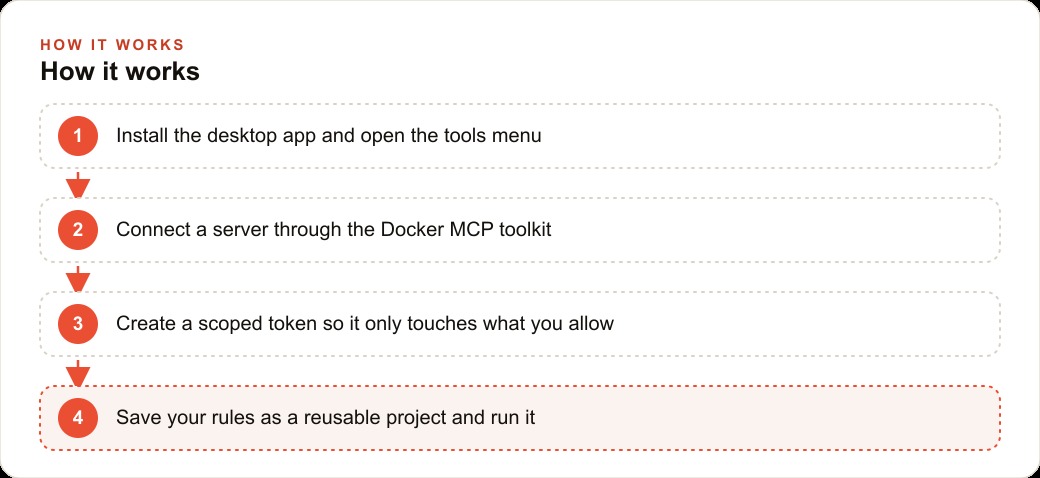
The discovery happened when the coordinator opened the desktop version of Claude rather than the browser version and noticed a Tools section in the interface. On a fresh install with no connections configured, that section shows almost nothing. That is intentional. The desktop application does not arrive pre-wired to your data. You add the connections you want, and only those connections.
The Tools menu shows which servers the agent currently has access to, what capabilities each server provides, and which tokens authorize each connection. A single server can carry many sub-tools: a notes database server might include the ability to create a page, query a database, add a comment, search across all content, or retrieve a specific record. Add several servers and the agent can do a wide range of tasks inside the connected tools; leave the menu empty and the agent operates only on what you type in the chat window.
The important realization for the coordinator was that the blank menu was an invitation, not a limitation. Every capability added to the menu is a capability the agent gains without any additional prompting. Once the notes database is connected and the treatment menu is saved there, the agent reads it on every task without being told to. The context stops being something you provide in the chat and becomes something the setup maintains automatically.
The First Real Connection: Scoped Access to the Notes Database
The first connection the clinic made was to its notes database, a tool the team already used to store the treatment menu, pricing guide, and brand voice guidelines. Creating the connection required generating an integration token inside the notes tool and specifying exactly which pages that token was allowed to access.
That scoping step is the part most new users skip, and it is the most important security decision in the entire setup. A token scoped to the treatment menu and the pricing guide can read those pages and nothing else. It cannot see patient records, billing history, appointment notes, or any other page in the database. The agent gets the access it needs for the task it was assigned; it gets nothing beyond that.
For the clinic this meant the agent could pull the full treatment menu on demand, check the pricing guide for any service in the catalog, and read the brand voice guidelines to calibrate the tone of a reply. All of that context became automatic rather than something the coordinator had to type into every session. The scoped token is not just a security measure; it is the architectural decision that makes the agent trustworthy enough to run on sensitive business information without needing someone to watch every session.
Writing the Instruction Page That Becomes the Agent's Operating Manual
The instruction page is a single document in the notes database, written in plain language and addressed directly to the agent. It is not a technical specification. It is closer to a short employee handbook for a very capable but very literal assistant.
The clinic's instruction page covered five areas: how to open a consult reply, what information to pull from the treatment menu for each category of inquiry, the specific phrases to use and avoid in the brand voice, how to handle questions the agent cannot answer from the menu alone, and when to flag a message for human review rather than drafting a response.
Writing that page forced a clarification the team had never done explicitly before. What exactly does "warm and professional" mean in a patient reply? What is the correct way to describe pricing without committing to an exact figure before a consultation? Which types of inquiries genuinely require a human and which can be answered completely from the treatment menu? The act of writing instructions specific enough for an agent to follow produced a document that was also useful for onboarding new team members.
The instruction page does not replace human judgment. It extends it. The coordinator's knowledge about how the clinic communicates, built over months of patient interactions, becomes permanently available to the agent without that coordinator having to be present for every session. One document, saved once, applied every time.
The First Real Task: Consult Replies Drafted Directly From the Treatment Menu
The first real task was drafting replies to consultation inquiries about laser treatments. A patient message arrived asking about the clinic's approach to pigmentation correction, the typical number of sessions needed, and the price range. Before MCP, that reply required the coordinator to mentally recall the relevant details, check the pricing guide, and compose a response that matched the clinic's voice. With the notes database connected and the instruction page in place, the task changed.
The coordinator pasted the patient's message into the chat, typed "draft a consult reply," and the agent read the instruction page, queried the treatment menu for pigmentation correction, checked the pricing guide for the relevant range, and produced a draft that named the treatment correctly, described the typical session count from the menu, and framed the pricing in the language the instruction page specified. The draft was accurate, on-brand, and complete. The coordinator reviewed it in 30 seconds and approved it.
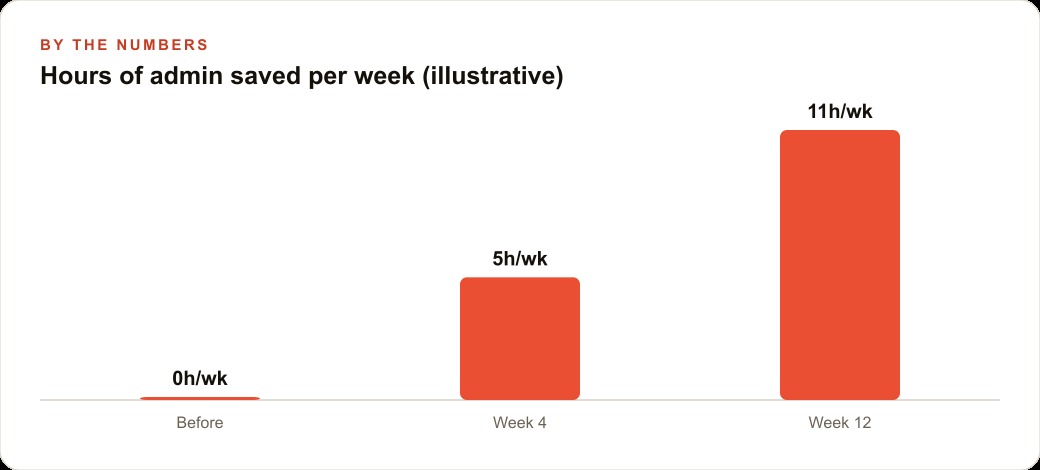
That task, applied consistently across all consult inquiry types, recovers approximately 40 minutes of front-desk time per day. Across a five-day week, that is 3.5 hours of coordinator time redirected from drafting replies to patient-facing work. Over a month, 14 hours of front-desk time is freed from a task the agent handles with higher consistency than a human working through a busy afternoon. The coordinator reviews; the agent drafts. The quality is more consistent because the instruction page never has a distracted day or a moment of uncertainty about what the menu says.
Adding Images: Five On-Brand Graphics From One Prompt, No App-Switching
At week four the clinic added an image-generation server to the Tools menu. From the same chat interface the coordinator used for consult replies, a single prompt asking for five on-brand graphics for the current month's skin-rejuvenation promotion generated five finished image options without opening a design tool, a stock photo service, or a separate AI image application.
The image server read the brand color and style guidelines from the same notes database pages the consult reply task had been reading and produced graphics consistent with the clinic's visual identity. The coordinator reviewed them and selected the two that worked best for the week's social content. Total time: the length of the prompt plus a two-minute review.
The combination of tools in the agent's stack, notes database for context, image server for output, web search for any external reference needed, is where the compound value lives. The agent uses the right tool for each part of the request in sequence. The coordinator describes the task once rather than opening three separate applications and managing the handoffs between them. The output of each tool becomes the input to the next without anyone copying between windows.
What the Coordinator's Week Looks Like at Week Eight
By week eight the setup has matured through actual use. The instruction page has been refined twice, each time based on an inquiry type the first version did not cover well. The treatment menu in the notes database reflects the most recent service additions. Two new projects have been created: one that pulls open calendar slots and drafts availability text for patients asking about scheduling, and one that summarizes the week's incoming questions and flags any topic that appeared more than three times, suggesting content for the clinic's social calendar.
The coordinator now arrives to find the agent having processed overnight messages, sorted inquiries by type, and drafted replies for the standard categories. The review, approval, and sending of those drafts takes 20 minutes instead of the 90 minutes that used to open every workday. The time recovered is spent on calls with patients who need a person: the sensitive conversations, the follow-ups with long-term clients, the scheduling discussions that benefit from someone who knows the patient.
The scoped access remained unchanged throughout the eight weeks. The agent reads the treatment menu, the pricing guide, the brand guidelines, and the calendar. It cannot reach patient records, billing data, or anything outside the pages approved at setup. That boundary is not a constraint on what the agent can do for the business. It is exactly what makes the arrangement trustworthy enough to run unsupervised during the hours when no one is watching. The trust was built by keeping the scope tight and expanding it only after each level had proven reliable. At week eight, the clinic is not thinking about the agent as a tool it uses. It is thinking about it as a member of the team that never takes a day off.
The Setup Process as a Forcing Function for Documentation
One underrated benefit of building the MCP agent setup is what the process forces you to do before the agent runs a single task. To write an instruction page the agent can actually follow, you have to pull into one document the pricing information, the brand voice rules, the policies for common inquiry types, and the decision logic for when a message requires a human and when it does not. Most businesses have all of this knowledge distributed across old email threads, policy PDFs that were updated once and then forgotten, the owner's head, and the collective memory of whoever has been on the team longest.
The act of consolidating it into a single instruction page is valuable independently of whether the agent ever reads it. New team members onboard faster because the rules are written down and findable. Coverage during busy periods is better because anyone can check the instruction page rather than interrupting the one person who holds the relevant knowledge. The logic behind the business's communication style is visible and adjustable rather than implicit and inconsistent.
Once the instruction page exists and the agent is reading it, every update to the page improves every future session automatically. A note added about how to handle inquiries for a new treatment, or a pricing update, applies to the agent's next task without additional configuration. The page becomes a living document the team refines and the agent applies, which is a more durable way to maintain communication quality than training each person separately and trusting that the knowledge transfers uniformly. The agent is the reason the document exists. The document is the reason the business communicates consistently. Both improve together.
That is exactly what we do at AI DOERS. Book a private 30-minute call with Madhuranjan Kumar and we will map the fastest path to it for your specific business.
Book your call →
Madhuranjan Kumar
Madhuranjan Kumar brings 20 years of performance-marketing experience and has managed over $200 million in Facebook ad spend for brands across the United States and beyond. His expertise spans the full modern marketing stack: Meta, Google Ads, TikTok, email automation, CRM, and the websites that hold it together. At AI DOERS he turns that track record into lead-generation systems for businesses across every industry.