
How LLMs Make a Universal Web Scraping Agent Possible
Large language models can read messy HTML from any website and return a consistent JSON shape. Instead of building one brittle scraper per site, you can build a single agent that cleans the page, remembers what it found, and pulls structured data from nearly anywhere.

Every business that monitors competitor pricing, tracks market data, or researches prospective clients is paying humans to do work that a single AI agent can do faster, more consistently, and around the clock.
I am Madhuranjan Kumar, and the reason this has taken so long to become practical is not that language models could not read web pages. It is that getting a usable page into the model was the hard part. A plain HTTP request to most commercial websites returns either a login wall, a JavaScript shell with no readable content, or a blob of markup so noisy that extracting a single clean fact from it would require more engineering than the data was worth. The tools that solve those problems now exist, and combining them into a single agent architecture is the right way to build a scraping system that works reliably across more than one site.
This is a step-by-step guide to building that agent. The steps are not theoretical. Each one corresponds to a real technical choice with a specific tool and a specific reason for using it.
Understand what makes most websites impossible to scrape with a plain request
The commercial web is not designed for machines. It is designed for humans with a browser, a fast internet connection, and the ability to scroll, wait, click, and log in. A plain HTTP request runs into the following problems almost immediately on most commercial sites.
First, JavaScript rendering. The content on many modern pages does not exist in the HTML that the server sends. It is generated by JavaScript code that runs in the browser after the page loads. A plain request gets the HTML shell. The content is not there. A script reading that response finds no products, no prices, no listings, because those elements only appear after a browser executes the page's scripts. This is especially common on e-commerce sites, job boards, and any platform built with a JavaScript frontend framework.
Second, lazy loading. Even when content is present in the initial HTML, many sites only load images and additional data as the user scrolls down the page. A request that fetches the top of the page misses everything below the fold. A scraper that does not simulate scrolling collects a partial dataset that looks complete until you compare it to what a human actually sees.
Third, authentication walls. LinkedIn, Glassdoor, most SaaS platforms, and the majority of supplier portals require a login before they show anything useful. A plain request gets the login page, not the content behind it. Automating the login process requires handling session cookies, authorization headers, and sometimes multi-factor authentication flows.
Fourth, bot detection. Commercial sites increasingly deploy tools that identify non-human request patterns: requests arriving too fast, requests missing normal browser headers, requests that never trigger mouse movement or scroll events. A script making many requests from the same IP address in a short window gets blocked, rate-limited, or served degraded content specifically designed to mislead scrapers.
Old scraping approaches handled some of these problems with site-specific code. You built one scraper per site, with custom selectors targeting the exact HTML elements you needed, custom logic for the login flow, and custom handling for the pagination structure. That approach was expensive to build and fragile to maintain. A site redesign broke every selector. A layout change on a supplier portal required a rewrite of the entire extraction script. Teams spent more engineering time maintaining scrapers than using the data they produced.
Large language models change the economics of this problem. A model can read any HTML and extract any fact without custom selectors, without knowing the page structure in advance, and without requiring a rebuild when the layout changes. That universality is the unlock. But the model still needs a clean, readable version of the page to work with, and it still needs a browser to get past dynamic rendering and authentication walls. The architecture combines both.
Clean the page before the model reads it: the Firecrawl step
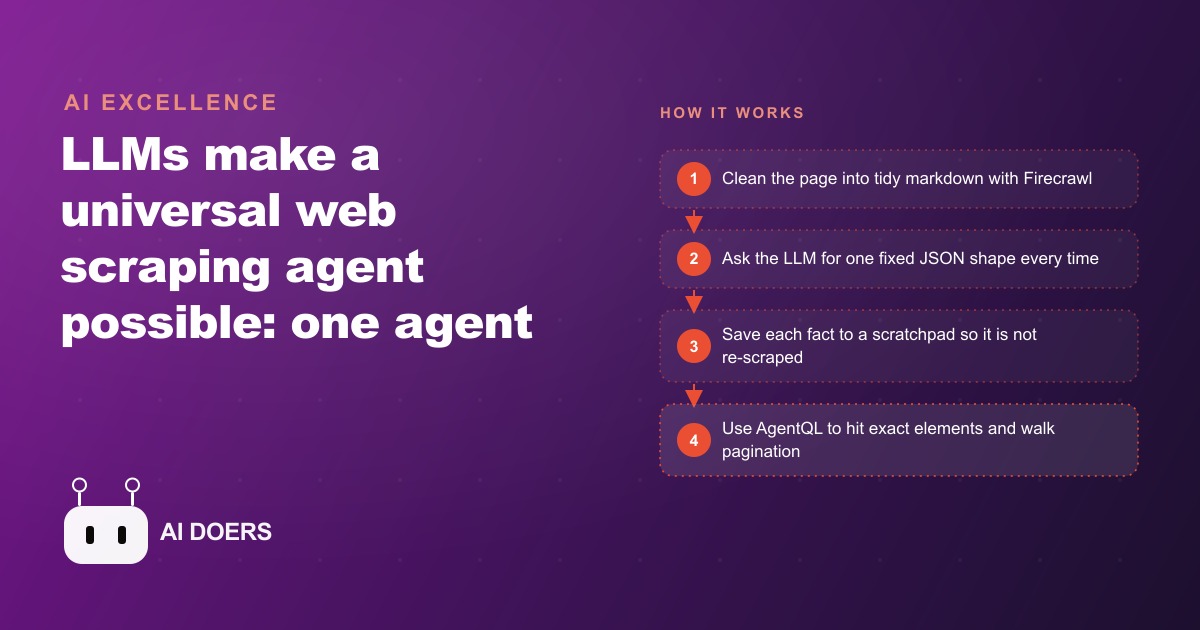
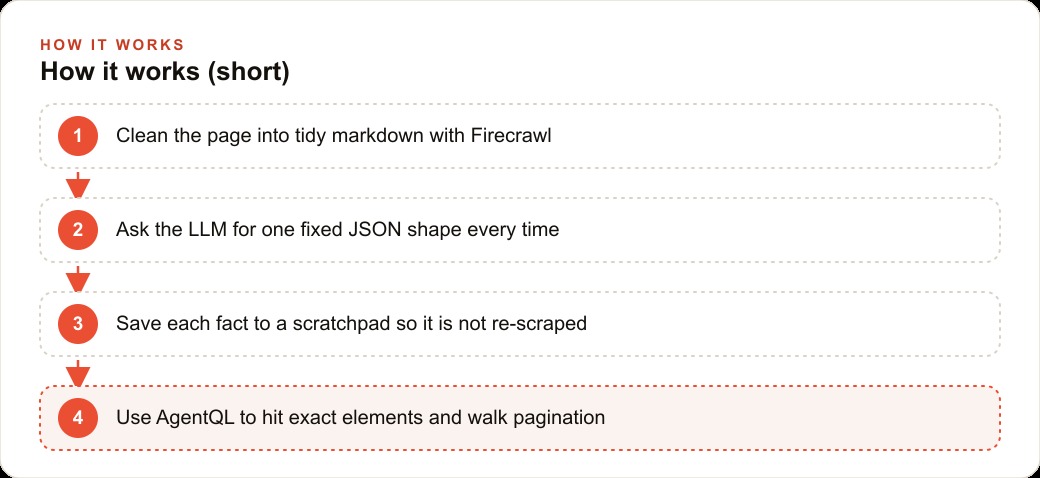
The first tool in the architecture is Firecrawl, an open-source library that converts any web page into markdown formatted for language models. Firecrawl handles the JavaScript rendering problem by running the page in a headless browser, waiting for all content to load, and then extracting the readable text in a clean format that strips the HTML noise: the navigation menus, the cookie banners, the advertising pixels, the social share buttons, the footer links, and the dozens of other elements that fill a commercial page with content that is irrelevant to the fact you are trying to extract.
The result is a document that looks like well-structured notes. The main content is present: the headings, the prices, the descriptions, the dates, the tables. The surrounding clutter is gone. That document is what you feed to the language model. A model reading clean markdown produces far better extraction results than a model reading raw HTML, because the signal-to-noise ratio in the input directly affects the accuracy and consistency of the output. A model reading a 40KB wall of HTML to find a product price will hallucinate more often than a model reading a 3KB markdown document where that price appears in the second paragraph.
Firecrawl also preserves links and basic structural relationships, which matters when you are extracting things like which product images belong to which listing, or which review text is associated with which product. That structure would be lost if you stripped all formatting and handed the model a flat wall of text.
The practical rule is simple: run every page through Firecrawl before any model call. Do not feed the model raw HTML. Feed it clean markdown. This single habit improves extraction quality enough to justify the additional step on almost every site you will encounter.
Design the output shape once and hold it constant across every source
The second design decision is the shape of the output. A universal scraping agent only becomes universal if every source it visits produces the same output structure. If one supplier's portal produces a different field layout than a marketplace, and the marketplace produces a different format than a competitor's website, the collected data cannot be compared or aggregated without a separate transformation step for each source. The agent loses its primary advantage.
The solution is to design the output schema before writing any other part of the agent, and to hold it constant across every source. For a product catalog use case, the schema might include product name, SKU, price, currency, pack size, stock status, category, source name, source URL, and collection date. Every source, regardless of how its pages are structured, must produce a record with exactly those fields. If a field is not available on a particular source, the field is null rather than absent. The schema does not change per source.
This means the model prompt for extraction always asks for the same shape. The prompt says: read this page and return a JSON object with these fields. The field list is always identical. The model is not asked to decide what to extract. It is given the complete output shape and asked to populate it from the page content. When a field is genuinely missing from a page, it returns null rather than inventing a value or skipping the field.
Holding the schema constant also makes every downstream step simpler. The scratchpad stores the same kind of record from every source. The database can be queried, compared, and aggregated across sources without a transformation step. Any reporting or alerting layer built on top of the agent works with a single consistent data format regardless of how many sources the agent covers.
Build the scratchpad so the agent never collects the same fact twice
A scraping agent without memory will re-scrape the same pages on every run. If you monitor a supplier catalog twice a day, the agent collects the same products twice a day and stores duplicates. After a week you have seven thousand records where you should have five hundred. The data becomes unreliable and the storage cost grows without any corresponding increase in useful information.
The scratchpad fixes this with two mechanisms. The first is a simple database, a SQLite table or a plain JSON file organized as a dictionary, that stores every record the agent has collected, keyed by a unique identifier. For products, the key might be the combination of the source URL and the SKU. Before the agent scrapes a page, it checks the scratchpad for that key. If the record exists and was updated recently, the agent skips that page. If the record is stale or absent, the agent scrapes the page and updates the database entry.
The second mechanism is updating the agent's working context at the start of each run with a summary of what it has already collected. This is how the scratchpad functions as a working memory during an active session. At the start of each run, the agent reads the scratchpad and builds a brief inventory: these product categories have been fully collected this morning, these sources were visited since midnight, these SKUs are new since the last run. The agent carries that inventory into its context for the session and makes decisions based on what it already knows rather than starting each run completely blind.
The scratchpad architecture matters most for long-running agents that operate across many sources over time. A one-time scrape of a small list of pages does not need this level of bookkeeping. An agent that runs daily across hundreds of supplier pages, maintaining a current view of inventory levels and pricing, cannot function reliably without it. The engineering cost of a scratchpad is low. The cost of managing duplicate or stale data without one is not.
Step up to full browser control for sites that require login or pagination
Firecrawl handles JavaScript rendering and provides clean text, but it does not log in. For sites behind authentication walls, for sites where content only loads after a user clicks a button, and for sites with pagination that requires clicking a next-page button to load additional results, you need direct browser control.
The standard tool for this is Playwright, a library that drives a real browser (Chromium, Firefox, or WebKit) without a visible window. The agent uses Playwright to navigate to a login page, locate the username and password fields, enter the credentials, submit the form, wait for the authenticated session to load, and then navigate to the content pages. From that point, the authenticated browser session is available for the full scraping run, and the agent can navigate through pages, click tabs, and interact with the site exactly as a human would.
For pagination, Playwright locates the next-page button or link, clicks it, waits for the new content to load, extracts the data from that page, and repeats until the agent has collected all the records it needs or reached a configured page limit. This is how the agent handles a supplier catalog organized into dozens of category pages, or a marketplace search result that spans thirty pages of products.
AgentQL solves the hardest problem in browser-based scraping, which is finding the right element to interact with reliably across different page layouts and site updates. A site like LinkedIn can have three different sign-in buttons present on the same page, each embedded in a different part of the page structure. A naive selector based on the button text or a CSS class will find the wrong one or break the next time the site updates its markup. AgentQL takes a plain-English description of the element you want, for example the primary sign-in button at the top of the page, and finds it reliably across different layouts and after site updates. This replaces fragile XPath expressions and CSS class selectors with instructions that remain correct even when the underlying page structure changes.
For businesses that need data from sources requiring authentication, such as supplier portals, private marketplaces, industry databases, or platforms that require a professional login, the Playwright and AgentQL combination is the right architecture. It is more complex to build than the Firecrawl-only approach, but it covers the full range of sites that a universal agent needs to reach.
The complete architecture, Firecrawl for clean text on public pages, a fixed output schema, a scratchpad for memory, and Playwright with AgentQL for sites requiring login or pagination, is genuinely close to a universal agent. The same codebase works for competitor pricing on public e-commerce sites, for supplier catalogs behind a portal login, and for market data distributed across paginated reports. The agent collects the same schema from every source, stores it in the same database, and never repeats work it has already done in the current collection window.
For businesses investing in SEO and content programs, a scraping agent provides the research layer that makes those investments more precise: knowing what competitors are publishing, what topics they are targeting, and how their content is structured gives the content strategy a factual foundation rather than a guessed one. For businesses running Google Ads or Meta advertising campaigns, the same agent can monitor competitor ad messaging, landing page copy, and offer structures continuously, surfacing intelligence that used to require a dedicated researcher to collect manually once per quarter. The agent collects it every day.
That is exactly what we do at AI DOERS. Book a private 30-minute call with Madhuranjan Kumar and we will map the fastest path to it for your specific business.
Book your call →
Madhuranjan Kumar
Madhuranjan Kumar brings 20 years of performance-marketing experience and has managed over $200 million in Facebook ad spend for brands across the United States and beyond. His expertise spans the full modern marketing stack: Meta, Google Ads, TikTok, email automation, CRM, and the websites that hold it together. At AI DOERS he turns that track record into lead-generation systems for businesses across every industry.