
How Claude Code Skills Turn One Markdown File Into an AI Agent Team
Claude Skills are SKILL.md files placed in a .claude/skills folder that give Claude Code reusable, named instructions, so pointing it at your real notes or content folder turns a coding tool into a general agent that runs the actual workflows your business repeats every week.

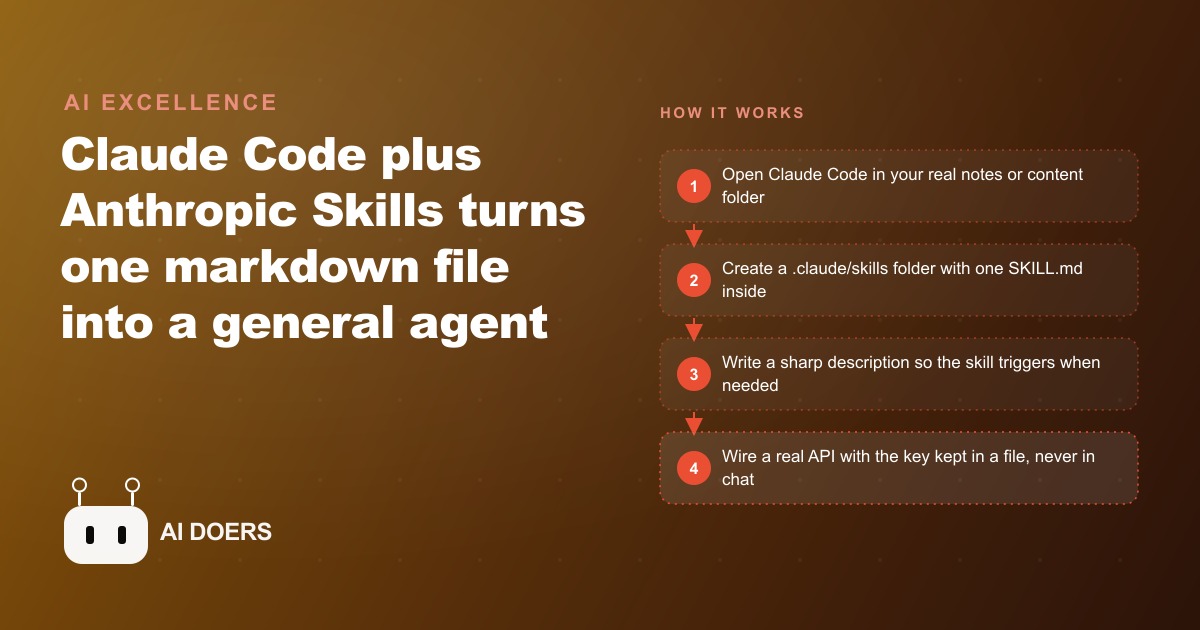
I am Madhuranjan Kumar, and the most common question I hear from business owners is some version of this: I want to use Claude Code for my actual business work, not just for writing software. Is that even possible? The answer is yes, and the mechanism that makes it possible is a simple feature called Skills. A Skill is a markdown file placed in a specific folder inside your project directory. When it is written correctly, Claude Code reads it and knows when to apply it automatically, without you having to re-explain your process at the start of every session.
Most people who use Claude Code aim it at a codebase and treat it as a coding assistant. That is a legitimate and useful application, but it leaves the majority of the value on the table. Claude Code runs on any folder on your machine. Point it at a directory that holds your client notes, your content drafts, or your weekly reports, and it becomes an agent for whatever work lives in those files. Skills are the layer that makes that repeatable. Instead of re-explaining your process at the start of every new session, you write the process once as a SKILL.md file, and the agent picks it up automatically the next time the right situation arises.
The comparison to sandbox coding agents is useful for orientation. Tools like Lovable and Replit spin up a cloud environment and run a coding agent to generate files in isolation. Claude Code does the same thing directly on your machine with no cloud sandbox in between, which means it can read and write any kind of file, not just code. Point it at a folder of notes, client briefs, or content drafts and it stops feeling like a chatbot and starts behaving like a coworker who understands your goals, knows your standards, and can act on your files directly.
Here is how I would build this, step by step, from nothing in place to a working skill connected to a real API.
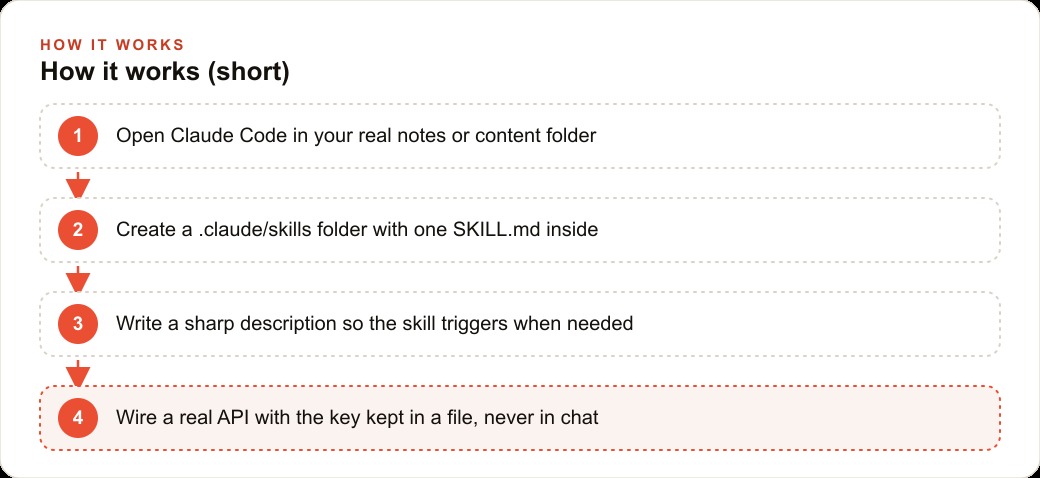
Open Claude Code in your actual work folder, not a test sandbox
The first thing most people get wrong is running their initial experiments in a test folder they created just to try things out. The problem is that the agent has no real context to work with in a test folder. It can demonstrate capabilities in an abstract way, but it cannot build habits around your actual files, your actual naming conventions, or your actual workflows, because none of those things are present.
From the first session, open Claude Code in the folder where your real work lives. If you run a real estate agency, that might be a folder holding your past listing descriptions, your brand voice document, and the current properties in your pipeline. If you run a content agency, it might be the folder where you keep client briefs and draft posts. If you manage your own notes in Obsidian, open Claude Code inside your Obsidian vault directly. Opening in the real folder means the agent immediately understands what kind of work you do, what files exist, and what a good output for your context looks like.
I would not skip this step in favor of convenience. The single biggest reason people try Claude Code once and conclude it is only for developers is that they tested it in a blank sandbox and received blank-sandbox answers. Your real folder is where the agent becomes genuinely useful, and the skills you build there are calibrated to the actual work inside it.
Get the folder structure exactly right before you write a single word
Claude Code looks for skills in one specific location, and a skill file placed anywhere else simply never fires. The structure is not complicated, but it is exact.
Inside your project root, create a folder called .claude. Inside that folder, create a folder called skills. Inside skills, create one folder per skill, naming it something descriptive of what that skill does. Inside each skill folder, place a file named SKILL.md. That is the complete path: .claude/skills/your-skill-name/SKILL.md. If any part of that path differs, Claude Code does not find the skill and you will spend time troubleshooting something that is actually a folder name issue.
One practical note: the .claude folder name starts with a dot, which makes it a hidden folder on most systems. On macOS, hidden folders do not appear in Finder by default. If you are building the structure using the terminal, this is not a problem. If you prefer a file manager and cannot see the .claude folder after creating it, check your settings for displaying hidden files.
I would set up this structure first, before writing any skill content. Confirming the folders exist and are named correctly costs five minutes and prevents an hour of wondering why nothing is triggering.
Write the description as a trigger condition, not a label
Every SKILL.md file needs two key pieces of information: a name and a description. The name is human-readable and primarily useful to you as an organizational label. The description is the mechanism that actually controls when the skill fires.
Claude Code reads the description in each skill file and uses it to decide whether this skill is the right tool for a given situation. A description that is too vague, something like: helps with writing, means the agent never confidently reaches for the skill because the trigger condition is too broad and matches too many scenarios. A description that is too narrow means the skill misses situations where it would genuinely be useful.
The right way to write a description is to phrase it as a trigger condition. Here is an example: Runs when given raw property details and asked to produce a listing description in the agency's established format. That tells the agent exactly when to use this skill and implies when not to. The agent knows to reach for it when you are working on listing descriptions, and to leave it alone when you are answering an email or building a spreadsheet.
I would invest real time in the description even if the rest of the SKILL.md feels straightforward. A poor description is the most common reason a skill that looks correct still does not fire reliably. Test it by asking yourself: if I read this description without any other context, would I know exactly when to apply it and when to skip it? If the answer is no, rewrite it until it is precise.
Let Claude bootstrap the skill file by pointing it at the official repo
Writing your first SKILL.md from scratch is possible, but there is a faster path. Anthropic maintains an official repository with documentation on the skills format, including examples of how the name, description, and body sections should be structured. You can paste that repository link into Claude Code and ask it to write a skill for a workflow you describe.
The agent reads the official structure, understands the format requirements, builds the folder hierarchy, and writes the SKILL.md itself. This approach saves the time you would spend reverse-engineering the format, and the output follows the documented conventions correctly from the first attempt.
I use this bootstrapping approach for every new skill I set up, even when I already know the format well. The reason is that the agent often includes structural details I would have omitted if writing freehand, and those details tend to matter for how reliably the skill triggers. Starting from a model-generated scaffold and then editing it to fit your specific workflow is faster and more reliable than starting from a blank file.
Once the scaffold is in place, you fill in the body of the SKILL.md with the actual instructions. These are the steps, standards, and context that describe how you want the work done. Write them the way you would write a process document for a new hire: clear, specific, and focused on what the output should look like rather than on the internal mechanics of how the agent produces it.
Annotate examples to teach voice and context, not just format
A well-structured SKILL.md is a solid starting point, but it describes a process in abstract terms. For work that requires a consistent voice or style, abstract instructions produce inconsistent output. The agent follows the format but misses the tone, and the result sounds generic rather than like the business it is supposed to represent.
The solution is to include annotated examples in the skill folder alongside the SKILL.md. These are real samples of work that represent the standard you want the agent to match, with notes that explain why each piece works. For a listing description skill, that means dropping in five to ten past descriptions the agency considers its best work, along with brief annotations about what makes each one strong. The opening sentence leads with the property's strongest single detail rather than the address. The neighborhood description appears in the third paragraph, not the first. Pricing is never mentioned inside the listing description itself.
Those annotations teach the agent something it cannot infer from format instructions alone: the reasoning behind your style choices. An agent that understands why you make the decisions you make produces output that handles edge cases correctly, including properties with unusual features or neighborhoods that do not fit the standard template. It fills those gaps with judgment that matches your approach rather than defaulting to a generic response.
I would not skip the annotation step. The difference between an agent that produces drafts you edit lightly and one that produces drafts you mostly rewrite comes down to whether you taught it voice and context alongside format.
Wire the API key to a reference file and never paste it in chat
Once a skill is producing good output, the natural next step is to connect it to the tools you already use. For a content workflow, that typically means pushing the output to a scheduling tool or a content management system. Most of these tools have an API, and connecting the skill to that API turns the agent from a draft producer into an end-to-end operator.
The key rule here is about where the API key lives. Many people paste the key into the chat session when setting up the integration. That is a security risk: the key appears in your session history, it can be captured if you record your screen, and if the chat context is ever shared or exported, the key goes with it.
The correct approach is to create a plain text file that holds the API key, store it locally on your machine, and tell the skill where to find it. A file called typefully-key.txt that lives in a secure local folder the agent can reference. The SKILL.md points the agent to that file location when it needs the key. The key never appears in the chat, never gets embedded in the skill file itself, and never goes anywhere you would not explicitly send a sensitive credential.
For a post-drafting skill that queues content to a scheduling tool, this is the step that completes the loop. The agent drafts the post based on your inputs, checks the annotated examples for voice, and calls the scheduling API directly to queue it. The only thing left for you is to approve the published schedule.
Run a single skill for a full week before you build the second one
The temptation after setting up a first skill that works is to immediately build five more. The listing description skill is working, so now build one for emails, one for social content, one for internal reports, one for meeting notes. The instinct is understandable, but it is also the fastest way to end up with a collection of skills that each work sometimes and none of which you fully trust.
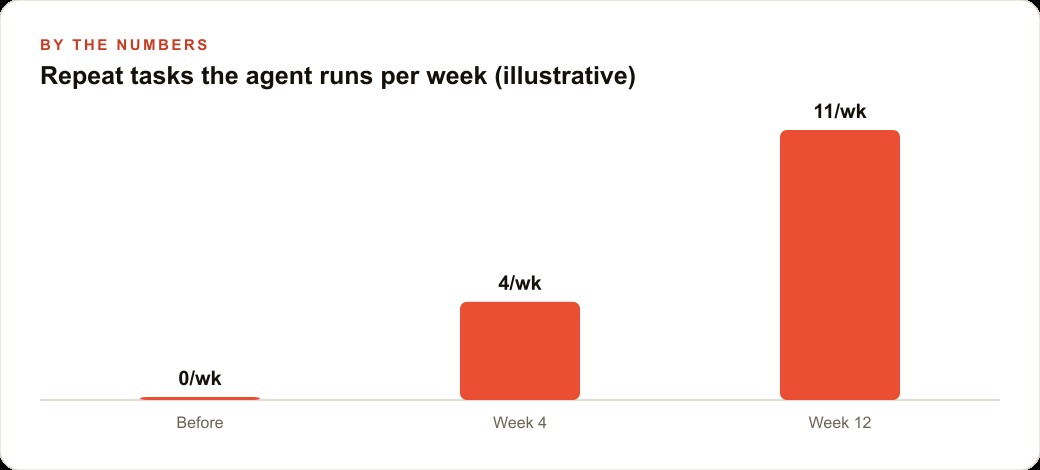
I would run a single skill for a full week before adding another. Use it on every relevant task that comes up during that week, check every output carefully, and note the cases where it falls short. Some of those shortfalls are description problems. Some are annotation gaps. Some reveal an assumption baked into the skill instructions that does not hold for certain edge cases. A week of real use surfaces all of these, and fixing them before you build the second skill means you are adding to a solid foundation rather than stacking uncertain tools on top of each other.
The operators who get real compounding value from Claude Skills share one consistent habit: they built slowly and tested thoroughly. A library of three skills that all perform reliably is worth more than a library of fifteen that require constant monitoring and produce uneven results.
A concrete example: a real estate agency recovering 20 hours per month
To make this tangible, here is how this plays out for a real estate agency handling 30 listings per month.
The agency has two workflows that consume the most recurring staff time: writing listing descriptions for new properties and producing social content to promote those listings on Instagram and Facebook. Both are repetitive. Both have a consistent format. Both benefit from the agency's established voice rather than a generic real estate template. Before any skills are in place, each listing description takes a team member 35 to 45 minutes to write from scratch, including the time spent reviewing past listings for style guidance.
I would set up Claude Code in the folder where the agency keeps its brand voice document and its archive of past listing descriptions, with the strongest past listings flagged as reference examples. The first skill targets listing descriptions. The SKILL.md describes the workflow: when given a property feature sheet, produce a listing description in the agency's format, using the annotated past examples as the voice reference. The agent reads the feature sheet, matches the format and tone from the annotated examples, and produces a draft.
With the skill in place, the agent produces a first draft in under two minutes. The human review and light editing takes another 5 to 10 minutes. For 30 listings per month, that shift recovers between 15 and 18 hours of staff time per month. Time that was previously spent on mechanical writing returns to client-facing work.
The second skill handles social content. Annotated screenshots of the agency's best-performing posts go into the skill folder, with brief notes about what makes each caption work: where the hook is, how the neighborhood is referenced, what the call to action format looks like. The skill produces Instagram and Facebook drafts that sound like the agency at its best, not like a generic marketing template. The scheduling tool API key lives in a local reference file. The agent drafts the posts and queues them directly to the content calendar. The team reviews and approves the weekly schedule in a single 15-minute session rather than building it from scratch each week.
The combined return: roughly 20 hours of recovered staff time per month, consistent voice across all listings and social content, and a content calendar that gets filled every week rather than falling behind when the team is at capacity. The setup investment is one afternoon to build the folder structure and write the first SKILL.md, and a second afternoon a week later to add the social content skill once the first one is proven.
That is what one markdown file in the right folder, with a precise description and a set of annotated examples, does for a business that repeats the same tasks every week. Not a chatbot you query. An agent that runs the work on your behalf, in your voice, connected to the tools you already use.
That is exactly what we do at AI DOERS. Book a private 30-minute call with Madhuranjan Kumar and we will map the fastest path to it for your specific business.
Book your call →
Madhuranjan Kumar
Madhuranjan Kumar brings 20 years of performance-marketing experience and has managed over $200 million in Facebook ad spend for brands across the United States and beyond. His expertise spans the full modern marketing stack: Meta, Google Ads, TikTok, email automation, CRM, and the websites that hold it together. At AI DOERS he turns that track record into lead-generation systems for businesses across every industry.