
How a Full iOS App With a Backend Got Built and Shipped Without Code
By chaining single prompts in a browser tool that runs Claude code, a complete iOS app with a database, AI image editing, authentication, and a paid subscription was built and sent to the App Store with no code written.

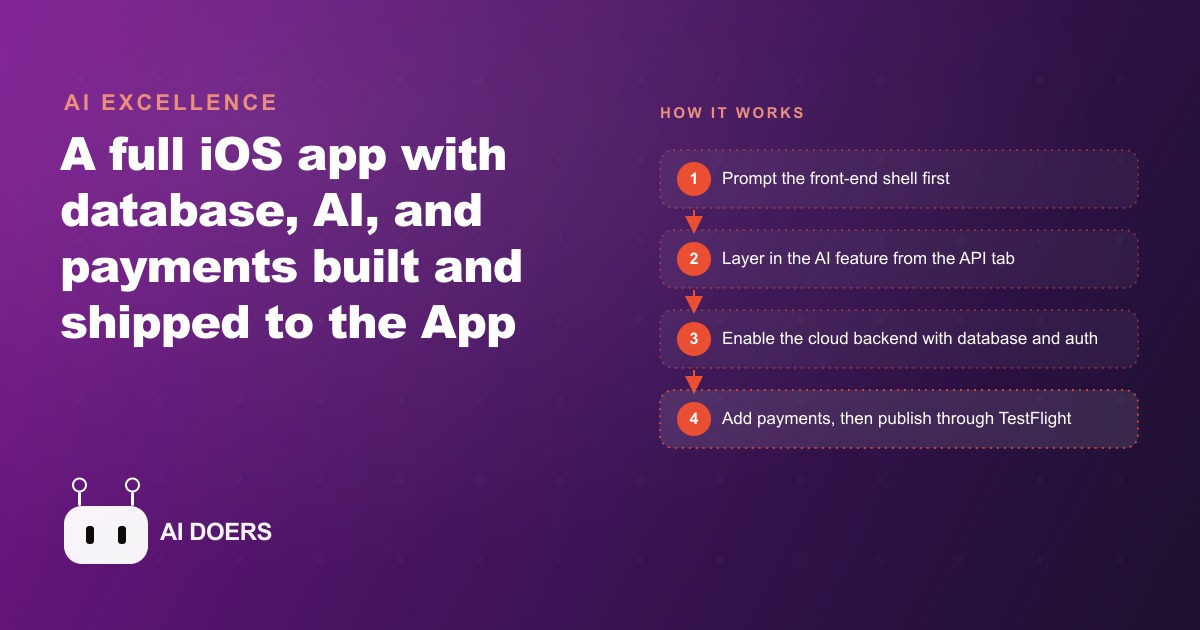
A complete iOS app, with a working database, AI-powered image editing, user authentication, and a live paid subscription, shipped to the App Store without a single line of code written by a human. That sentence describes a real build, done in a single browser session using vibe.code.dev with Claude Opus 4.5 as the underlying agent, and the reason it held together all the way to TestFlight is not the tool itself. It is the order in which things were built.
I am Madhuranjan Kumar, and what I want to take apart in this piece is the sequencing principle behind that build. Plenty of demonstrations show AI tools generating a screen or two of a mobile app. What almost none of them show is a complete product: a real backend with a real database, real user accounts, a real paywall that processes actual transactions, and a real App Store submission. That completion requires a specific discipline, and the discipline is about sequencing, not technology.
The Front-End Shell as a Contract, Not a Starting Point
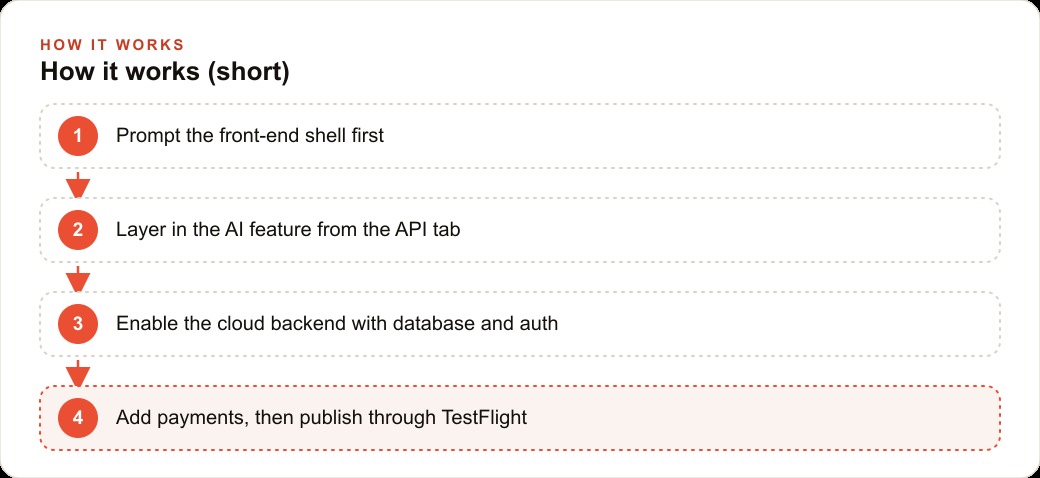
The build started with one prompt that asked for exactly one thing: the front-end shell of a homework helper app. A clean screen for parents. A button to photograph a child's worksheet. A way to view the result. No backend. No AI feature. No database. Just the visible interface, tappable and navigable, with nothing behind it yet.
This is not a workaround or a simplification. It is the foundational insight that makes the whole approach work. When an AI agent receives a prompt asking for a full app with a database and AI features and user authentication all at once, it is being asked to resolve a set of competing constraints simultaneously. The interface needs to know what data exists. The data model needs to know what the interface will display. The AI feature needs to know which part of the flow it sits in. None of those things can be resolved until the others are decided, and the agent produces confused, half-working code because it is guessing at all of them at the same time.
The front-end-first prompt removes the ambiguity from the first step. The agent solves one problem. The builder confirms the visual contract before complexity enters. And critically, the agent's output from step one becomes the context for step two. Every subsequent prompt builds on something concrete rather than something imagined.
For any business owner thinking about an app for their customers or their internal team, this principle has a practical meaning: write down what the screen looks like before you ask for anything else. A short description of the main screen, what it shows, what the user taps, and what happens next is enough to produce a working front-end shell. Getting that shell confirmed is the entire first step.
Why Auth and Database Broke Everyone Before This
The project graveyard of non-technical app builders is full of apps that had a working front-end and nothing else. The wall was always auth and database. To store a user's generated images across sessions, to let them log in and see their own history, to give each account its own private data, you needed server infrastructure, a chosen database provider, configured API keys, server-side code, session handling, and a working auth layer that tied all of it together. For developers, that work takes a few hours. For everyone else, it is an invisible wall with no obvious way through.
Every tool that tried to paper over this required the builder to understand what was happening underneath, at least enough to configure it. That configuration step, which looks small from the outside, was where most no-code mobile builds stopped.
In this flow, one prompt after the front-end was confirmed enabled the Vibe Code cloud backend. That single instruction moved the AI feature server-side, created the database tables for storing generated images per user, and wired in the authentication layer so each user gets their own persistent account. The result was immediately visible in the cloud tab: real database tables, real stored image URLs, real user records. The wall came down because the agent took the wall with it, and the sequencing meant that everything behind that wall was being built on top of a confirmed front-end rather than in parallel with it.
The Experimentation Economics of Free Error Fixing
One of the subtler dynamics of AI-assisted building is how cost pressure changes the quality of the output. In a platform where every error the agent makes is charged against the builder's credit balance, cautious behavior is rational. The builder rations prompts, avoids risky experiments, and skips edge cases they know they should test but cannot afford to debug. That conservatism produces worse software because software is written through iteration, not through caution.
The free error-fix mechanic inside vibe.code.dev changes this dynamic in a specific way. When the app threw an error during testing, pressing fix resolved the problem at no additional cost. The platform absorbs the price of its own mistakes. That one policy transforms the economics of experimentation for the whole session.
A builder who knows that errors are free will test more. They will push the app into states they are not sure it can handle. They will try the edge case they suspect might break something. The result is a more thoroughly tested app, not because the builder is more diligent but because the cost structure makes diligence free. This is not a small design choice. It is the thing that separates a build that ends at a demo from a build that ends at the App Store.
What RevenueCat Auto-Creation Means for Payment Friction
Payments in a mobile app were historically a sub-project of meaningful size. You chose a payment provider, applied for API access, implemented the SDK, configured your products in the App Store developer portal, wrote the paywall screen, handled subscription state across app launches, and tested the entire flow in sandbox mode before it could go live. That work was well understood by developers and invisible to everyone else.
RevenueCat already abstracts much of this for developers by providing a unified layer between the app and the various platform payment systems. The integration in vibe.code.dev takes it one step further: opening the payments tab auto-created the RevenueCat project. No setup. The project existed. One prompt then added a .99 monthly subscription, a professionally designed paywall screen that gates the AI homework feature until payment, and the subscription status logic that checks at every app launch whether the user's access is current.
The sandbox test purchase is the step that matters most here. A test transaction showing of revenue in the RevenueCat dashboard is not a demo. It is proof that the complete payment chain works: App Store sandbox, RevenueCat subscription record, subscription gate logic, user account, all the way through. When that test passes, the payment infrastructure is finished. Not mocked up. Finished.
For business owners, this collapses a project that used to require a payment integration specialist into a single prompt inside a browser tool. The person building the app and the person deciding the pricing are now the same person, making changes in real time without an intermediary.
A Physiotherapy Practice Building a Client Exercise Tracking App
Let me make the full sequence concrete. A physiotherapy practice wants to give patients a personalized app showing their recovery exercises, a daily completion log, and an automated flag when a patient has missed three consecutive sessions.
The first prompt builds the front-end shell: an exercise list screen with a brief description and instructional note for each movement, a checkbox the patient marks when done, a weekly progress bar, and a simple navigation between the exercise list and the completion log. The practice owner can look at that screen and confirm it matches what they imagined before anything else is built. The front-end is the contract.
The AI feature comes next. From the API tab, the agent adds a feature that reads the exercise name and generates a form-tip note the patient sees before starting, something short and specific like a cue for shoulder position or knee alignment. That feature runs server-side so the processing does not happen on the patient's phone and the response is consistent across all devices on the same account.
One prompt enables the backend: patient accounts so each person sees only their own plan, database tables that store which exercises were completed on which dates, and authentication so the records are private. The practice staff can view completion rates directly in the cloud tab's database view without a separate admin portal.
The payments setup for this app works on a practice subscription model. The practice pays a monthly fee for a seat count and patients get access at no additional cost. RevenueCat handles that arrangement with the same integration, auto-created when the payments tab opens and configured for a per-practice billing structure through a single prompt.
The app icon comes from the image tab: a clean physiotherapy-themed 3D render, generated on demand and dropped into the app without a graphic design project. Sandbox testing confirms the practice's subscription flow. The app goes to TestFlight for a two-week internal trial with the therapists, then to full App Store submission.
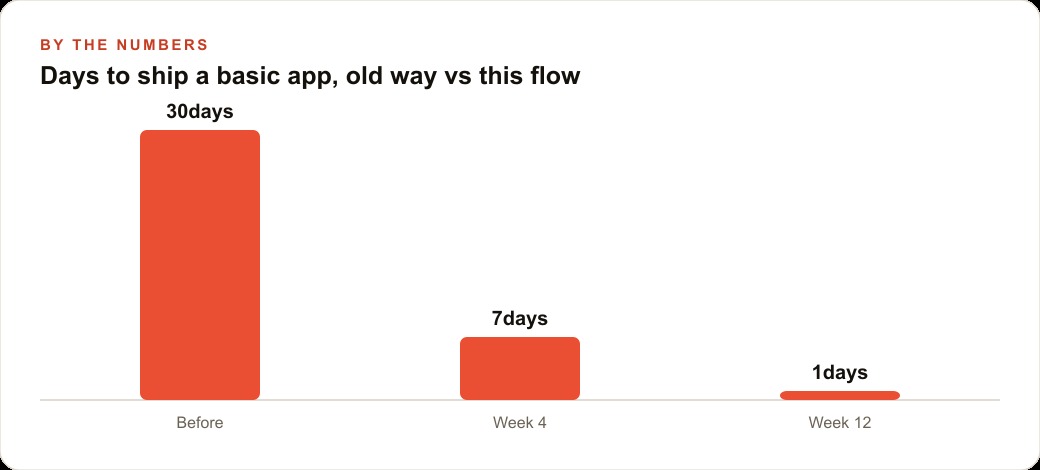
The practice now has a patient-facing mobile app with AI form tips, daily logging, private accounts, and a professional App Store listing, built in a browser session. The cost before this kind of tool existed was a development quote in the range of ,000 to ,000, a four to six month timeline, and ongoing developer dependency for every future change. That cost is now the cost of a subscription to vibe.code.dev.
For practices that also run patient acquisition through paid search, the app extends the relationship that those paid channels start. Someone who clicks a Google Ads campaign for back pain rehabilitation and then downloads the practice's exercise app is in a fundamentally different relationship with the business than someone who booked one appointment and left. The app closes the loop between acquisition and retention in a way no website can match. For practices that also track their patient interactions and recurring booking patterns, a web CRM strategy that connects the app's completion data to the follow-up system creates a genuinely powerful patient retention engine.
TestFlight as the Final Gate, and Why Sequencing Makes It Clean
TestFlight is not just a distribution mechanism. It is the final quality checkpoint, and the reason it functions cleanly in this flow is that everything before it was resolved in sequence. The front-end works because it was the only thing in scope when it was built. The backend works because it was enabled as a discrete step on top of a confirmed interface. The payments work because RevenueCat was auto-configured through the platform's integration rather than assembled by hand. The app icon is a real asset because it was generated through the tool's image tab rather than sourced from a stock library.
By the time the submission reaches TestFlight, the app is a coherent, tested product rather than a collection of loosely joined pieces. The submit to App Store option requires an Apple developer account and an Expo token. Those are real requirements that must be set up outside the platform, but they are administrative steps, not technical ones. A business owner can complete them once and use them for every future app they build.
The TestFlight period matters for a different reason than most builders expect. It is not just about catching bugs. It is about confirming that the app delivers the intended experience for a real user on a real device before the App Store review team sees it. Submitting with a broken paywall or a database that fails under real usage causes App Store rejection and costs another week. The sequencing eliminates most of that risk by ensuring each layer is confirmed before the next is added.
The New Floor for Who Gets to Build
The wider significance of this approach is not one app. It is the collapse of the access barrier that kept mobile software development inside a specialist class for the past fifteen years.
A business owner with a clear app idea used to face a development shop quote, a multi-month timeline, significant uncertainty about whether the output would match the vision, and permanent dependency on external developers for any update. That dynamic locked most small businesses out of app development entirely and left the app channel to companies with development teams or significant capital.
What is gone now is the requirement for technical expertise in backend configuration, database management, payment integration, and deployment pipeline. Those tasks are inside a prompt. The economics of that shift matter most for service businesses, practices, and small operators who had ideas for apps but could never reach them through the old development model.
Businesses that are already reaching new customers through web content and SEO or paid social campaigns can now add an app retention layer without a separate development project. The customer who finds a practice through a search campaign and then downloads the practice's app is in a fundamentally different relationship with the business than a customer who clicked and booked and left. The app closes the loop between acquisition and retention in a way no website can match, and the path to building it is now a browser session with the right sequencing.
The floor for who is allowed to build an app has dropped. The constraints that remain are not technical. They are the quality of the idea and the discipline to confirm each layer before adding the next one. Both of those are available to anyone, regardless of technical background, which is the change that actually matters.
That is exactly what we do at AI DOERS. Book a private 30-minute call with Madhuranjan Kumar and we will map the fastest path to it for your specific business.
Book your call →
Madhuranjan Kumar
Madhuranjan Kumar brings 20 years of performance-marketing experience and has managed over $200 million in Facebook ad spend for brands across the United States and beyond. His expertise spans the full modern marketing stack: Meta, Google Ads, TikTok, email automation, CRM, and the websites that hold it together. At AI DOERS he turns that track record into lead-generation systems for businesses across every industry.